# PrestaShop Advanced XML Sitemap module documentation (dfsitemap)
> The Advanced XML Sitemap module (dfsitemap) generates the XML sitemaps of PrestaShop 1.7.8, 8 and 9: one index per shop, one file per language and per content type, with images,…
- Page:
- Language: en
- Last updated: 2026-11-07
- Other languages: [fr](https://www.datafirefly.com/documentation/dfsitemap/index.md), [es](https://www.datafirefly.com/es/documentation/dfsitemap/index.md), [de](https://www.datafirefly.com/de/documentation/dfsitemap/index.md), [it](https://www.datafirefly.com/it/documentation/dfsitemap/index.md), [nl](https://www.datafirefly.com/nl/documentation/dfsitemap/index.md), [pl](https://www.datafirefly.com/pl/documentation/dfsitemap/index.md), [pt](https://www.datafirefly.com/pt/documentation/dfsitemap/index.md)
- Index:
The **Advanced XML Sitemap** module (dfsitemap) generates the XML sitemaps of PrestaShop 1.7.8, 8 and 9: one index per shop, one file per language and per content type, with images, videos and reciprocal hreflang tags. Version 2.0.0 adds a new back office, a quality check, a built-in viewer and gzip compression. This page covers installation, settings, exclusion rules, scheduling and troubleshooting.
## Installation
1. Download the ZIP from your DataFirefly customer account.
2. In the back office, go to _Modules > Module Manager > Upload a module_ and send the ZIP.
3. Open _Shop Parameters > Traffic & SEO > Advanced XML Sitemap_. The module bar gives access to the dashboard, settings, automation, exclusion rules and product videos.
4. If the native _Google sitemap_ module (gsitemap) is enabled, disable it and delete its `*_sitemap.xml` files at the shop root: the dashboard reports it while it is enabled.
5. Click _Generate now_, then submit the index URL in Google Search Console and Bing Webmaster Tools.
The same ZIP runs from PrestaShop 1.7.8 to 9.x, in multistore and multilingual setups. The module writes its `dfsitemap-*.xml` files at the shop root and its temporary files in `modules/dfsitemap/var/tmp/`.
### Upgrading from 1.1.0
Upload the 2.0.0 ZIP as for an installation: PrestaShop runs the upgrade. Settings, rules, videos, the IndexNow queue and published sitemaps are kept. If 1.1.0 had written its block in robots.txt, the option that keeps it up to date stays enabled; otherwise it is disabled.
## Dashboard
For each shop in context, the dashboard shows the sitemap status (online, regeneration overdue, last generation failed, never generated), the index URL with the _Copy_, _Browse_ and raw XML buttons, the number of URLs, images, videos and files, and the dates of the last and next generation.
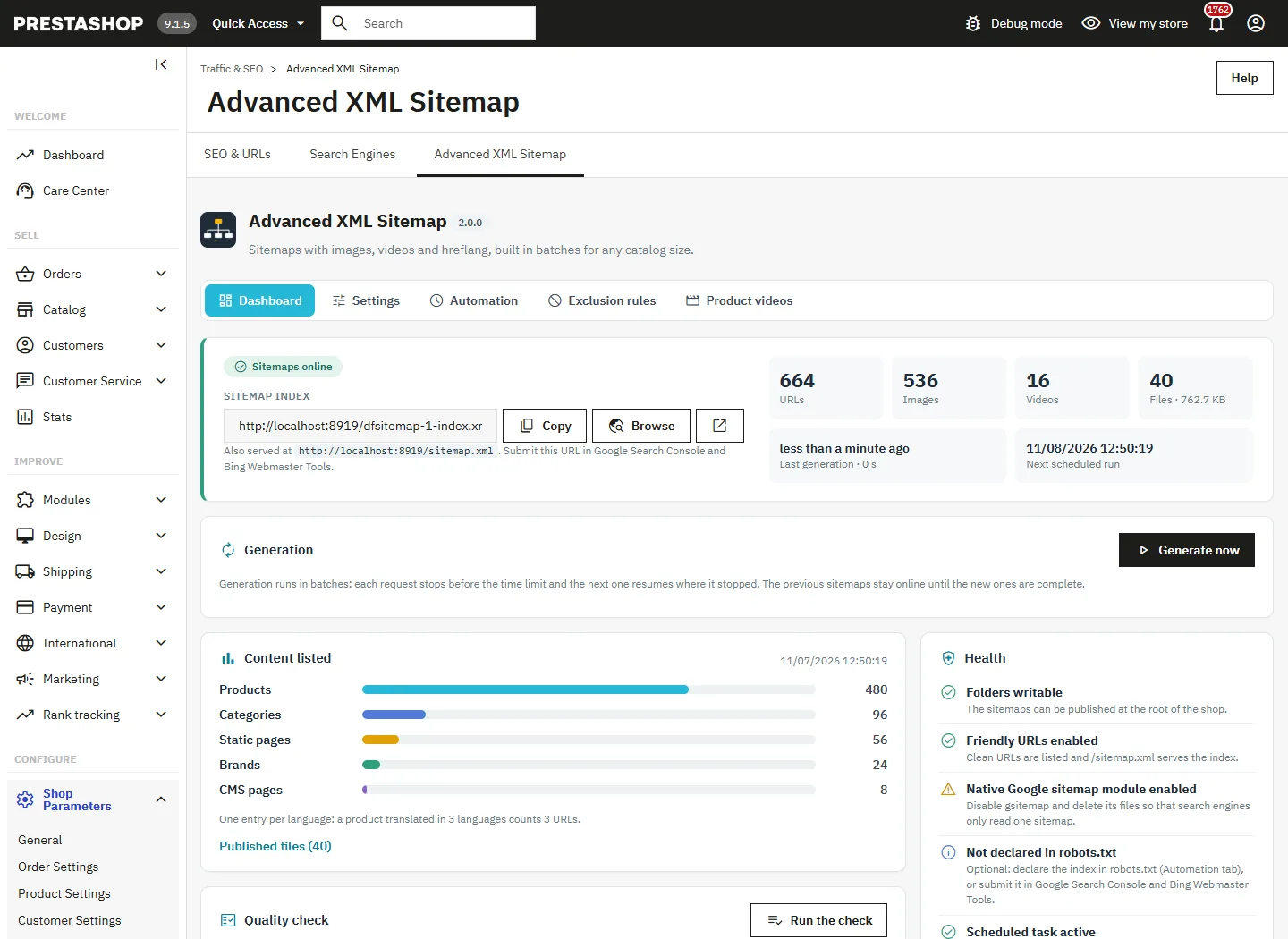
Sitemap dashboard: published index, number of URLs, images, videos and files, last and next generation
Below, the content listed by type and the _Health_ card check writable folders, friendly URLs, gsitemap or a physical `sitemap.xml`, maintenance mode, the declaration in robots.txt and the last call of the scheduled task.
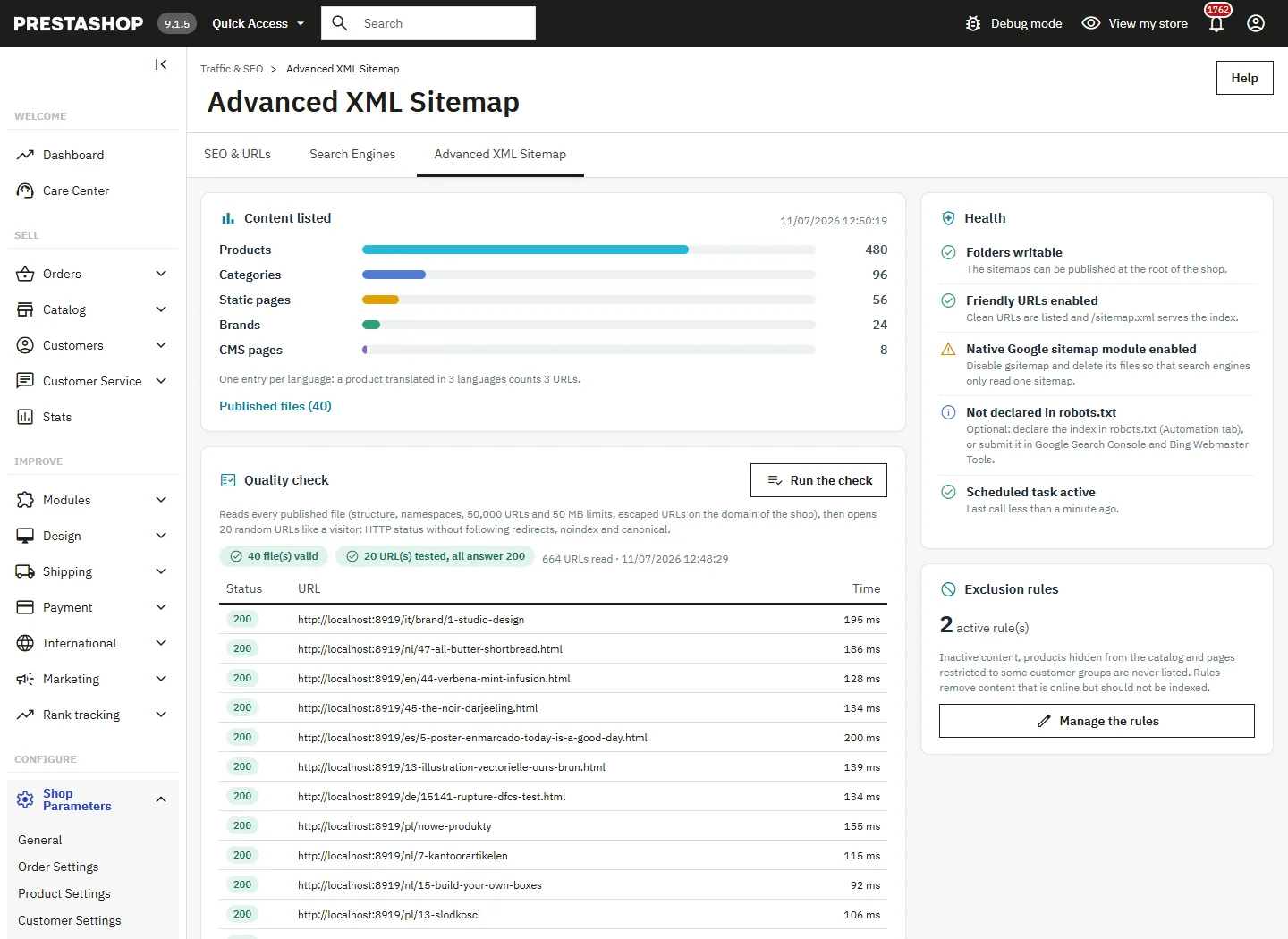
Content listed by type and health checks: folders, friendly URLs, gsitemap module, robots.txt and scheduled task
## Quality check
The _Run the check_ button streams every published file: root element, namespaces, 50,000 URLs and 50 MB limits, absolute and escaped URLs on the shop domain. It then opens 20 random URLs like a visitor who is not logged in: HTTP status without following redirects, `X-Robots-Tag` header, meta robots and canonical URL. Requests only go to the domains of the shop.
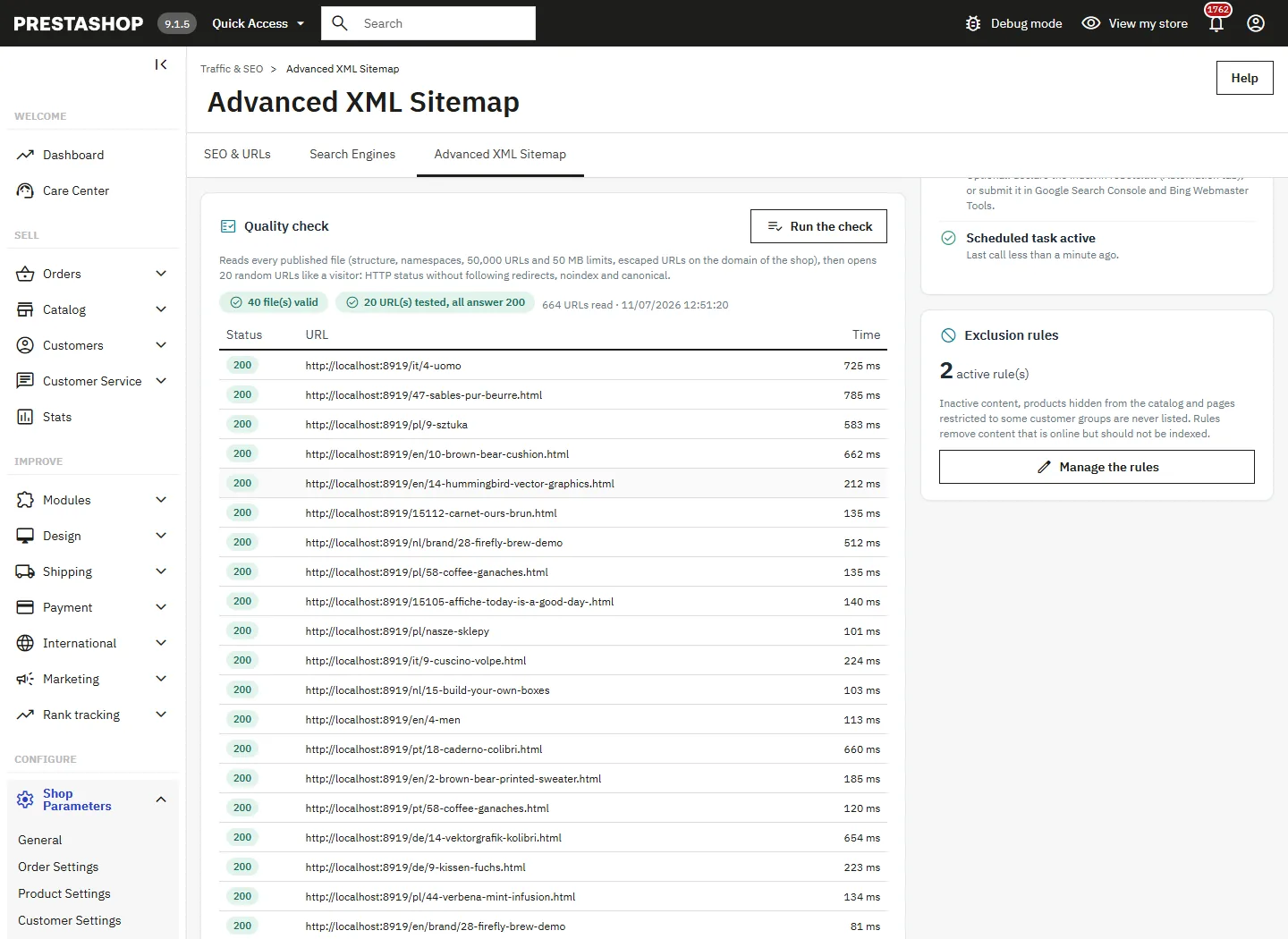
Quality check: files validated and 20 URLs tested like a visitor (HTTP status, noindex, canonical URL)
A URL "to review" usually comes from a redirect added by another module or from a page restricted to a customer group. Exclude it with a rule if it should not be indexed.
## The files
For each shop, the module publishes an index `dfsitemap-{shop id}-index.xml` pointing to files named by language and type, for example `dfsitemap-1-en-product-1.xml`. When a file reaches the URL limit you set, or before 45 MB, the rest goes into `-2`, `-3` and so on. With gzip compression, files are published as `.xml.gz` and the index stays uncompressed.
The `lastmod` of each file in the index is the date its content last changed: a file identical to the previous generation keeps its date.
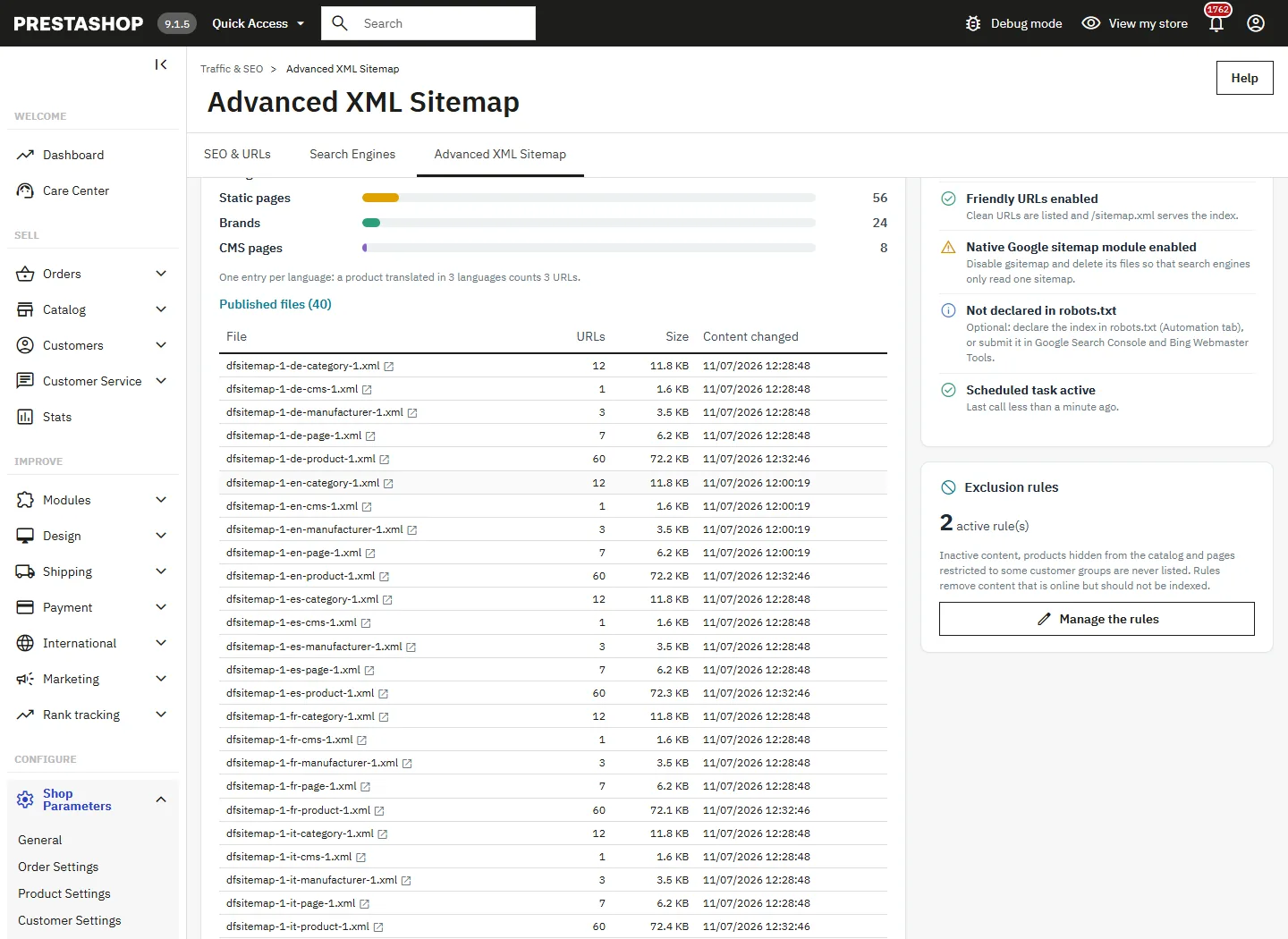
Published files: URLs per file, size and real date of the last content change
The _Browse_ button opens a viewer in the back office: URLs, number of images and videos, hreflang languages and last modified date, 100 per page, with a filter. It replaces the XSLT display that Chrome is removing.
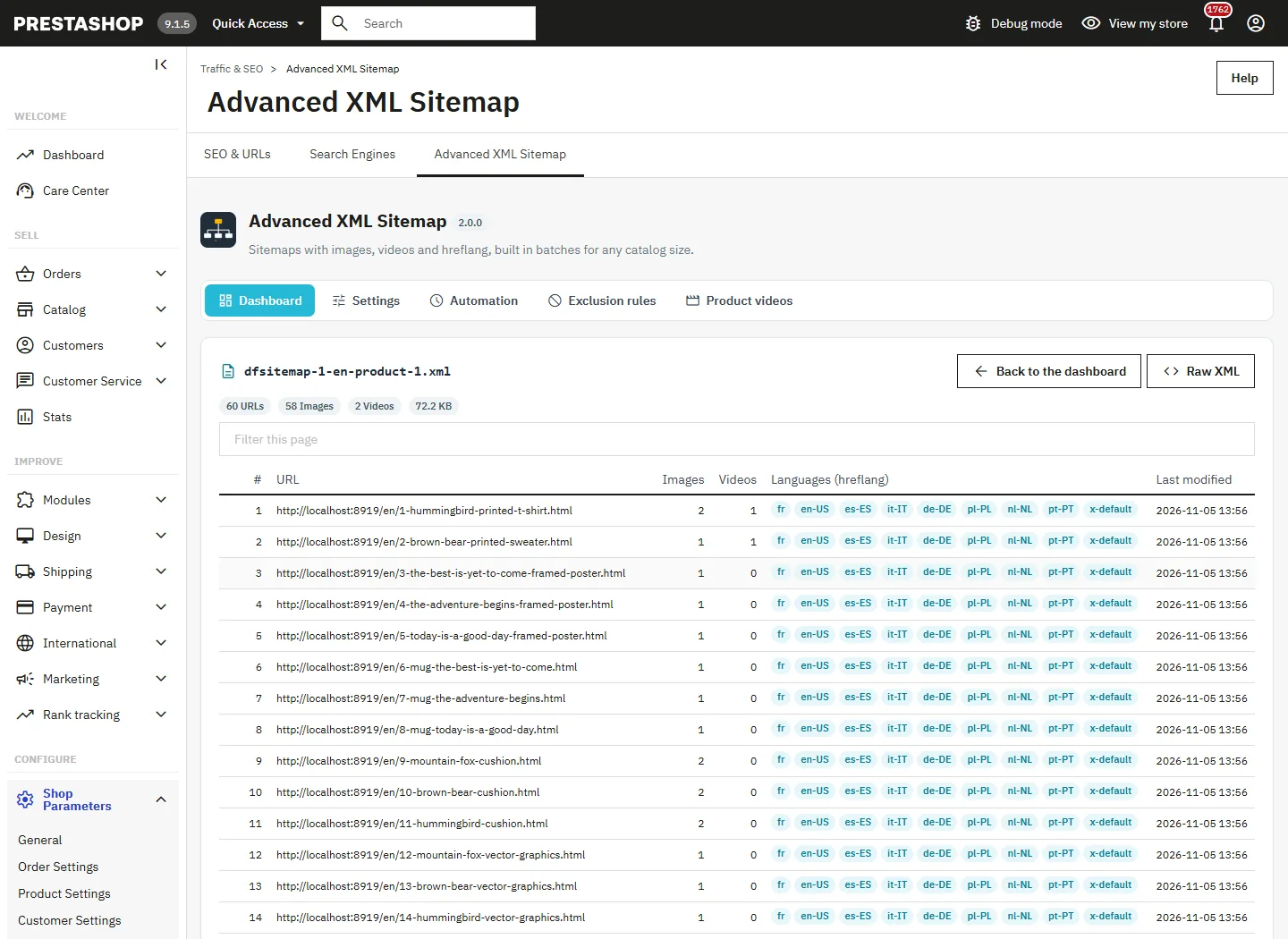
Built-in viewer: URLs, images, videos, hreflang languages and last modified date of a sitemap file
When friendly URLs are enabled, the index is also served at `/sitemap.xml` on the domain of each shop. Files are built in a temporary folder then published shop by shop: the old sitemaps stay online during the generation.
## Settings
Settings follow the multistore context: in the context of one shop, saved values only apply to that shop. An indicator shows unsaved changes.
### Content
- **Content types**: static pages, products, categories, CMS pages, CMS categories, brands, suppliers, custom URLs. Only active content is listed.
- **Static pages**: home, best sellers, new products, price drops, brand and supplier lists, stores, contact, sitemap page. A page disabled in the shop preferences (brands, suppliers, best sellers) is skipped.
- **Products visible in search only**: by default only products visible Everywhere or in the Catalog only are listed.
- **Leave out content restricted to customer groups** (on by default): products and categories that a visitor who is not logged in cannot open, and that would answer 403, are not listed.
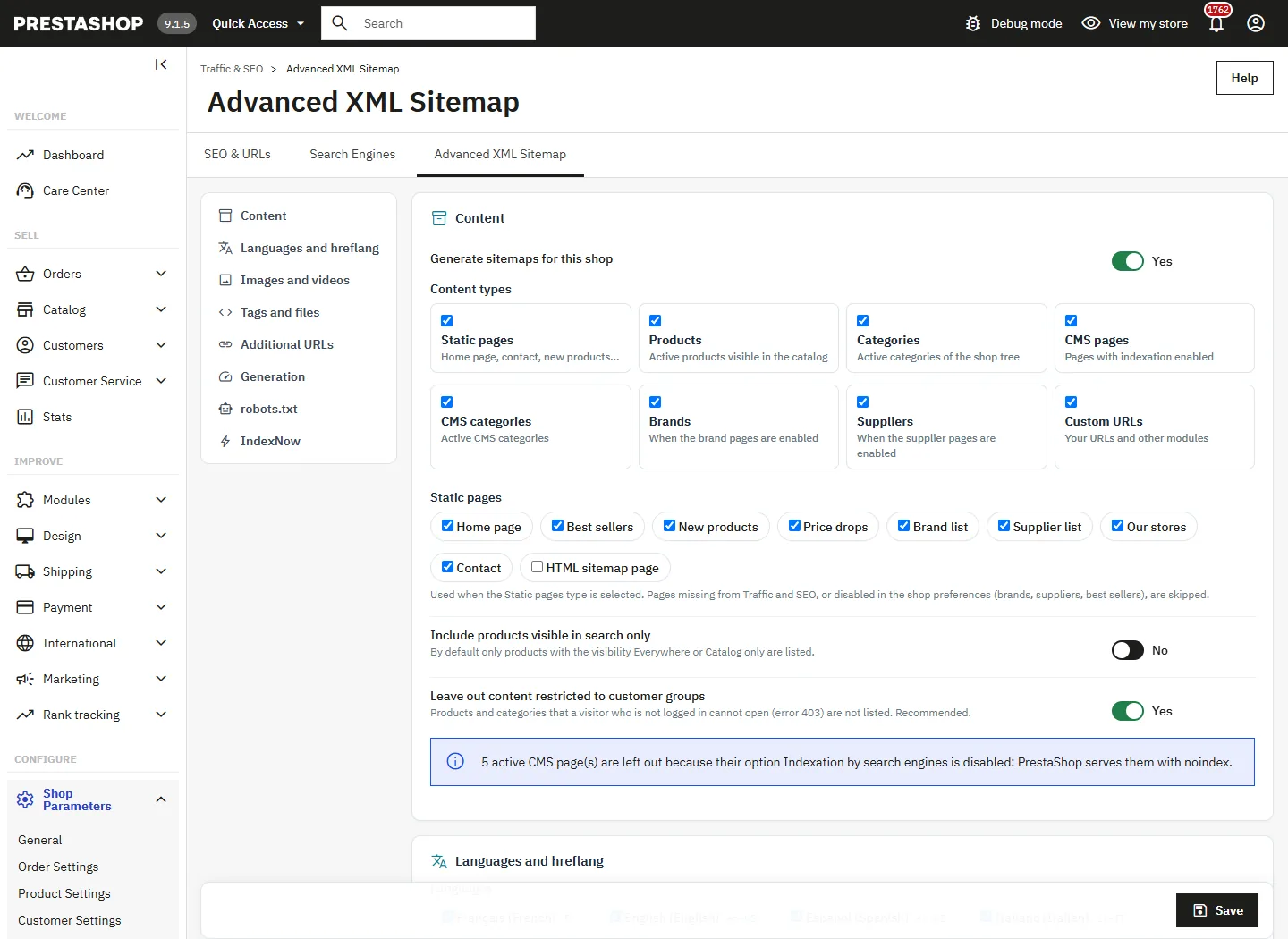
Content settings: page types, static pages, product visibility and exclusion of restricted content
A CMS page whose _Indexation by search engines_ option is off is served by PrestaShop with a noindex tag. The module leaves it out and shows how many pages are affected.
### Languages and hreflang
- **Languages**: leave everything checked to follow the active languages of each shop. The hreflang code of each language is shown.
- **Hreflang alternates**: each URL lists all its translations, itself included, so the annotations are reciprocal.
- **Hreflang code**: language and region (`en-US`, from the language code in _International > Languages_) or language only (`en`). Two languages that would share a code keep their region.
- **x-default language**: default language of the shop, a given language, or none.
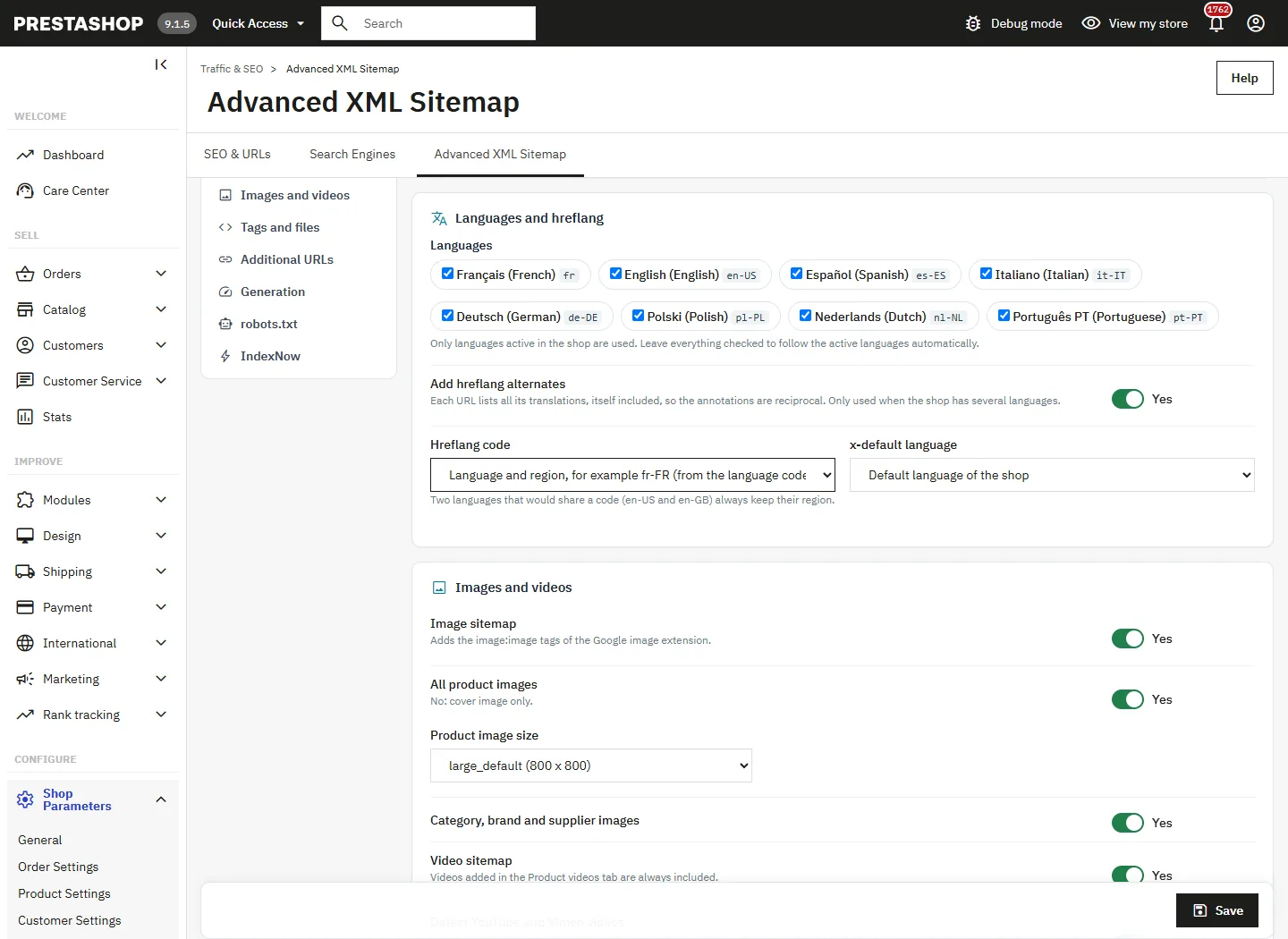
Languages and hreflang: language-region codes, reciprocal annotations and x-default language
### Images and videos
- **Image sitemap** and **all product images** (otherwise the cover only), in the image size of your choice.
- **Category, brand and supplier images**.
- **Video sitemap** and **YouTube and Vimeo detection** in product descriptions and CMS pages. For Vimeo, the title and thumbnail are read once from the public Vimeo oEmbed service, then cached.
### Tags and files
- **lastmod**: real last update date of products, categories, CMS categories, brands and suppliers. Pages without a reliable date get no lastmod.
- **changefreq and priority**: off by default, Google ignores them.
- **Readable display in the browser (XSLT)**: stylesheet in the language of each file. Off by default on new installs because Chrome is removing XSLT; use the back office viewer.
- **Compress the sitemaps (gzip)** and **URLs per file**: 10,000 by default, between 100 and 50,000, split before 45 MB.
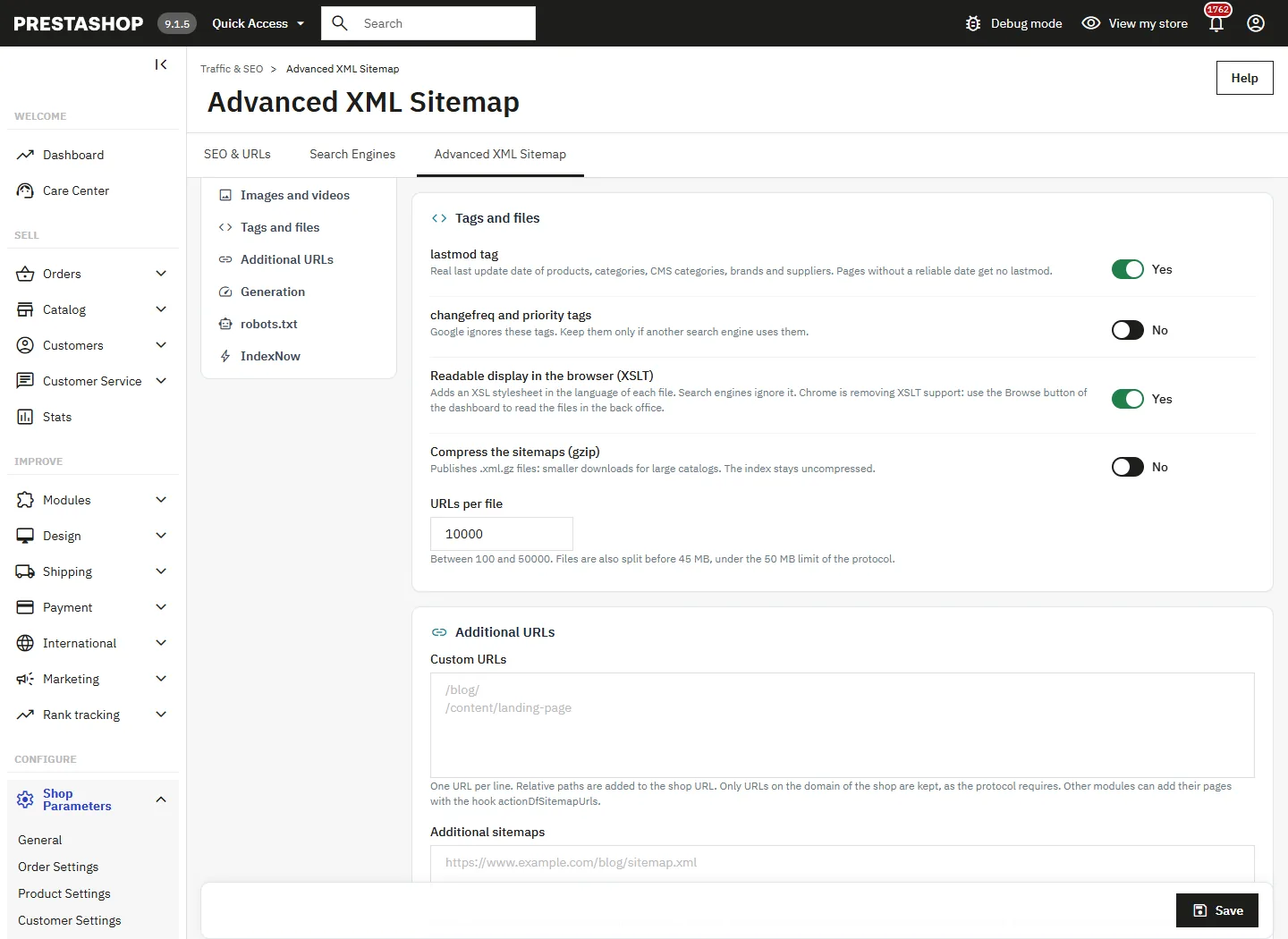
Tags and files: real lastmod, XSLT display, gzip compression and file splitting
### Additional URLs
- **Custom URLs**: one per line; a relative path such as `/blog/` is added to the shop URL. Only URLs on the shop domain are kept, as the protocol requires.
- **Additional sitemaps**: absolute URLs of sitemaps produced elsewhere, added to the index. A sitemap of another domain is only read if both sites are verified in the same Search Console account.
### Generation
- **Frequency**: from every hour to once a week, used by the cron.
- **Items per batch** (50 by default) and **time budget per request** (20 seconds, capped at 15 seconds from the back office).
- **Regenerate when content changes**: after a product, category, CMS page, brand or supplier is saved, the next cron call regenerates without waiting for the frequency, at most once an hour.
## Exclusion rules
Inactive content, products hidden from the catalog and pages restricted to some customer groups are never listed. Rules remove content that is online but should not be indexed. Each rule applies to all shops or to one, from the next generation.
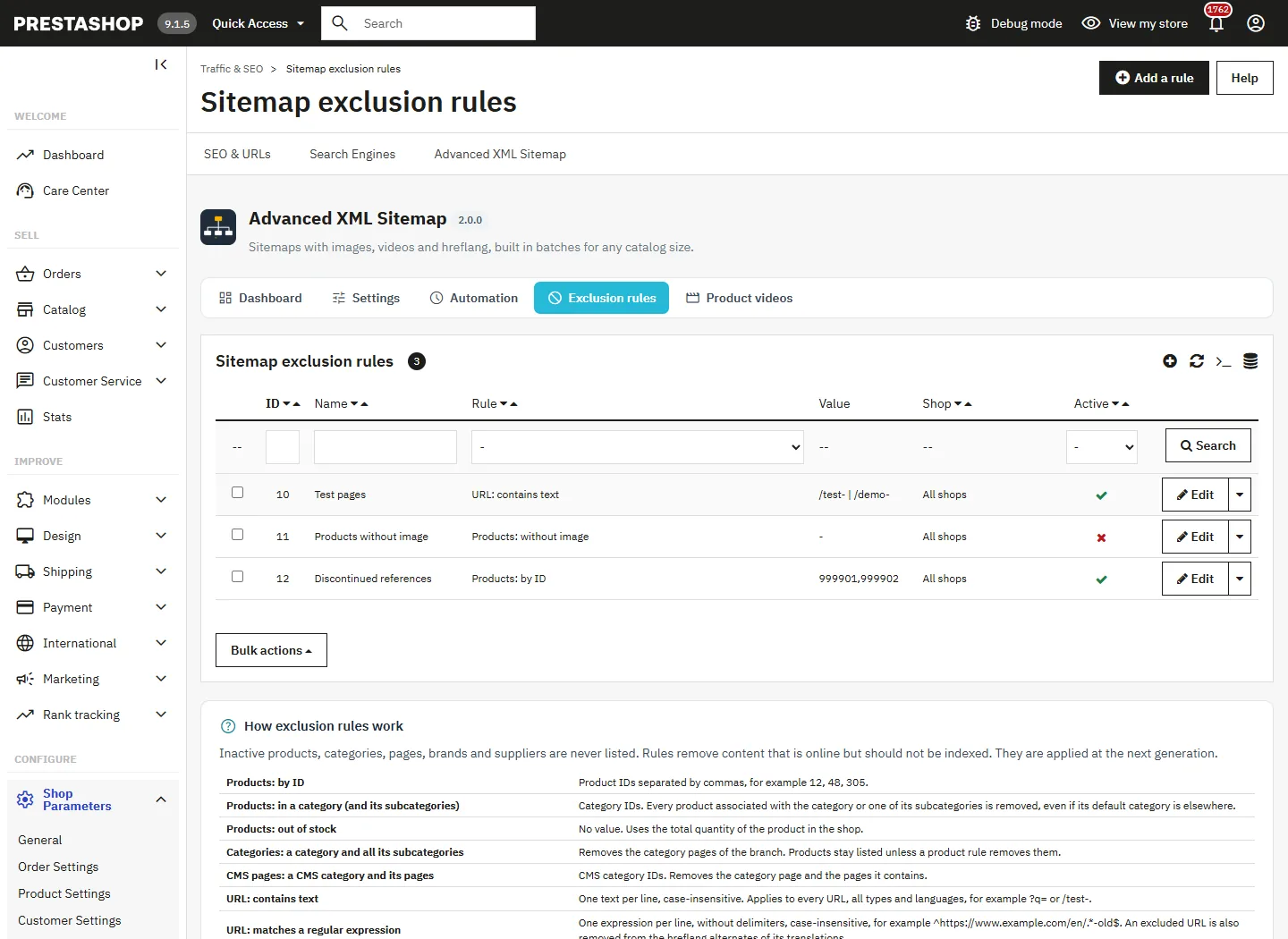
Exclusion rules: by URL text, by ID, products without image, per shop
- **Products**: by ID, in a category (subcategories included), of a brand, of a default supplier, out of stock, priced at zero, without image.
- **Categories**: by ID, or a category and all its subcategories.
- **CMS pages**: by ID, or a CMS category and its pages. **Brands and suppliers**: by ID.
- **URL contains a text** and **URL matches a regular expression**: one value per line, case-insensitive. An invalid expression is refused when saving.
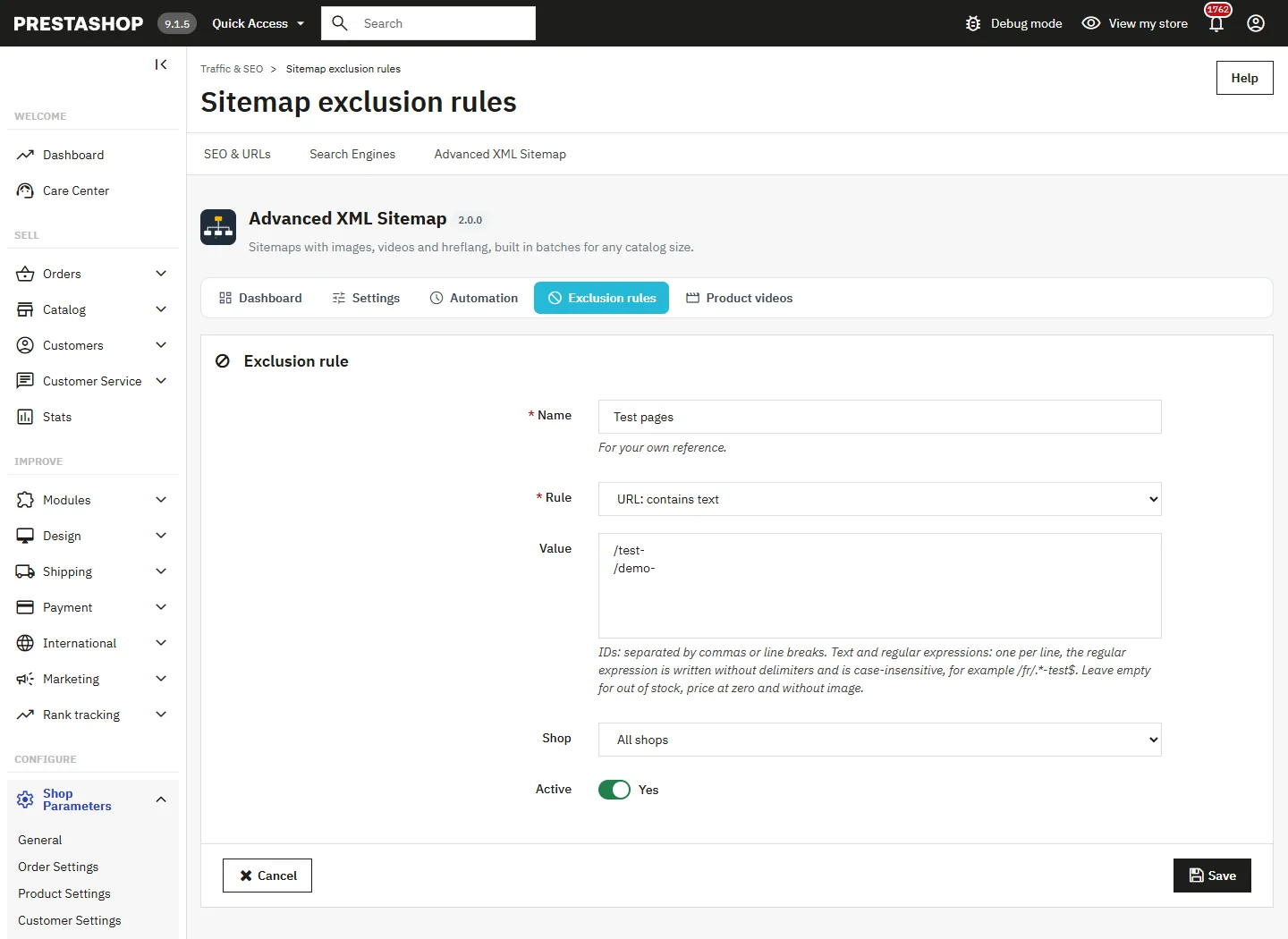
Creating an exclusion rule: URL containing a text, one value per line, all shops
A URL removed by a rule also disappears from the hreflang alternates of its translations.
## Product videos
The _Product videos_ tab is for videos hosted outside YouTube and Vimeo, or when you want a specific title and description. For each video: the product (search by name, reference or ID), the title and description per language, the thumbnail URL, the video file or player URL, the duration in seconds and the shop.
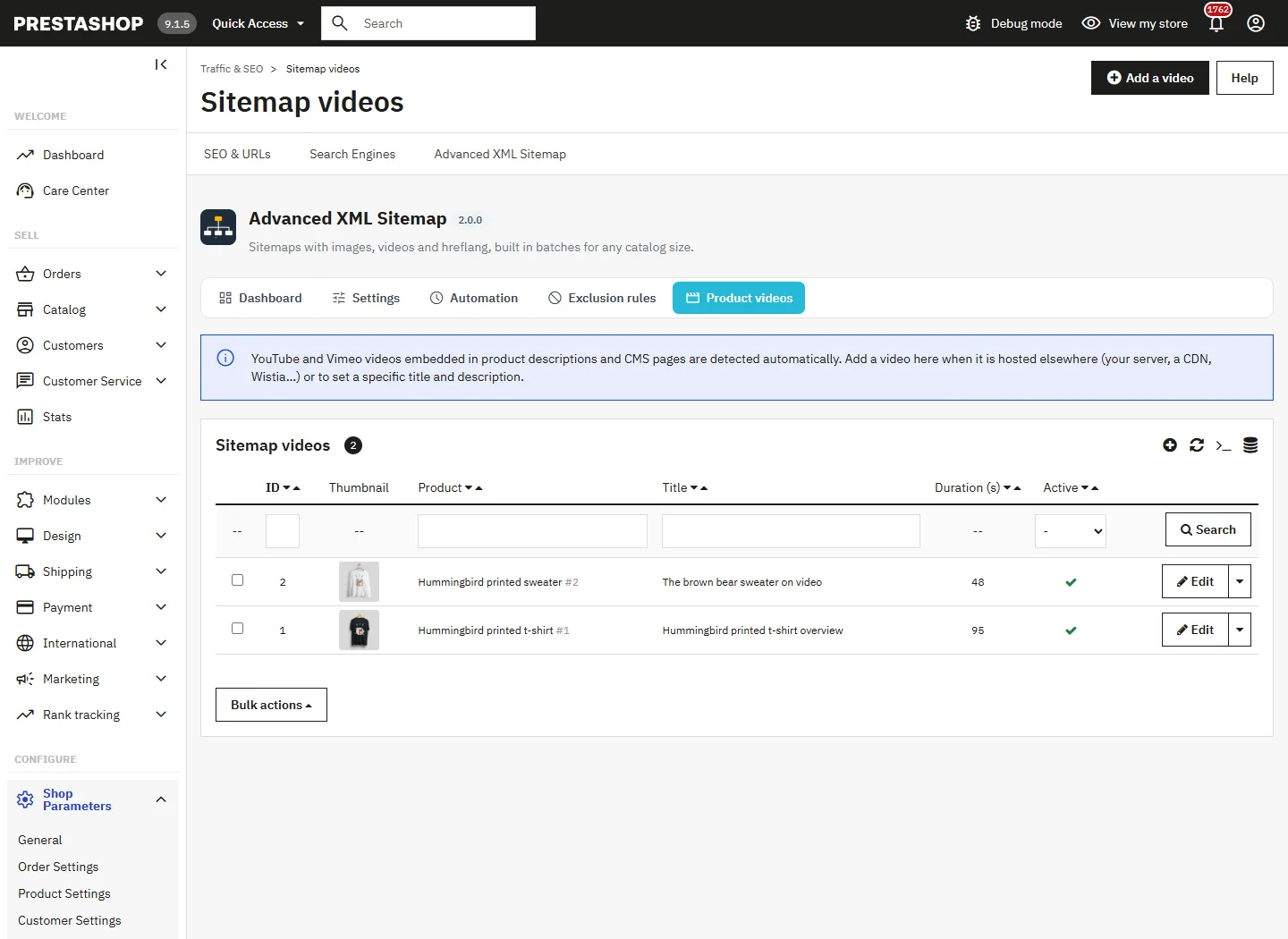
Product videos added to the video sitemap, with thumbnail, title and duration
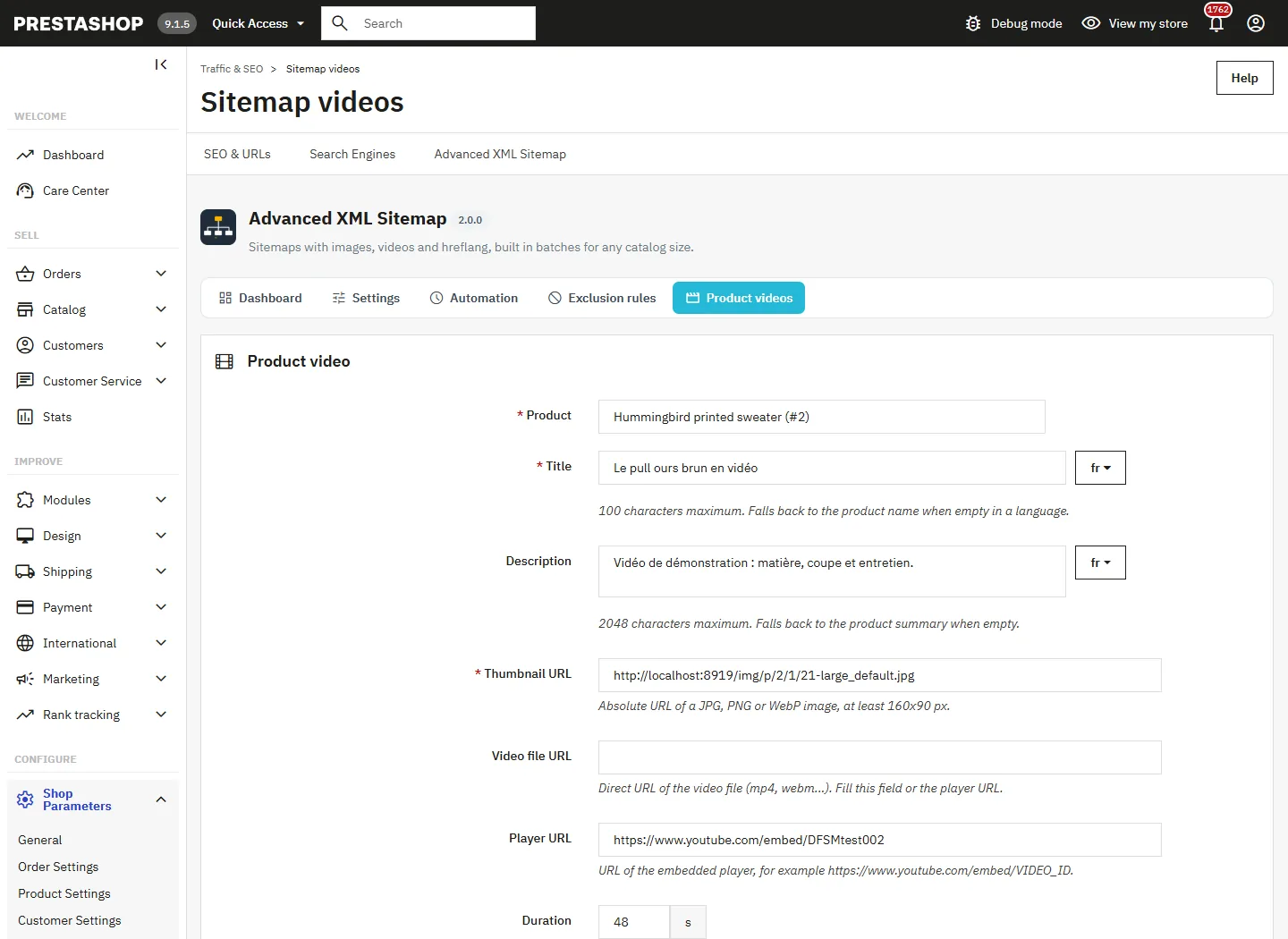
Video form: product, title and description per language, thumbnail, player URL and duration
## Running the generation
### From the back office
_Generate now_ starts the generation for the shops in context, with a progress bar. If you close the page, the job is saved: _Resume in this window_ continues it, or the cron does. _Cancel_ stops the job and leaves the online sitemaps unchanged.
### With the cron
The _Automation_ tab shows a URL such as `https://your-shop.com/module/dfsitemap/cron?token=...`, protected by a secret token. Call it every 5 minutes from your hosting cron manager. Each call works for the time budget, then the next one resumes. Optional parameters: `force=1` and `id_shop=1,2`. The card shows the last call received (HTTP or CLI); _Generate a new token_ invalidates the old URL.
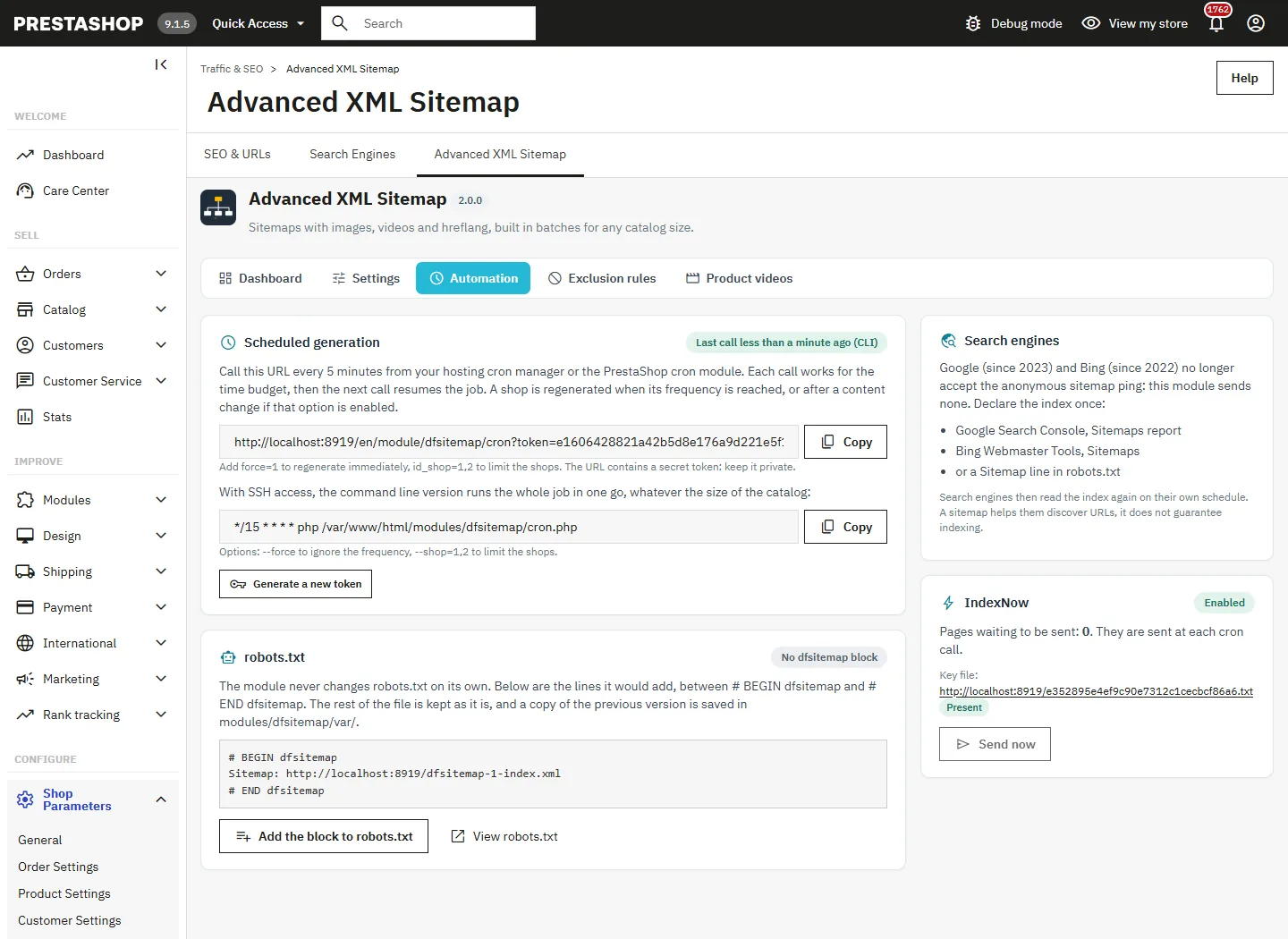
Automation: cron URL protected by a token, CLI command, search engines and IndexNow
### From the command line
```
php /path/to/prestashop/modules/dfsitemap/cron.php
php /path/to/prestashop/modules/dfsitemap/cron.php --force --shop=1
```
The script runs the whole job in one go. It refuses web calls and returns exit code 1 on error.
If a request is killed mid-generation, the job resumes from the last saved position and the files in progress are repaired. The lock left by the killed request expires after the time budget plus 90 seconds.
## robots.txt
The module never changes robots.txt on its own. The _robots.txt_ card of the Automation tab shows the lines it would add, between `# BEGIN dfsitemap` and `# END dfsitemap`, and lets you add, update or remove that block. The rest of the file is kept as it is and a copy of the previous version is saved in `modules/dfsitemap/var/`. The option _Keep the sitemap lines when PrestaShop regenerates robots.txt_ (off by default) rewrites the block each time the file is generated from Traffic & SEO. Uninstalling removes only this block.
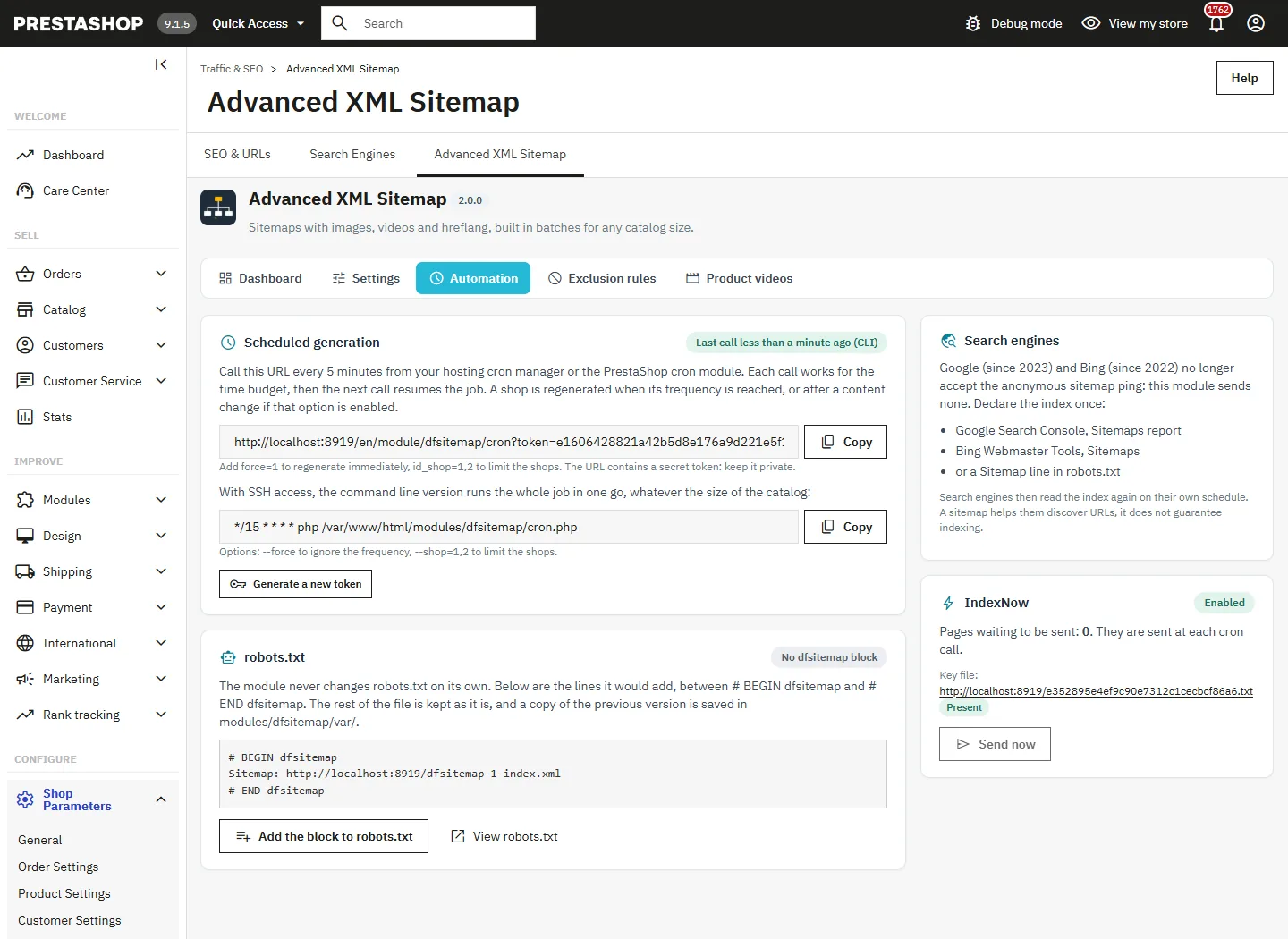
robots.txt: preview of the dfsitemap block, added or removed only on request
## Search engines and IndexNow
Google (since 2023) and Bing (since 2022) no longer accept the anonymous sitemap ping: the module sends none. Declare the index once in Google Search Console, in Bing Webmaster Tools or with a `Sitemap:` line in robots.txt. A sitemap helps search engines discover URLs; it does not guarantee indexing.
IndexNow, off by default, notifies Bing and the other engines of the protocol of created or updated pages. Google does not use it. Once enabled, the module creates a key file at the root, queues every saved product, category, CMS page, brand or supplier, then sends their URLs at the next cron call, only for content listed in the sitemap. The IndexNow card shows the queue, the key file and the last sending; on a 429 or 5xx answer, the queue is kept.
## Multistore
Each shop has its own index on its own domain, its languages and its settings. Select a shop in the multistore menu to give it specific values. In the All shops context, the dashboard shows one card per shop.
## For developers: adding URLs
A module can add its pages by hooking into `actionDfSitemapUrls`. The hook receives `id_shop`, `languages` (id_lang => ISO code) and `link`, and returns a list of entries:
```
public function hookActionDfSitemapUrls($params)
{
$loc = [];
foreach ($params['languages'] as $idLang => $iso) {
$loc[$idLang] = $params['link']->getBaseLink($params['id_shop']) . $iso . '/blog/my-article';
}
return [
['loc' => $loc, 'lastmod' => '2026-09-01 10:00:00', 'images' => ['https://.../image.jpg']],
];
}
```
An entry keyed by language gets hreflang tags like a native page. URLs of another domain and invalid entries are ignored.
## Frequently asked questions
### The quality check reports a redirect
Another module redirects this page (for example to a configurator page). List the final URL or exclude this one with a _URL contains a text_ rule.
### A product is missing
Check that it is active, visible Everywhere or in the Catalog, and placed in at least one category open to visitors who are not logged in. Also check the exclusion rules.
### The sitemap has no CMS page
Turn on _Indexation by search engines_ on the pages that should be indexed.
### The generation stays on "Another process is working on the job"
Another request holds the lock, often the cron. If it was killed, the lock expires after the delay shown and the generation resumes on its own.
### IndexNow answers 403 or 422
The engine cannot find the key file or refuses the host. Open the key file URL shown in the IndexNow card: it must display the key.