
Everything you'd want to know before you install.
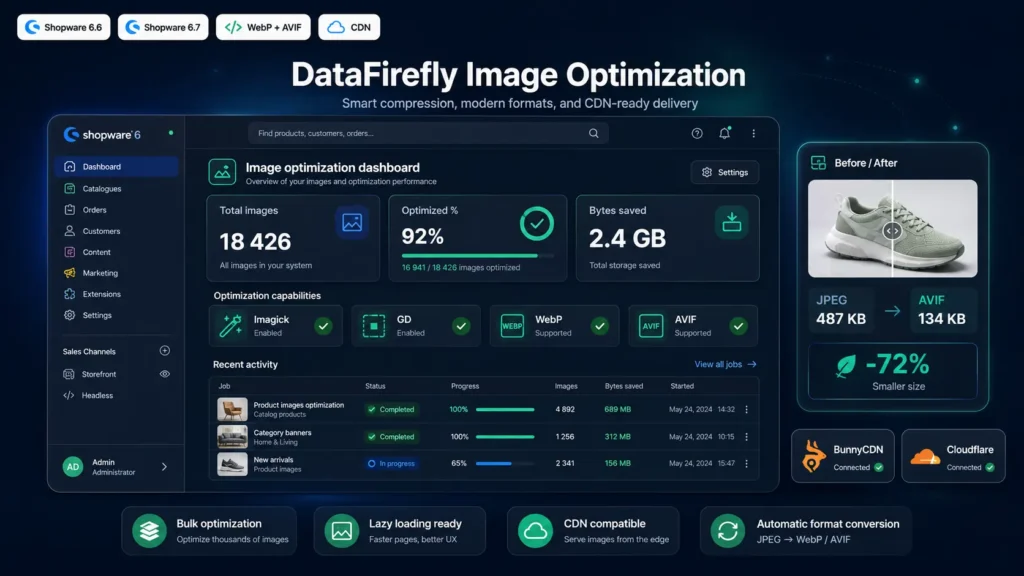
A detailed look at how DataFirefly Image Optimizer — WebP, AVIF, Compression and CDN for Shopware 6 works, why we built it the way we did, and the thinking behind the features above.
§ 01
The image problem on default Shopware 6
Shopware compresses JPEGs via the native ThumbnailService and generates several thumbnail sizes, but produces neither WebP nor AVIF. Yet WebP saves on average 25 to 35 percent compared to JPEG, and AVIF goes even lower — between 50 and 60 percent gain over JPEG in most cases. Without these formats your Largest Contentful Paint stays heavy, and your Core Web Vitals score plateaus. Without native CDN integration either, every image is served from your application server, increasing load and latency for distant visitors.
§ 02
The complete pipeline this plugin installs
On media upload, the subscriber listens to media.written and detects JPEG, PNG and GIF types. In-place re-compression of the original is applied if enabled — progressive JPEG with 2x2/1x1/1x1 subsampling and configurable quality, PNG with tuned compression level and filters. EXIF and ICC metadata are stripped if the option is checked — non-negligible weight gain on photos coming straight from a camera. Then the WebP sibling is generated next to it with a cumulative extension — foo.jpg.webp — at the configured quality, optional lossless mode for PNGs. Then the AVIF sibling is generated with its own quality, independent, and a max-width safeguard to avoid CPU saturation on very large images. Finally Shopware thumbnails receive the same treatment.
§ 03
CDN rewriting with fine-grained scope
CDN integration doesn't just blindly rewrite all URLs. Three scopes are available: media only, which touches only URLs starting with /media; media plus thumbnails, which adds /thumbnail; and all static assets, which also includes /theme, /bundles and /assets. The default scope, media only, is the safest and covers 95 percent of use cases. The df_cdn Twig filter additionally lets theme developers apply rewriting manually on any URL. When CDN is active, the plugin automatically injects dns-prefetch and preconnect in the head, saving 50 to 200 ms on the first CDN request depending on latency.
§ 04
Picture rendering aligned with best practices
The storefront/component/image/thumbnail.html.twig component is extended via sw_extends. The component_thumbnail_picture block wraps the parent img tag in a picture with AVIF then WebP sources, followed by the original fallback. The order matters — AVIF first because modern browsers prefer it and save the most bandwidth, WebP second as a safety net for older Safari, and the JPEG/PNG fallback for everything else. The loading lazy, decoding async, width and height attributes for CLS prevention are added based on configuration.
§ 05
Scheduled task for already-stored images
Enabling the plugin on a shop with already thousands of images in the library does not trigger retroactive optimization automatically — that would be dangerous. Instead, a Shopware scheduled task runs every 15 minutes by default, identifies media not yet optimized via a LEFT JOIN on df_image_optimizer, and processes a configurable batch — 50 by default. This lets a large shop catch up in a few hours without blocking the queue or saturating the server. A button in the admin dashboard also lets you trigger a manual batch any time, for tests or one-off catch-ups.
§ 06
Transparent server detection
Before the very first optimization, the dashboard shows in real time what's available server-side: PHP version, Imagick presence with its supported formats, GD presence with its formats, effective WebP and AVIF support, and the recommended engine. Imagick is prioritized when available because it offers better encoding quality and native AVIF support via libheif. GD takes over otherwise — it's supported WebP for a long time and AVIF since PHP 8.1. No surprises — if AVIF isn't available server-side, the plugin simply skips that step and continues with WebP, rather than crashing.
§ 07
Safety and cleanliness
Conversions are atomic — the plugin stages the image to a local temp file for converters that need a real path, then systematically cleans up via a finally block. Errors are logged via PSR Logger without ever interrupting the media write transaction — a successful upload will never be blocked by a failed conversion. Uninstall offers to preserve user data or not — the df_image_optimizer tables are dropped only if you uncheck the option. The generated WebP and AVIF files on the filesystem are preserved by default — a one-liner script lets you clean them up if needed.
§ 08
Who is this plugin for?
For any Shopware 6 shop where images are a bottleneck on LCP or bandwidth. For B2C shops with rich photo catalogs — fashion, decor, furniture, food. For international shops that deliver far from the origin server and want to offload to a CDN. For theme developers who want a clean Twig filter and function instead of patching img tags by hand. For SEO teams tracking Core Web Vitals and looking to easily gain 20 to 40 PageSpeed points.



There are no reviews yet.