Most e-tailers think they are backed up. The majority really aren’t. In the audits we run, 6 out of 10 stores have no backup restorable in under 4 hours, 3 out of 10 have corrupted or incomplete backups, and roughly 1 out of 10 has had no usable backup for over a month — often without realising it.
The cost of an incident without a functional backup is between 24 hours and several weeks of downtime, lost customer data, and sometimes business shutdown. This article describes the backup strategy you should have in 2026 on a PrestaShop store: the 3-2-1 rule, encryption, rotation and, above all, tested restoration.
Why default backups aren’t enough
“My host does backups” is the sentence that comes up most often. Generally true, and insufficient in practice:
- Host backups sit in the same data centre. A major fire (OVH Strasbourg 2021), a ransomware attack, or a compromise of the host’s admin panel, and the backups burn with the data.
- Retention is short. 7 to 14 days for standard plans. If you discover a defacement or corruption 3 weeks later, the infected backup has already replaced the clean one.
- Does the backup actually include everything? Many hosts back up the database but not the files, or vice versa. And uploads (product images, PDF invoices, exports) are sometimes forgotten.
- Restoration is never tested. On the day, you discover that the restore procedure doesn’t work, or takes 36 hours, or requires access to a panel you’ve lost.
- No encryption. An unencrypted backup hosted at a third party means your entire customer base is exposed in case of a leak at the provider.
The 3-2-1 rule: industry reference for 30 years
Formulated by photographer Peter Krogh in 2005 for digital backups, adopted by the NCSC (UK), CISA (US) and almost every IT security framework:
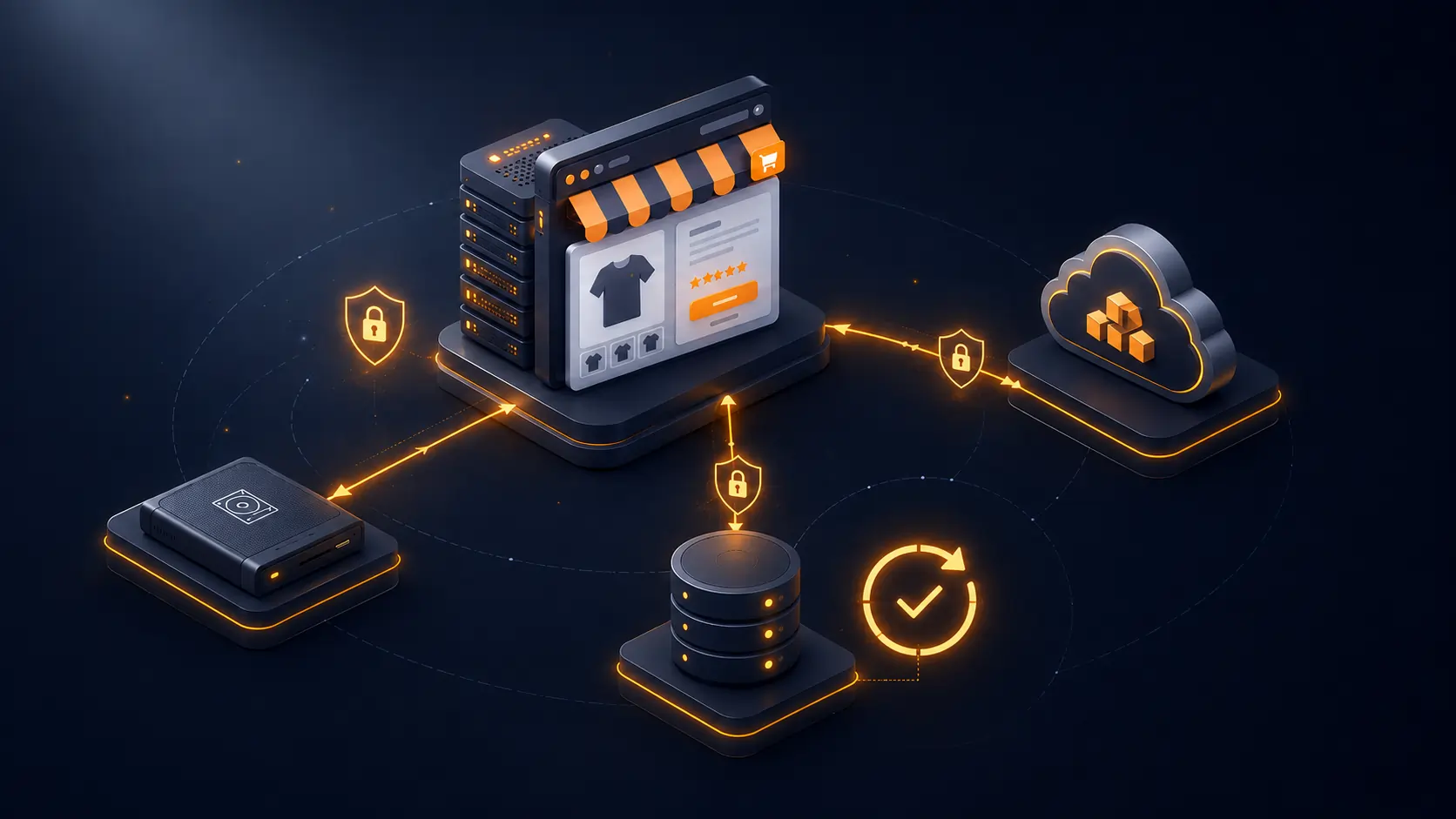
3 copies of the data, on 2 different media, with 1 off-site.
Concretely for a PrestaShop store:
- Copy 1: production (your prod server).
- Copy 2: local backup or on the same host (fast to restore for minor incidents).
- Copy 3: off-site backup, with a third-party storage provider (S3, Backblaze B2, Wasabi, Dropbox).
The off-site copy is the last line of defence against major disasters (fire, ransomware, host bankruptcy).
What to back up in a PrestaShop store
1. The complete database
All tables, not just business tables. A mysqldump with --single-transaction --quick --routines --triggers for consistency and inclusion of stored procedures and triggers.
2. Uploaded files
The /img/ folder (product, category, manufacturer images), /upload/ (product attachments), /download/ (virtual products and their deliverables), and any third-party module directories storing files (PDF invoices, accounting exports, logs).
3. Code and modules
Even if you use Git, backing up production code captures unversioned hotfix changes and the exact state of installed modules. Includes /modules/, /themes/, /override/, and the PrestaShop root excluding /var/cache/.
4. System configuration
app/config/parameters.php files, .htaccess, Nginx/Apache configurations, SSL certificates, crontabs. Often forgotten, they are critical to replay an installation from scratch.
5. Outgoing emails and recent logs
For legal obligations (GDPR, accounting), keep a copy of recent logs and transactional emails. Not systematic, but useful.
Encryption is no longer optional
An unencrypted backup stored with a third-party provider is a major GDPR risk: if the provider is compromised, your entire customer base leaks in clear. Article 32 GDPR: obligation to implement “appropriate technical measures”, which includes encryption at rest for backups containing personal data. The ICO has been clear in 2024-2025 enforcement that this is expected baseline practice.
The 2026 standard: AES-256 with a key stored separately from the backups. Never store the encryption key with the backups — otherwise the encryption is pointless.
Rotation: how many versions to keep
The more you keep, the better — but it costs. Time-tested GFS (Grandfather-Father-Son) strategy:
- Daily backups kept 7 days.
- Weekly backups kept 4 weeks.
- Monthly backups kept 12 months.
- Annual backups kept 5 to 7 years (depending on local accounting obligations — in the UK, HMRC requires 6 years of business records).
With this strategy, you can restore to any day in the last 7 days, any week in the last month, any month in the last year. Covers 99% of recovery scenarios.
Tested restoration: the only backup that counts
An untested backup is a superstition, not a backup. The absolute rule:
Test restoration on a staging environment at least once per quarter.
This test must verify:
- Is the backup complete (all tables, all files)?
- Is the dump restorable without errors?
- Does the site work after restoration (category pages, basket, checkout, BO)?
- How long does a full restoration take (RTO: Recovery Time Objective)?
- What is the maximum data loss (RPO: Recovery Point Objective)?
On stores running this quarterly test, restoration time drops from 6-8 hours to 1-2 hours within a few iterations. And gaps (missing table, wrong permission, corrupted file) are detected before the incident, not during.
Our dfbackup module: turnkey backups
Implementing this strategy by hand requires maintaining a dump script, an encryption system, rotation, and uploading to S3 storage. Our dfbackup module for PrestaShop 8 and 9 packages the whole stack:
- Scheduled DB + files backup via cron, configurable interval (daily, weekly).
- AES-256 encryption with a separate key, storable off-server.
- Multiple destinations: S3 (and compatible: Wasabi, Backblaze B2, Scaleway), FTP/SFTP, Dropbox.
- Automated GFS rotation: per-tier configurable retention.
- 1-click restoration from the BO, with optional staging.
- Notifications by email or webhook on failure or success.
- Detailed logs for each backup (size, duration, verification hash).
- Multi-shop, multi-language, with differentiated retention per scope.
For €129, you install a GDPR-compliant, industrialised backup strategy, without depending on your host.
How much it costs not to be backed up
On a store generating £80K monthly revenue, a 48-hour outage costs directly £5,300 in lost revenue. Add indirect costs: lost customer reconquest, negative reviews on support, SEO impact if the outage lasts (Google may deindex if the site stays 404 for more than a few days), partner trust loss. Realistic total: £12,000 to £24,000 for a 48-hour outage. For a month of outage, we are talking about business viability.
The cost of a robust backup strategy: £100-150 for the module + £4-16/month for S3 storage. The cost/risk ratio is beyond debate.
FAQ
Are incremental backups sufficient?
Not alone. An incremental backup depends on the previous full backup. If the full backup is corrupted, the entire incremental chain is unusable. The rule: a weekly or monthly full backup, complemented by daily incrementals. Not the reverse.
How long should a restoration take?
Acceptable RTO depends on criticality. For an active e-commerce store: less than 4 hours for a full restoration is the target. Under 2 hours with a polished procedure and nearby storage. Beyond 8 hours, there is a strategy or tooling problem.
Should files and database be backed up together or separately?
Together, ideally within a tight time window (10-15 minutes). A desynchronised database and files (DB backed up in the morning, files in the evening) create restoration inconsistencies: products in the DB without images, invoices referenced but missing as files.
Is cloud storage (S3) GDPR-compliant?
Yes, if the provider is in the EU/UK or offers Standard Contractual Clauses (SCCs) for transfers outside the UK/EU. AWS, OVH Object Storage, Backblaze are compliant with appropriate config. Encryption before upload guarantees that even a compromised provider gives access to nothing usable.
What’s the difference with real-time replication?
Replication (MySQL master-slave, for instance) protects against hardware failure, not against human errors or logical corruption. If a script deletes 10,000 products by mistake, the replica applies the deletion instantly. Versioned backup keeps a clean prior version. The two are complementary, not substitutable.
To go further
Backups are one link in a broader chain: security, monitoring, incident management. A well-backed-up but poorly monitored site still loses data between the incident and its detection.