
Everything you'd want to know before you install.
A detailed look at how PrestaShop 8 & 9 Backup — Database + Files, Encrypted to S3/FTP works, why we built it the way we did, and the thinking behind the features above.
A real backup, not a quick script
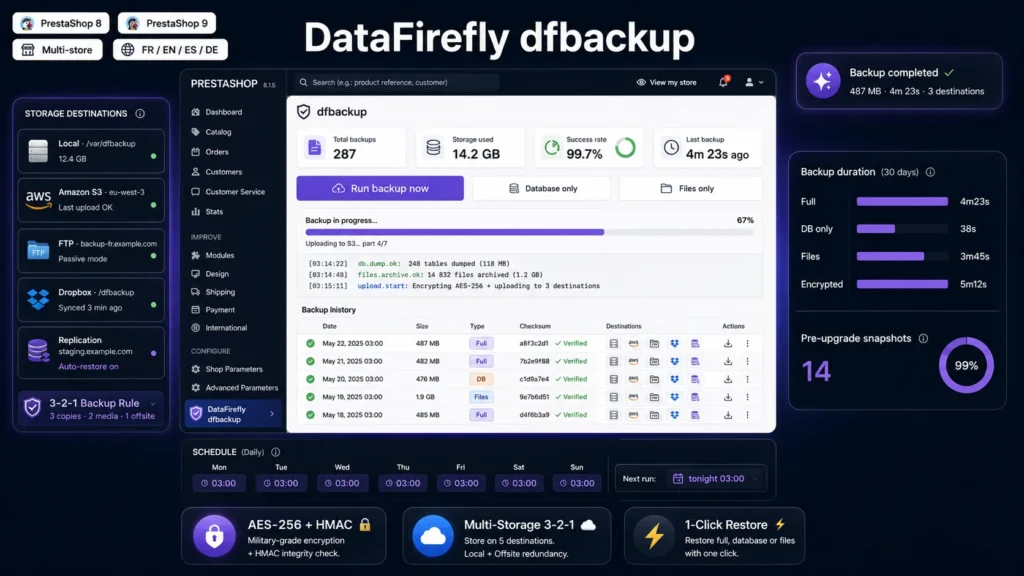
Most PrestaShop backup modules just call mysqldump then tar the shop directory, which causes three production problems : mysqldump is not available on most French shared hosting, shell_exec is disabled for security reasons, and unencrypted archives lying on disk are a time bomb in case of compromise. dfbackup solves all three : DB dump in pure PHP, archiving via ZipArchive, and optional authenticated AES-256 encryption with user passphrase. Everything works on OVH shared, o2switch, Infomaniak, Hostinger, Plesk hosting, without special configuration.
AES-256 encryption with HMAC : encrypt-then-MAC done right
The encrypt-then-MAC pattern is the cryptographers' recommended standard for symmetric schemes : you encrypt first, then compute an HMAC over the ciphertext and IV. On read, you verify the HMAC before decrypting — protection against bit-flip attacks and padding oracle attacks. The user passphrase passes through PBKDF2-SHA256 with 120000 iterations to derive separate encryption and HMAC keys (32 bytes each). The IV-HMAC-ciphertext binary format is documented, auditable, and readable by any OpenSSL-compatible tool. The passphrase itself is never stored in plaintext : only its password_hash is kept for verification.
Native S3 SigV4 : multipart, MinIO, R2, OVH, Scaleway, Wasabi, B2
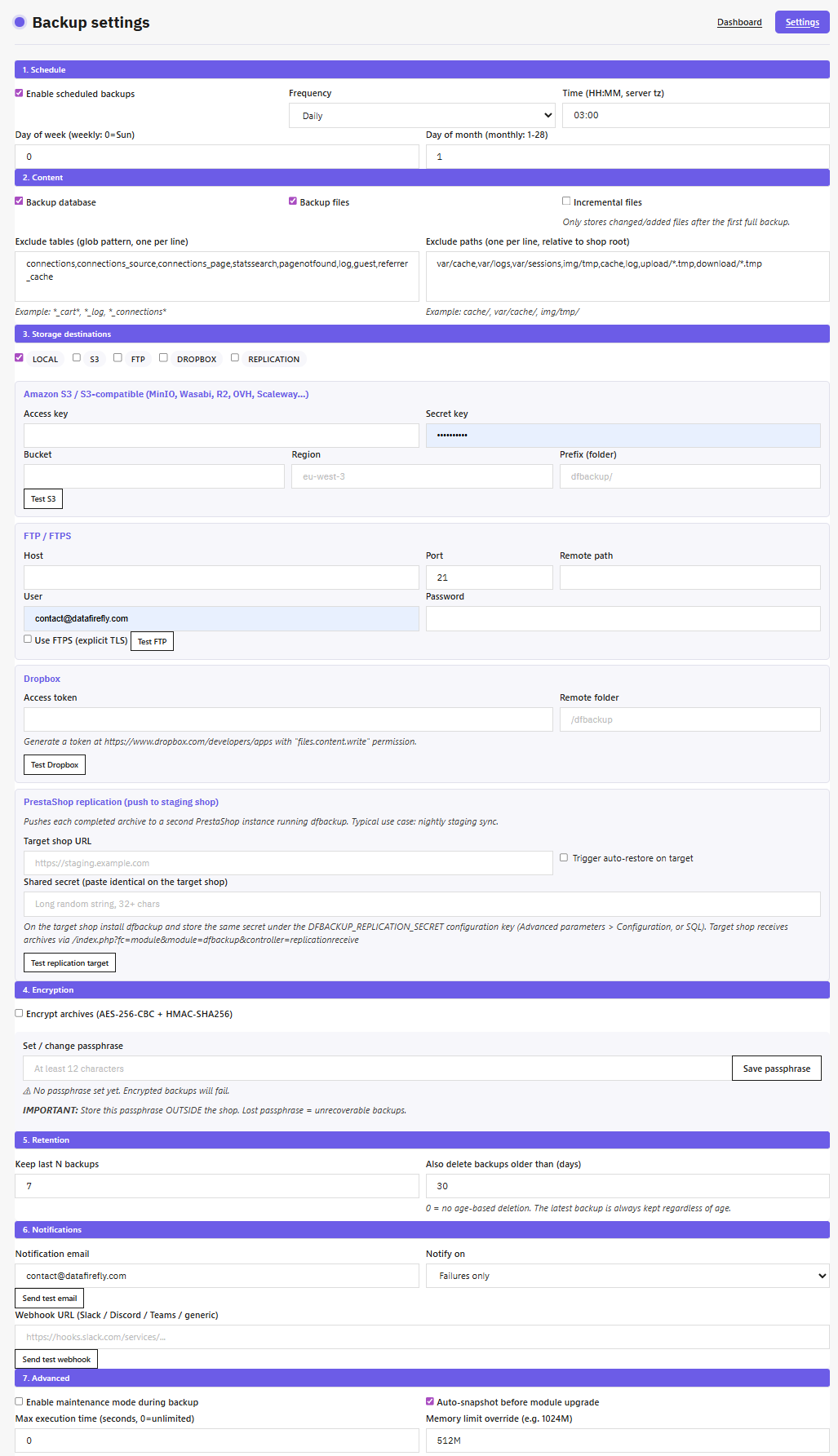
Instead of bundling the official AWS SDK (which weighs several MB and requires Composer), dfbackup directly implements AWS Signature V4 in cURL. A hundred lines of code, zero external dependency, canonical signature compatible with all services that speak S3. You can point dfbackup at Amazon S3 in eu-west-3 region, or MinIO on your own VPS, or Cloudflare R2 (which offers 10 GB free and zero egress cost), or OVH Object Storage, or Scaleway, or Wasabi, or Backblaze B2 — all work by changing just the endpoint and region in the settings. Above 100 MB, the upload automatically switches to multipart with 10 MB parts, allowing multi-gigabyte archive transfer without saturating memory.
Replication push : a nightly staging without sysadmin configuration
This is the feature that sets dfbackup apart : the ability to push every backup to a second PrestaShop installation. You install dfbackup on prod and on staging, share a common secret, check Replication as a storage destination. On every backup — manual or scheduled — the archive is uploaded in 8 MB chunks signed HMAC-SHA-256 to a dedicated front controller on the target. If the auto-restore option is enabled on target, the backup is automatically applied — your staging is up-to-date by the next morning with yesterday's data. No more rsync, sysadmin cron scripts, manual FTP transfers, or ManageWP licenses.
1-click restore with safety net
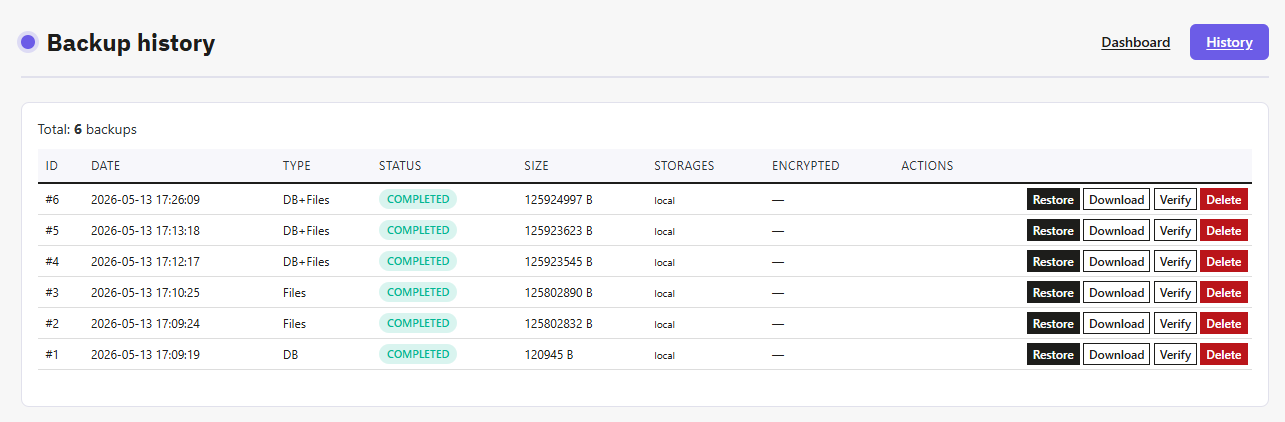
Restoring a backup is the riskiest operation in a shop's life cycle : you overwrite the live DB with a previous version, replace all files, and if anything goes wrong, rolling back is complex. dfbackup adds an automatic safety net : before each restore, a DB-only snapshot is silently created. If the restore fails mid-way (archive corruption, SQL error, insufficient disk space), you restore that snapshot and you're back to the initial state in a few minutes. The dfbackup table itself is never overwritten during a restore — your backup history is preserved even when you restore a six-month-old version.
Background backups : one click, live logs
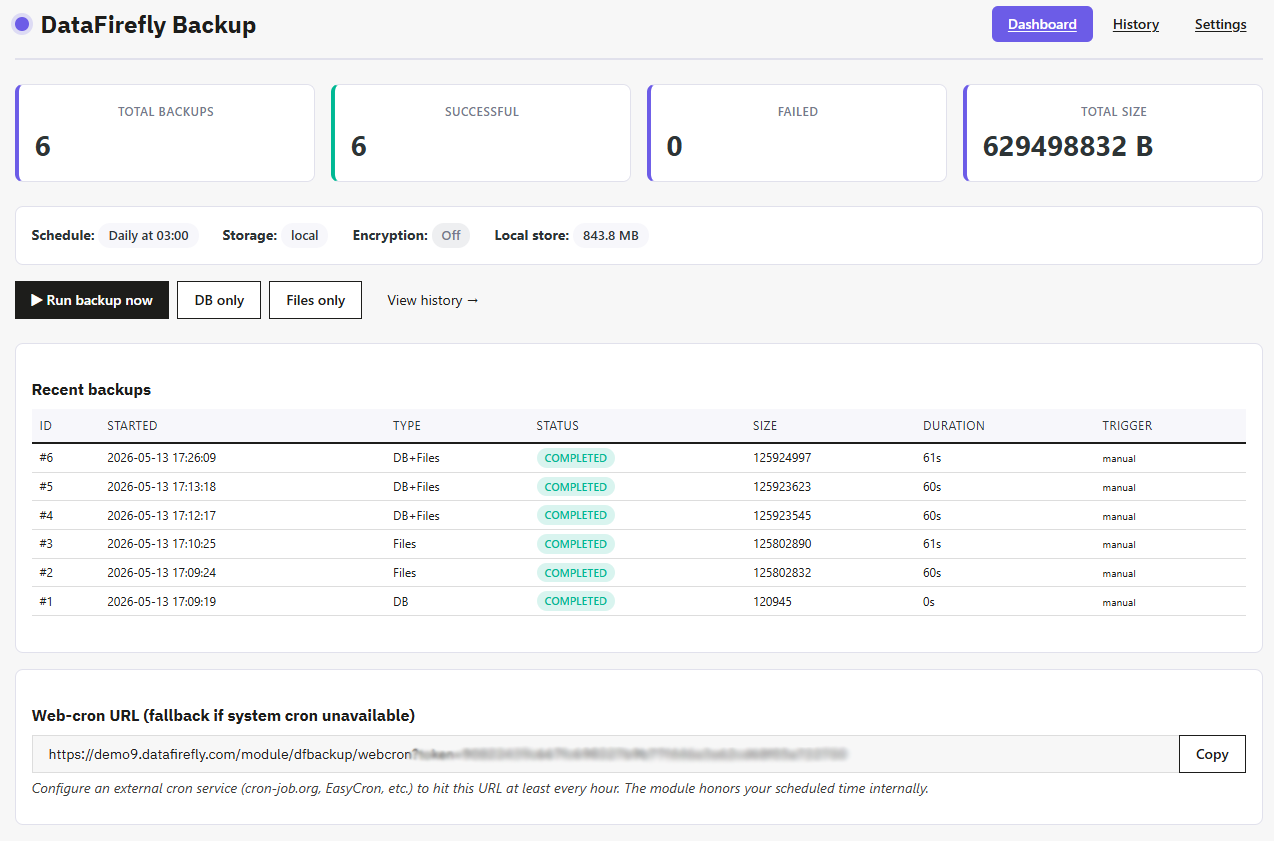
The classic experience of a Run backup button in PHP : you click, the browser freezes for 5 to 15 minutes, the user thinks it's stuck, clicks again, two backups start in parallel and the lock breaks with an error. dfbackup solves this ugly pattern in two stages : the click pre-allocates a row in DB, triggers a cURL self-call to a dedicated front controller, and returns the ID immediately (under 500 ms). The browser immediately shows a progress bar and polls logs in real time — you see the 15 steps go by (start, DB dump, files archive, encryption, checksum calculation, upload to each backend, rotation). The backup runs in its own PHP process, completely decoupled from the user request. Works on all PHP modes : FPM, mod_php, FastCGI.
Scheduling : native PS cron plus backup web-cron
On shared hosting that doesn't give access to system cron, PrestaShop's actionCronJob hook only fires when someone visits the shop — not ideal for scheduling a nightly backup. dfbackup provides a backup web-cron : a token-signed URL (regeneratable from BO) that an external service like cron-job.org or EasyCron calls at least every hour. The module internally checks the configured target time (eg 03:00 daily) and triggers the backup only inside the planned window. The 60-minute deduplication avoids double triggers. The webcron front controller goes through the PrestaShop dispatcher, so it works even when the hosting blocks direct access to PHP files under modules.
Audit log, BO alerts, pre-upgrade snapshot : defense in depth
Three complementary mechanisms to prevent a backup from being lost without anyone noticing. The audit log traces every sensitive action (run, restore, delete, verify, download) with employee, IP and timestamp — useful for incident reconstitution. The back-office alert displays a yellow or red banner at the top of all admin pages if the last backup failed or is more than 7 days old — impossible to forget. The pre-upgrade snapshot triggers automatically before every installed module update : if the update breaks something, you restore in one click. These three mechanisms can be enabled and disabled independently in Settings.
There are no reviews yet.