
Our best PrestaShop modules to measure your conversions
Six modules to stop optimising against numbers that are wrong.
Your pixel is being blocked and you do not know it. The sales happened — your campaign simply never heard about them. So you cut the budget of the campaign that actually sells.
Sound familiar?
A pixel that gets blocked
Blockers, Safari ITP, iOS. The purchase happened, the money is there — your campaign never knew.
Budget spent into the void
You cut the budget of a campaign that sells, because it is badly measured. And you never see it.
Numbers with no explanation
Analytics tells you 40% abandon. It never tells you where — still less why.
A feed that gets rejected
A product rejected by Merchant Center is an invisible product. It costs you all that reference's revenue.
Our selection, ranked
Every module below is built, maintained and supported by our team. The ranking reflects what we would install first on a client store.
-
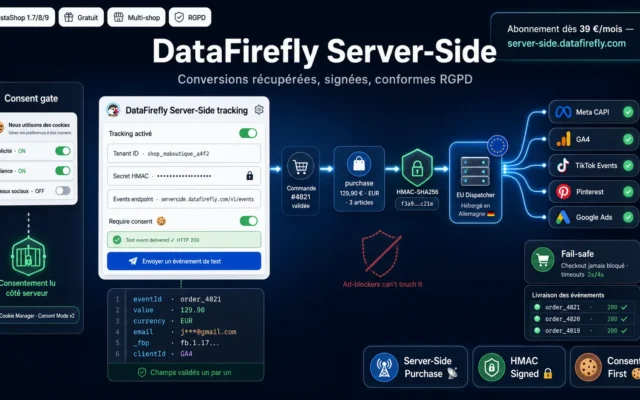
DataFirefly Server-Side — PrestaShop conversion tracking (free)
First, and freeThe event fires from your server. No blocker can suppress it. The conversions you recover are your own.
The free PrestaShop module for the DataFirefly Server-Side Tracking service: your purchase conversion sent server-to-server, HMAC-signed, consent-respecting, and natively compatible with our DataFirefly Cookie…
€0.00 View the module -
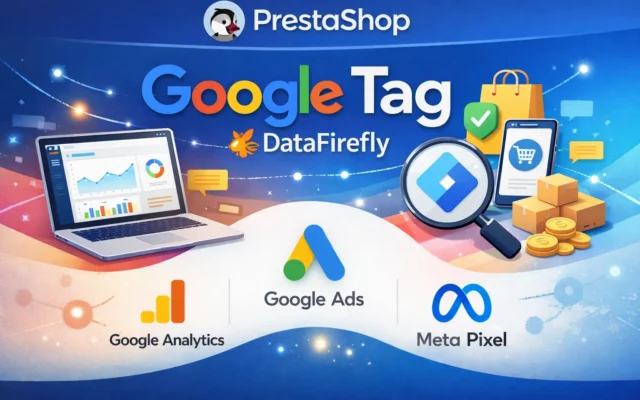
Google Tag Pro — Plug & Play PrestaShop
Tracking with no bodgingGA4, Ads, Enhanced Conversions: configured once, no tag manager. The fastest route to clean tracking.
E-commerce tracking that no longer loses conversions — PrestaShop 8 & 9. 16 GA4 Enhanced Ecommerce events, zero-loss Conversion Recovery, Consent Mode v2, Google…
€190.00 View the module -
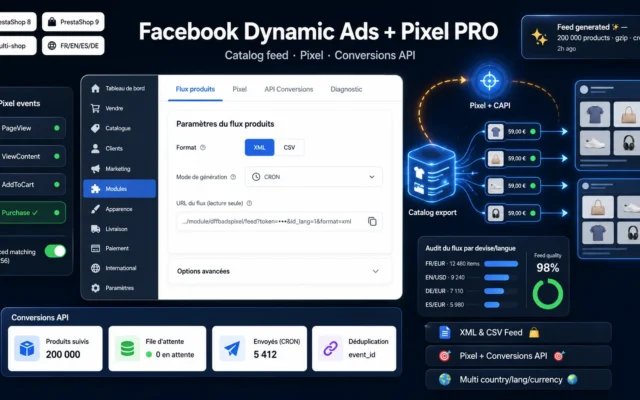
Facebook Dynamic Ads + Pixel PRO — Product Feed, Pixel & Conversions API (PrestaShop 8 & 9)
If you advertise on MetaPixel AND Conversions API. Same blockage problem, same server-side answer.
Export your catalog to Facebook & Instagram (XML & CSV feeds), track conversions with the pixel and the Conversions API, and retarget your visitors.…
€89.00 View the module -
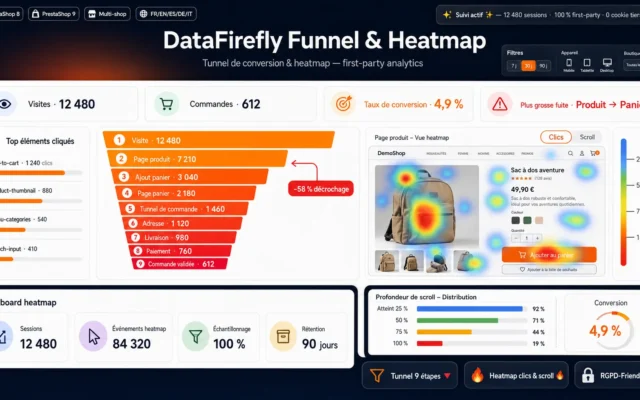
DataFirefly – Conversion Funnel & Heatmap
See WHERE they abandonAnalytics says they leave. The heatmap says where. The answer is almost never the one you expected.
See exactly where your visitors drop off and what they click on. A 9-step conversion funnel and a heatmap (clicks, scroll, elements), 100% first-party.
€79.00 View the module -
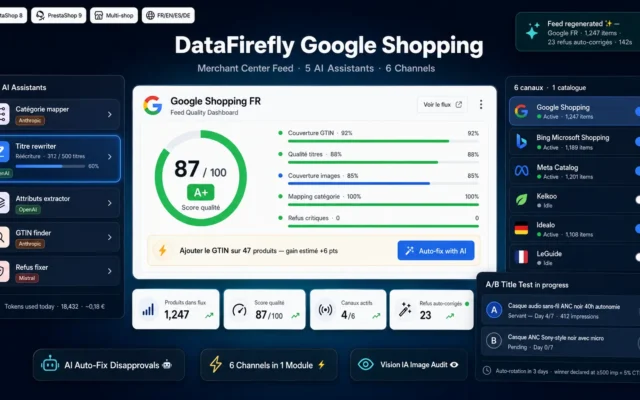
Google Shopping PrestaShop Module — Merchant Center Feed, AI & Multi-Channel
The feed that gets acceptedMerchant Center: a rejected product is an invisible product. It costs you all that reference's revenue.
Premium PrestaShop module for next-generation Google Shopping export. Merchant Center feed compliant with latest 2025 rules, 5 AI assistants to rewrite titles, map categories…
Original price was: €219.00.€149.00Current price is: €149.00. View the module -
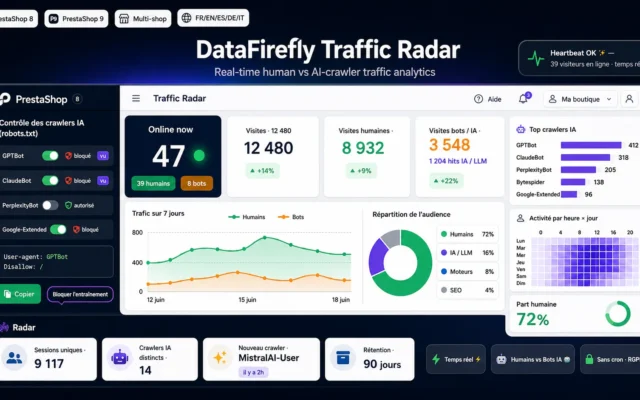
Traffic Radar — Real-time traffic & AI crawlers for PrestaShop 8 & 9
Who actually reads youReal-time traffic and AI crawlers. You cannot optimise what you cannot see.
Turn your back office into a traffic control tower: live visitors, a clean humans / bots / AI crawlers split, charts, heatmap and AI…
€49.00 View the module
Side-by-side comparison
| Module | Best for | Price | Rating | Link |
|---|---|---|---|---|
| DataFirefly Server-Side — PrestaShop conversion tracking (free) | First, and free | €0.00 | — | |
| Google Tag Pro — Plug & Play PrestaShop | Tracking with no bodging | €190.00 | — | |
| Facebook Dynamic Ads + Pixel PRO — Product Feed, Pixel & Conversions API (PrestaShop 8 & 9) | If you advertise on Meta | €89.00 | — | |
| DataFirefly – Conversion Funnel & Heatmap | See WHERE they abandon | €79.00 | — | |
| Google Shopping PrestaShop Module — Merchant Center Feed, AI & Multi-Channel | The feed that gets accepted | Original price was: €219.00.€149.00Current price is: €149.00. | — | |
| Traffic Radar — Real-time traffic & AI crawlers for PrestaShop 8 & 9 | Who actually reads you | €49.00 | — |
Your tracking is lying — and has been for years
If you rely on a browser pixel alone, you are losing a substantial share of your conversions. Not because of a bug: because the pixel is systematically blocked. Ad blockers, Safari ITP, Firefox, iOS. The purchase happened — your campaign simply never heard about it.
The consequence is insidious: your advertising looks worse than it is. You cut the budget of a campaign that sells. You raise the budget of a campaign that is badly tracked but looks better. And for months you optimise against numbers that are wrong.
Server-side is not an improvement — it is a repair
Server-side tracking fires the conversion event from your server, not from the browser. No blocker can suppress it, because it does not happen in the browser. The conversions you recover are not invented — they are your own, the ones you never saw.
And then, what no number will tell you
Analytics tells you 40% abandon at checkout. It does not tell you why. For that you need a heatmap and a funnel — and the answer is almost never the one you expected.
How to choose
Tracking comes before everything else
Not because it is exciting — because everything else depends on it. Opening channels without being able to measure properly means spreading budget at random and being unable to explain it afterwards.
And tracking today means server-side
A browser pixel alone loses a substantial share of your conversions — blockers, Safari ITP, iOS. Those sales happened; your campaign simply never knew. And that is what you optimise against: you cut the budget of a campaign that sells, because it is badly measured.
The number you must establish yourself
People will quote you percentages. Ignore them. Install the pixel and server-side in parallel and compare for a week. Your number depends on your audience and their devices — and it is the only one that counts.
What server-side is NOT
It is not a way around consent. Consent Mode v2 is still needed, a legal basis is still needed. Server-side solves a technical problem (blockers), not a legal one. Confusing the two builds you a problem.
And then stop looking at numbers
Analytics tells you 40% abandon at checkout. It never tells you why. For that you need a heatmap and a funnel view — and the answer is almost never where you assumed it was.
What you gain
Conversions you stop losing
The event fires from your server. No blocker can suppress it — it does not happen in the browser.
Recovered, not invented
These conversions are not invented. They are your own, the ones you never saw.
Budget that goes where it works
Optimising against wrong numbers means cutting the budget of the campaign that actually sells.
Tracking you do not have to bodge
GA4, Ads, Meta: configured once, not five times. And without touching a tag manager.
See WHERE they abandon
Analytics tells you they abandon. The heatmap tells you where — and the answer almost always surprises.
A feed that gets accepted
A product feed that avoids Merchant Center rejections. A rejected product is an invisible product.
From install to results
-
Tracking before anything else
Everything else depends on it. Opening channels without measuring means spreading budget at random.
-
Measure your real loss
Pixel and server-side in parallel, for a week. Your number is the only one that counts.
-
Do NOT confuse server-side with consent
Consent Mode v2 is still needed. Server-side solves a technical problem, not a legal one.
-
See where they abandon
Analytics says they abandon. The heatmap says where. The answer almost always surprises.
-
Only then open the channels
A rejected product is an invisible product. It costs you all that reference's revenue.
“We had switched off a campaign because it was earning nothing. After server-side tracking we found it was our best one — half its conversions were simply never reported.”
Frequently asked questions
Does server-side tracking invent conversions?
They are your real conversions, the ones the browser pixel could not report — because of blockers, Safari ITP or iOS. The purchase happened, the money is there, only your campaign never knew. You do not invent a conversion: you recover it.
How many conversions am I really losing?
It depends heavily on your audience and their devices — which is precisely why the only serious number is your own. Install both in parallel and compare for a week. Anyone quoting you a percentage without having seen your traffic is guessing.
Is server-side a way around consent?
No, and it must be said: server-side does not exempt you from consent. Consent Mode v2 is still needed, a legal basis is still needed. What server-side solves is a technical problem (blockers), not a legal one. Confusing the two builds you a problem.
What do I gain concretely on day one?
Nothing — and that is the point. Your conversions are more complete, so your ROAS looks better, but you did not sell more. The gain comes afterwards: you make budget decisions on correct numbers. And that is what actually makes money.
Why a heatmap if I already have Analytics?
Because Analytics tells you that they abandon, and the heatmap tells you where. On a field you thought was harmless. On a button nobody recognises as a button. On a price nobody sees until too late. The answer is almost never the one you expected — and that is the whole value.
Why is the Merchant Center feed so touchy?
A rejected product is an invisible product — it simply costs you all the revenue that reference could earn on that channel. Rejections almost always come from missing attributes (GTIN, brand, condition) or titles that break the rules. A module that builds the feed correctly is cheaper than a week spent chasing rejections by hand.
And Meta — same problem?
Meta has the same blockage as Google, for the same reason: the pixel gets blocked. The Conversions API is Meta's server-side answer. If you advertise on Meta with the pixel alone, you are not seeing part of your sales — and you are steering your budget blind.
What do I install first: tracking or channels?
Tracking first. Everything else in this selection — feeds, campaigns, channels — assumes you can measure what works. Opening channels without measuring properly means spreading budget at random and being unable to explain it later.
This need on other platforms
Not sure which one fits your store?
Tell us your context — we answer with a straight recommendation, not a sales pitch.