Subscriptions and recurring payments are no longer the exclusive domain of SaaS and box services. In 2026, more and more PrestaShop 8 stores monetise on a recurring basis for physical products: food supplements in monthly delivery, coffee subscriptions, cosmetics on scheduled replenishment, consumable refills (cartridges, capsules, filters), B2B products on automatic replenishment. The business promise is strong: a subscriber is worth 3 to 7 times more in lifetime value than a one-time buyer, and the predictability of recurring revenue fundamentally changes how the store is run.
But cleanly implementing a subscription funnel on PrestaShop is not trivial. Stripe handles recurring payments exemplarily, but the PrestaShop orchestration (creating recurring orders, handling payment failures, customer subscription management, transactional communication) requires a well-thought-out dedicated module. This guide covers what you need to know to start recurring on PrestaShop 8 — without breaking your setup, literally or figuratively.
Why recurring changes the nature of your store
LTV multiplies by 3 to 7. A one-time buyer at €50 generates €50 (minus acquisition cost). The same customer on a monthly €25 subscription who stays 12 months generates €300. The acquisition cost you can tolerate for a subscriber is therefore much higher than for a classic buyer, opening acquisition channels that are closed in one-time purchase mode.
Revenue becomes predictable. In classic commerce, your monthly revenue is volatile — November explodes with Black Friday, July/August collapses. In recurring, you start each month with a known MRR (Monthly Recurring Revenue). This predictability changes what you can plan.
Churn becomes the key metric. In one-time purchase, you measure conversion rate. In recurring, you also measure churn (monthly attrition rate). 5% monthly churn on 1,000 subscribers means 50 subscribers lost per month — 600 per year to replace just to stay flat.
Stripe Subscriptions: what the platform does for you (and what it doesn’t)
Stripe natively handles: subscription plan creation, automatic renewals, expired card management (auto-retry with “update card” email), 3DS2 and European SCA compliance, partial and full refunds, plan migration, financial reporting (MRR, churn, recurring revenue).
What Stripe doesn’t do: creating PrestaShop orders for each renewal (Stripe knows nothing about your PrestaShop catalogue); updating stock at each renewal; generating the PrestaShop accounting invoice with correct legal mentions; sending transactional emails in your brand’s colours; the customer subscription management interface integrated into your PrestaShop account area; synchronisation with your ERP, logistics, accounting. This is exactly the role of a PrestaShop subscription module: orchestrating Stripe on the payment side and PrestaShop on the commerce side.
Architecture of a clean subscription funnel on PrestaShop 8
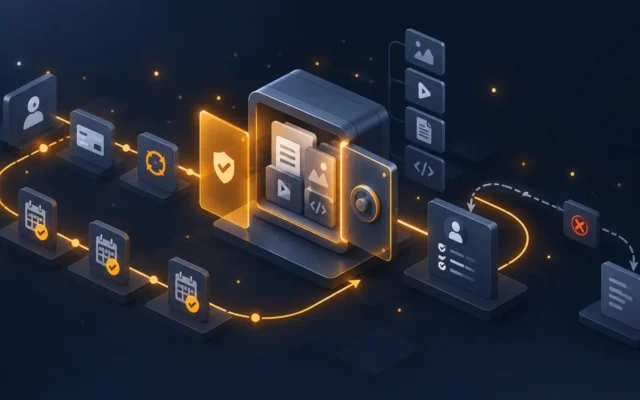
A well-designed subscription module must manage five components in sequence.
1. Subscribable product configuration. At the product level, activate “available as subscription” and configure the frequencies offered (monthly, quarterly, half-yearly, annual) with possible discounts per frequency. The module must handle products available only as subscription, only as one-time, or both.
2. Front-end subscription funnel. On the product page, the buyer chooses between one-time purchase and subscription with a clear selector. If subscription, choose frequency. See the corresponding price and the promise (“you save €X over 12 months”). The purchase funnel is then normal through to payment.
3. Creating the Stripe subscription at payment. At payment, the module doesn’t make a classic Stripe Charge but a Stripe Subscription. On the PrestaShop side, the Stripe subscription ID is recorded on the order to correlate future renewals.
4. Stripe webhook and renewal order creation. The central point. When Stripe triggers a renewal (card charged at the scheduled date), Stripe sends an invoice.payment_succeeded webhook to your store. The module must receive this webhook, create a new PrestaShop order with the same products as the initial order, update stock, generate the invoice, send the confirmation email, trigger logistics preparation. For invoice.payment_failed, the module must handle retry and notify the customer.
5. Customer subscription management interface. In the PrestaShop customer account area, the subscriber can view active subscriptions, modify frequency, pause, change payment card, cancel. The module orchestrates these actions towards Stripe via the API.
The pitfalls of generic subscription modules
The disguised Stripe Charge trap. Some “subscription” modules actually create a classic Stripe Charge with a cron job that tries to re-charge the card every month. This violates European PSD2 (re-charge without customer presence = near-systematic failure with 3DS) and always ends badly. The correct design uses native Stripe Subscriptions, which handle compliance automatically.
The no-webhooks module trap. If the module doesn’t receive Stripe webhooks in real time, your renewal orders are created with delays via cron — with delays, duplicates or missed orders. Verify that the module exposes a webhook route and secures it with Stripe signature verification.
The pause/modification trap. Many modules only allow create and cancel — not pause, not change frequency, not swap product. This rigidity degrades retention because a customer who just wants to pause during their holiday ends up cancelling entirely.
The no-PrestaShop-invoice trap. Stripe issues its own invoices, but they’re in English, without your legal mentions, and not compliant with accounting requirements. A serious module generates a PrestaShop invoice for each renewal, with your numbering, your T&Cs, your VAT correctly applied.
On PrestaShop 8, the DataFirefly Subscriptions module covers all these points: native Stripe Subscriptions, signed webhooks, complete customer interface (pause, frequency modification, card change, cancellation), PrestaShop invoice generated at each renewal, multi-currency, multi-shop.
Churn: what’s at stake from the subscription funnel itself
1. Funnel transparency. If the subscriber feels “trapped” in the subscription (pre-ticked box, hidden frequency in small print), they cancel as soon as they notice. A clean funnel clearly displays: price per renewal, frequency, commitment duration (ideally zero), cancellation conditions (one click from the customer account). This transparency reduces early churns.
2. First post-subscription email personalisation. The welcome email following the first subscription must confirm the transaction, explain next steps, and reaffirm the promise. A customer receiving a sloppy transactional email immediately doubts.
3. The cancellation funnel itself. Paradoxically, making cancellation easy reduces long-term churn. If the customer can easily pause or change frequency, they’ll try these options first before fully cancelling. If cancellation is complicated, they cancel angrily and never return.
Use cases: which products work well in recurring in 2026
Consumables that get repurchased. Coffee, capsules, detergent, pet food, food supplements, daily cosmetics. The promise is utilitarian: “you’d buy it anyway, so stop thinking about it”.
Ephemeral products renewing by cycle. Thematic boxes (gastronomy, beauty, books), seasonal boxes. The promise is experiential: “the monthly surprise”.
SaaS and digital services. Premium access, exclusive content, training, paid communities.
B2B on automatic replenishment. Office supplies, industrial consumables. B2B buyers appreciate predictability and administrative simplification.
What works less well: highly personalised products (the customer wants to choose each time), strictly seasonal products, and high-ostentation products where the pleasure comes from the act of purchasing (premium fashion, jewellery).
Conclusion: a structural investment to move from store to model
Implementing recurring on PrestaShop 8 isn’t just adding a feature — it’s evolving your business model. The technical cost is moderate (a dedicated module + a Stripe account = a few hundred euros and one to two weeks of integration), but the business impact is structural: multiplied LTV, predictable revenue, new acquisition options. The success condition remains product-recurring fit.
For further reading, browse our Conversion & UX and PrestaShop tutorials categories. And for a ready-to-deploy PrestaShop 8 subscription module with native Stripe Subscriptions, signed webhooks, complete customer interface and automatically generated PrestaShop invoice, the DataFirefly Subscriptions module covers the complete workflow.
To put this into practice: our selection of modules for subscriptions and recurring revenue.