




Everything you'd want to know before you install.
A detailed look at how DataFirefly Subscriptions — Subscriptions and recurring payments (card, SEPA, PayPal) for PrestaShop 8 & 9 works, why we built it the way we did, and the thinking behind the features above.
Why a real subscription module
PrestaShop sells one-time orders: no saved card, no renewal, no unpaid-payment reminders. DataFirefly Subscriptions adds everything that is missing to sell a box, a consumable or a service as a subscription, while staying within PrestaShop: each renewal is a standard order, visible in your orders, invoices, stock and accounting exports.
Clear plans for the customer
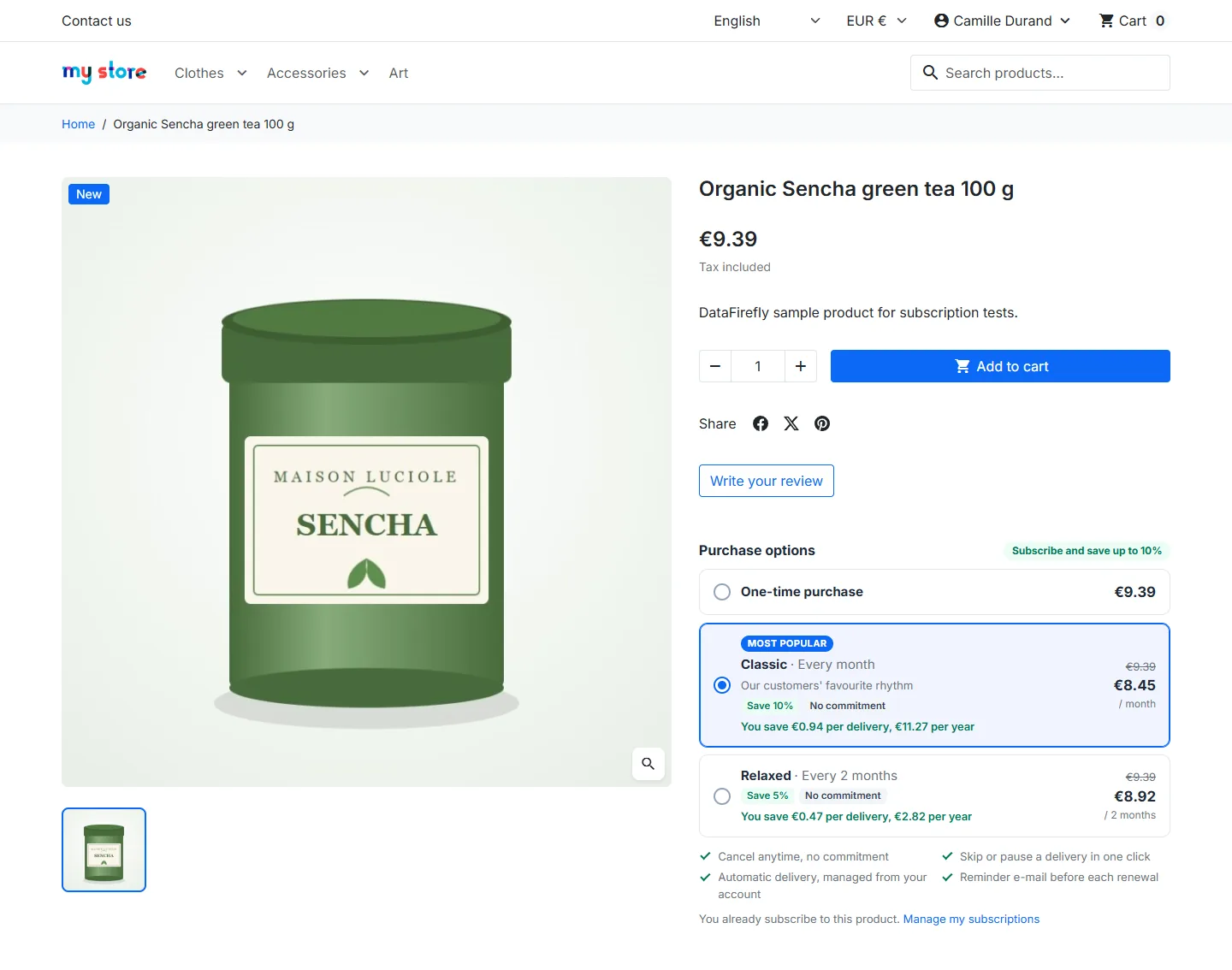
For each product, you offer one or more plans: frequency, discount, free trial, sign-up fee, commitment, number of deliveries, name and short pitch in each language. On the product page, the “Purchase options” block compares the one-time purchase with the plans, showing the strikethrough price and the savings per delivery and per year. The price displayed is the price the customer pays: it is applied to the cart, the order and the invoice from the first order.
Card, SEPA Direct Debit, PayPal or offline billing
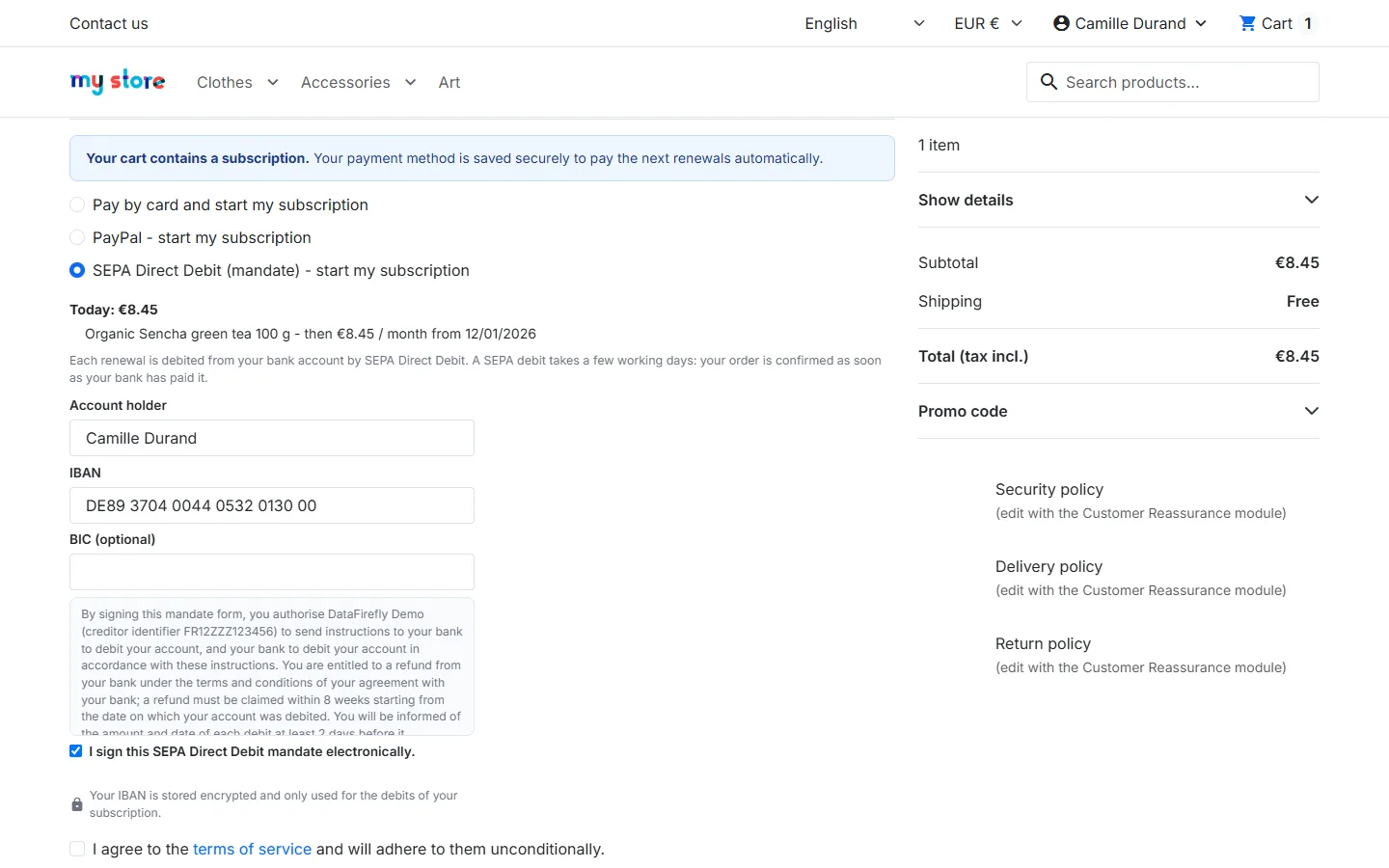
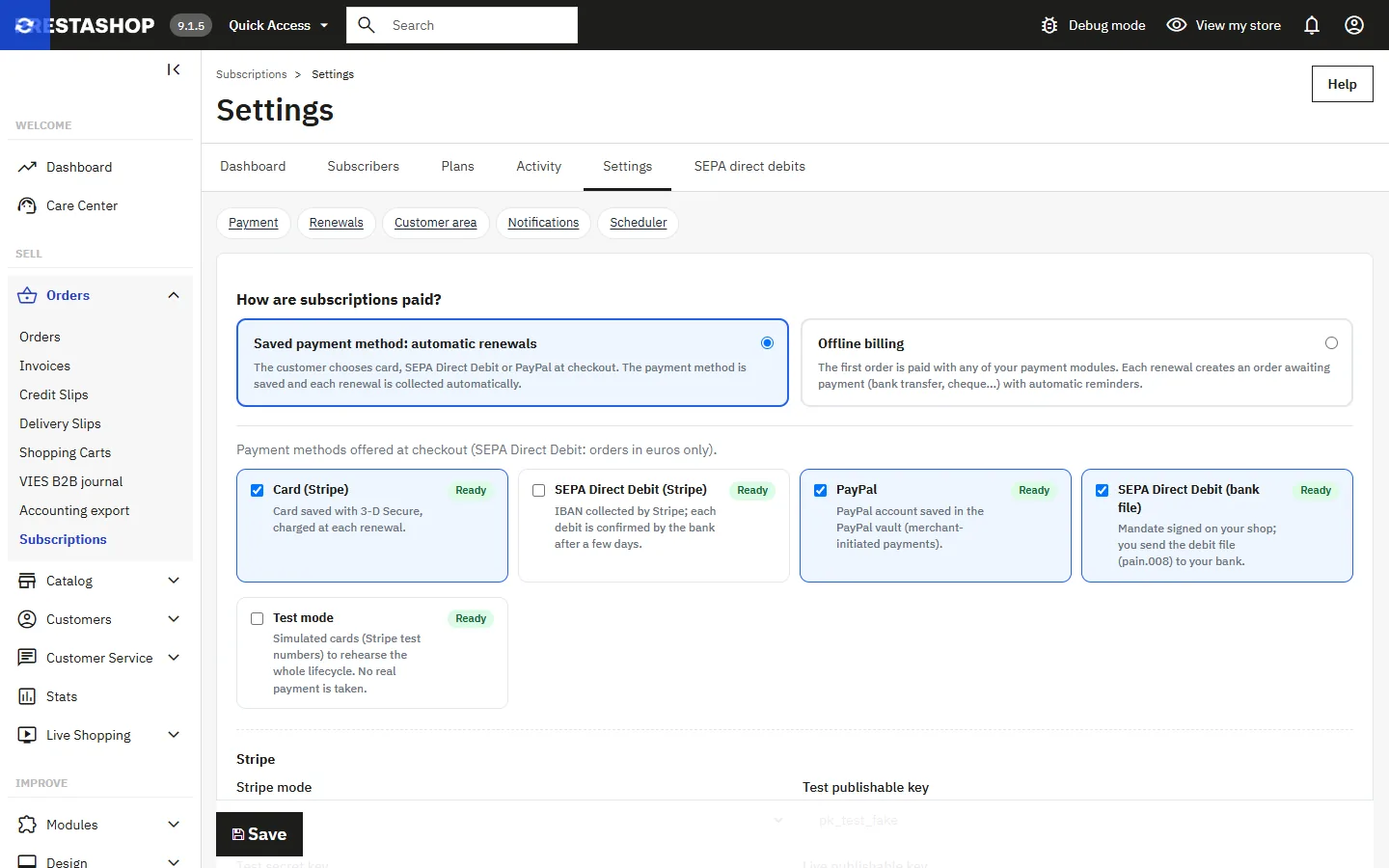
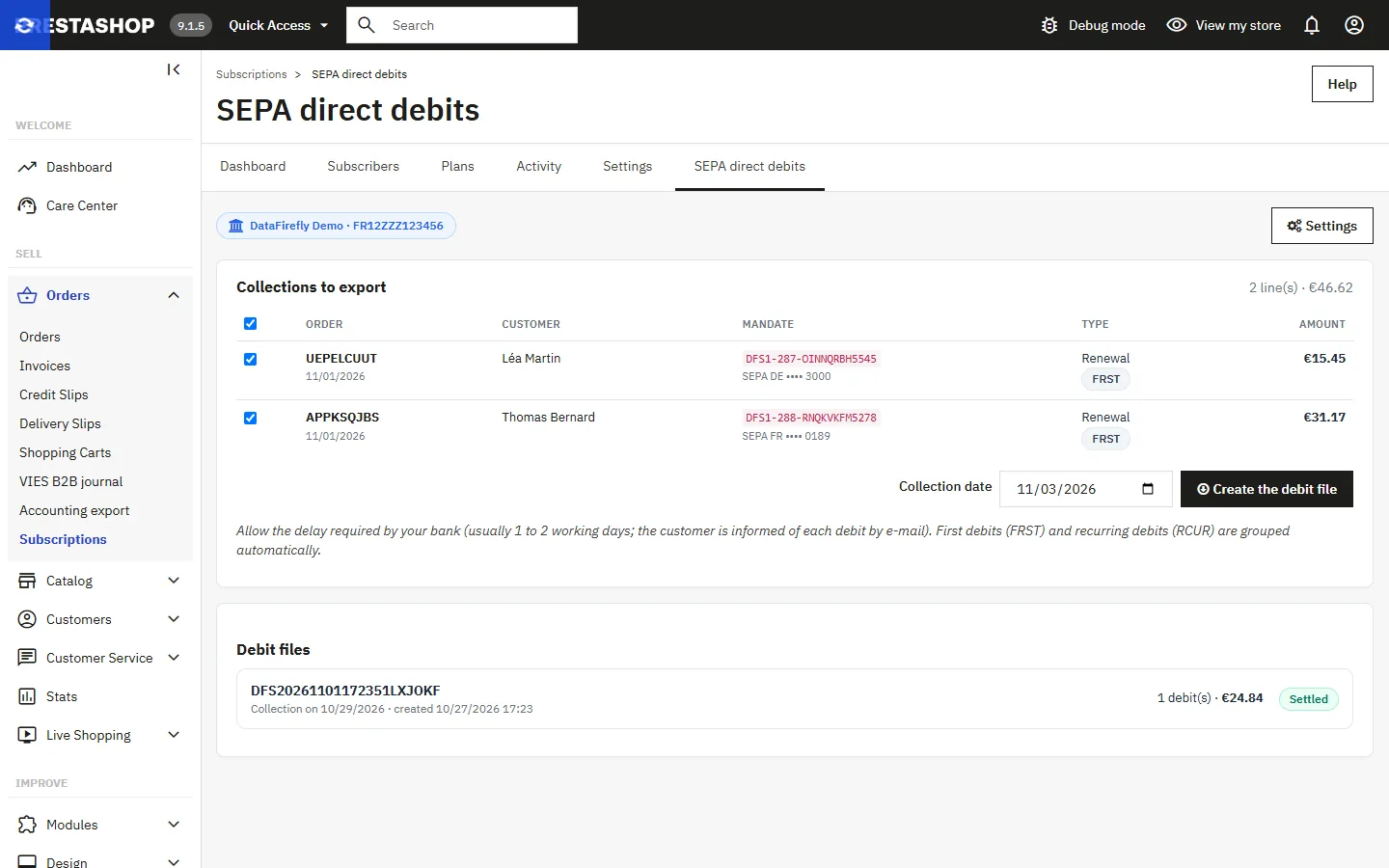
With card (Stripe), the card is saved at the first payment, 3-D Secure included, then charged at each due date; the payment is verified server-side and can only be used for a single order. SEPA Direct Debit goes either through Stripe (IBAN entered in the Stripe form, outcome tracked by the scheduler) or through your own mandates: the customer signs online, you upload the pain.008 file to your bank, then mark the debits as paid or rejected. With PayPal, the customer approves once and their account is saved in the PayPal vault for the renewals. With offline billing, the customer pays the first order however they like and then receives orders awaiting payment, with automatic reminders. Test mode simulates Stripe test cards so you can rehearse the whole cycle without any payment.
Safe renewals
At each due date, the scheduler (via command line or URL) rebuilds a cart in the subscriber's shop, currency and language and with their address, applies the subscription price, collects the payment, then creates the order. Each subscription is reserved before processing: two simultaneous runs never renew twice. If the product is out of stock, the delivery is postponed by one day without any charge; if a charge fails, retries take over and the customer can update their payment method.
A customer area that prevents cancellations
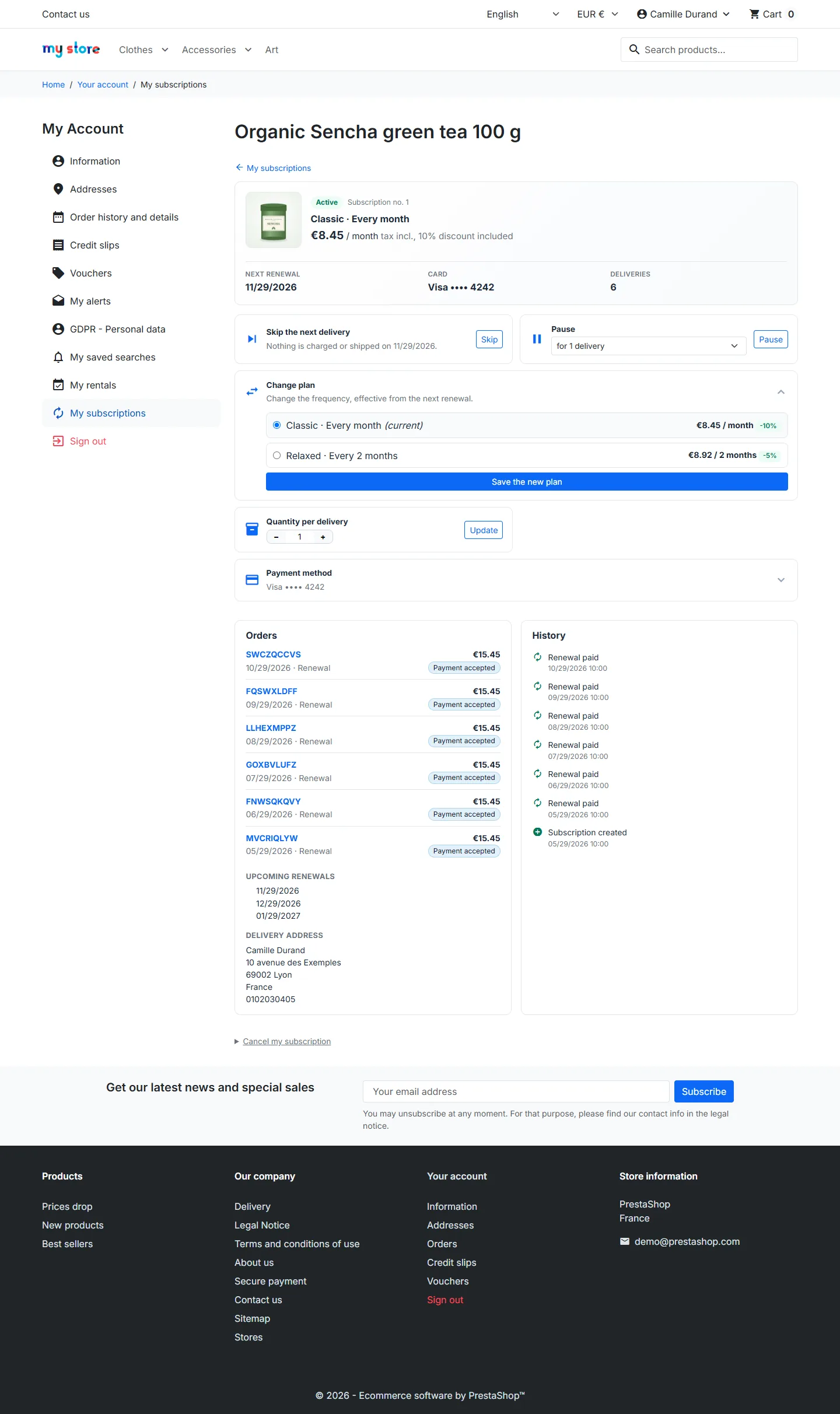
Customers see their subscriptions, upcoming dates and orders. They can skip a delivery, pause for a few deliveries, change plan or quantity, change address or payment method, and cancel by giving a reason. A reminder is sent to them before each renewal. During a commitment, they schedule the cancellation for the end of the commitment instead of having to contact customer service.
A back office to stay in control
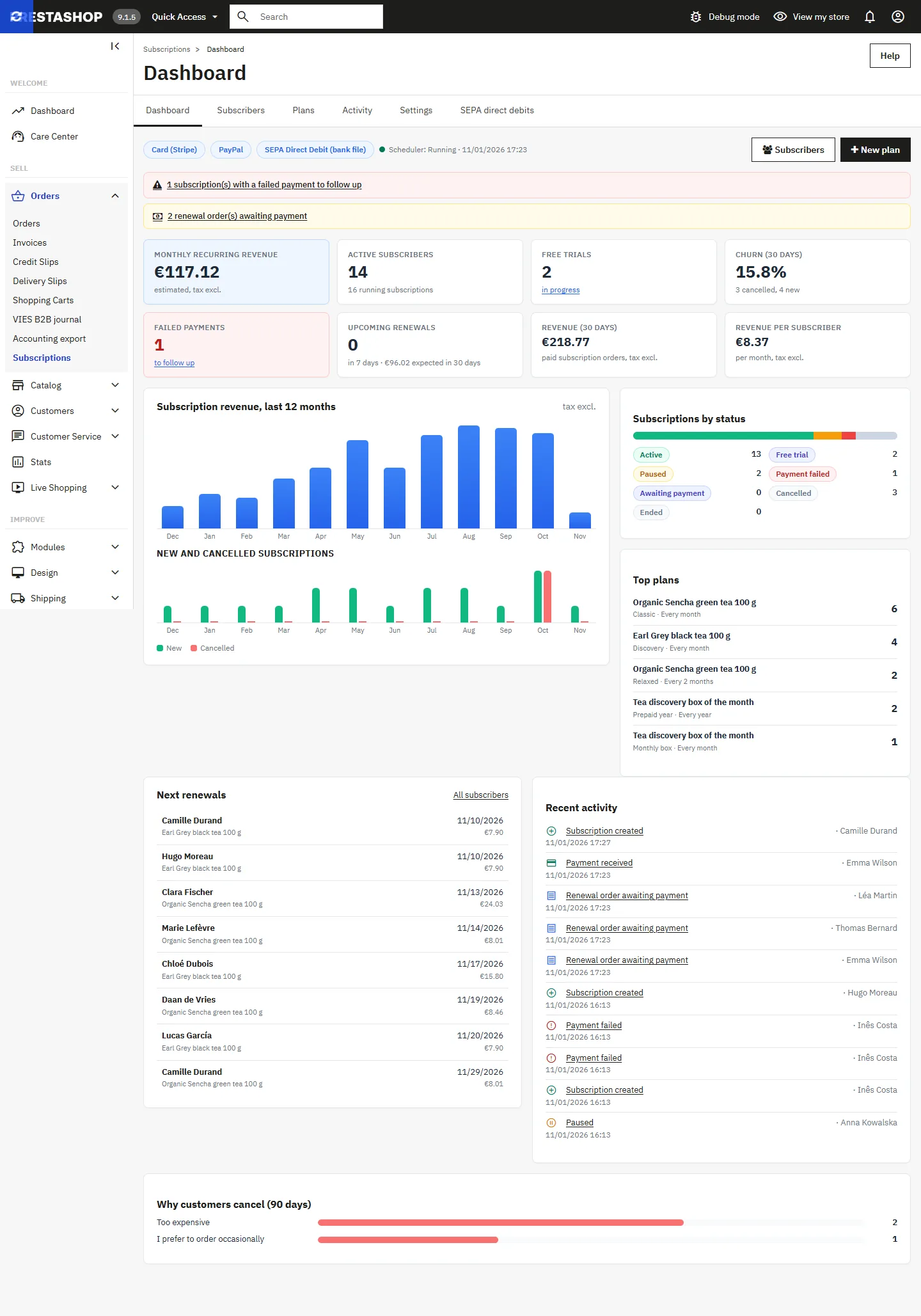
The dashboard brings together monthly recurring revenue, active subscribers, trials, churn rate, failed payments, upcoming renewals, a 12-month chart, cancellation reasons and recent activity. The subscriber list can be filtered by status and exported; a subscription's page groups actions, orders and timeline. A “subscribers” customer group lets you reserve prices or categories for your subscribers.
Use cases
Monthly boxes (tea, coffee, cosmetics, books), consumables (pet food, laundry detergent, supplements, cartridges), magazines and a fixed number of issues, B2B restocking invoiced by bank wire, recurring services. Each case has its plan: a free trial to let customers discover, a commitment to recoup acquisition costs, a fixed duration for a limited offer, offline billing for business customers.
There are no reviews yet.