
The conversion funnel is shaped as much by what you add as by what you remove. Every friction between the visitor and their purchase — an account to create, a password to recover, a confusing menu — costs conversions. Paradoxically, some merchants add friction in the name of security, while others remove it to the point of weakening accounts. The right balance is built on three levers: login, calibrated security, and navigation.
Account creation: the first drop-off point
Requiring account creation before purchase is one of the leading causes of abandonment. Two complementary answers: allow guest checkout, and offer social login. Social SSO (Google, Apple, Facebook) removes the form: one click, and the visitor is identified. A social login module adds these buttons to PrestaShop, with an analytics dashboard as a bonus to see which providers are actually used.
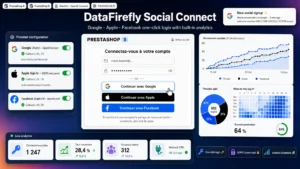 Social Login (Google, Apple, Facebook) for PrestaShopGoogle, Apple and Facebook in one click, on the login page, the registration page and the checkout.€49.00
Security, but in the right place
Reducing friction does not mean lowering your guard. Customer accounts contain personal data and saved payment methods; a compromised admin account means the whole store is at risk. Two-factor authentication (2FA) is the most cost-effective protection — but it must be calibrated: essential on the back office and for sensitive accounts, optional and non-intrusive on the customer side. Professional 2FA enables this fine-tuning on WordPress and WooCommerce. The idea is not to put friction everywhere, but where the risk warrants it.
Navigation: the invisible friction
People rarely think of the menu as a source of friction, and that is a mistake. A visitor who can’t quickly find the right category leaves. A clear mega menu — columns, images, featured blocks — guides the visitor to the product by reducing the number of clicks and the cognitive load. A configurable mega menu (with mobile burger and dropdown versions) structures this navigation without touching code.
Product order: the silent merchandising
Once in the right category, the display order of products steers the purchase. Leaving PrestaShop or WooCommerce to sort by default means leaving chance to decide what the visitor sees first. Being able to reorder products by drag-and-drop — promoting best-sellers, new arrivals, high-margin products — is an underrated conversion lever. A drag-and-drop ordering module enables this on the WooCommerce side, globally or by category.
Measuring friction
Each lever is validated on data: social-login usage rate, login abandonment rate, navigation depth, menu click-through rate. As with any conversion topic, A/B testing decides better than intuition — a mega menu that is too rich can overwhelm the visitor, a poorly placed 2FA can drive people away. The goal is a journey that is smooth and secure, not one at the expense of the other.
Conclusion: smoothness and security are not opposed
Reducing friction is not about removing everything: it is about removing what needlessly slows people down (mandatory account, confusing navigation) and reinforcing what truly protects (targeted 2FA). Social login, calibrated security, clear navigation and controlled merchandising compose a journey that converts without betraying trust. For other levers, explore the category Conversion and UXConversion rate optimisation (CRO) and e-commerce UX: one-page checkout, side cart, cross-sell and up-sell, A/B testing, product page, cart abandonment, newsletter popups, express payment, social proof, urgency and scarcity.
To put this into practice: our selection of modules to secure your store.