
Our best WooCommerce plugins for compliant invoicing
Four plugins — and a threshold you cross on a Tuesday without noticing.
WooCommerce doesn't produce an invoice — it produces an order confirmation. And the real trap isn't the document anyway: it's the EU threshold you cross without anyone warning you.
Sound familiar?
An invoice that isn't one
What your customer receives is a confirmation. Not a fiscal document.
A threshold with no warning
You cross it on a Tuesday and nobody tells you. The store keeps charging the wrong rate.
A tax rate that applies backwards
The customer's rate applies from the sale that broke the threshold. Not from the day you noticed.
Month-end as an event
An inbox full of PDFs isn't accounting. And closing the month becomes a weekend.
Our selection, ranked
Every module below is built, maintained and supported by our team. The ranking reflects what we would install first on a client store.
-
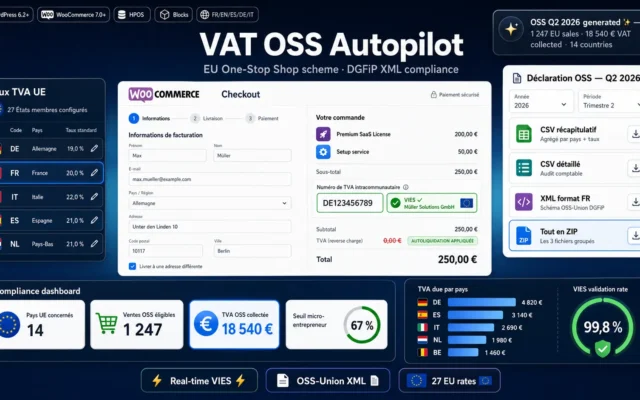
VAT OSS Autopilot — Real-time EU VAT & OSS return
First — it applies retroactivelyThe threshold in sight, the destination rate applied automatically, the return prepared. No calendar roulette.
Automate your WooCommerce store intra-EU VAT end-to-end: correct rate per delivery country, real-time VIES validation of B2B numbers, and one-click quarterly OSS return generation…
€49.00 View the module -
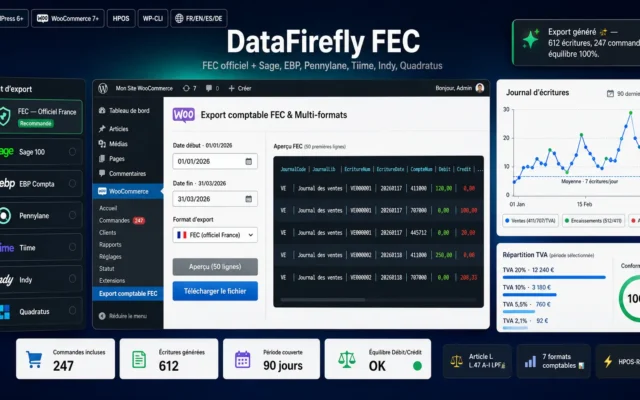
WooCommerce Accounting Export — FEC, Sage 100, EBP, Pennylane, Tiime, Indy, Quadratus
What your accountant demandsAn export accounting can load. Closing the month stops being an event.
Export your WooCommerce orders to the official France FEC format, Sage 100, EBP, Pennylane, Tiime, Indy or Quadratus. Automatic double-entry bookkeeping, VAT split per…
€49.00 View the module -
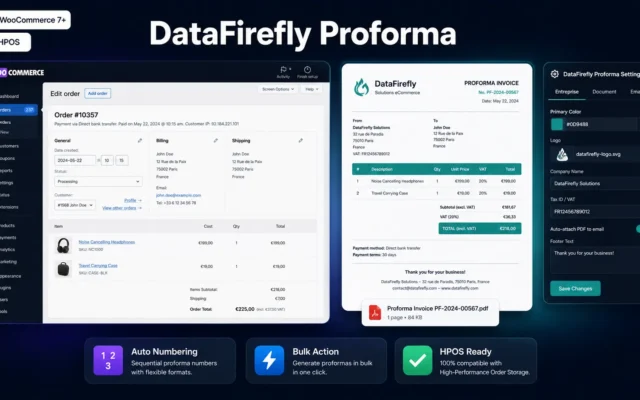
Proforma PDF Invoices for WooCommerce
Before the invoice, not instead of itIt lets your client approve internally. Don't confuse it with the fiscal document.
Generate professional proforma PDF invoices directly from your WooCommerce interface — one click from the order detail page, as a bulk action, or automatically…
€9.00 View the module -
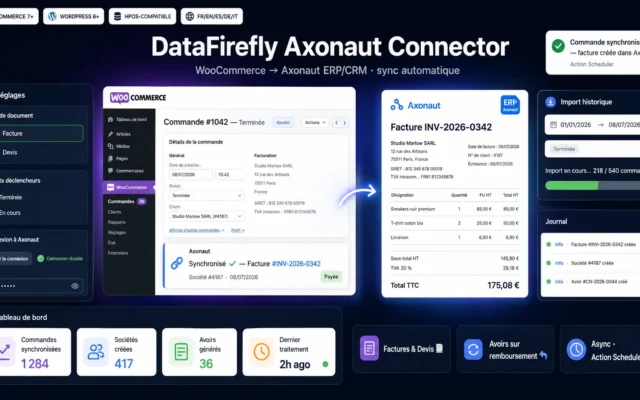
Axonaut Connector for WooCommerce
Against the third data entryCustomer, invoice, payment in the CRM — without anyone retyping them.
Automatically sync your WooCommerce orders with Axonaut: invoices or quotations, companies and contacts, credit notes on refunds, historical import. HPOS-compatible, no Composer.
€89.00 View the module
Side-by-side comparison
| Module | Best for | Price | Rating | Link |
|---|---|---|---|---|
| VAT OSS Autopilot — Real-time EU VAT & OSS return | First — it applies retroactively | €49.00 | — | |
| WooCommerce Accounting Export — FEC, Sage 100, EBP, Pennylane, Tiime, Indy, Quadratus | What your accountant demands | €49.00 | — | |
| Proforma PDF Invoices for WooCommerce | Before the invoice, not instead of it | €9.00 | — | |
| Axonaut Connector for WooCommerce | Against the third data entry | €89.00 | — |
WooCommerce doesn’t produce an invoice — it produces a confirmation
That’s the first surprise. The email your customer gets after ordering is an order confirmation, not a fiscal document. An invoice needs a sequential number with no gaps, mandatory legal mentions, the correct tax rate — and it must not change afterwards.
But the real trap isn’t the invoice. It’s VAT
There is an EU-wide threshold for cross-border sales to consumers. Below it, you charge your national rate. Above it, you must charge the rate of the country where your customer lives — starting with the sale that crossed the threshold.
And nobody warns you on that day
WooCommerce isn’t counting. You find out months later, when someone adds up the numbers and realises you’ve been invoicing at the wrong rate ever since.
How to choose
VAT first — it applies retroactively
A wrong invoice number can be corrected. A tax rate charged wrongly over six months gets paid. That's why the EU threshold for cross-border consumer sales comes first: cross it and you owe the destination country's rate from that sale onward — and WooCommerce isn't counting for you.
Then the invoice that is actually an invoice
Sequential numbering with no gaps, mandatory mentions, immutability. The WooCommerce order confirmation meets none of that — it just looks the part.
The proforma isn't a duplicate
It lets your client approve internally before you ship. It isn't a fiscal document and it doesn't replace the invoice — it precedes it. Confuse the two and it lands back on your desk.
And the export is the preparation for everything that's coming
Electronic invoicing obligations are arriving, at different speeds by country. The preparation is the same everywhere: clean, exportable, correctly taxed data. Have that, and the rest is done later without drama.
What you gain
A threshold you see coming
You see where you stand against the EU threshold — before you cross it, not after.
The right rate, in the right country
The destination country's rate applies automatically once the obligation kicks in. No manual table.
A return that's already prepared
The filing becomes exporting a file, not spending a weekend in a spreadsheet.
Proforma and invoice, cleanly separated
The proforma lets your client approve internally. It doesn't replace the invoice — it precedes it.
An export accounting accepts
Your accountant gets a file, not an inbox full of PDFs.
No third data entry
Customer, invoice and payment in the CRM — without anyone retyping them.
From install to results
-
Check where you stand on the EU threshold
WooCommerce isn't counting. You need to know — before, not after.
-
Apply the destination country's rate
From the sale that broke the threshold. Not from the day you noticed.
-
Issue real invoices
Sequential numbering, mandatory mentions, immutable. The confirmation isn't enough.
-
Add the proforma if you sell B2B
It allows internal approval — it replaces nothing.
-
Export to accounting
Clean, exportable data is the preparation for every obligation coming.
“We crossed the EU threshold in March. We found out in October. Seven months of invoices at the wrong tax rate — and we couldn't go back and charge the customers. We paid it ourselves.”
Frequently asked questions
Is the WooCommerce order confirmation an invoice?
No. What WooCommerce sends by default is an order confirmation. An invoice is a fiscal document: sequential numbering with no gaps, mandatory legal mentions, correct tax rate, and immutable afterwards. It's a different thing that happens to look similar.
What exactly is this EU threshold?
There is an EU-wide turnover threshold for cross-border sales to consumers. Below it, your national rate applies; above it, your customer's country rate applies — from the sale that crosses the threshold. The mistake isn't ignoring the rule: it's not noticing the day.
What happens if I cross the threshold without noticing?
In most cases, nothing — and that's precisely the problem. The store keeps charging your national rate, month after month. You find out when someone adds up the totals, and by then the correction covers everything since that day.
Why a proforma if I already have an invoice?
The proforma announces; the invoice taxes. The proforma lets your client raise an internal purchase order before you ship; the invoice is the fiscal document afterwards. Book a proforma as an invoice and it comes back to you.
Why an accounting export instead of just the PDFs?
Because an inbox full of PDFs isn't accounting. An export your accountant can load directly turns month-end from an event into a routine. And it forces you to keep your data clean — which is the prerequisite for everything else.
What about the electronic invoicing everyone is announcing?
B2B electronic invoicing is a separate project, and it doesn't arrive everywhere at the same time. The preparation, though, is always identical: clean, exportable, correctly taxed data. Have that, and the rest is done later without drama.
Where do I start?
With VAT, because it applies retroactively. A wrong invoice number gets corrected; a wrong tax rate over six months gets paid. Then the export, then the proforma.
This need on other platforms
Not sure which one fits your store?
Tell us your context — we answer with a straight recommendation, not a sales pitch.