
Everything you'd want to know before you install.
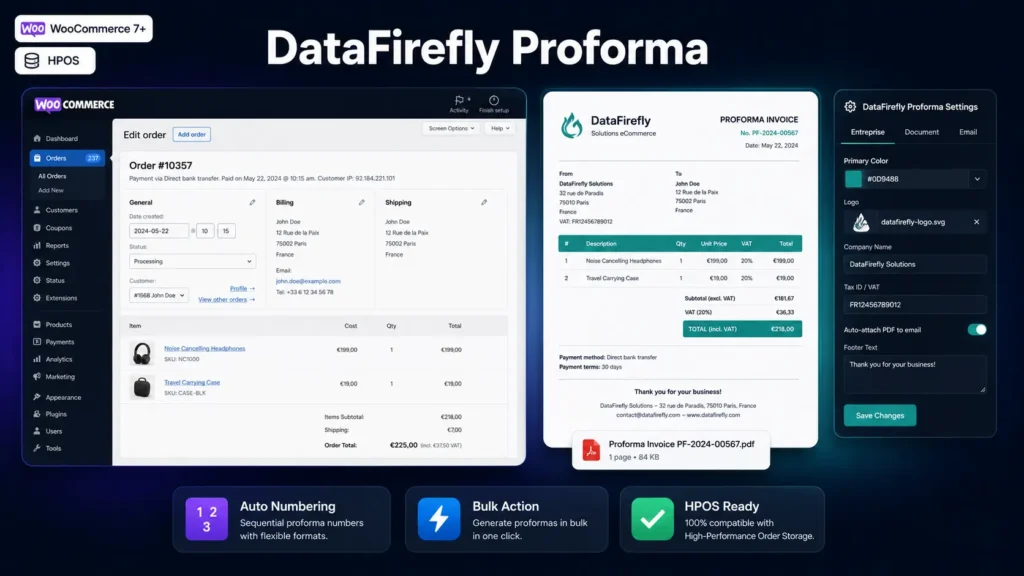
A detailed look at how Proforma PDF Invoices for WooCommerce works, why we built it the way we did, and the thinking behind the features above.
§ 01
Why a proforma invoice in WooCommerce?
A proforma is a pre-billing commercial document: it lists the order’s items, prices and conditions without carrying the accounting value of a final invoice. It is essential for B2B orders, confirmed quotes, customers who need a document for internal purchase approval, or any store that works with professional buyers. WooCommerce does not generate this document natively — this plugin fills exactly that gap.
§ 02
A professional PDF, fully on brand
From the Company tab, you enter your logo, company name, full address, VAT number and company registration number. The Document tab lets you choose the numbering prefix, validity period, accent colour for headers and tables, and the footer text. The result is a clean, structured PDF with logo, sender/recipient addresses, a line-item table, net amount, VAT and grand total.
§ 03
Native integration within the WooCommerce interface
The plugin stays within the WooCommerce ecosystem: a button appears in the sidebar meta box of each order detail page, an action is available in the quick-action dropdown, and a bulk action lets you generate proformas for multiple orders in one operation from the list view. A download icon column in the orders list gives direct access to an already-generated PDF.
§ 04
Automatic email delivery
The Email tab lets you automatically attach the PDF to the WooCommerce order confirmation email. The subject and body are customisable with dynamic variables: {number} for the proforma number, {order_id}, {shop_name} and {customer_name}. Ideal for B2B stores that want the customer to receive their document immediately upon order confirmation.
§ 05
Extensible via PHP hooks
Three hooks are available for developers: dfpw_order_data (filters the data before generation), dfpw_proforma_number (modifies the assigned number) and dfpw_after_generate (action triggered after generation, useful for forwarding the PDF to an ERP or third-party service). PDFs are stored in a folder protected by .htaccess, inaccessible directly from the browser.

There are no reviews yet.