

Two separate PrestaShop installations selling the same products from the same physical stock: the case is common. A consumer site and a trade site, a French store and a German store on separate domains, or a main brand and an outlet.
As long as the stock is not shared, each store believes it has the whole quantity. The first oversell arrives within the week.
Three possible architectures
Native multistore. A single installation, several logical stores. Stock is shared natively, the question never arises. It is the simplest solution, and it is often wrongly dismissed: many projects start on two separate installations when multistore would have been enough.
Two synchronised installations. Each has its own database, theme and modules, and a mechanism keeps the stock consistent. Heavier, but necessary as soon as the two sites must evolve independently or belong to different legal entities.
A third-party master system. An ERP or management software holds the stock, and both stores consume it. It is the healthiest architecture as soon as a third channel exists, a physical store or a marketplace.
Before building a synchronisation, check that the first option does not fit. It removes the problem instead of managing it.
One master, only one
This is the founding decision, and naive two-way synchronisation is the classic trap.
If both stores can modify the stock and send it back to each other, you get loops: store A decrements, sends to B, B applies and sends back to A, which decrements again. Stock levels diverge within hours, and in the wrong direction.
Two correct models exist.
The master-slave model: one store owns the truth, the other receives it. Simple, but the slave’s sales must flow back, which requires a separate channel for decrements.
The centralised stock model: neither store owns the stock, an external repository does. Every sale triggers a decrement on that repository, which redistributes the values. It is more robust, and it requires an extra component.
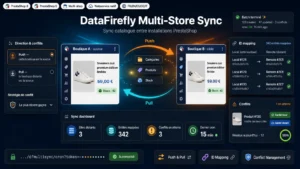 Multi-Store SynchronizationSynchronize catalog, stock and prices across multiple PrestaShop stores€99.00
Frequency, and the oversell window
Any periodic synchronisation leaves a window during which the two stores see different figures. That window can be calculated.
If you synchronise every fifteen minutes and sell three units of a reference per hour, the window represents less than one unit on average: the risk is low. On a flash sale at fifty units per hour, the same window lets a dozen extra orders through.
Three settings follow. A high frequency, five to fifteen minutes, for fast-moving references. Event-driven rather than periodic synchronisation for critical products: every sale immediately triggers propagation. And a safety margin, by reserving one or two units per store, which absorbs the window without added complexity.
Matching the references
A technical point that decides feasibility. Product IDs are never the same between two installations: product 421 on store A is not product 421 on store B.
Matching must therefore rely on a stable business key, present on both sides and never modified. The product reference works, provided it is filled in everywhere and unique. The barcode is a solid alternative.
Two traps. Combinations must have their own reference, otherwise synchronisation happens at product level and the per-size stock stays wrong. And products present on one side only must be explicitly ignored, not treated as errors on every cycle.
What you do not synchronise
The temptation is to align everything. That is a mistake, and it makes the system fragile.
Do not synchronise prices if your two stores have different positioning, which is almost always the reason they exist separately. Do not synchronise translated descriptions or SEO metadata, or you will create duplicate content between two domains. Do not synchronise orders or customers unless explicitly needed: this is data with a heavy regulatory load.
The minimal scope that works: stock, availability, and possibly the product’s active or inactive status.
Conflicts, and recovery after an incident
Two situations to plan for at design time.
The conflict. Both sides changed between two synchronisations. The rule must be written down: either the master always wins, or the lower value wins, which is prudent for stock. An unwritten rule becomes a random rule.
The outage. What happens if synchronisation stops for six hours and nobody notices? Three protections: a browsable log of synchronisations with their result, an alert on repeated failures, and a full resynchronisation that can be triggered manually.
The last one is the one that gets forgotten every time, and the one you need urgently on a Saturday morning.
Checking
A stock discrepancy is invisible, it only shows up at the moment of the oversell. A weekly check comparing quantities on both sides, reference by reference, takes a few minutes and reveals drifts before they cost a cancelled order.
The Multi-Store Synchronisation module handles this chain on PrestaShop 8 and 9: matching by reference or barcode at combination level, stock synchronisation with configurable direction and frequency, an operations log and full resynchronisation on demand.