

Selling a product means managing a quantity. Renting it out means managing a calendar. The difference sounds minor, yet it changes the entire data model: a rented product is not unavailable, it is unavailable from the 12th to the 18th.
PrestaShop has no notion of this. Here is what rental actually requires, and the pitfalls that only show up in production.
The availability model
Native stock answers a single question: how many are left. Rental asks another one: how many are left over this period.
In practice, each unit of equipment has its own calendar, and a booking request must check that at least one unit is free over the entire requested interval, boundaries included.
This check is more subtle than it looks. A booking from the 12th to the 15th and one from the 16th to the 18th are compatible. One from the 12th to the 15th and one from the 15th to the 18th are not, unless you decide that a morning return frees up the afternoon. That rule must be decided explicitly, not endured.
The four durations to distinguish
This is the most frequent design mistake: modelling only the rented period.
- The rental period, the one the customer chooses and pays for.
- The outbound shipping time, if you ship. The equipment leaves two days before the rental starts and is therefore unavailable to any other customer on those two days.
- The return time, symmetrically.
- The refurbishment time: cleaning, inspection, recharging, replacing consumables. It is the most overlooked, and the one that produces the most painful conflicts, because equipment booked the day after its return goes out dirty or incomplete.
The real immobilisation time of a unit can thus reach twice the invoiced duration. On a small fleet, that difference determines your maximum revenue.
These buffers must be configurable per equipment category: a video projector needs one hour of inspection, a tent needs two days of drying.
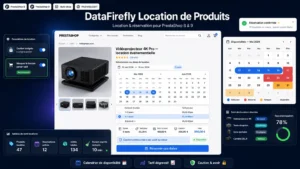 DataFirefly Product RentalTurn your PrestaShop products into rentable items€199.00
The customer-facing calendar
Four usability rules that make the difference between a usable calendar and an abandoned form.
Unavailable dates are disabled, not flagged after the fact. A customer who picks two dates and then gets an error message starts over, or leaves.
The minimum duration is visible before selection. If you do not rent below three days, say so above the calendar.
The price is calculated during selection, not after validation. With tiered pricing, this is what nudges the customer to extend the period.
Closing days are shown. If you neither hand over nor collect on Sundays, the calendar must show it, otherwise the customer builds an impossible booking.
Pricing
Three structures coexist and combine.
Tiered pricing by bracket, day, week, month. It is the most readable structure and the one that increases the average rental duration.
The minimum billed duration, which protects your profitability on short rentals: two days of handling for a half-day rental is not profitable.
Special periods: weekends, high season, public holidays. On event or seasonal equipment, this is where the margin is made.
One point of method: always display the total price for the period, not just the daily rate. A customer who discovers the total in the cart after reasoning in price per day often abandons.
The deposit
Two approaches, with very different consequences.
The bank pre-authorisation blocks an amount without debiting it, and releases it upon return. It is the most elegant, but it has constraints: limited validity period depending on the card networks, capped amount, and variable availability depending on your payment provider.
Charging with a refund is technically simpler and heavier for the customer, whose cash is tied up. It also requires a fast refund upon return, otherwise complaints start coming in.
In both cases, the amount and the withholding conditions must appear on the product page, not just in the terms and conditions.
The documents
Three documents to plan for from the start.
The rental agreement, with the dates, the equipment, the deposit and the responsibilities. It must be generated automatically at checkout, not written by hand.
The outgoing condition report, ideally with photos. It is your only protection in a dispute over damage.
The return condition report, which conditions the release of the deposit.
One piece of advice from practice: keep these documents attached to the order, with their timestamp. A rental dispute often arises several weeks after the return.
The late return
The point that breaks the calendar. A customer who returns three days late makes unavailable a piece of equipment already booked by someone else.
Three protections, to set up from day one. An automatic reminder the day before the return date. A late penalty announced at booking time, which must be dissuasive without being disproportionate. And a safety buffer in the calendar on high-demand equipment, which absorbs a delay without cancelling the next booking.
The Product Rental module for PrestaShop covers this chain on PrestaShop 8 and 9: per-unit availability calendar, configurable preparation and refurbishment buffers, tiered pricing by bracket, deposit management and rental documents attached to the order.