
Letting the customer build their own box turns an imposed product into a chosen one. The mechanism works well in fine food, cosmetics, craft beer, household products, anywhere an assortment is a natural use case and the customer has preferences.
It does require settling three questions before writing the first line of configuration.
Three composition models
Fixed number of slots. The box holds six slots, the customer picks six products from a selection, the price is fixed. This is the easiest model to understand and the easiest to prepare in the warehouse.
Fixed price with free composition. The customer fills their box up to a given amount. More flexible, but it immediately raises the question of overshoots and unused balances.
Cumulative price. The customer builds whatever they want, the price is the sum of the components, discounted if you choose. This is the closest to a regular cart, and the least readable as an offer.
The first model converts best, because it sets a clear constraint and a price known upfront. Start there, and open up the others later if you want.
The composition rules
Four settings determine the experience, and they have to be visible before the customer starts.
The number of slots, displayed permanently as a counter: four of six chosen.
Repetition. Can the customer take the same product three times? In fine food, yes. In a discovery box, no. The rule has to be applied at selection, not flagged at validation.
Required categories. Some boxes demand a balance: two savoury, two sweet, two drinks. Those constraints are set per slot, and they guide the customer rather than constrain them.
Surcharges. A component more expensive than the others can be offered with a surcharge, which avoids excluding your best references from the box.
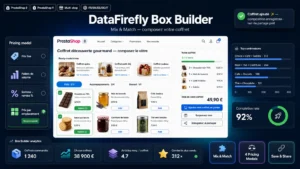 Custom Box Builder Module for PrestaShop 8 & 9: Mix & Match BundlesYour customers build their box, you set the rules and the price.€129.00
Component stock
This is the technical point that decides viability, and the one implementations get wrong.
A box has no stock of its own: it consumes the stock of its components. A box order therefore has to decrement each component individually, at validation time.
Two immediate consequences. A component that runs out has to disappear from the selection in real time, not be offered and then refused at the cart. And a component also sold individually shares its stock with the boxes, which can empty it faster than expected.
Plan for the component that runs out between composition and payment too. The acceptable behaviour is to tell the customer and offer a replacement, never to silently cancel their composition.
How it renders in the cart and on the invoice
The box has to appear as a single line with its price, and the detail of its composition has to be visible underneath, as a list.
Three reasons. The customer wants to re-read what they chose before paying. Customer service has to be able to answer a complaint without rebuilding the order. And in case of a partial return, the composition is the only reference.
On the invoice, the same logic applies: one line for the box, with its price and its VAT, and the component detail underneath, for information. Do not invoice the components separately, it creates total inconsistencies and complicates accounting.
Watch out on VAT rates: if your box mixes products at different rates, food and non-food for instance, the breakdown has to be done. One more reason to keep the component detail on the order line.
Warehouse picking
A picking slip showing only “Custom box” is unusable. It has to list the components with their references and picking locations, in picking route order if your organisation allows it.
Two improvements that save time. Grouping the boxes of a same order wave by component, which avoids walking the warehouse once per box. And a control label listing the composition, slipped into the parcel, which serves both as a check and as a reminder for the customer.
Price and margin
On a fixed-price model, your margin varies with the composition chosen. A customer who systematically picks your six most expensive components degrades your profitability on that order.
Three protections. Grade the components into tiers, with a surcharge beyond a given tier. Limit the number of premium components per box. Or calibrate the fixed price on the most expensive possible composition rather than on an average one, which is safer but less attractive.
Measure the real margin per box sold over the first month. It almost always differs from the theoretical margin, because customers do not choose at random.
Measuring
Three metrics. The completion rate, meaning the share of customers who start a composition and finish it. The average number of compositions abandoned before validation, which signals a poorly understood constraint. And the real margin per box, mentioned above.
The Custom Gift Box module for PrestaShop handles this mechanism on PrestaShop 8 and 9: slot-based composition with rules and per-category constraints, component stock decrement, detail displayed in the cart and on documents, and the composition carried onto the picking slip.