
Everything you'd want to know before you install.
A detailed look at how Google Reviews Carousel for WordPress works, why we built it the way we did, and the thinking behind the features above.
§ 01
Google reviews displayed in 5 minutes flat
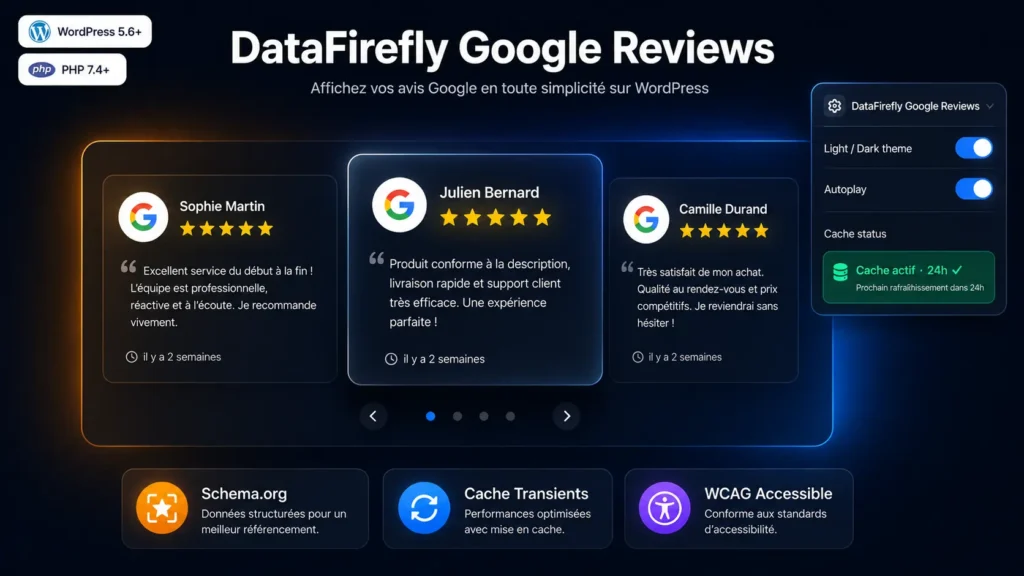
Once the plugin is activated, enter your Google API key and Place ID under Settings > Google Reviews. Then insert [google_reviews] into any page, post or widget. The carousel appears immediately with your business reviews, star ratings, author avatars and relative dates. No advanced configuration is needed to get started.
§ 02
SEO boost through automatic Schema.org
The plugin automatically generates a complete JSON-LD markup each time the shortcode is displayed: LocalBusiness with the name and overall rating, AggregateRating with the average and total review count, and a Review block per displayed review. This markup is read by Google and can make your star ratings appear directly in search results (rich snippets), improving click-through rates with no extra effort.
§ 03
Performance: zero dependency, smart cache
The plugin includes no third-party libraries. The carousel is written in pure Vanilla JS (~4 KB minified) and the CSS is self-contained. Assets are only enqueued on pages containing the shortcode — other pages load nothing. Google Places API calls are cached via WordPress transients, with a duration configurable from 1 hour to 7 days. The cache can be cleared in one click from the administration page.
§ 04
Accessible and responsive by design
The carousel automatically adapts to screen size: 3 cards side by side on desktop, 2 on tablet, 1 on mobile. Navigation works via keyboard (arrow keys), swipe on touchscreens and drag on desktop. All interactive elements carry appropriate aria-labels. A noscript fallback displays raw content for crawlers and users without JavaScript.
§ 05
A powerful shortcode, a simple config
The shortcode accepts inline parameters for one-off customisation: [google_reviews theme="dark" autoplay="1" speed="4000" max="5" title="Customer reviews"]. Global settings (API key, Place ID, default theme, rating filter, review language) are managed from a dedicated admin page under Settings > Google Reviews, with an API test button to verify the connection before publishing.



Very easy installation!Automatically translated