

A shop established in one EU member state and selling to private customers in Belgium, Germany or Spain applies its domestic VAT rate up to a certain volume, then has to switch to the rates of the destination countries. The switching threshold is 10,000 euros, and it is calculated in a way many merchants misread.
What the threshold actually covers
The point most often misunderstood: this threshold is global, not per country.
It covers the total of all your distance sales of goods to private customers located in other member states, all countries combined, plus your electronic services supplied to private customers in the Union.
In practice, 4,000 euros in Belgium, 4,000 in Germany and 3,000 in Spain make 11,000 euros and take you past the threshold, even though no single country reaches it on its own.
What does not count: sales made in your own country, sales to businesses holding a valid VAT number, which fall under the reverse charge, and sales outside the European Union.
The reference period
The threshold is assessed on the current calendar year, but also on the previous calendar year.
That means a business that passed 10,000 euros in 2025 remains subject to destination rates in 2026, even if its European volume falls back. Returning to the domestic regime requires two consecutive years below the threshold.
Second practical consequence: the tracking has to cover two financial years in parallel, not just the current one.
The moment of the switch
The switch does not happen at the start of the following month or at the quarter. It happens on the very sale that crosses the threshold, and that sale itself is subject to the destination country rate.
That is what makes tracking indispensable. A shop that discovers at quarter end that it crossed the threshold six weeks earlier has invoiced six weeks of orders at the wrong rate, and will have to correct it at its own expense.
A management marker: set an alert at 8,000 euros of cumulative sales, which gives you time to prepare the configuration rather than doing it under pressure.
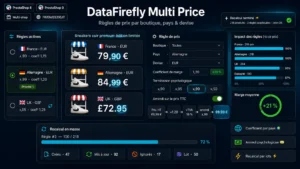 Price by Country, Shop & CurrencyThe right price displayed in every country, combinations included€89.00
What the switch changes
Three effects, in order of impact.
The rates applied. Every sale carries the rate of the delivery country. Standard rates vary noticeably between member states, and reduced rates even more, with product categories that do not overlap.
Your displayed prices. If you show a single tax-inclusive price across Europe, your margin now varies with the destination country. If you would rather protect the margin, your tax-inclusive prices differ from one country to another, which customers can notice.
Your return. You declare and pay the VAT due in each country through the one stop shop, without having to register in each of them.
The one stop shop
This is the mechanism that makes the whole thing manageable. Rather than registering in every state where you sell, you declare all your intra-EU B2C sales from a single portal in your country of establishment, and the administration passes the money on to the states concerned.
The return is quarterly. It requires extracting, for each quarter, the amount of your sales broken down by destination country and by VAT rate applied.
That extraction is the main practical difficulty. It assumes your orders carry the delivery country and the rate applied, which they do, but also that you can aggregate them cleanly, which is less true with the native exports.
Opting in voluntarily
You can choose to apply destination rates before reaching the threshold, by election.
Two situations where that makes sense. If you are close to the threshold and your European growth is steady, opting in voluntarily avoids managing a switch mid-year. And if you sell mainly to countries with a rate lower than your domestic one, the election improves your margin or your price competitiveness.
The election binds you for two calendar years. It is not to be taken lightly, but it often simplifies the day to day.
The tracking to put in place
Four elements, to be built before you need them.
- A rolling total of B2C sales to the Union, excluding your own country, calculated over the current and the previous calendar year.
- A threshold alert at 80% of the ceiling, which triggers the preparation.
- An export by country and by rate, aligned with the reporting frequency.
- A consistency check between the rates actually applied on orders and the rates in force in each country, which change.
That last point deserves particular attention: VAT rates change, and a shop that configured its rates once and for all invoices wrong amounts without noticing.
Configuring the shop side
Once the switch has happened, the question becomes as much a pricing one as a tax one. Applying a different rate per delivery country means deciding whether you absorb the gap in your margin or pass it on to the displayed price.
The Price by Country, Shop and Currency module covers that part on PrestaShop 8 and 9: price rules per country applied in bulk, consistency with local taxes, rounding per currency and aligned display across catalogue, product page and cart.