
Everything you'd want to know before you install.
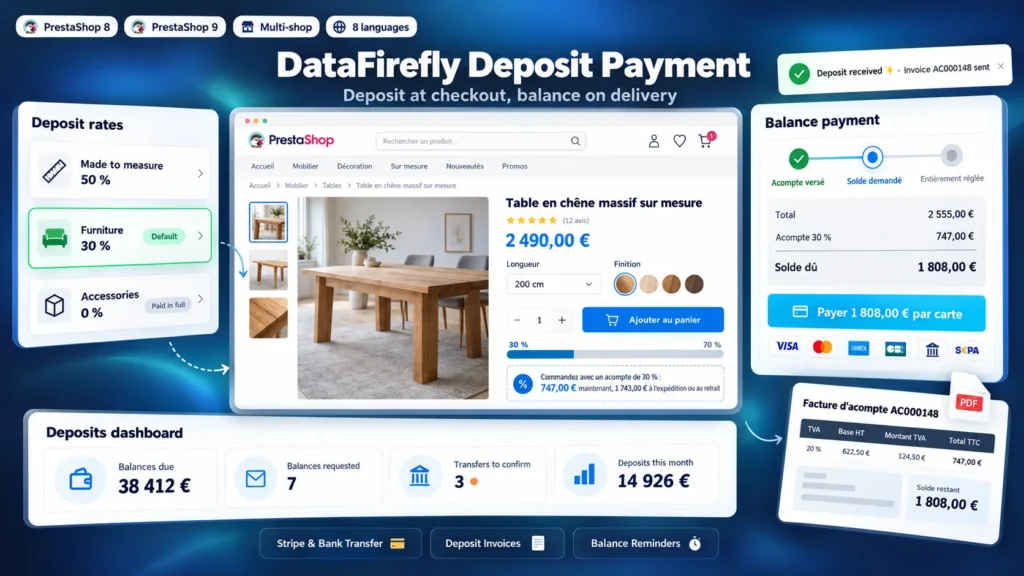
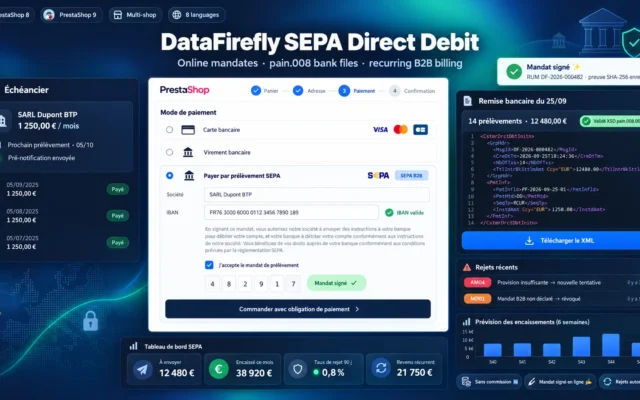
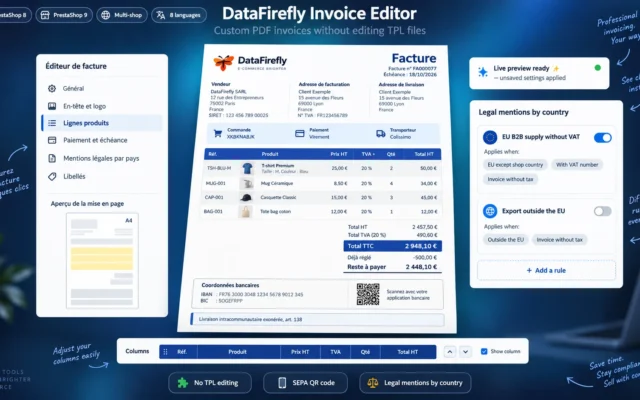
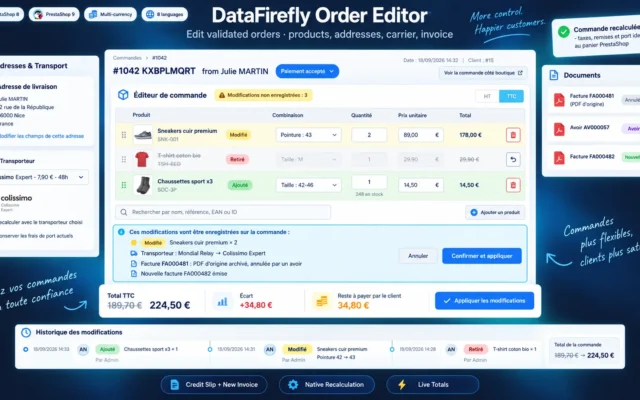
A detailed look at how PrestaShop Deposit Payment Module 8 & 9: Pay a Deposit, Balance on Delivery works, why we built it the way we did, and the thinking behind the features above.
Why sell with a deposit
In furniture, made-to-measure products and professional equipment, the time between order and delivery is counted in weeks. Asking for the full amount at checkout makes customers hesitate, asking for nothing exposes the workshop to cancelled orders once production has started. A deposit is the standard practice: the customer commits, you finance raw materials, and the balance is paid when the order is ready.
A real PrestaShop order, at full amount
The order is created at its full amount in the "Awaiting deposit" status, then the deposit is recorded as an order payment. Stock is reserved, the order appears in your lists and statistics like any other, and the amount due is always calculated from the actual payments. When the balance is paid, the order moves to the status you chose and PrestaShop generates its usual invoice.
Clean invoicing at every step
In many countries, including France, a collected deposit must be invoiced. The module issues a deposit invoice with its own continuous numbering, separate from PrestaShop's, and a VAT breakdown calculated pro rata to the order tax rates, shipping included, frozen when issued. The final invoice reminds the deposit already invoiced, and a numbered credit note cancels the deposit invoice if the order is cancelled.
Stripe connected directly, no middleman
Card payment goes through Stripe Checkout with your own keys: card data never passes through your server and no commission is added on top of Stripe's. The webhook is signed, each payment is processed only once even when the customer returns to the shop while Stripe notifies in parallel, and a payment confirmed after the tab was closed still creates the order.
Guided setup
The configuration page starts with a setup check: Stripe key tested against Stripe, test mode flagged, last webhook event received, last cron run, trigger statuses, legal note on invoices. Webhook and cron URLs are copied in one click, and transfer orders that are never paid can be cancelled automatically to put the stock back on sale.
There are no reviews yet.