
DataFirefly Address Lookup — Documentation
Installation, settings and troubleshooting of address suggestions: free Géoplateforme service (IGN, BAN data) for France and overseas, optional Google Places API (New) for other countries.
Overview
DataFirefly Address Lookup suggests addresses while customers type in the PrestaShop address forms: the checkout (customers and guests, delivery and invoice addresses) and My account > My addresses. The customer types the start of the address, picks a suggestion, and the module fills in the street, postcode, city and, for countries that have them, the state or province.
Two providers are available and are chosen country by country:
- Géoplateforme: geocoding service of the French national mapping agency (IGN) built on the national address database (BAN),
data.geopf.fr/geocodage. Free, no key. It replacesapi-adresse.data.gouv.fr, decommissioned at the end of January 2026. - Google Places API (New): optional, with your own Google Maps Platform key, for the countries the Géoplateforme does not cover.
New in 2.0.0: provider per country, overseas territories served by the Géoplateforme, Google loaded only when it is used, state/province filled in, suggestion list fully usable with the keyboard and screen readers, “Enter my address manually” button, preview and tests in the back office, privacy notice, statistics without personal data, 8 languages, compatibility extended to PrestaShop 1.7.8.
Requirements and compatibility
- PrestaShop 1.7.8 to 9.x, PHP 7.1 or later.
- Classic and Hummingbird themes, and themes that keep the standard field names (
address1,postcode,city,id_country,id_state). No jQuery needed. - Checkout modules that render the standard address form, for instance DataFirefly Simple Checkout.
- For Google Places only: a Google Cloud key with Places API (New) and Maps JavaScript API enabled and billing active.
Installation and upgrade
- In Modules > Module Manager, click Upload a module and drop
dfaddresslookup-2.0.0.zip. - Click Configure. Without any other setting, France and the overseas territories get Géoplateforme suggestions.
Upgrade from 1.0.x or 1.1.0: upload the new zip over the old one. Every setting is kept; the 1.x “Allowed countries (Google)” list becomes the per-country provider table, so the same countries keep the same suggestions. The upgrade script also clears PrestaShop’s combined CSS cache, which would otherwise keep serving the old stylesheet.
Module overview
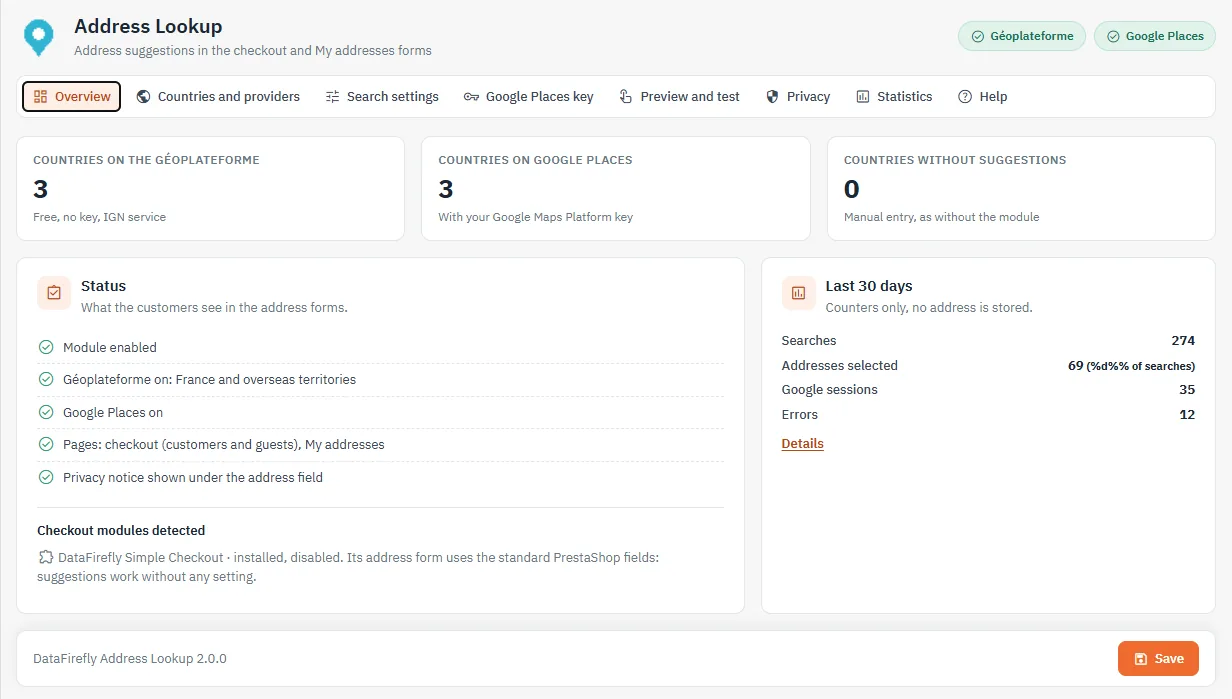
The first tab sums up what customers see: number of countries per provider, pages, privacy notice, detected checkout modules and counters of the last 30 days.
Countries and providers
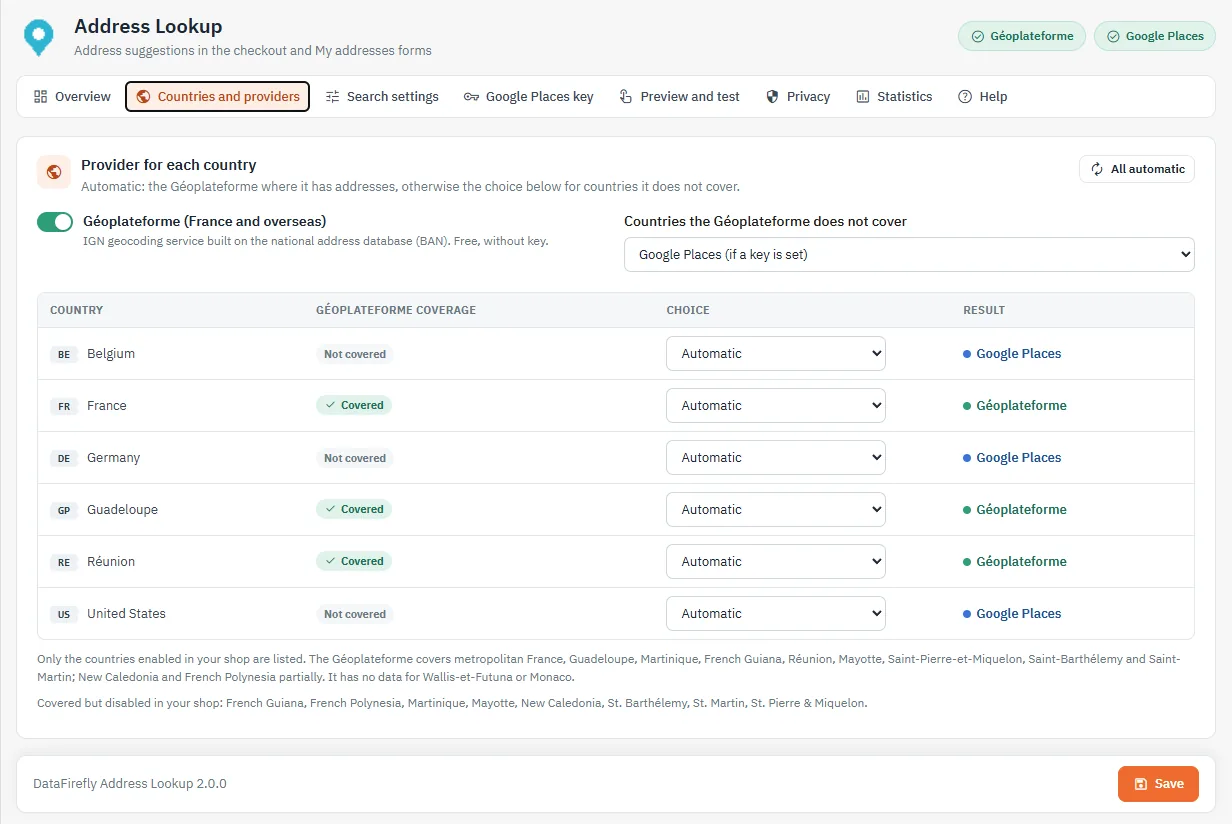
Each country enabled in the shop has its own choice: Automatic, Géoplateforme, Google Places or No suggestions. In automatic mode, the Géoplateforme serves the countries where it has addresses; for the others, the “Countries the Géoplateforme does not cover” setting picks Google Places (if a key is set) or no suggestions. The Result column updates live.
The Géoplateforme covers metropolitan France, Guadeloupe, Martinique, French Guiana, Réunion, Mayotte, Saint-Pierre-et-Miquelon, Saint-Barthélemy and Saint-Martin, and part of New Caledonia and French Polynesia. It has no data for Wallis-et-Futuna or Monaco. An overseas address typed with the country “France” is found too.
Search settings
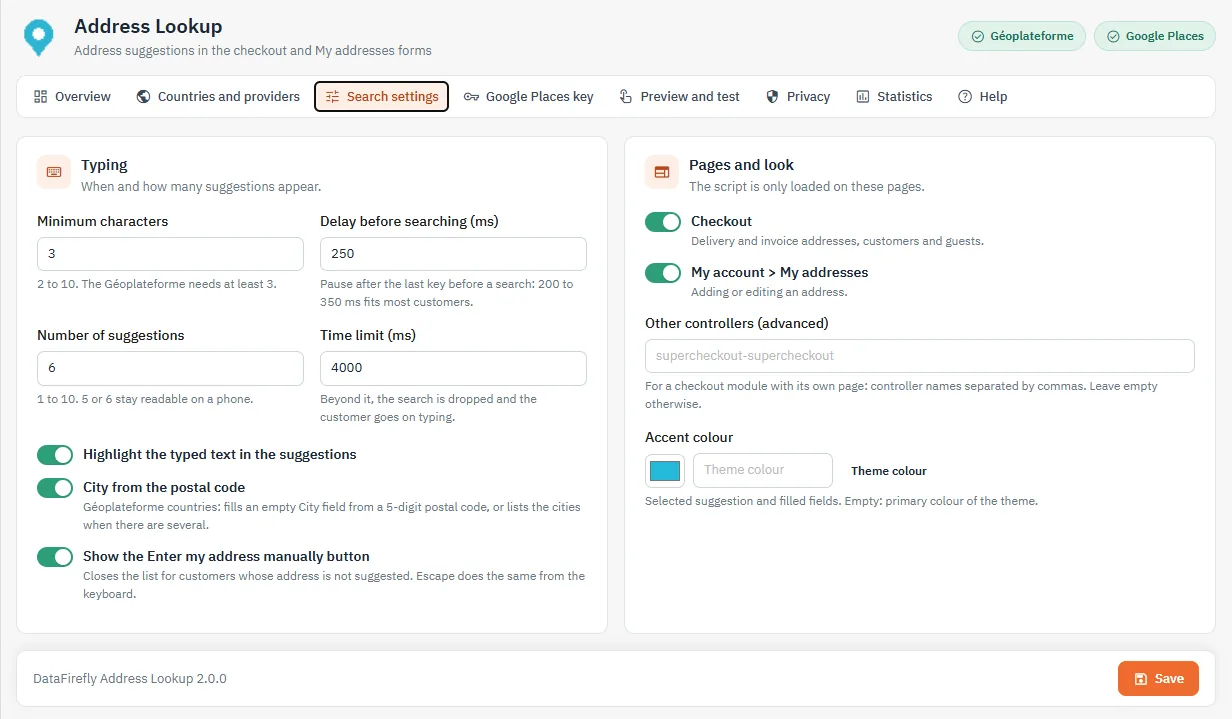
- Minimum characters (2 to 10, default 3; the Géoplateforme needs at least 3).
- Delay before searching (80 to 2000 ms, default 250): pause after the last key.
- Number of suggestions (1 to 10, default 6) and time limit (1000 to 15000 ms) after which the search is dropped.
- Highlight the typed text, city from the postal code, Enter my address manually button.
- Pages: checkout and/or My addresses. The script is only loaded on these pages, and not at all when no country has a provider. An advanced field accepts the controllers of a checkout module with its own page.
- Accent colour: empty, the primary colour of the theme is used.
Google Places key
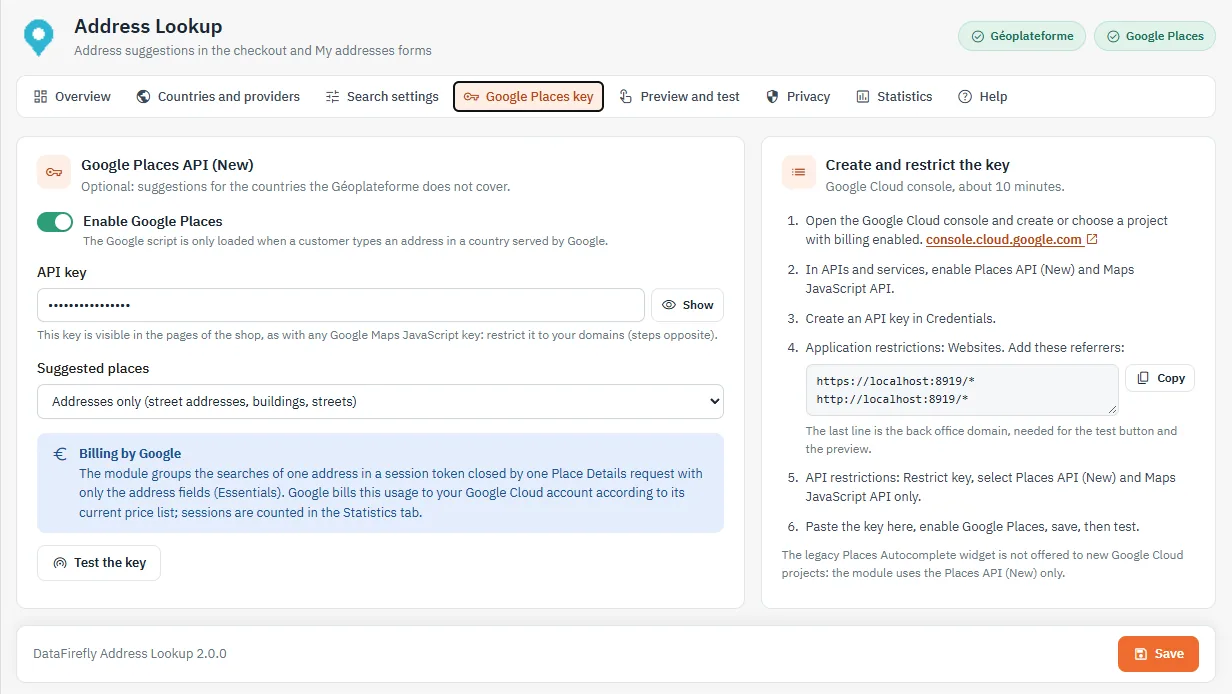
The module only uses Places API (New): the legacy Places Autocomplete widget is no longer offered to new Google Cloud projects. The Google script is only loaded when a customer types an address in a country served by Google.
- In the Google Cloud console, create or choose a project with billing enabled.
- In APIs & Services, enable Places API (New) and Maps JavaScript API.
- Create an API key in Credentials.
- Application restrictions: Websites. Add the referrers shown by the module (shop and back-office domains, Copy button).
- API restrictions: restrict the key to Places API (New) and Maps JavaScript API.
- Paste the key, enable Google Places, save, then click Test the key.
Billing: the module groups the searches of one address in a session token, closed by a single Place Details request limited to the address fields (Essentials category). Google bills this usage to your account according to its current price list; the number of sessions appears in the Statistics tab. By default, only addresses are suggested (street numbers, buildings, streets), not businesses.
A Maps JavaScript key is visible in the pages of the shop: never deploy it without an HTTP referrer restriction.
Preview and test
The Preview and test tab reproduces an address form with the current settings, even before saving. The test buttons query the Géoplateforme and Google Places from your browser, as a customer would, and show the response time or the cause of a failure (key refused, network, CSP directive).
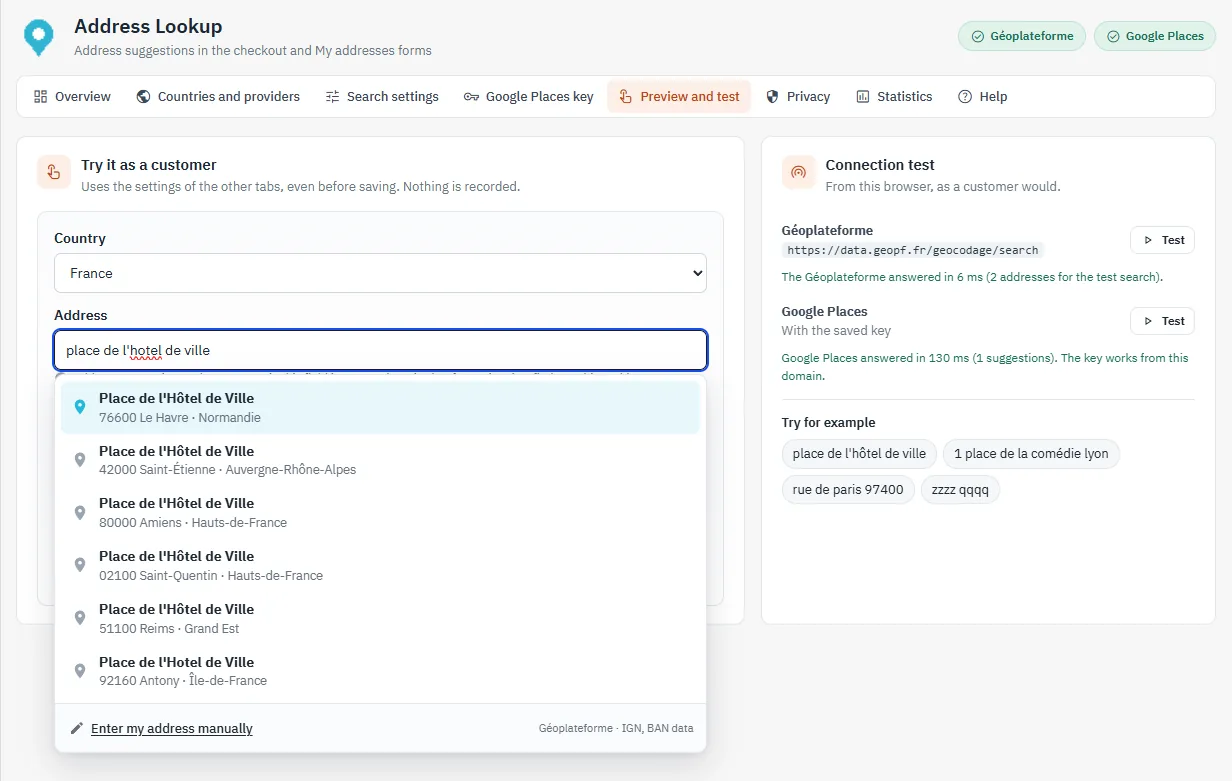
Customer side
Suggestions and keyboard
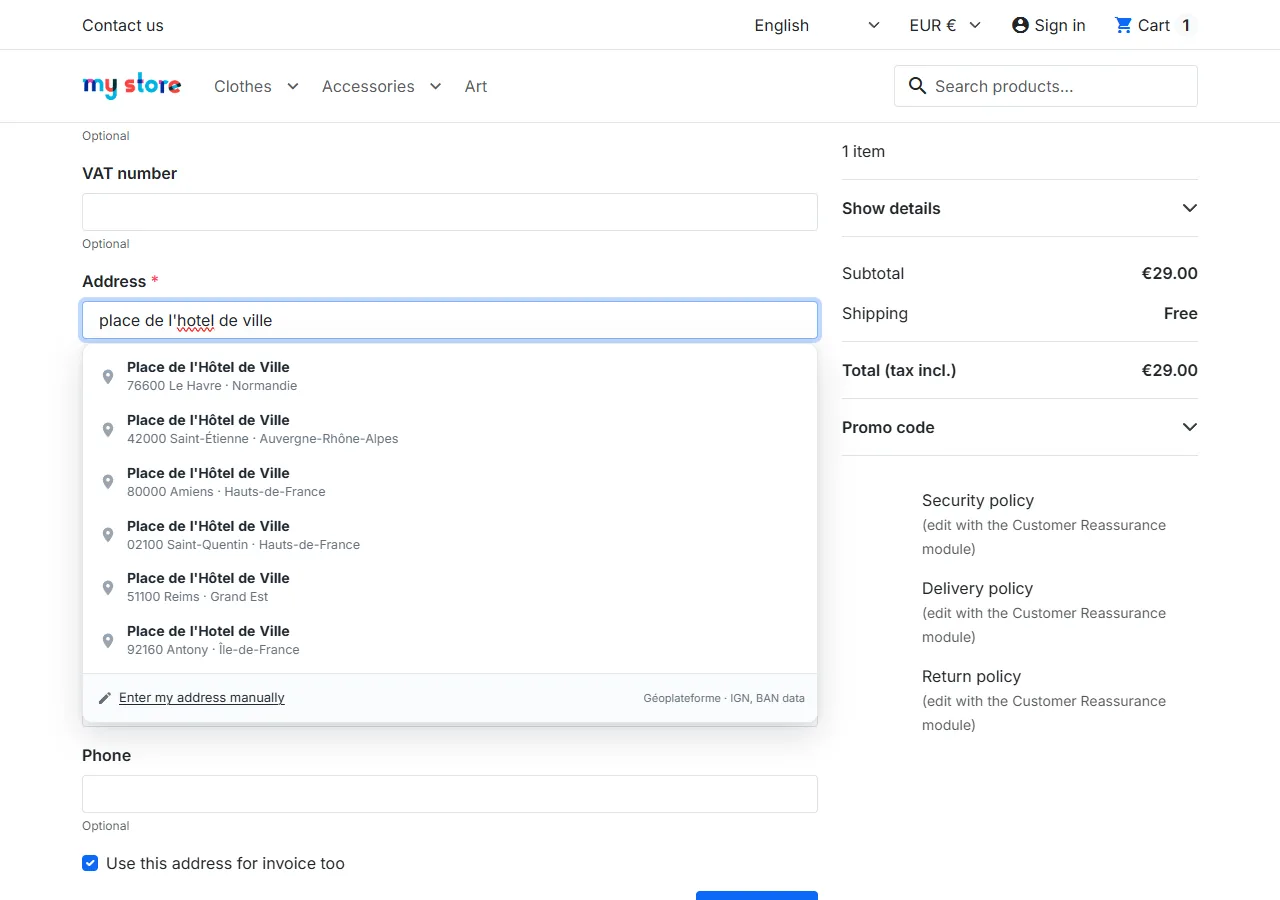
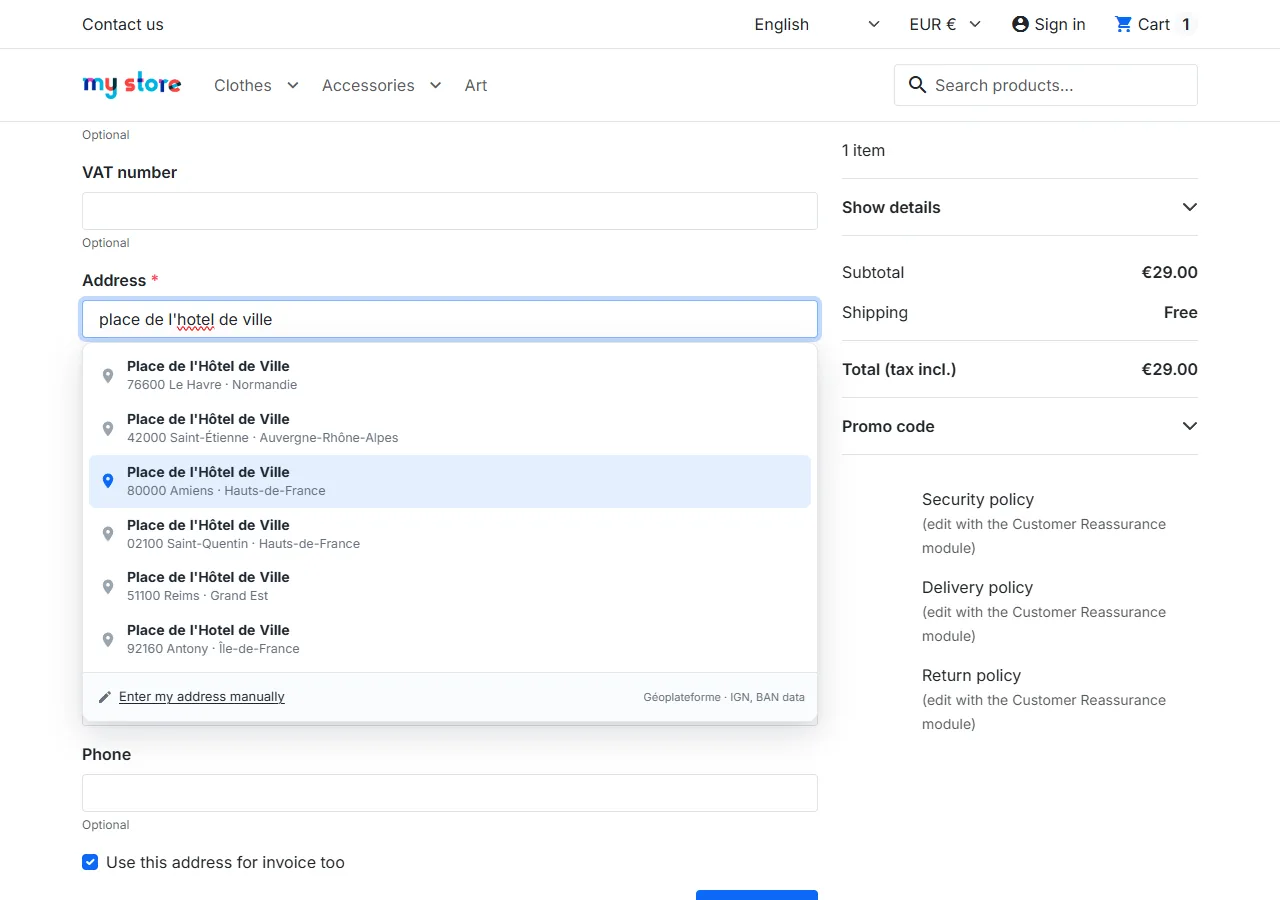
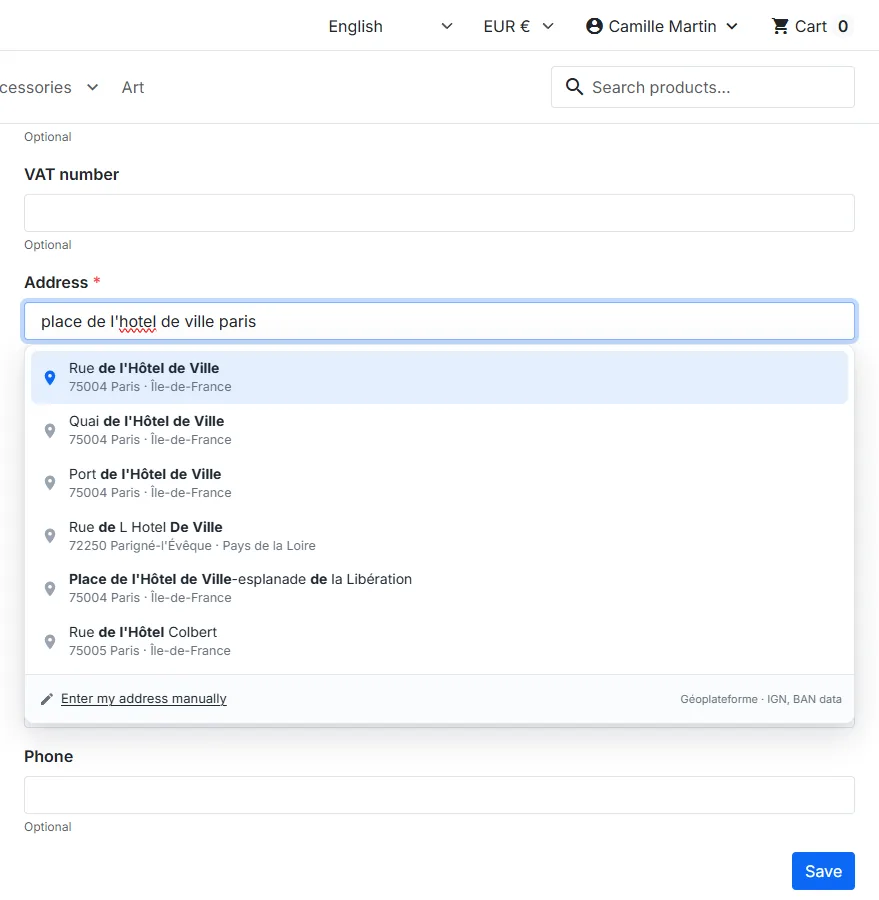
Suggestions appear under the Address field, over the page: the form does not move. Each line shows the street, then the postcode, city and region. Up and down arrows browse the list, Enter chooses, Escape closes without clearing the text; the number of suggestions is announced to screen readers.
Filling in the form
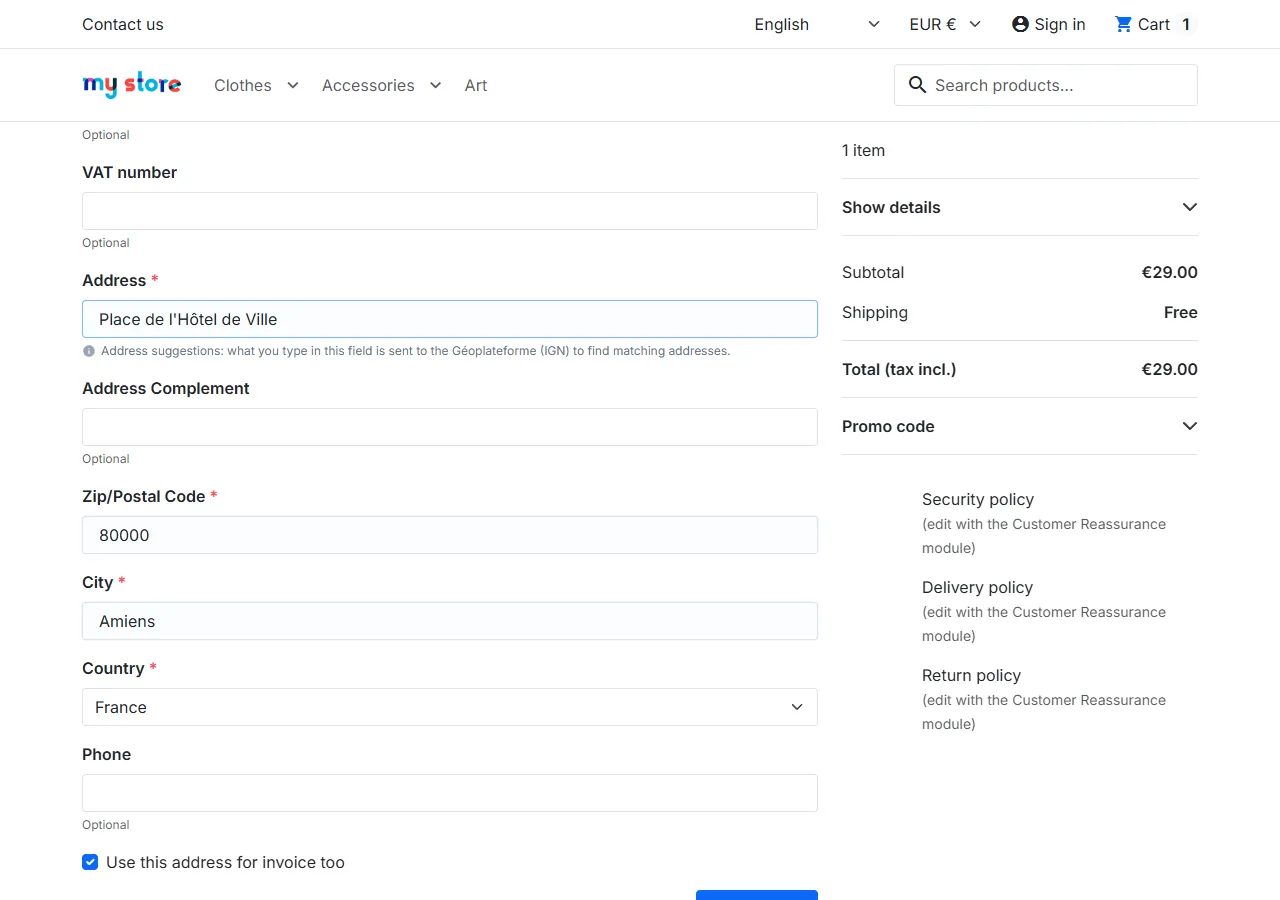
Fields are only filled when the customer selects a suggestion, and are briefly highlighted. The second address line is never replaced, and the city from the postal code only fills an empty field. Delivery and invoice forms work independently, and the provider follows the selected country, including when PrestaShop reloads the form.
City from the postal code
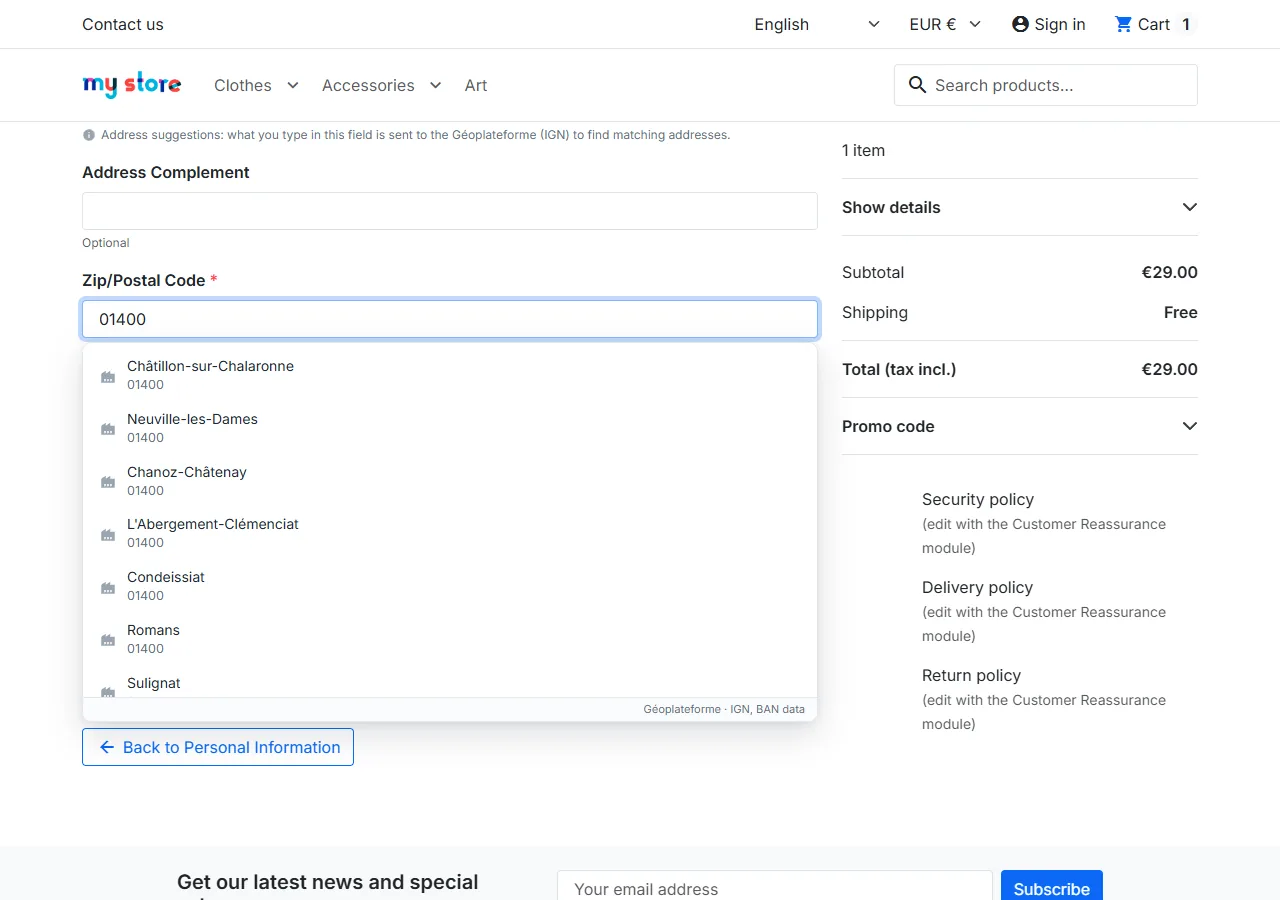
For countries served by the Géoplateforme, a 5-digit postcode fills the city when only one town matches, or lists the towns when there are several.
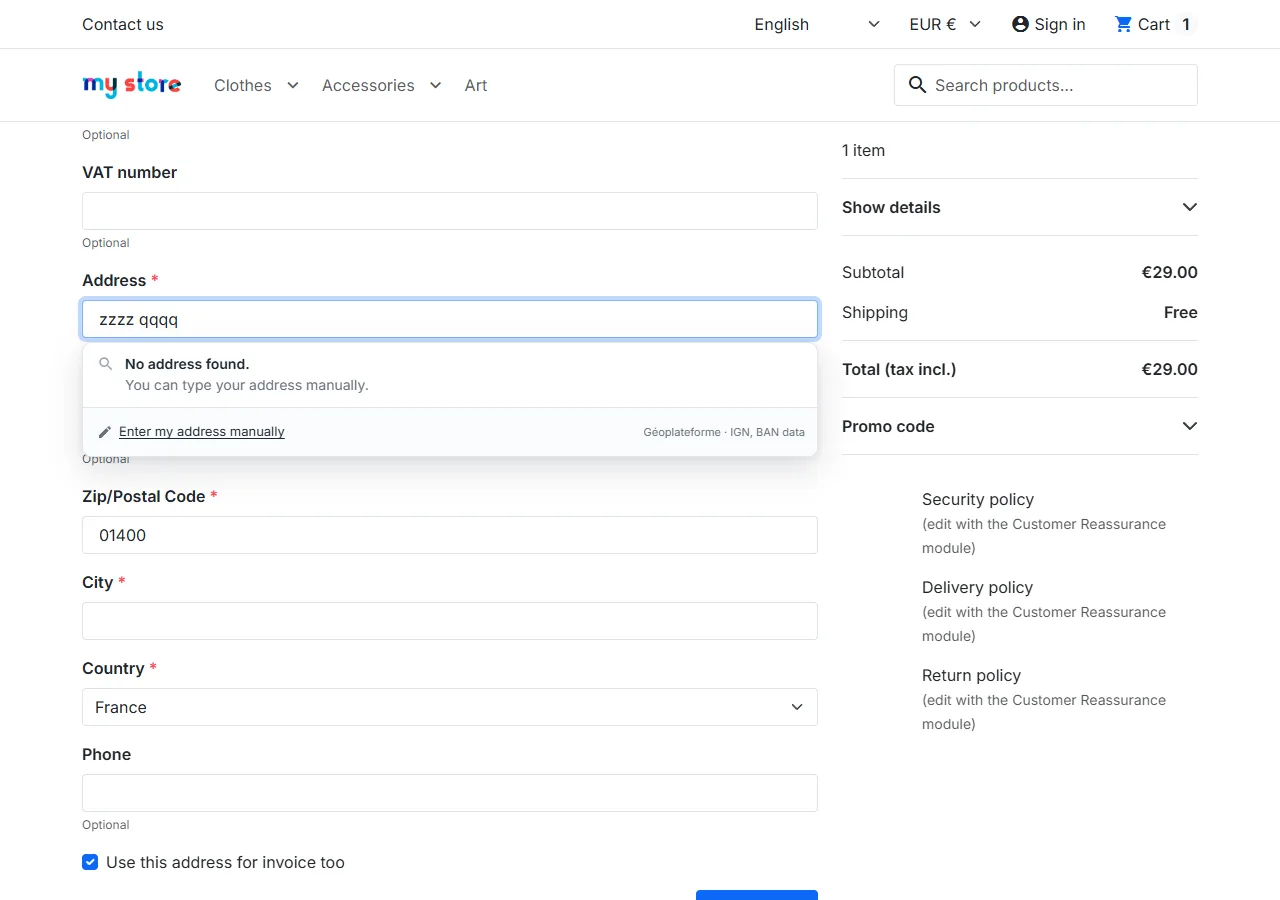
No result, error, manual entry
When no address matches, or when the service is slow, saturated (429 response) or unavailable, the list says so and reminds the customer that manual entry stays possible. The Enter my address manually button (or the Escape key) closes the list; the order is never blocked.
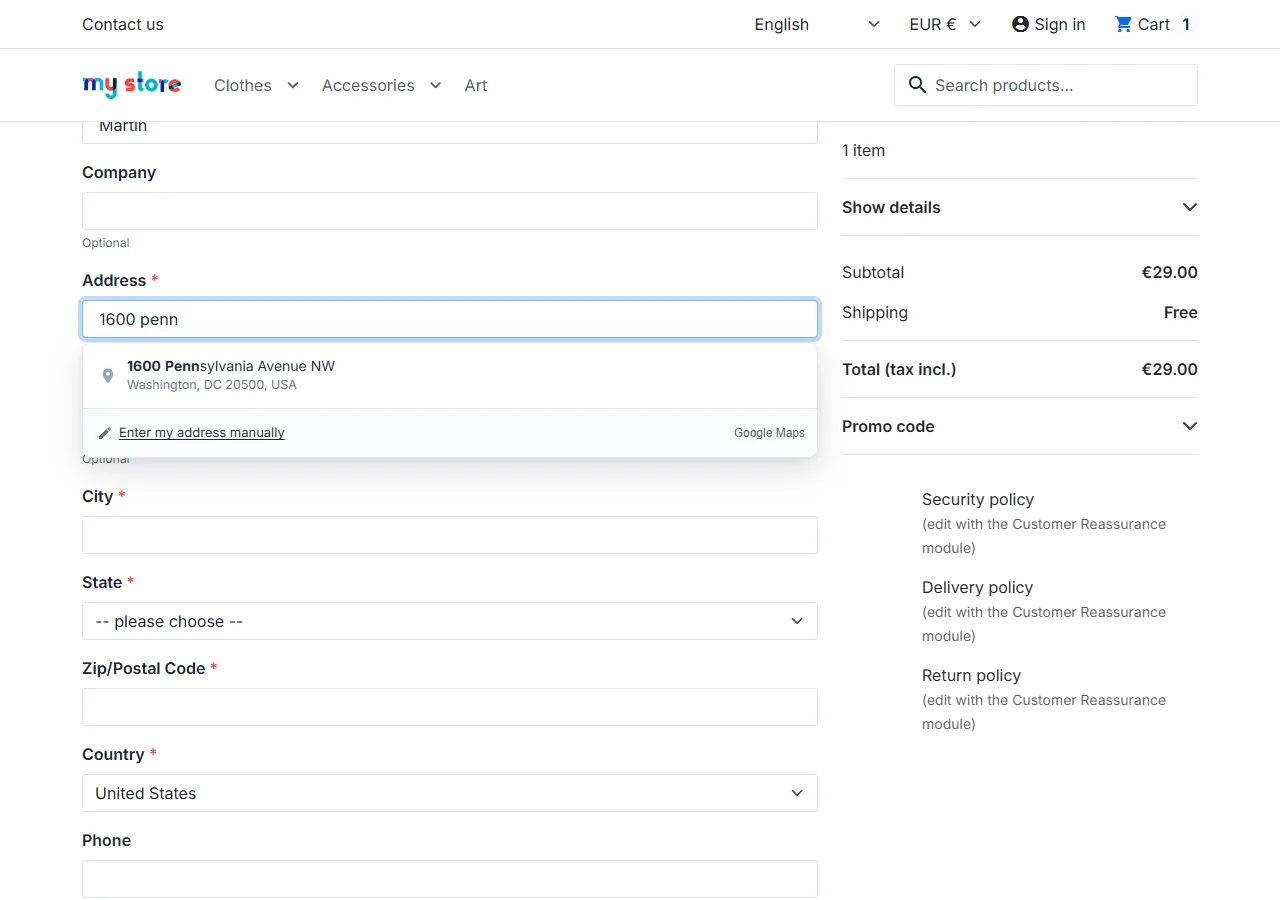
Google Places for other countries
For a country served by Google, suggestions come from Google Places and carry the “Google Maps” attribution. On selection, the state or province is also chosen in the PrestaShop list when the country has one.
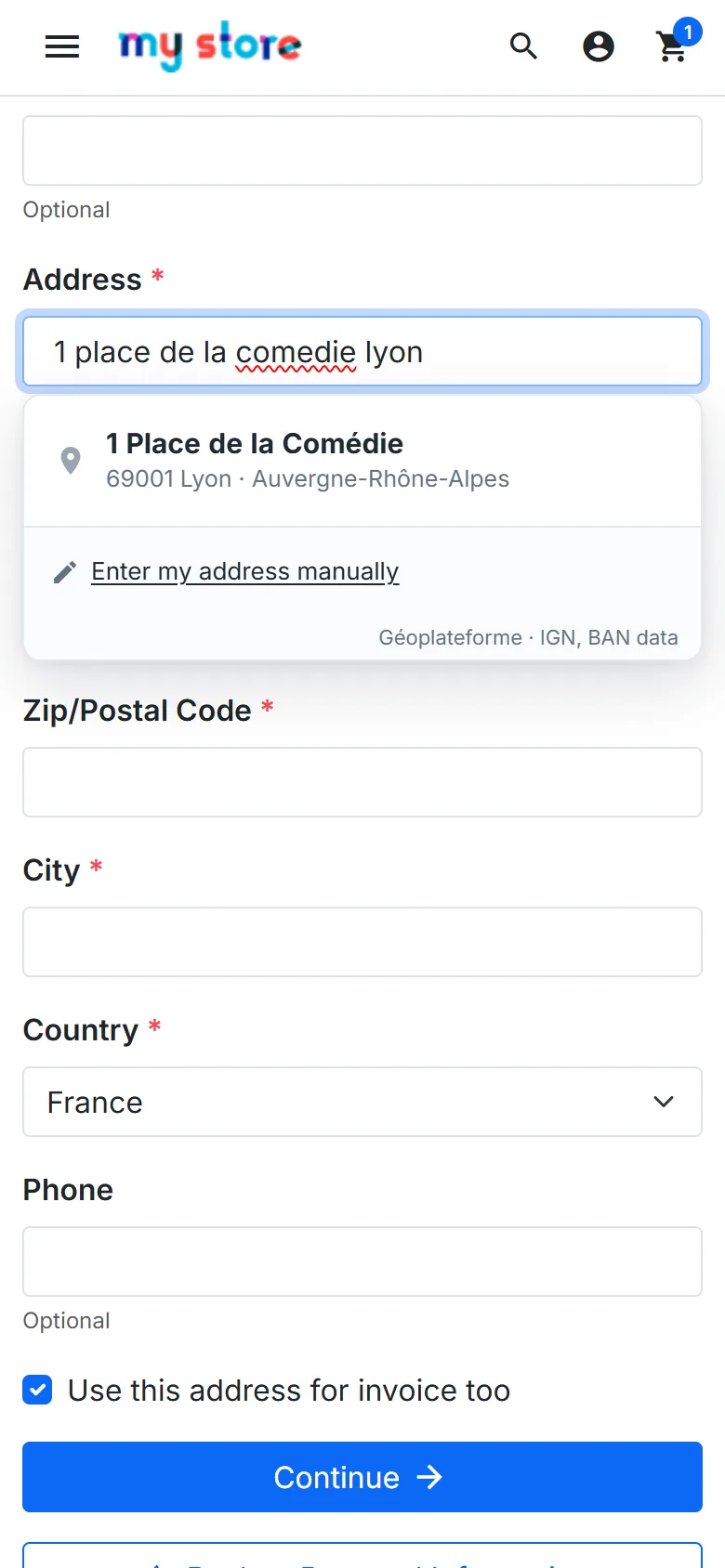
Mobile and My addresses
On phones, lines are at least 48 px high and the list stays inside the screen. The same suggestions are available when a customer adds or edits an address in their account.
Privacy
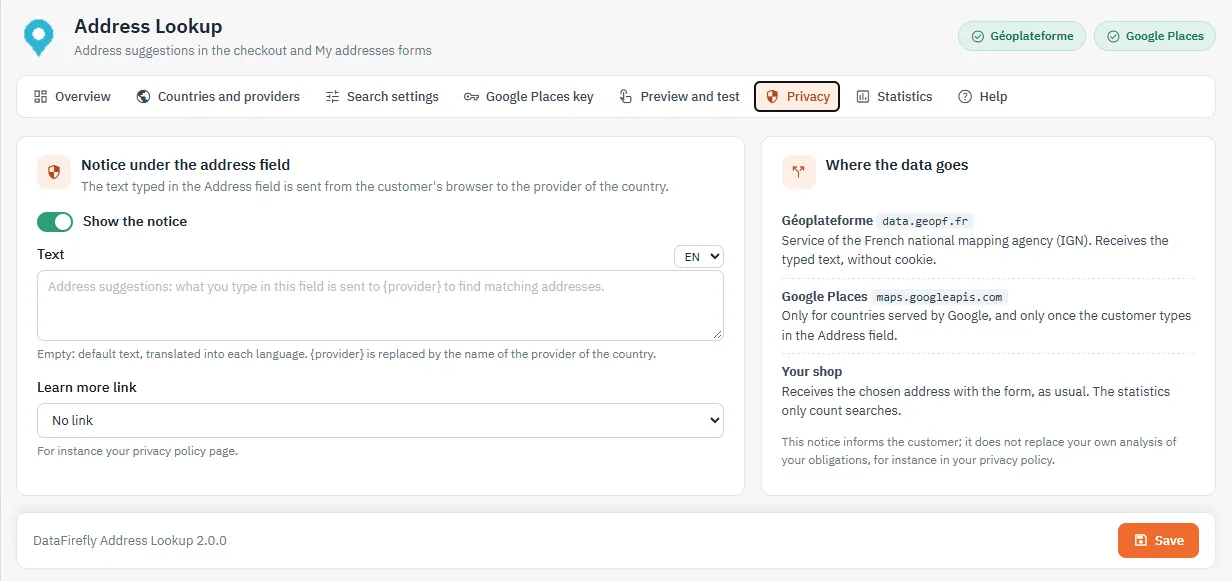
The text typed in the Address field goes from the customer’s browser to the provider of the country: the Géoplateforme (data.geopf.fr, without cookie) or Google (maps.googleapis.com, only for countries served by Google and only once the customer types). Nothing goes through DataFirefly. A notice is shown under the field, in every language, with the name of the provider ({provider}) and an optional link to a CMS page. This notice informs the customer; it does not replace your own analysis of your obligations.
Statistics
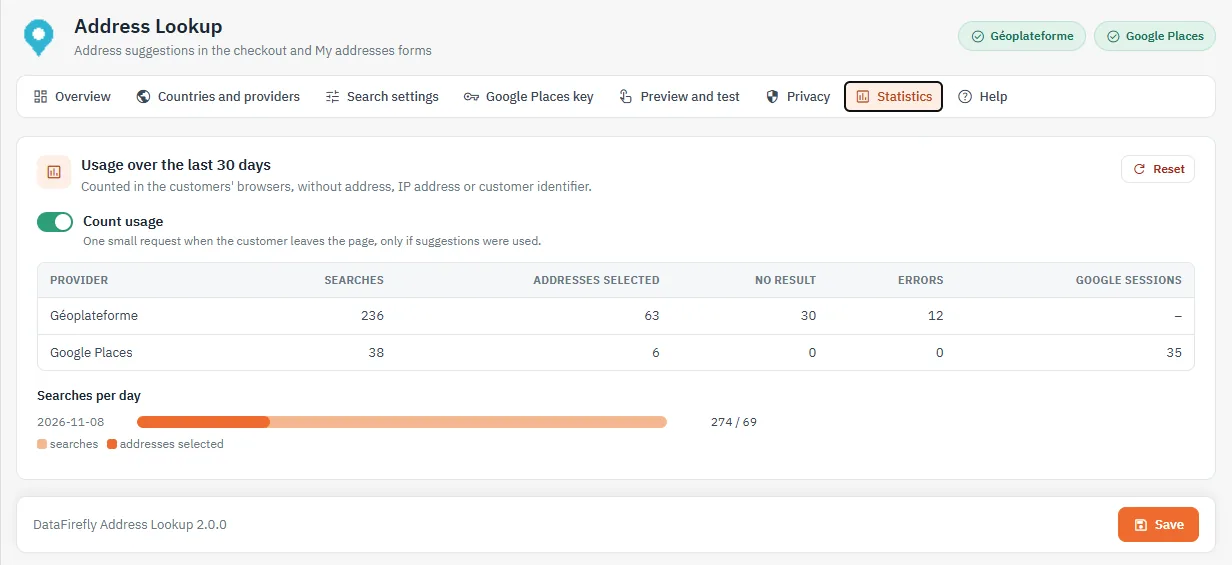
The module counts, per day and per provider, the searches, addresses selected, searches without result, errors and Google sessions. No address, IP address or customer identifier is stored. Counting can be turned off and reset.
Security and Content Security Policy
- Suggestions are built as text: no provider data is inserted as HTML.
- The module uses no inline script and no
eval, and has no server proxy. - If your shop sends a CSP header:
connect-src https://data.geopf.frfor the Géoplateforme; for Google, the directives of the Help tab (the page nonce is passed to the Google script when there is one).
Troubleshooting
No suggestion appears
- Check that the module is enabled and that the page is one of the selected pages.
- In Countries and providers, check the Result column of the country selected in the form.
- Run the Géoplateforme test in Preview and test: a failure usually means a network block or a
connect-srcdirective. - After a manual file update, clear the cache in Advanced Parameters > Performance.
Google Places does not answer
- The Test the key button tells whether Google refuses the key: API not enabled, billing inactive or domain missing from the referrers.
- The back-office domain must be in the referrers for the test and the preview.
A third-party checkout module
Checkouts that keep the standard field names work without any setting. If they have their own page, add their controller in Other controllers. If they rename the fields, entry stays manual, without error.
FAQ
Is a key needed for France?
No. The Géoplateforme is free and needs no key. Google Places is optional.
Is the script loaded on every page?
No: only on the checkout and the address page (depending on your settings), and the Google script only when a customer types in a country served by Google.
What happens on uninstall?
The settings and the statistics table are deleted.
Changelog
2.0.0 — November 8, 2026
- Provider per country (automatic, Géoplateforme, Google Places, none); overseas territories created as separate countries served by the Géoplateforme
- Google: script loaded on demand, addresses only, session token closed by an Essentials request, state/province filled in, Google Maps attribution, refused key detected
- New suggestion list: loading, no result, error and pause states, manual entry button, complete ARIA combobox pattern, mobile sizes
- Outdated requests cancelled, time limit, cache, pause on 429 responses
- Back office rebuilt: preview, connection tests, key help, privacy notice, statistics; 8 languages
- Compatible with PrestaShop 1.7.8 to 9; upgrade from 1.0.x and 1.1.0 keeps every setting
1.1.0 — August 23, 2026
- Google engine migrated to Places API (New)
1.0.3 and 1.0.2 — August 23, 2026
- Street kept after selection; list no longer reopens after the choice
1.0.1 — July 1, 2026
- Switch to the Géoplateforme (data.geopf.fr/geocodage)
1.0.0 — May 15, 2026
- Initial public release