

Classic internal search compares character strings. It finds the products whose text contains the words typed in, and nothing else. Semantic search compares meanings: it matches “car charger” with “cigarette lighter adapter” without a single synonym having been declared.
Here is how it actually works, what it costs, and where it stays worse than the classic approach.
The principle, without the jargon
Every product in your catalogue is turned into a series of numbers, called a vector, that represents its meaning. Two products close in meaning produce vectors that sit close together in that space.
When a visitor searches for something, their query is transformed the same way, then the engine looks for the nearest vectors. No word matching is required: proximity of meaning is what decides.
That transformation is produced by a language model, trained on enormous volumes of text, which has learned that certain terms appear in the same contexts. That is what lets it know a cigarette lighter socket and a car charger belong to the same use case.
What it solves
Three situations where the classic engine fails every time.
Different vocabulary. The customer uses their words, your catalogue uses the supplier’s. With no declared synonyms, no results. This is the most frequent case and the most expensive.
The descriptive query. “Something to store tools in a garage” contains no word from your catalogue, yet describes a need precisely. The lexical engine returns noise or nothing.
Typos and variation. Plurals, conjugations and approximate spellings are absorbed by the vector representation with no specific tuning.
 AI Semantic Search — PrestaShopThe search that understands intent, not just keywords€149.00
What to vectorise
A question that drives result quality far more than the choice of model does.
The useful minimum: product name, short description, category and main attributes. The long description adds context but also noise, particularly when it carries delivery terms or legal notices repeated identically on every page.
One simple principle: only vectorise what distinguishes the product. Any text present identically on a hundred pages artificially pulls those hundred pages together and degrades relevance.
Technical specifications deserve separate handling. A language model understands numbers and units poorly: “120 cm” and “140 cm” look very close to it. That is a structural limit, not a configuration flaw.
The most important point: combine, do not replace
This is the classic design mistake. Semantic search is not better than lexical search, it is different, and it is clearly worse on certain cases.
On an exact reference, a product code, a part number, a barcode, lexical wins every time. Vector search does not understand that a string has to match exactly.
On numeric values, size, weight, dimension, power, lexical combined with filters remains superior.
On a brand name, lexical is more reliable, since vector search tends to bring back competing brands from the same world.
The architecture that works combines both: lexical search first, topped up by the vector layer when it returns few or no results, or merged with a weighting. A shop that switches entirely to semantic sees its reference searches degrade, and those are often the searches of its best customers.
The cost, plainly
Three line items, of very different sizes.
Initial indexing. Every product has to be vectorised once. On a catalogue of ten thousand references, the operation carries a low but real unit cost, and a processing time of a few hours.
Updates. Only modified products need re-vectorising. A full reindex on every import is an expensive mistake: detect real changes on the vectorised fields.
Queries. Every visitor search means vectorising the query. This is the line that scales with traffic, and the one to look at before committing. A cache of frequent queries cuts it substantially, since a large share of a shop’s searches is repetitive.
Measure before and after
Three metrics, recorded over the thirty days preceding the rollout.
The zero-result search rate, which should drop clearly. This is the most visible and most immediate gain.
The click rate on the first result, which measures perceived relevance. If it falls while the result rate rises, your engine is returning products that are close but not relevant.
The conversion rate of sessions that include a search, the only figure that justifies the investment.
A fourth check, qualitative: build a list of thirty real queries taken from your logs, with the expected result, and replay it after every change. It is the only way to catch a regression before your customers do.
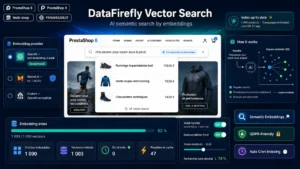
The AI Semantic Search module for PrestaShop puts this layer in place on PrestaShop 8 and 9: vector indexing of the catalogue with field selection, combination with your existing lexical search, similar products computed on meaning, and a query dashboard with their result rate.