



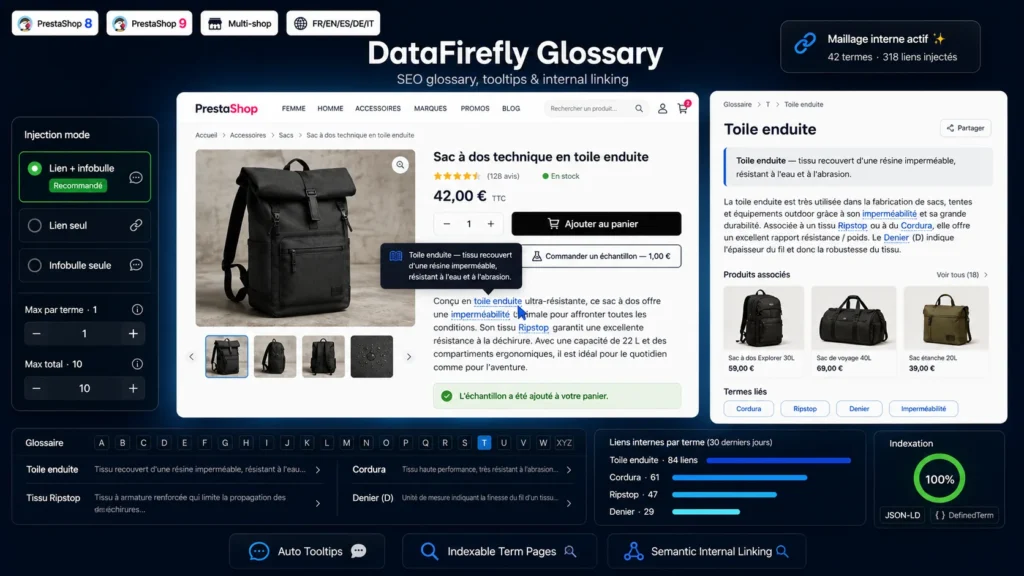
Everything you'd want to know before you install.
A detailed look at how DataFirefly SEO Glossary — Industry term lexicon, automatic tooltips in your descriptions and internal linking to your products for PrestaShop 1.7.8, 8 & 9 works, why we built it the way we did, and the thinking behind the features above.
§ 01
What a shop glossary is for
A specialised catalog uses a vocabulary that not every customer masters: materials, standards, techniques, acronyms. DF Glossary gathers these terms in one place. You write the definition once per language; the module displays it as a tooltip in your descriptions, gives it its own page and links it to the related products. The visitor understands the term without leaving the product page, and your definitions become pages that you can enrich and link to your catalog.
§ 02
In your descriptions
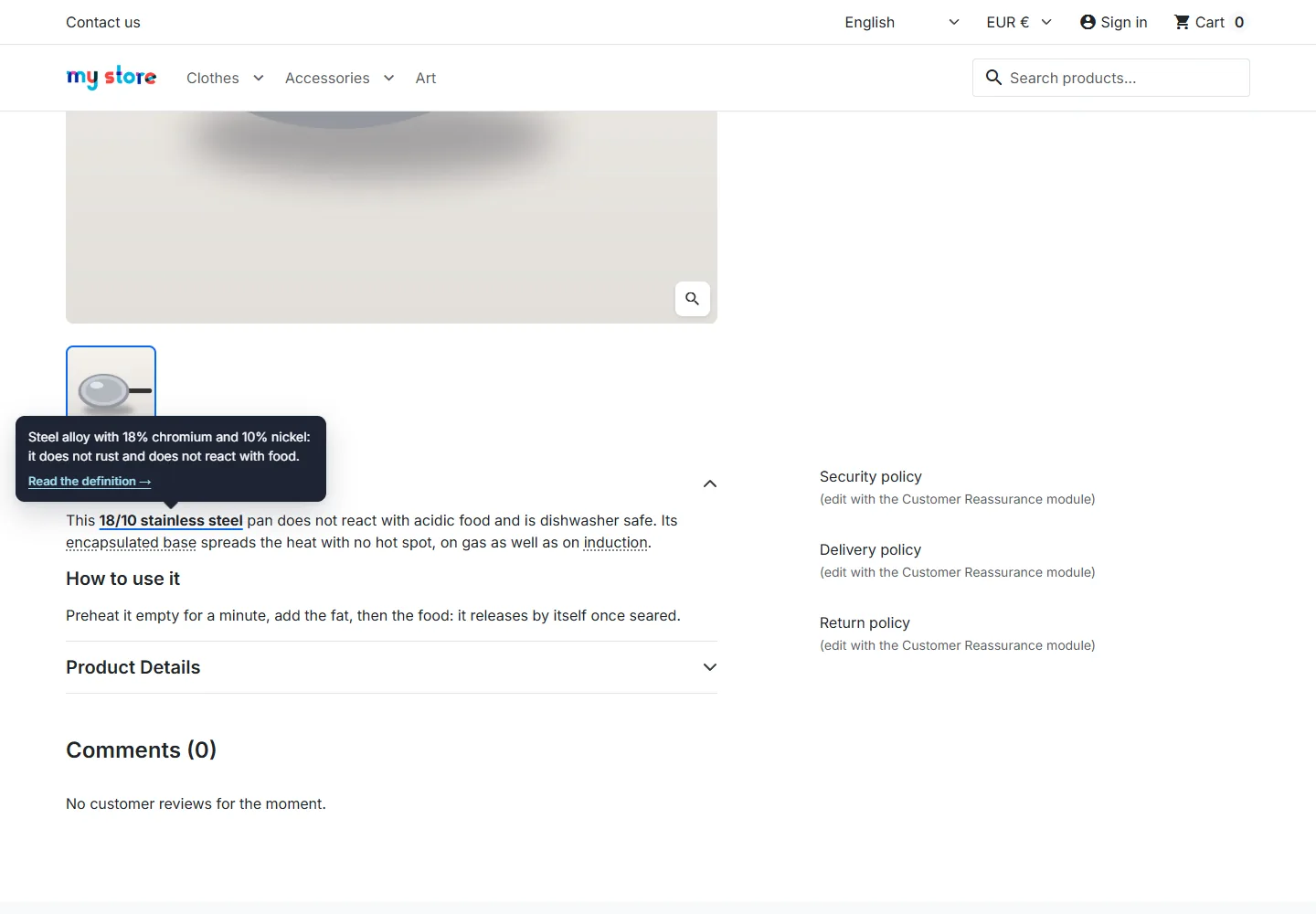
The module acts at display time, in the product descriptions and summaries, category descriptions and CMS pages you have chosen. The HTML is read by a real parser: only the texts are modified, never the tags, existing links, headings, scripts, code, buttons or fields. If no term matches, the page is returned unchanged. Per-page limits (a single linked occurrence per term by default) and exclusions by product, category or CMS page let you control link density. Your descriptions are never modified in the database: disabling the module restores the original texts.
§ 03
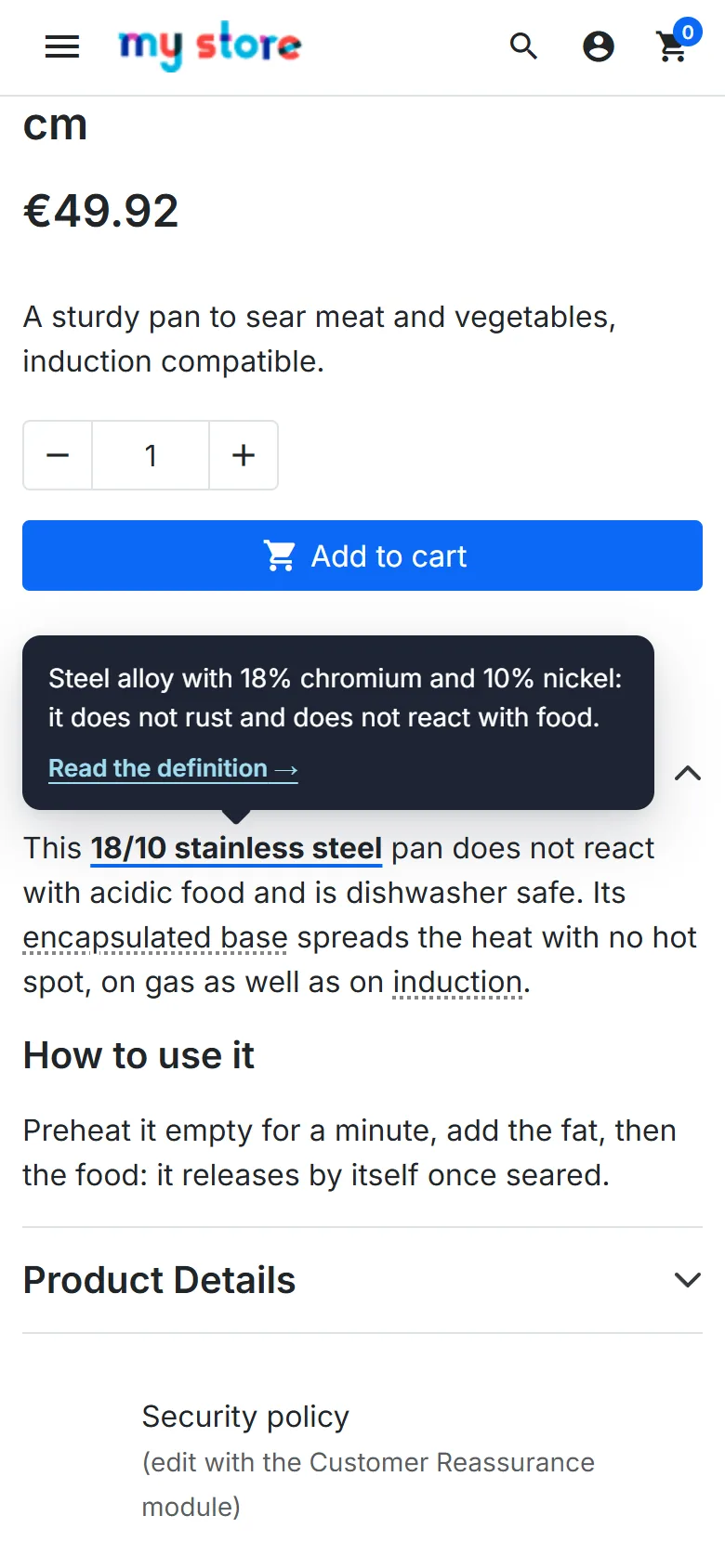
Tooltips everyone can use
The tooltip opens on hover, keyboard focus and touch, and closes with Esc. It is linked to the term by aria-describedby and stays open while the mouse is over it. On mobile, a first tap shows the definition, a second tap opens the term page. It takes up no space in the layout: no shift when it opens. Four styles are available, along with five underline styles and a "Read the definition" link. The script is only loaded on pages that contain a term.
§ 04
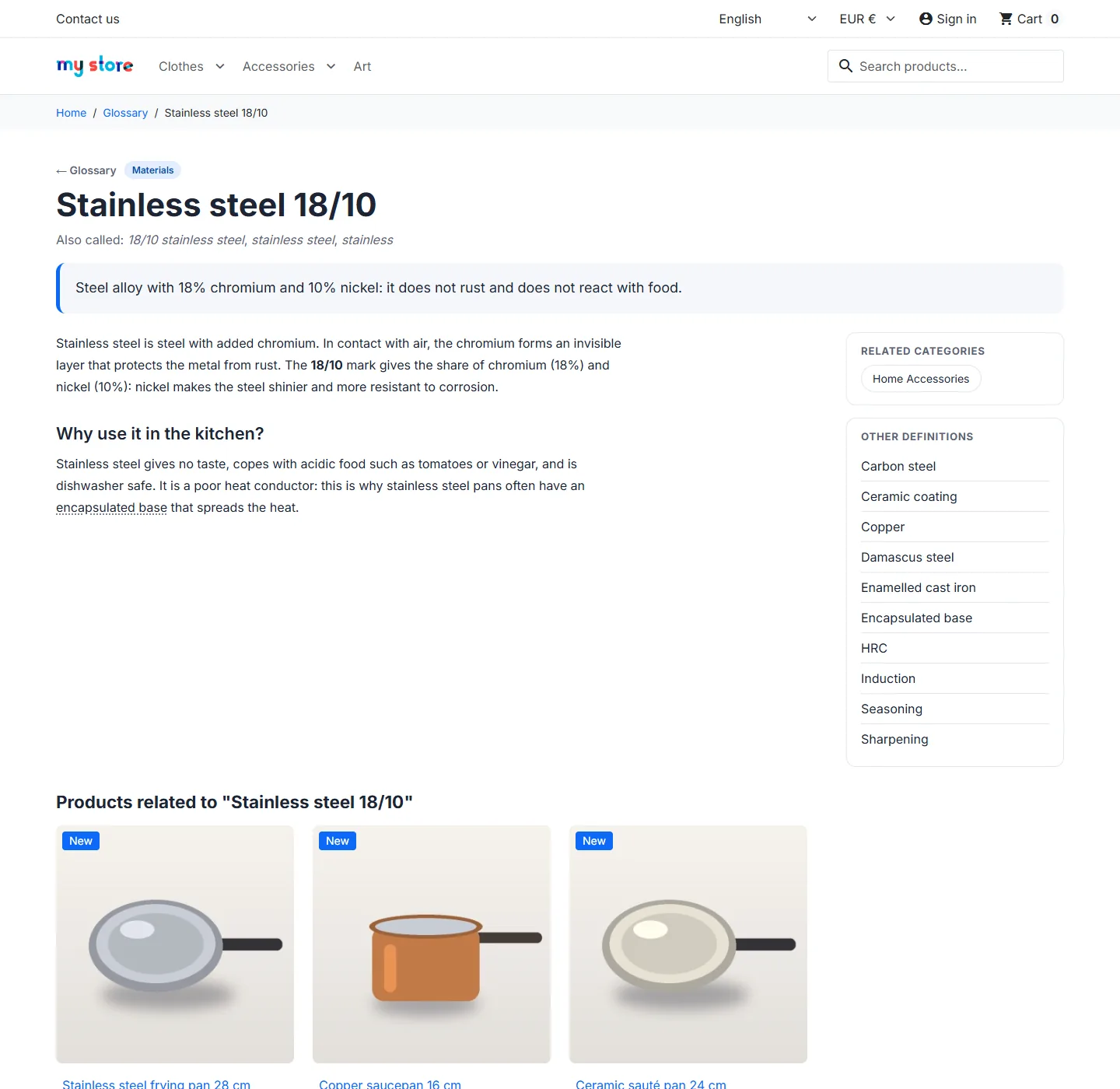
The glossary page and the term pages
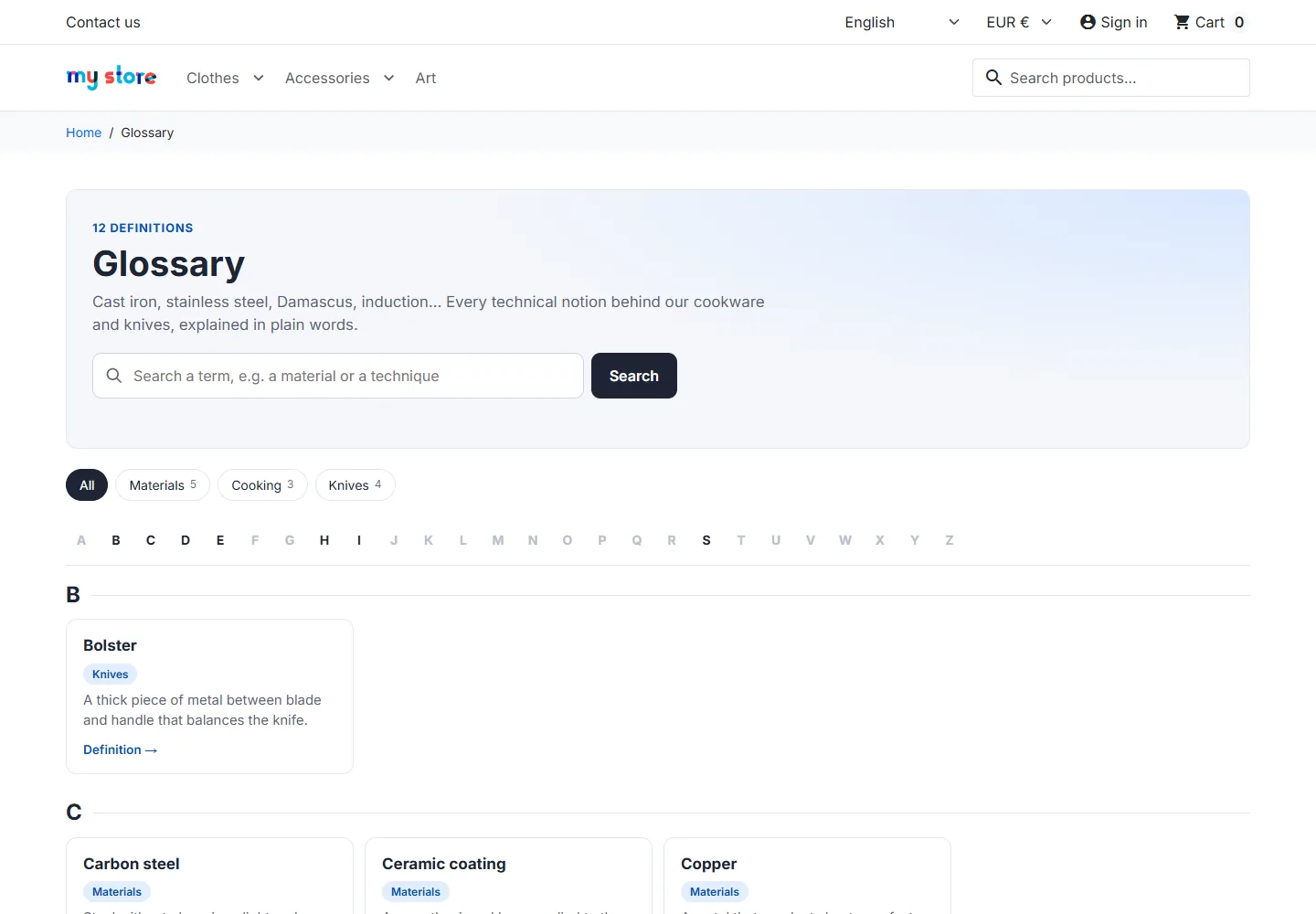
The glossary page presents the A–Z index, an instant search and filters by term category. Each term has its page with its definition, its variants, its categories, the linked products and categories (active and visible only) and other definitions. URLs are translated per language and old addresses redirect with a 301. Each page has its canonical, its hreflang tags with x-default, its title and its description; searches, filters and pages that are too short receive noindex, follow. The DefinedTerm and DefinedTermSet structured data describe the pages; Google does not show a specific rich result for this type, and the module promises no ranking gain.
§ 05
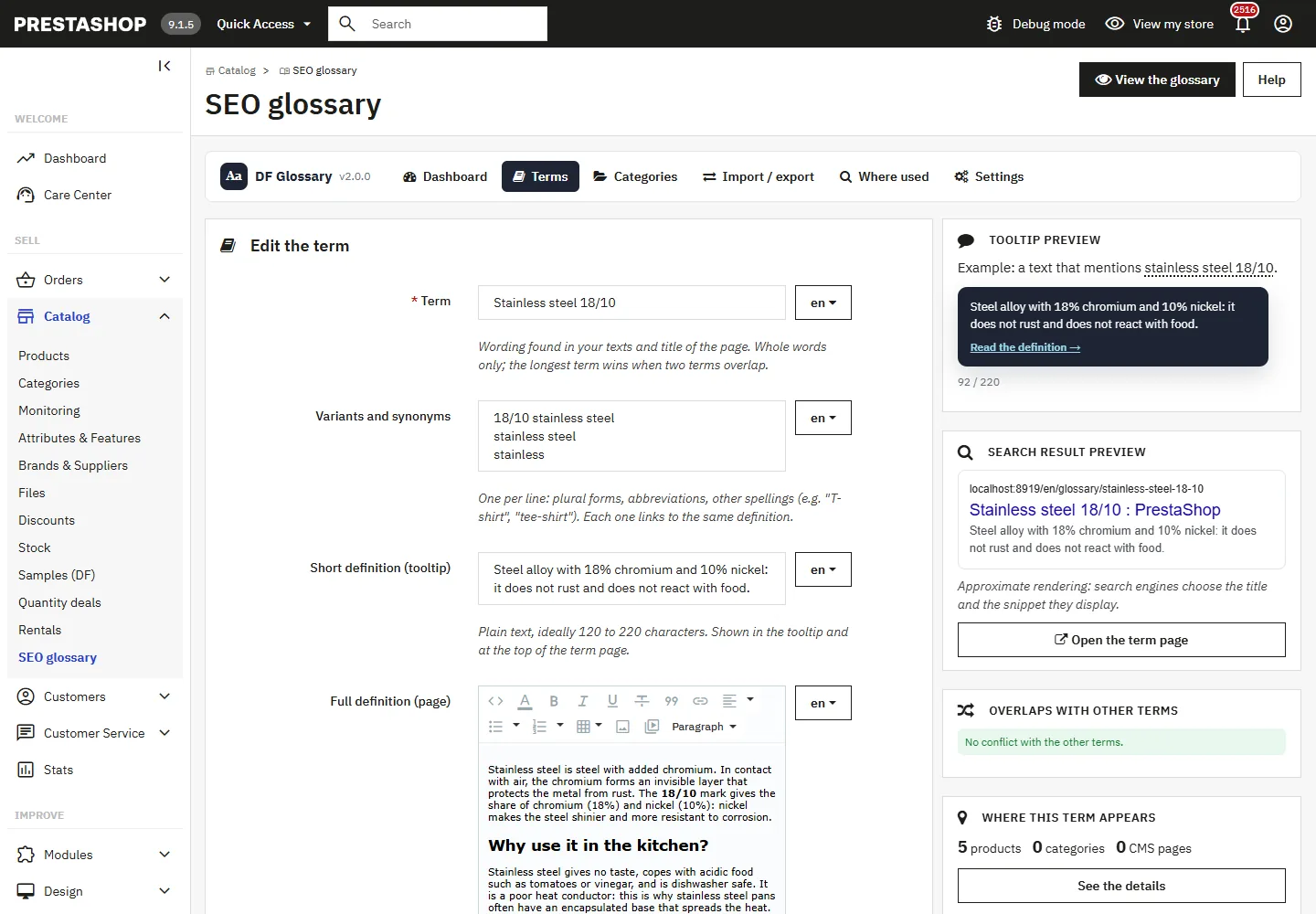
A back office to keep the glossary up to date
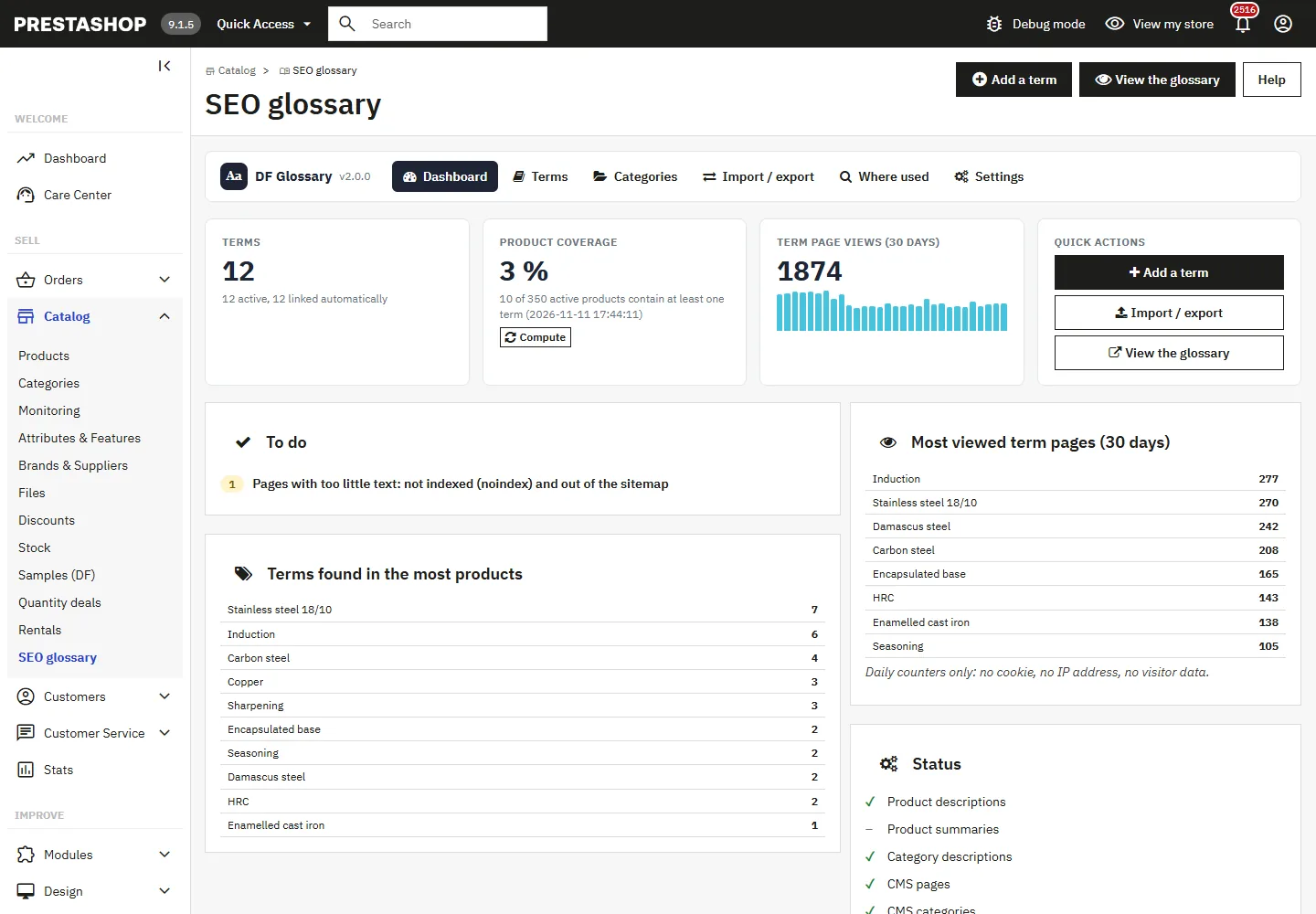
The dashboard shows catalog coverage, views of term pages and the tasks to do: terms without a tooltip, pages that are too short, missing translations, words used by two terms. The editor shows the tooltip and the search result live, rejects a word already taken by another term and suggests the products that contain the term. The CSV import checks every line before writing anything, the export neutralises formulas, and the "Where used" tool lists the content that uses a term.
§ 06
Compatibility and update
Version 2.0.0 works with PrestaShop 1.7.8 to 9; it was tested on 1.7.8.11 (PHP 7.4), 8.2.1 (PHP 8.1) and 9.1.5 (PHP 8.5), with the Classic and Hummingbird themes, in multilingual mode. The update from 1.0.0 keeps terms, translations, slugs and linked products, without changing URLs. On uninstallation, data is kept by default and a CSV backup is written before any deletion. No external calls, no AI, no subscription.




Simple and functional.
Exceptional support.Automatically translated