

PrestaShop Marketing & Promotions

Category Price Rules for PrestaShop 1.7.8, 8 & 9

Discounts by category, with filters, calendar and preview, without touching other prices.

  • 30-day refund
  • 12 months updates
  • 24h support

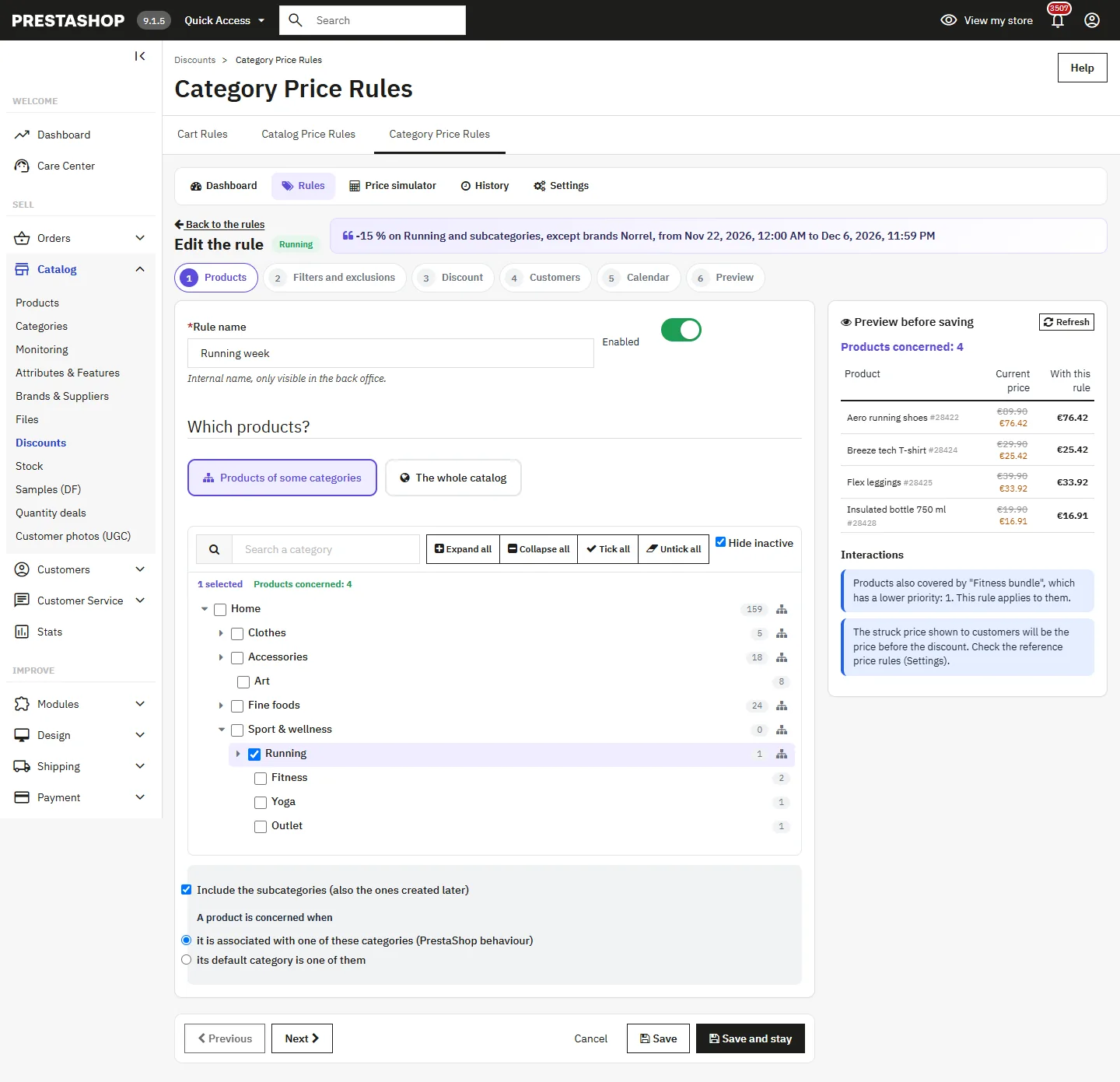
PrestaShop catalog price rules only target a flat list of conditions and never tell you which price a product will get. This module adds a 6-step editor: tick categories in the tree (subcategories included, even the ones created later) or the whole catalog, filter by brand, supplier, feature, price or stock, exclude products, branches or brands, set the discount, the quantity tiers and the calendar, then check the preview before saving. The prices are created as native catalog price rules: the cart, orders and modules that read PrestaShop prices see them as usual. The module only changes what it created itself.

At a glance
  • Targeting by category tree, or the whole catalog
  • Filters (brand, supplier, feature, price, stock) and exclusions
  • Discount, fixed price, quantity tiers, group, country and currency
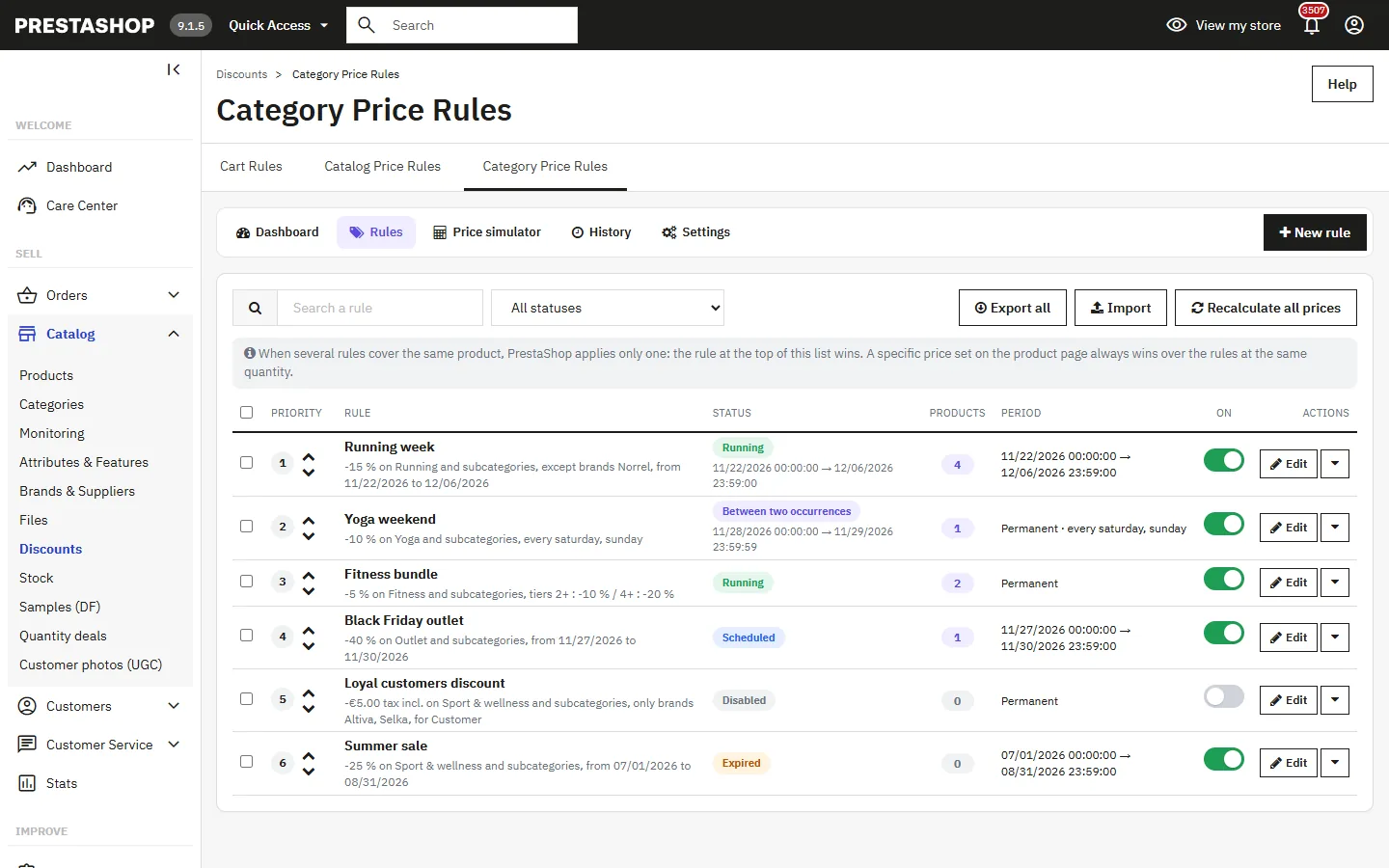
  • Dates, recurrence by day and time slot, priority between rules
  • Preview before saving, price simulator, history with undo
PrestaShop 1.7.8, 8 & 9 Native rules Preview before saving Undo
  • PrestaShop Certified Agency 2026
  • PrestaShop Expert Certification — Core Skills
  • PrestaShop Expert, level 3

Built by a PrestaShop Certified Agency

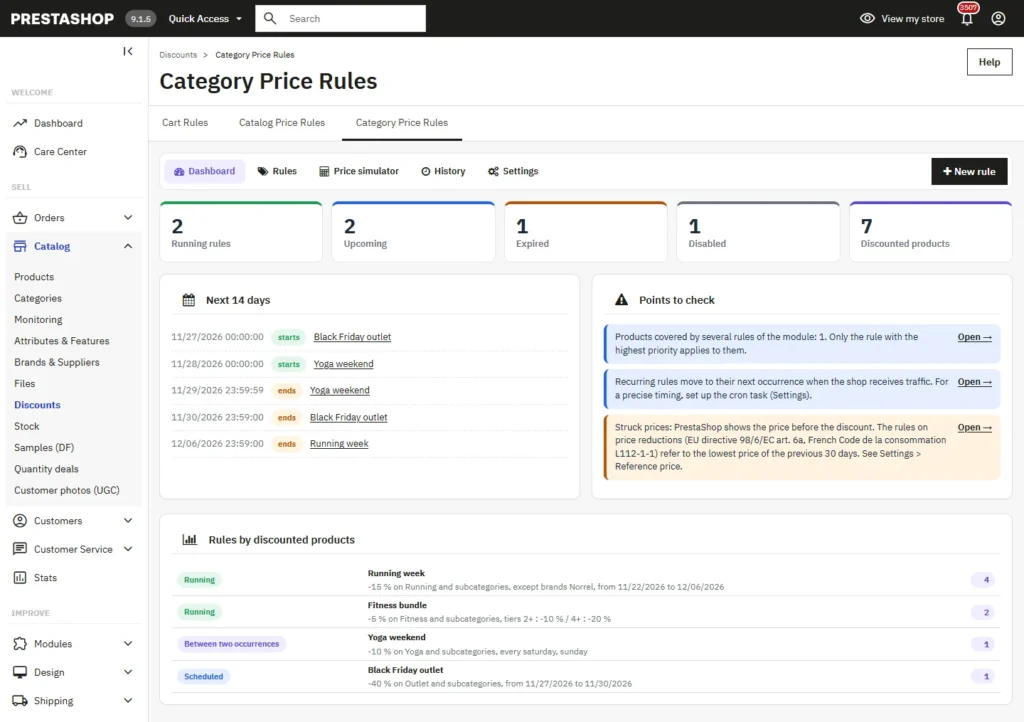
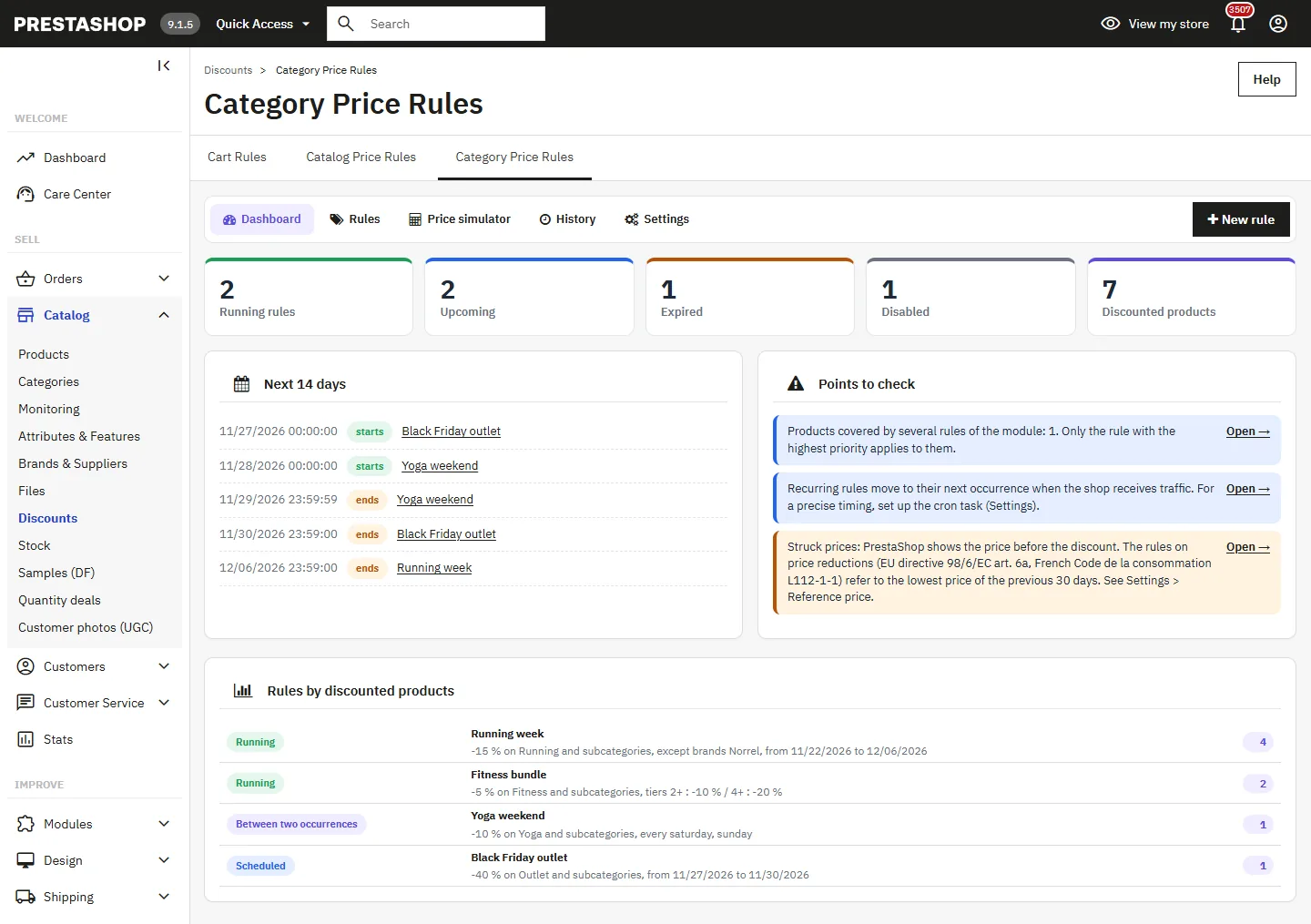
Price rules dashboard: running, upcoming and expired rules, discounted products and points to check
v2.0.0 · updated 2026-11-24
Category Price Rules for PrestaShop 1.7.8, 8 & 9 €79.00
What it does

Overview

01

Target with the tree

Tick categories or whole branches, with search, product counters and inactive categories hidden. Subcategories created later are included automatically. Or choose the whole catalog.

02

See the result before saving

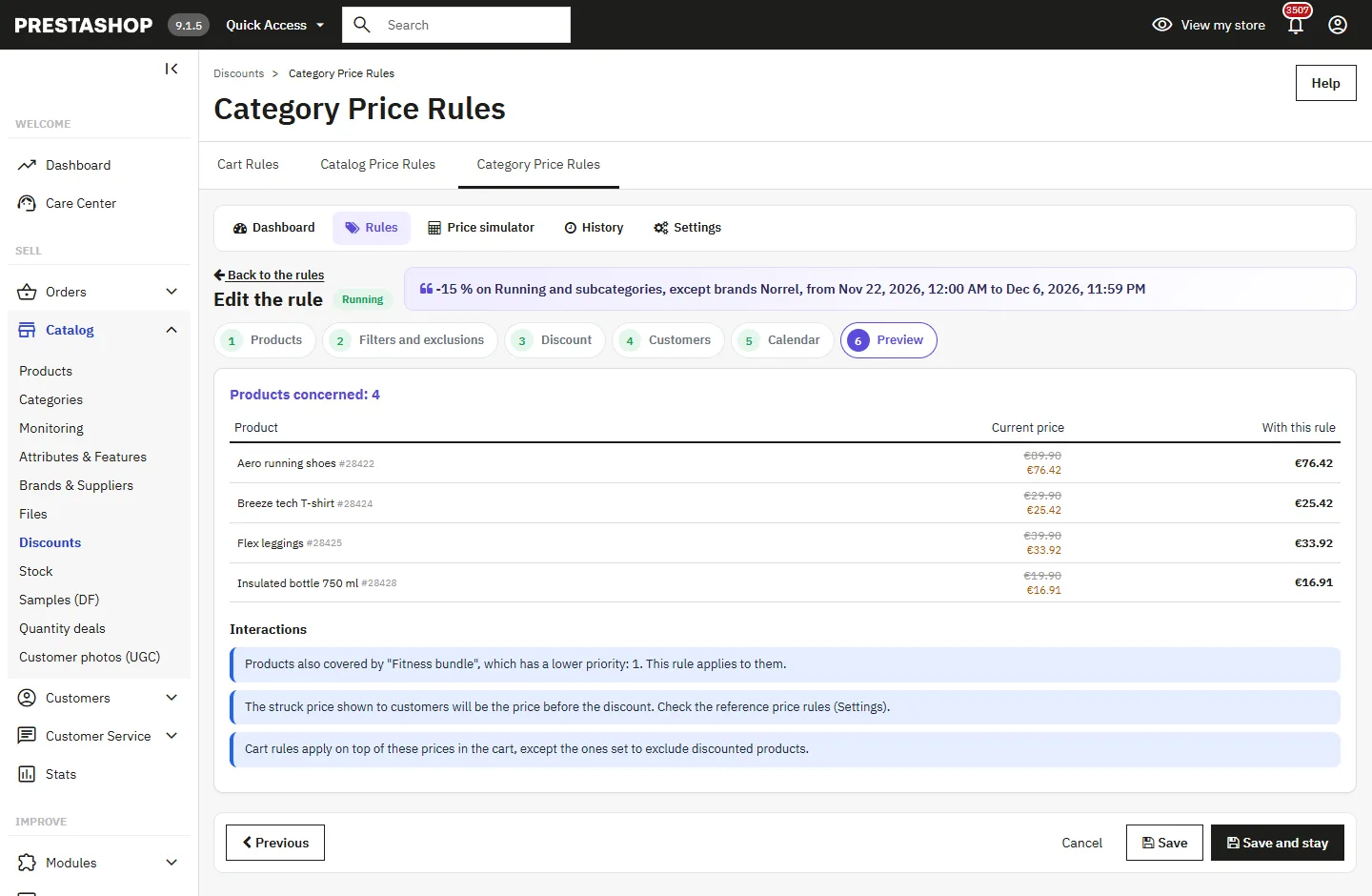
The preview gives the number of products concerned, a current price / new price sample and the interactions: product prices of their own that win, other catalog price rules, other rules of the module, cart rules.

03

Which price, and why

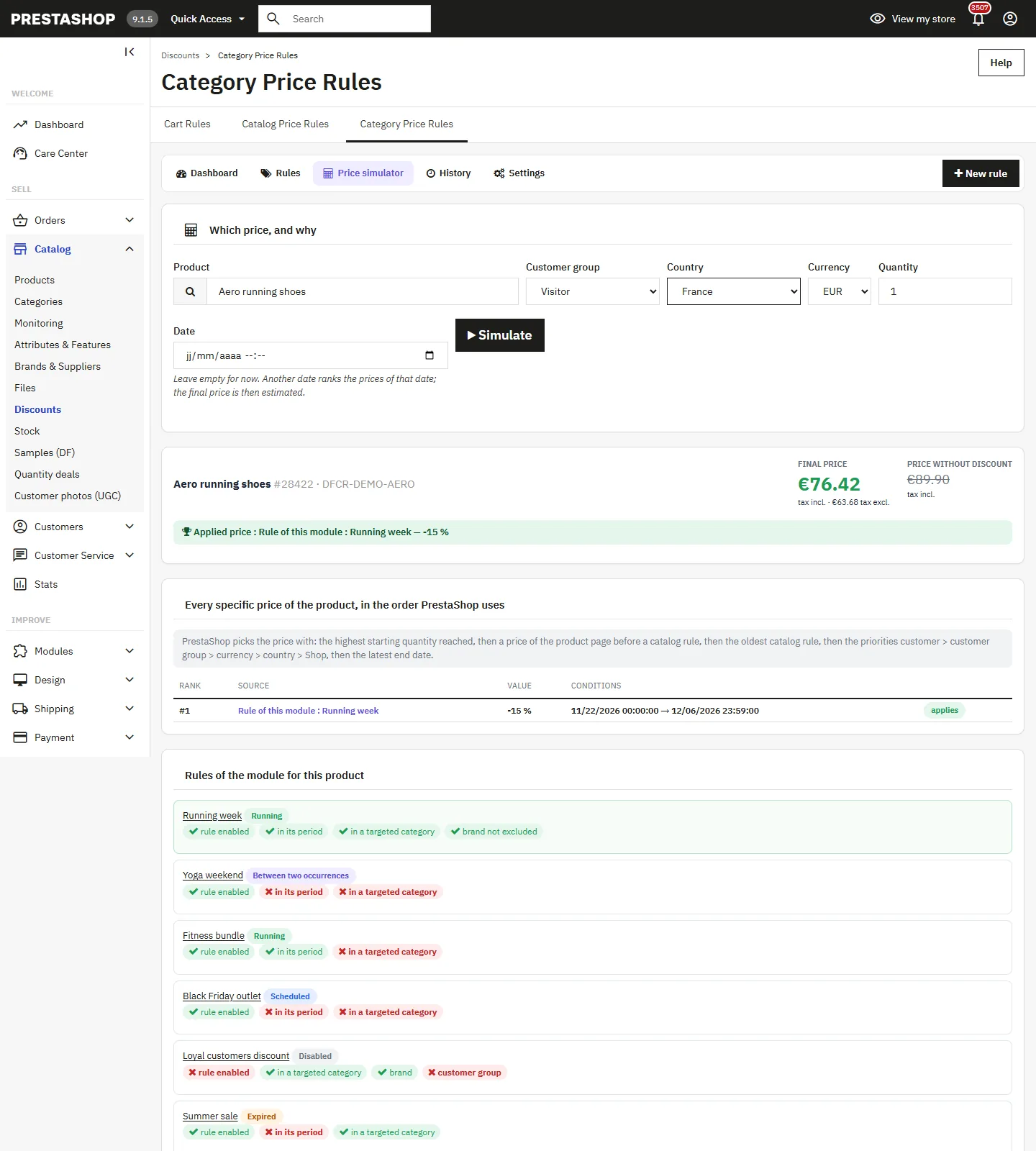
The simulator computes the final price of a product for a group, a country, a currency, a quantity and a date, lists every specific price in PrestaShop's order and explains, criterion by criterion, why each rule applies or not.

04

Other prices stay untouched

The module only changes the native rules it created and that still bear the name it gave them. Product page prices, prices of other modules and rules created by hand are never changed. When disabling and uninstalling, you choose what happens to its prices.

The long version

Everything you'd want to know before you install.

A detailed look at how Category Price Rules for PrestaShop 1.7.8, 8 & 9 works, why we built it the way we did, and the thinking behind the features above.

§ 01

Why catalog price rules are not enough

A native catalog price rule targets a list of conditions with no overview of the category tree, no exclusion and no recurrence. Above all, it does not tell you what will happen: a specific price entered on a product page always wins at equal quantity, and between two catalog rules the oldest one wins. The module makes these rules visible: the preview reports them before saving and the simulator shows, for a given product, which price applies and why.

§ 02

Native PrestaShop prices, managed without side effects

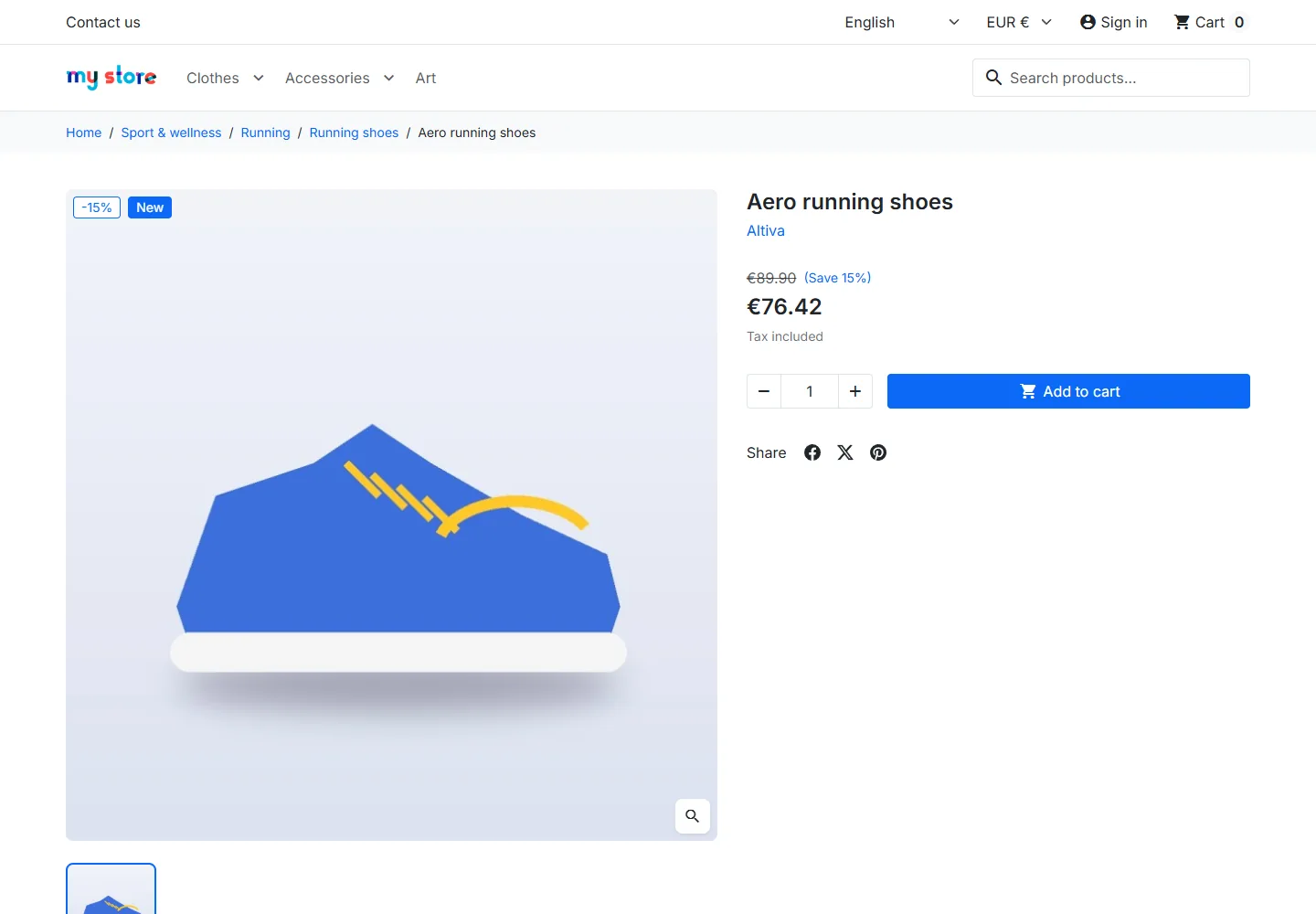
Each rule of the module becomes a native catalog price rule with its specific prices. The cart, orders, feeds and modules that read PrestaShop prices handle them as usual. The module keeps the list of the native rules it created: it only changes or deletes a rule if it is in that list and still bears its name. A rule renamed or reused elsewhere is left untouched and the event is logged.

§ 03

Schedule and forget

Set a start and an end in the shop time zone, or a recurrence: every weekend, some days, or every day from 6 pm to 8 pm. The prices carry the current occurrence and move to the next one when the shop receives traffic, or on time with the optional cron task. The dashboard lists the starts and ends of the next 14 days.

§ 04

Targeted recalculations

When a product or a category changes, only the products and rules concerned are evaluated again, and only the differences are written, in a transaction. On a test shop with 3,019 products and a rule on 111 categories, renaming a category took 6 ms against 886 ms with version 1.1.0, and recalculating an unchanged rule 28 ms against 1,373 ms. These measurements depend on the server and the catalog.

§ 05

Struck price and reference price

By default, PrestaShop shows the price before the discount as the struck price. As an option, the module records every day the visitor price of the discounted products and uses the lowest price of the 30 days before the discount; while that history is incomplete, no struck price is shown. It is a display tool: it does not guarantee that your price reduction announcements comply with the law, which you must check against the rules of your country.
€79.00
One-time · 12 months updates
Read the docs
  • Unlimited dev & staging installs
  • Source code included
  • 30-day refund
  • 24h support · EN / FR