
A visitor types “snekers” instead of “sneakers” and gets an empty page. The product is in stock, well described, correctly categorised, but one missing letter is enough to make it invisible. This behaviour is not a bug: it follows directly from the way PrestaShop indexes and queries its catalogue.
How native search works
PrestaShop builds its own search index, separate from the catalogue. Two tables carry it: one stores the words encountered, the other links each word to the products containing it, with a weight.
Indexing applies a series of treatments at the moment the product is saved. The text is split into words, accents are normalised, words that are too short are discarded, and a stop word list is removed. The fields taken into account and their respective weights are set in Configure > Shop parameters > Search: product name, reference, short description, long description, brand, attributes, features.
On the query side, PrestaShop applies the same splitting to the words typed, then looks for matches in the index. That is where everything is decided: the match is exact, or by start of word depending on the setting, but never approximate.
Why there is no tolerance
The engine compares character strings. “Snekers” and “sneakers” are two different strings with no relation, and nothing in the mechanism measures the distance between them. A typo-tolerant engine has to compute a gap between words, which assumes an index structure and a computing cost the native mechanism does not provide for.
Search by start of word, which can be enabled in the settings, creates the illusion of tolerance. It finds “sneakers” from “sneak”, but is powerless as soon as the error falls on a letter in the middle of the word.
The other blind spots
The typo is only the most visible case. Three other situations produce the same result.
- Different vocabulary. The customer searches for “car charger”, your product page says “cigarette lighter adapter”. No word in common, no result, even though the product matches perfectly.
- The word that is too short. Words below the minimum length, often three characters, are ignored. A search on a short reference or a size fails silently.
- The stale index. Indexing is triggered when a product is saved, but a bulk import or a direct change in the database does not trigger it. The catalogue is up to date, the index is not.
That last point deserves an immediate check: if your last import was yesterday and you have not rebuilt the index, part of your catalogue is currently unfindable.
 AI Semantic Search — PrestaShopThe search that understands intent, not just keywords€149.00
Four levels of correction
In increasing order of effort and effectiveness.
1. Tune what exists. Rebuild the index, lower the minimum word length, enable search by start of word, review the field weighting. Half an hour, no cost, a real but limited gain.
2. Enrich the vocabulary. Add, in a dedicated field, often the features or the short description, the terms your customers actually use. The list comes from the log of searches with no results, not from intuition. This is the action with the best effort-to-result ratio.
3. Move to a dedicated engine. An external engine brings typo tolerance, synonyms, fine weighting and autocomplete. In exchange it imposes catalogue synchronisation and one more dependency.
4. Add a semantic layer. Rather than comparing strings, semantic search compares vector representations of meaning. “Car charger” and “cigarette lighter adapter” then come close together without any synonym having been declared, because the two expressions occupy neighbouring positions in the vector space.
Measure before investing
Before choosing a level, three figures to establish over thirty days.
- The share of sessions that use search. Below 5%, the subject is not a priority. Above 20%, search is a central component of your journey.
- The rate of searches with no results. Between 10 and 20% on an average store. Beyond that, the problem is structural.
- The conversion gap between visitors who search and the others. It generally favours the first group heavily, which gives you the value of every point of search recovered.
Those three figures turn an intuition into a quantified decision, and they determine which of the four levels deserves your budget.
Moving to semantic search
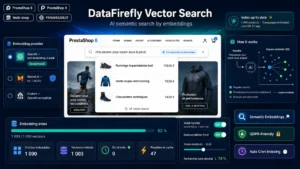
The AI Semantic Search module for PrestaShop adds this layer on PrestaShop 8 and 9: vector indexing of the catalogue, tolerance to typos and to different phrasing, similar products computed on meaning, and a query dashboard with their result rate.