
The address form is the longest one in the checkout funnel and the one that produces the most abandonment after the shipping choice. On a store selling mainly to its domestic market, half of the fields displayed by default serve no purpose.
The general analysis of mobile checkout has been covered separately. This article deals with the address form itself.
What is actually needed
To deliver a parcel domestically, seven pieces of information are enough.
First name, last name, street number and name, postal code, city, country, phone.
Everything else is optional or depends on your business. Let’s review the fields usually displayed and what they are worth.
The company is only useful in B2B. On a consumer store, it occupies a line for nothing. On a mixed store, it should be revealed depending on the account type.
The VAT number follows the same reasoning.
The address complement is useful, but it must stay optional and discreet. Many configurations display two complement fields, which is excessive.
Landline and mobile phone as two separate fields no longer make sense. One field is enough, and the mobile number is the one the carrier uses.
The address label, “Home” or “Office”, only matters to a customer saving several addresses. Generate it automatically and do not ask for it on the first order.
Postal code and city
This is the fastest win in the form.
In France, Germany, Spain or Italy, the postal code determines the town in the vast majority of cases. A typed postal code can therefore pre-fill the city, or offer a short list when several towns share it.
Three benefits: one less field to type, fewer typos, and a free consistency check between the two values.
Four technical precautions.
The field must accept the local format and call up a numeric keyboard on mobile where the format is purely numeric.
The city must remain editable. Some towns have alternative names or hamlets the customer prefers to use.
Codes starting with zero must not lose their first character, which happens when the value is handled as a number.
Codes from special territories must be recognised, which is not always the case with lookup databases limited to the mainland.
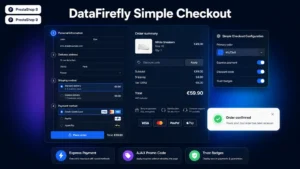 Simple & Elegant Checkout for PrestaShopAn elegant one-page checkout that converts€99.00
The case of special territories
A topic poorly handled by many stores, and it produces orders that cannot be fulfilled.
Overseas territories, islands, and enclaves such as the Canary Islands, French overseas departments or the Channel Islands raise three questions to settle explicitly.
Do you deliver there? If not, the country or zone must be excluded from the list, not left selectable only to end in an error at payment time.
Costs and delays differ. A mainland rate applied to an overseas delivery loses you money on every order.
Taxation differs. Several of these territories fall under a separate tax regime, with consequences on the applicable VAT and on your documents. That is a point to validate with your accountant rather than improvise.
The minimal configuration consists of separating these destinations in your shipping zones, with their own carriers and their own rules.
Browser autofill
This is the most cost-effective measure in the form, and it only requires adding attributes.
Browsers and password managers know how to fill a complete address form in one gesture, provided each field declares what it expects: first name, last name, address line 1, postal code, city, country, phone.
Without these declarations, the browser recognises nothing and the customer types everything.
Two complementary points. Field names matter too: technical names like “field_3” prevent any heuristic recognition. And the structure must stay classic: a form rebuilt dynamically with exotic components loses this compatibility.
A simple test: open your funnel in a browser where an address is saved, and click into the first-name field. If nothing is offered, your attributes are missing.
Address autocomplete
The next level, to set up after the previous points.
The principle: the customer types the first characters of their address, a list of suggestions appears, they select one, all the fields fill in.
Three measurable benefits: typing time divided, typos removed, and normalised addresses, which reduces failed deliveries.
Two precautions. The manual field must remain reachable, for recent or atypical addresses the database does not know. And using an external service means checking what is transmitted and mentioning it in your privacy policy.
In some countries a public address database exists and enables this feature without depending on a commercial service; elsewhere, several providers cover Europe well.
Validation
Four rules that reduce errors without irritating.
Validate as the customer types, field by field, rather than displaying five errors after submission.
Validate on leaving the field, not on every character. An error message appearing from the first letter is annoying.
Be tolerant on format. A phone number typed with spaces, dots or the international prefix must be accepted and normalised, not rejected.
Phrase the error as an action. “The postal code must contain 5 digits” beats “Invalid field”.
The billing address
A question to settle, because it doubles the form.
On a consumer store, the billing address is identical to the delivery address in the vast majority of cases. The expected behaviour is therefore a box ticked by default, with the second form collapsed.
Two exceptions. In B2B, splitting them is frequent and must stay easy to reach. On gifts as well, where the payer and the recipient differ.
A compliance point: the invoice must carry the billing address, and the delivery note the delivery address. A single field for both produces incorrect documents as soon as they differ.
What not to do
Imposing a writing format. A customer typing their address in upper or lower case must be accepted. Normalisation happens server-side.
Forbidding accented characters. Street and town names contain them, and rejecting them is a design mistake.
Limiting length too strictly. Some addresses are long, notably with a building or residence name.
Asking for the email twice. This practice doubles the typing without significantly reducing errors, and it blocks autofill.
Measuring
Three indicators.
The abandonment rate on the address step, separately on mobile and desktop.
The average typing time, which drops sharply with autofill and autocomplete.
The failed-delivery rate for incorrect addresses, which measures the quality of the data collected and has a direct cost.
The Simple & Elegant Checkout module for PrestaShop rebuilds this form on PrestaShop 8 and 9: fields reduced to the necessary with conditional reveal of the business fields, city pre-filled from the postal code, autofill attributes correctly set, validation as the customer types and the billing address collapsed by default.