The alternate language annotation tells search engines that the same page exists in several language versions and which one to serve to whom. It is simple in principle and remarkably easy to break: one error on a single element usually invalidates the whole group.
Here are ten errors, checkable on your own site in about twenty minutes.
1. The missing return link
The most frequent and the most destructive error.
The declaration must be reciprocal. If your English page declares a German version, the German page must declare the English one in return. Without that reciprocity, the declaration is ignored.
The typical case: a translation added without the page template being regenerated, or a page unpublished on one side only.
Check: open a German page, look at its annotations, and confirm it points back to the English one.
2. The missing self-reference
Every page must declare itself in the list, on top of its alternatives.
An English page declaring German, Spanish and Italian but not English is incomplete. The self-reference is part of the group.
Check: count the annotations on a page. With five languages you should see five, not four.
3. Confusion with the canonical tag
The most damaging error for international traffic.
Language versions are not duplicates. Each page must carry a canonical pointing to itself, not to the source version.
Making the translations point at the original page amounts to requesting their deindexation. The site looks properly translated and it receives no foreign traffic.
Check: on a German page, the canonical must be the German address.
4. Language and region codes mixed up
The code can designate a language on its own, or a language within a country. Both are valid and they do not mean the same thing.
A language code alone targets every speaker of that language. A language and region code targets that language in that specific country.
Three classic errors: using a country code on its own, which is not valid; inventing a region code that does not exist; or mixing the two forms inconsistently within the same group.
An important point: the first element is always the language, the second the region. The reverse is invalid.
Check: list all your codes and compare them against the relevant standards.
5. Country targeting without differentiated content
A design error rather than a syntax one.
Declaring one version for the United Kingdom and one for Ireland only makes sense if the content genuinely differs: prices, currency, delivery terms, legal notices.
If the two pages are identical, you create duplication with no benefit, and the engines will pick which one to serve themselves.
Check: for each pair of versions in the same language, identify at least one substantial difference. Otherwise, merge them.
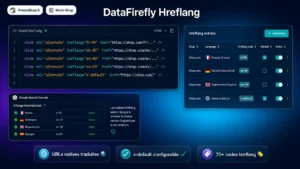 PrestaShop 8 Hreflang Module — Multilingual SEO Alternate Tags | DataFireflyCorrect hreflang tags on every PrestaShop 8 page: native translated URLs, x-default, multistore groups and 70+ hreflang codes.€29.00
6. Annotations on untranslated pages
A frequent situation on partly translated catalogues.
Declaring a German version of a product page whose description is still in English produces two problems: the German visitor lands on content they do not understand, and the engine finds that the page announced as German is not.
The rule: only declare versions that are actually translated. A group with three languages on one product and five on another is perfectly valid.
Check: take three products at random and read their foreign versions. If you find source-language text there, fix it.
7. The generic value misused
A particular value lets you designate a default version, served to visitors whose language matches none of the declared versions.
Two errors. Treating it as a language, believing it targets English: it targets no language in particular. And forgetting it: without it, a Japanese visitor on a site with five European languages has no designated version.
This value is optional. If you use it, it must designate a single page, and that page must be in the group like the others.
8. Relative or inconsistent addresses
Four address problems that invalidate declarations.
Relative addresses. They must be absolute, with the protocol and the domain.
Mixed protocols, one version declared as secure and the other not.
Redirected addresses. A declaration pointing at an address that redirects adds a step and blurs the signal.
Inconsistency with the canonical. If the declaration points at one address and the target page’s canonical points at another, the group is broken.
Check: an automated pass on a sample of pages spots these four cases in a few minutes.
9. Error or non-indexable pages
A declaration pointing at a page that no longer exists, that redirects, or that carries a no-index directive is unusable.
The case typically arises after a redesign or a product deletion in a single language.
Practical consequence: when you remove a page in one language, you must update the annotations of every other version in the group. That is what gets forgotten most often.
Check: a crawl of the site recording response codes on the declared addresses.
10. The sitemap and headers overlooked
Annotations can be placed in three ways: in the page head, in the response headers, or in the sitemap.
Two opposite errors.
Declaring them in several places with different values, which produces a conflict.
Not declaring them at all for non-HTML documents such as PDFs, for which only the response header route is possible.
On a large catalogue, declaring in the sitemap has one advantage: it centralises the information and it lightens the pages. It does require a correctly generated and up-to-date sitemap.
The twenty-minute checking method
Five steps.
1. Open one page in each language and compare their annotations. They must list exactly the same addresses.
2. Check the canonical of each: it must point to itself.
3. List the codes used and validate their format.
4. Read the content of two or three foreign pages to confirm they are actually translated.
5. Consult the international targeting report in Search Console, which surfaces missing return links and invalid codes across the whole site.
That last point is the most effective for ongoing monitoring: it catches regressions after a release without you having to recheck manually.
What these annotations do not do
Three useful clarifications.
They do not change rankings. They indicate which version to serve, not which one to rank higher.
They do not replace translation. A badly translated page remains a bad page, correctly annotated.
They do not redirect anyone. A visitor landing on the wrong version must be able to switch, which requires a visible language selector.
On that last point, one practice to avoid: automatic redirection based on browser language. It stops a visitor from consulting another version, and it hinders crawling. Offer, do not force.
The Hreflang module for PrestaShop manages these annotations on PrestaShop 8 and 9: automatic generation with reciprocity and self-reference, exclusion of untranslated pages from the group, consistency with self-referencing canonicals and checking of declared addresses that error or redirect.