
Everything you'd want to know before you install.
A detailed look at how Quote Management for WooCommerce — PDF & Stripe Payment works, why we built it the way we did, and the thinking behind the features above.
§ 01
Why a quote module for WooCommerce?
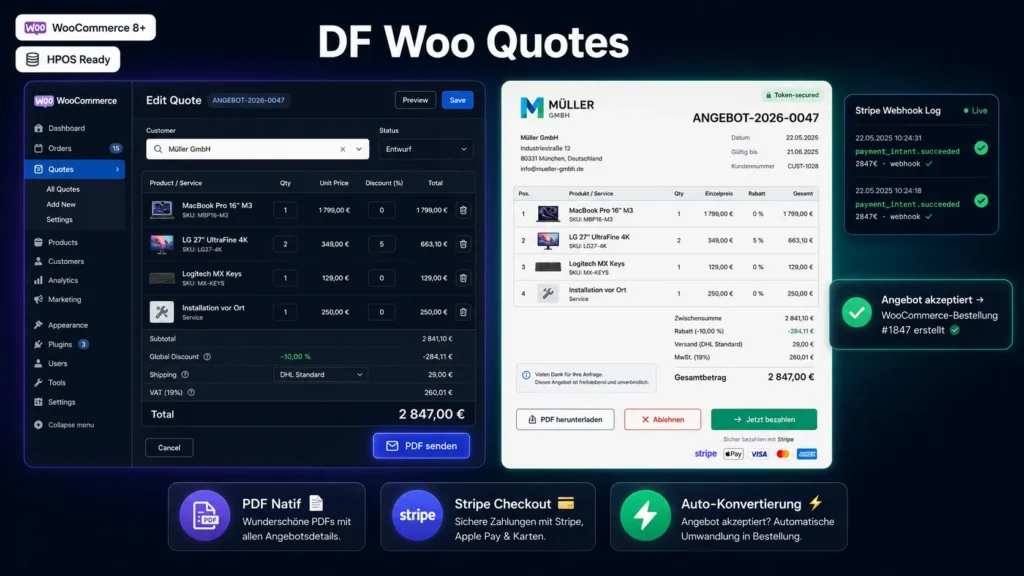
WooCommerce was designed for B2C: a visitor arrives, adds to cart, pays, done. But a significant share of European e-commerce is B2B or semi-B2B — professional equipment, office supplies, custom services, industrial materials — and there, the customer wants a quote before committing to spend. Without a dedicated plugin, you're forced to draft those quotes in Word or Excel, juggle with your WooCommerce catalog on the side, then manually enter the order when the client accepts. DF Woo Quotes eliminates this circuit — the quote lives inside WooCommerce, shares the same catalog, the same customers, the same VAT rates, and converts to an order without re-entry.
§ 02
The quote editor
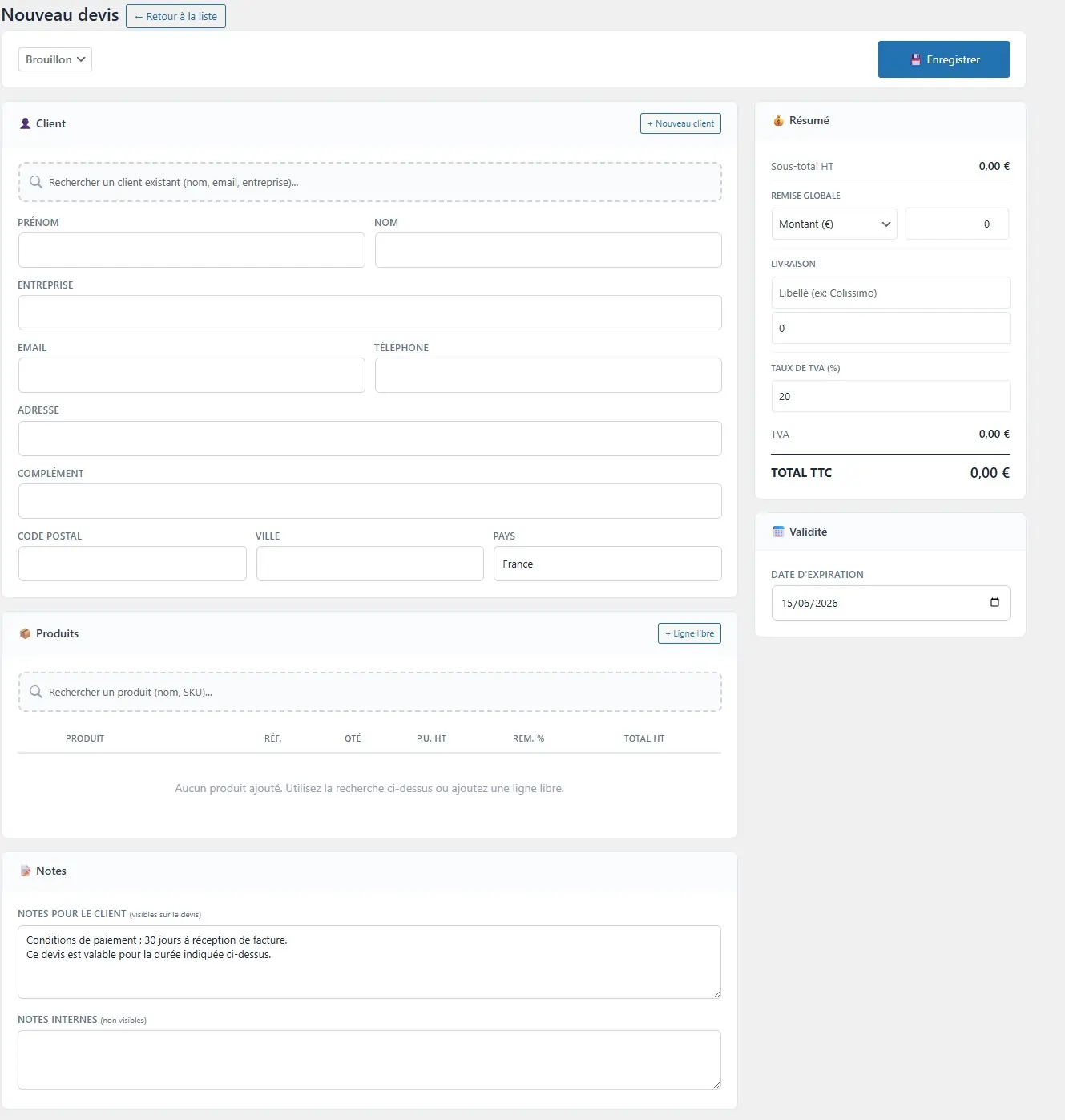
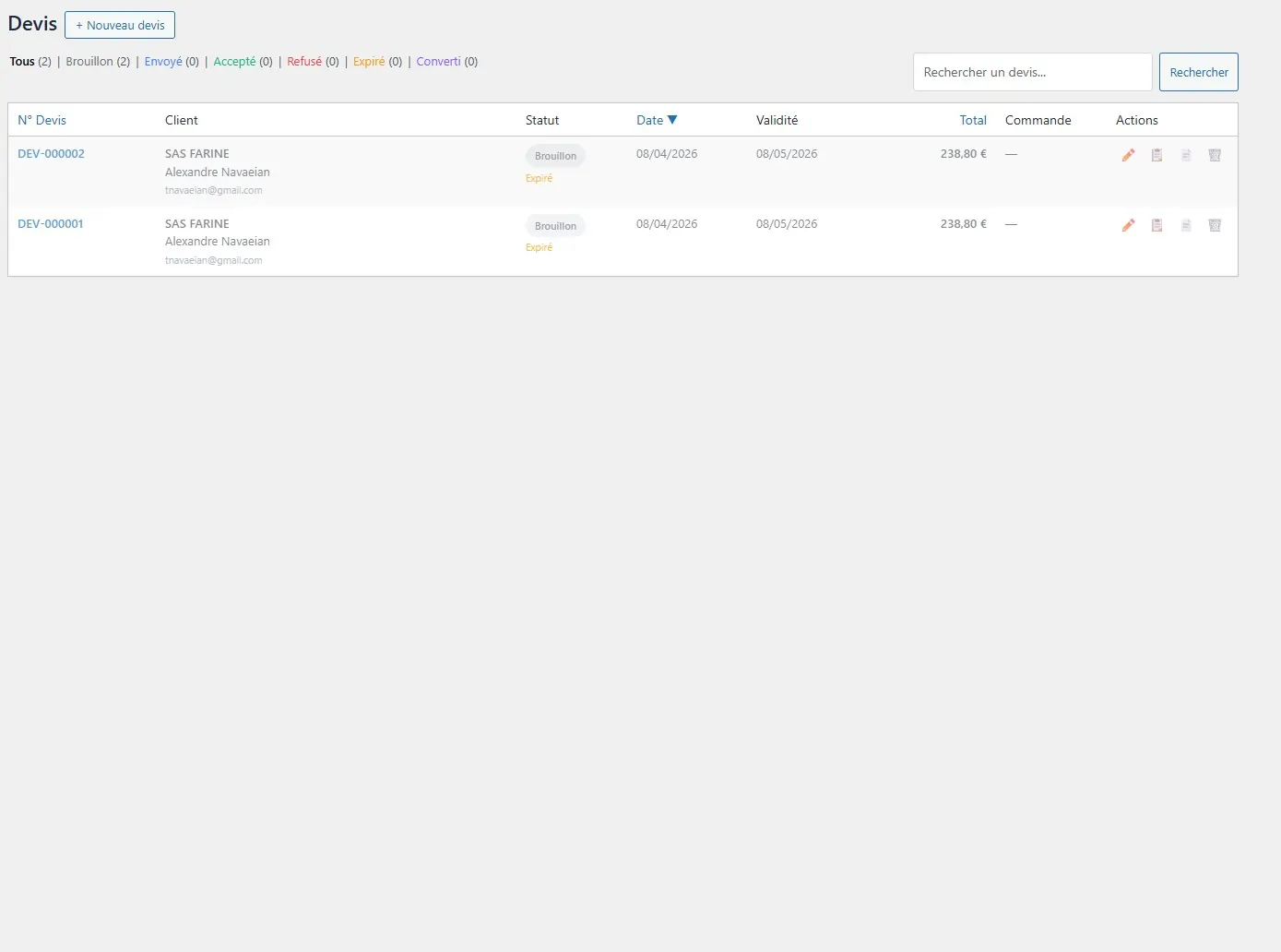
From the Quotes → New quote menu, you open an interface that intentionally resembles the WooCommerce order creation screen, but more complete. You search for the customer (autocomplete on all WooCommerce accounts, or create on the fly), you add products via the search bar (variable products offer their variations individually), you optionally add free lines for services or off-catalog fees. For each line, you adjust the quantity, unit price and percentage discount. At the bottom, you set the global discount, shipping fees and applied VAT rate. Line order is adjustable via drag & drop.
§ 03
PDF and email delivery
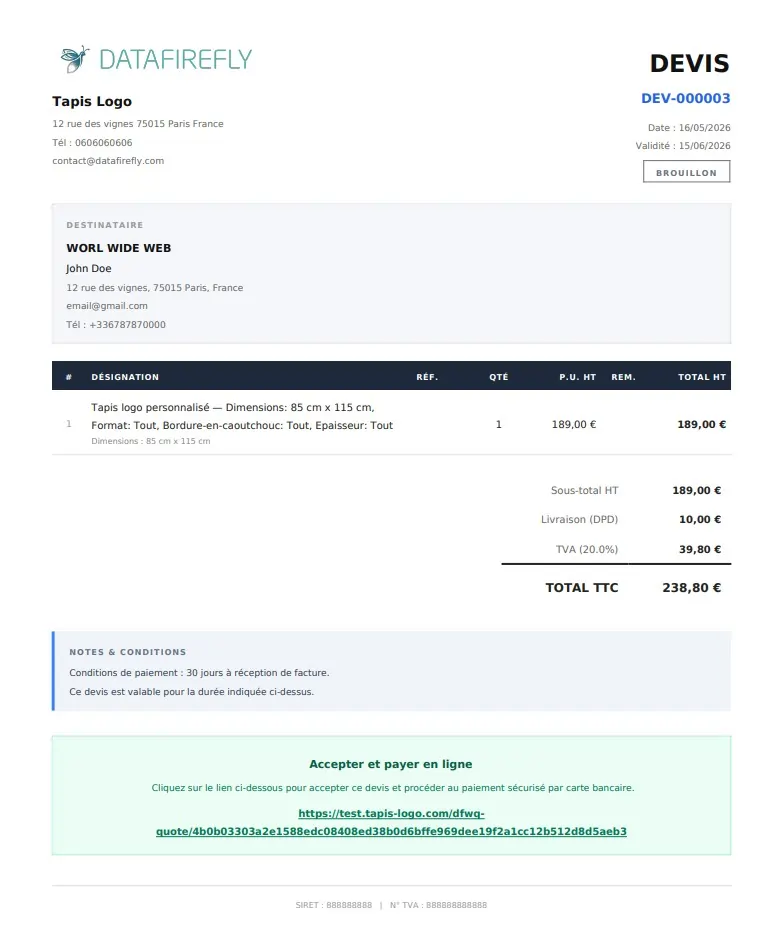
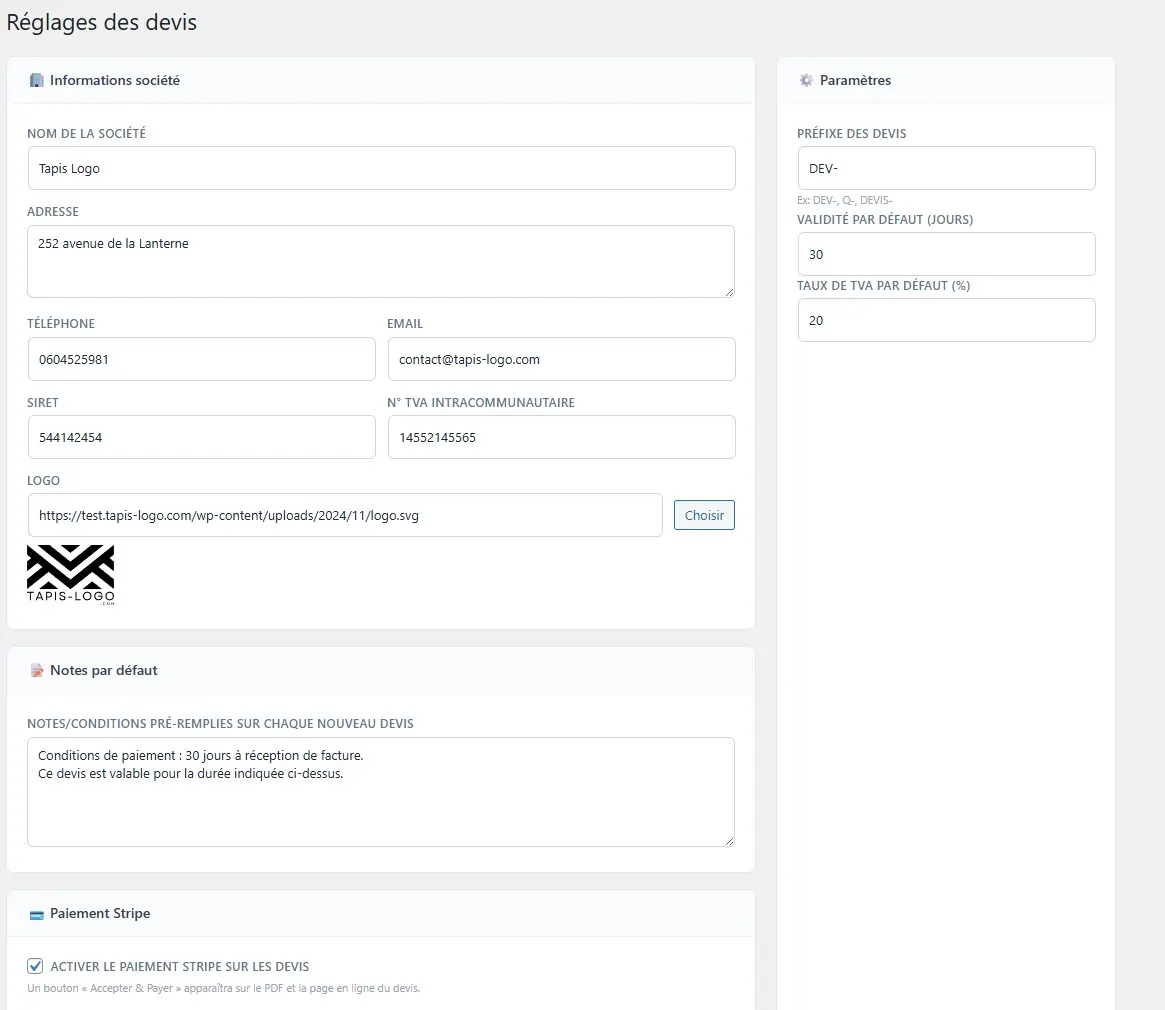
When the quote is ready, one click generates the PDF with your logo, company details (VAT ID, address), line breakdown, totals and your general terms. Two modes available: DomPDF for direct download (one Composer command to install), or printable HTML page so you don't have to install Composer (the client does Ctrl+P → Save as PDF). The Send button transmits the quote by email with the PDF attached and a public link secured by a unique token.
§ 04
The public client page
The link sent opens a clean public page on your site, without WooCommerce navigation, without menus, without login required. The client sees the quote as a professional document: header with your logo, detailed lines, totals, terms, and three buttons depending on your configuration: Download PDF, Accept / Decline, and — if Stripe is enabled — Pay now. Acceptance and decline are recorded on the admin side, you receive an automatic email notification.
§ 05
Stripe Checkout and automatic conversion
This is the feature added in version 1.1: direct quote payment. Enable Stripe (test or live mode, separate keys) in the settings, the Pay button appears on the public page. The client is redirected to a native Stripe Checkout (card, Apple Pay, Google Pay, SEPA — depending on what you enable in Stripe), they pay, and a Stripe webhook arrives on your site with a cryptographically verified signature. The webhook triggers the automatic conversion of the quote to a WooCommerce order, you receive the order like any other sale, your reports and stock update. The client goes from quote received by email to paid order in less than a minute, without having to create an account or re-enter their details.
§ 06
HPOS compatibility and clean architecture
The plugin officially declares HPOS compatibility (FeaturesUtil::declare_compatibility('custom_order_tables')) — so it works natively with the new WooCommerce orders table system enabled by default on new installations. Quotes are stored in dedicated plugin tables (created on activation), not in wp_posts — this avoids polluting the WordPress database and keeps performance optimal even for stores with thousands of quotes. On deactivation, the tables persist (your quotes are not lost); on full uninstall, you can choose to purge or keep.
§ 07
Use cases
Classic B2B: tradespeople, professional supplies, industrial equipment — the customer asks for a quote to validate internally before purchase. Custom services: coaching, consulting, prestations — you price-quote bespoke with free lines and send the quote. Mixed B2C / B2B store: your site works as direct purchase for individuals, and as quotes for professional accounts. Materials or bulky items: the customer wants a quote to validate the total cost with specific shipping fees before placing an order.


Very good module, creating a quote and converting it is really easyAutomatically translated