
Loading a font from Google’s servers triggers an outgoing request from the visitor’s browser, before any consent. That request passes their IP address, the address of the page being viewed and their user agent to a third party located outside the European Union. It is a processing of personal data with no legal basis, and it is trivially observable by anyone opening the browser inspector.
A 2022 ruling by the Munich regional court fined a site operator on exactly this ground, and the case fed a wave of formal notices in Germany. The French data protection authority took up the subject in its recommendations. The risk is not theoretical.
Why consent does not settle the problem
You could imagine blocking the fonts until consent, like an analytics script. In practice that approach does not hold: a page that waits for consent before loading its fonts first renders in a system font and then switches, producing a substantial visual shift and degrading the experience for everyone.
Self-hosting is the only answer that settles both compliance and performance. You download the files once, you serve them from your own domain, and no request leaves for a third party.
Where the calls hide in PrestaShop
This is the part most migrations miss. A call removed from the theme does not mean the site is clean.
- The theme. A link tag pointing to fonts.googleapis.com in the header file, sometimes accompanied by a preconnect directive.
- The stylesheets. An import rule at the top of a CSS file, often overlooked because it does not appear in the template code.
- The modules. A carousel, countdown or pop-up module loading its own font. Every module potentially adds a call.
- The icons. Icon libraries hosted by the same provider raise exactly the same problem.
- The content. A CMS page or a product description pasted from an external editor can carry a style tag importing a remote font.
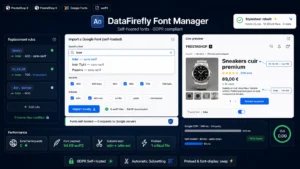 Local Google Fonts Module PrestaShop 8/9 — Self-Hosted GDPR FontsYour Google Fonts, hosted on your own server. Zero requests to Google, zero theme files modified.€59.00
The procedure
Four steps, in this order.
1. Inventory. Open the Network tab of your browser, filter on font domains, and reload several typical pages: home, category, product page, cart, CMS page. Note every family and every weight actually requested.
2. Download. Get the files in WOFF2 format, which covers every current browser. Keep only the weights you genuinely use: a family loaded in six weights when the theme uses two represents several hundred kilobytes of waste.
3. Declare. Place the files in your theme and declare each family with a custom font rule, specifying a swap display behaviour to avoid invisible text during loading.
4. Clean up. Remove every remote reference found in step 1, including preconnect directives, which open a connection even without downloading a file.
The final check
The test is done in the Network tab, private browsing, cache cleared. Filter on remote font domains: zero requests expected, on every typical page, logged in as well as logged out.
Two complementary checks are worth running. The back office sometimes loads its own remote fonts, which does not concern your visitors but deserves handling for your teams. And HTML transactional emails can also contain font calls, which passes data on every time a message is opened.
The performance benefit
Self-hosting removes a DNS resolution, a TLS negotiation and a connection to a third-party domain from the critical rendering path. On an average mobile connection, that commonly represents several hundred milliseconds gained on text display.
Two settings complete the gain. Preloading the main font, declared in the header, starts it before the CSS is parsed. And reducing the character set to the alphabets actually used lightens each file, often by half once you remove the Cyrillic and Greek characters from a universal font.
The licensing caveat
Almost every font distributed by Google is under an open licence, which permits self-hosting with no formality. Check the licence of the families you bring in-house all the same, particularly if you obtained them elsewhere, and keep the licence file next to the font files.
Automating the migration
The Local Google Fonts module for PrestaShop handles this chain on PrestaShop 8 and 9: detection of remote calls in the theme and the modules, download and local hosting of the families in use, rewriting of the references and verification that no request remains.