
You are preparing a redesign, a new theme or a migration. The site has to stay closed to the public and open to you, your developer and two or three testers. The native PrestaShop maintenance mode does that, with limits worth knowing.
What the native feature does
PrestaShop offers a maintenance mode you switch on from the shop parameters, with a list of allowed IP addresses.
Visitors whose address is in the list reach the site normally. The others see an unavailability page.
Two useful points. Your current address is suggested automatically when you switch it on, which stops you locking yourself out. And the back office stays reachable, independently of the list.
The limits of the address list
Three problems, the first of which is disqualifying in many situations.
The dynamic address. Most residential connections get an address that changes, when the router reconnects or periodically. Your tester, authorised in the morning, is blocked in the afternoon.
This is the most frequent case with remote work, and it turns the list into a source of constant requests.
Mobile. A tester checking the display on their phone over a mobile network has a different address from their computer, and it changes often.
Sharing is impossible. You cannot send access to a client or a contractor without asking for their address, entering it, and starting again when it changes.
Access by token link
This is the answer to those three limits.
The principle: an address carrying a secret parameter grants access to the site and drops a marker in the browser. The visitor then browses normally, whatever their IP address.
Four practical advantages.
No configuration on the tester’s side. You send a link, they click it.
Independent of the connection. The tester can move from office to home, from wifi to mobile network.
Revocable. Changing the token cuts off every access in progress.
Shareable by message, with no technical exchange beforehand.
Three precautions. The token must be long enough and random, not a guessable word. It must be changed after going live. And it must be able to expire, so as not to leave an access open indefinitely.
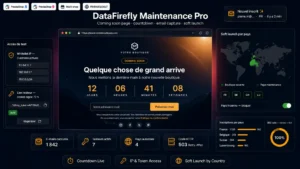 Maintenance Mode & Coming Soon PageClose the store to the public, not to your testers.€79.00
Combining the two
The most practical setup uses both mechanisms.
The address list for stable access: your office, your host, a contractor with a fixed address.
The token link for everything else: occasional testers, client sign-off, checking from a mobile.
This combination covers every situation without imposing daily management of the list.
What must stay reachable
A technical point often forgotten, and one that produces unwanted effects.
Four things must stay reachable even during maintenance.
The back office, obviously.
The payment notifications, if orders are being processed. A payment module receiving a bank confirmation during maintenance must be able to handle it, otherwise the order stays stuck.
The scheduled tasks, if they go through a site address.
The programmable interface calls, if an external tool synchronises your catalogue or your orders.
These are the entry points to exclude explicitly from the block. A maintenance that cuts off the payment notification produces orders that are paid and not validated, which then has to be repaired by hand.
The response code
A point with consequences for search visibility.
A maintenance page must answer with a temporary unavailability code, not with a success code.
Three reasons. The engine understands that the situation is provisional and it will come back. It does not index the maintenance page in place of your content. And it does not deindex your pages, which would happen with a permanent error code.
A complementary header lets you indicate an estimated duration, in seconds or as a date, which helps calibrate the next visit.
A frequent error: a maintenance page served with a success code. The engine treats it as the real content of every one of your addresses, and a maintenance lasting several days can then translate into lost positions.
The content of the page
Four elements, on a deliberately simple page.
What is happening, in one sentence. “Our store is currently being updated.”
When it ends, with a date or a duration. An estimate is better than no indication at all.
A way to get in touch, for customers with an order in progress.
Order tracking, if it can stay reachable, which avoids most of the enquiries during the period.
Two things not to put there: an email collection form presented as compulsory, and a countdown that runs out without the site coming back.
Maintenance or coming soon
Two distinct situations, calling for different pages.
Maintenance concerns an existing site temporarily unavailable. The page is plain, informative, and it answers with the temporary unavailability code.
Coming soon concerns a site that does not yet exist publicly. The page is promotional, it can collect sign-ups, and it answers with a success code since it is the real content of the site at that moment.
Confusing the two produces either an indexed maintenance page or an invisible launch page.
Before switching back to production
Six checks, once the maintenance is over.
The mode is off and the site answers normally from an outside connection.
The access token is changed or revoked.
The caches are cleared, including that of the delivery service if you use one: it can serve the maintenance page for hours after reopening.
The robots exclusion file has not kept a blocking directive added during the work.
The no-index directives possibly placed on the page templates have been removed.
A check of a few pages in private browsing, from a network other than your own.
The two points about blocking directives are the ones that cause the most damage: a site reopened to the public but still barred to search engines loses its traffic for weeks without anyone understanding why.
The Maintenance Mode and Coming Soon module for PrestaShop covers these needs on PrestaShop 8 and 9: an allowed address list combined with access by revocable token link, exclusion of payment entry points and scheduled tasks, a temporary unavailability response code with estimated duration, and separate pages for maintenance and for coming soon.