
Everything you'd want to know before you install.
A detailed look at how AI Virtual Try-On for Shopware 6 works, why we built it the way we did, and the thinking behind the features above.
§ 01
Turn hesitation into purchase
The biggest barrier to buying clothes online is uncertainty: will it suit me? Virtual try-on removes that doubt by showing the item worn by the shopper themselves, right on the product page.
§ 02
Powered by Google Vertex AI
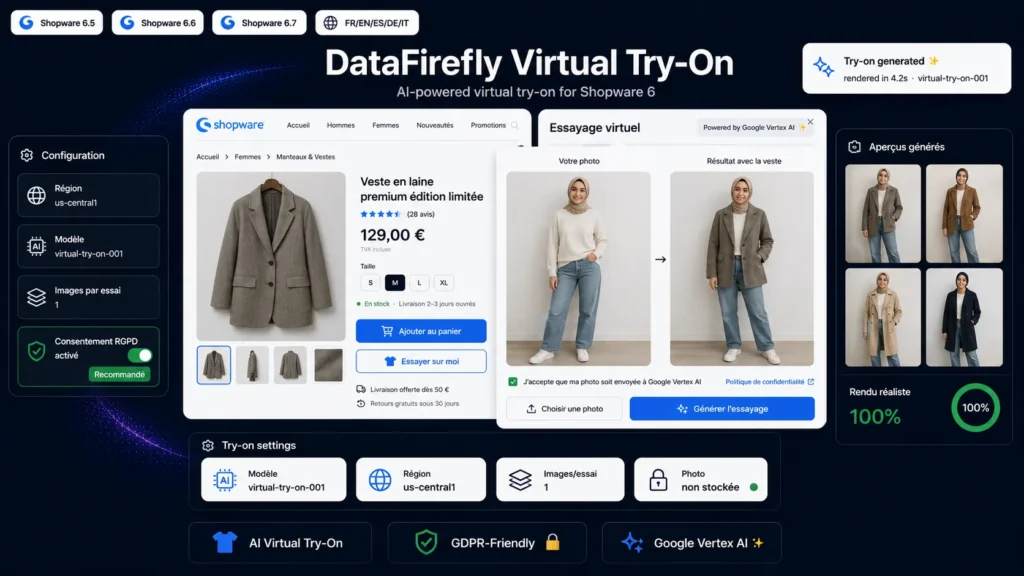
The plugin is built on Google's Virtual Try-On model (virtual-try-on-001). The shopper adds a full-body photo and the AI produces a realistic render of the garment: cut, folds, shadows and texture adapted to their body shape and pose.
§ 03
An architecture built for production
The Google credentials stay on the server and are never exposed to the browser. The shopper photo is sent to Vertex AI only to generate the preview and is then not kept by the plugin. The widget loads with no storefront compilation: install, activate, enter your credentials, and it is live.
§ 04
Compliance and privacy
Explicit consent can be required before each generation, with a link to your privacy policy. No photo is stored by the plugin. You remain the data controller and keep full control of the experience.
§ 05
Ready for international stores
Interface and messages translated into English, French, Spanish, German and Italian. The try-on button label is customisable from the settings.

There are no reviews yet.