

PrestaShop Catalogue Management

Convert Product Tags into Features for PrestaShop 8 & 9: Multilingual Values, Preview and Undo

Your product tags become real, translated filters, with a preview before and an undo after.

Tags are easy to add but useless for filters, promotions or cross-selling. Tags to features turns them into feature values in a few clicks. Tags carried by the same products in different languages become one value, translated into every language. You see exactly how many products change before anything is written. Thousands of products are converted in short batches with a progress bar. Every change is recorded and can be undone, down to the last product.

At a glance
  • Product tags converted into feature values, with their products, in a 4-step wizard
  • One multilingual value per notion: translations grouped automatically by their products
  • Impact preview before writing: products modified, values added, created, reused or removed
  • Batch processing with progress, journal of every change and exact undo
  • Sync on product save and by cron, tag cleanup, faceted search and search index in one click
PrestaShop 1.7.8, 8 & 9 Preview + undo Multilingual values 8 languages
  • 30-day refund
  • 12 months updates
  • 24h support
  • PrestaShop Certified Agency 2026
  • PrestaShop Expert Certification — Core Skills
  • PrestaShop Expert, level 3

Built by a PrestaShop Certified Agency

www.datafirefly.com/en/
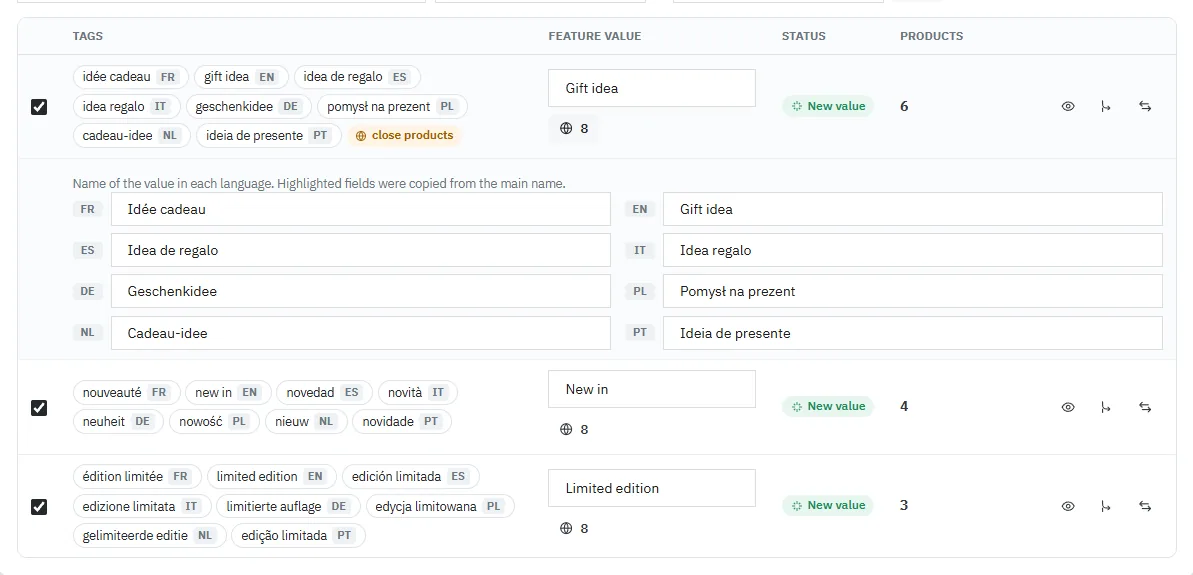
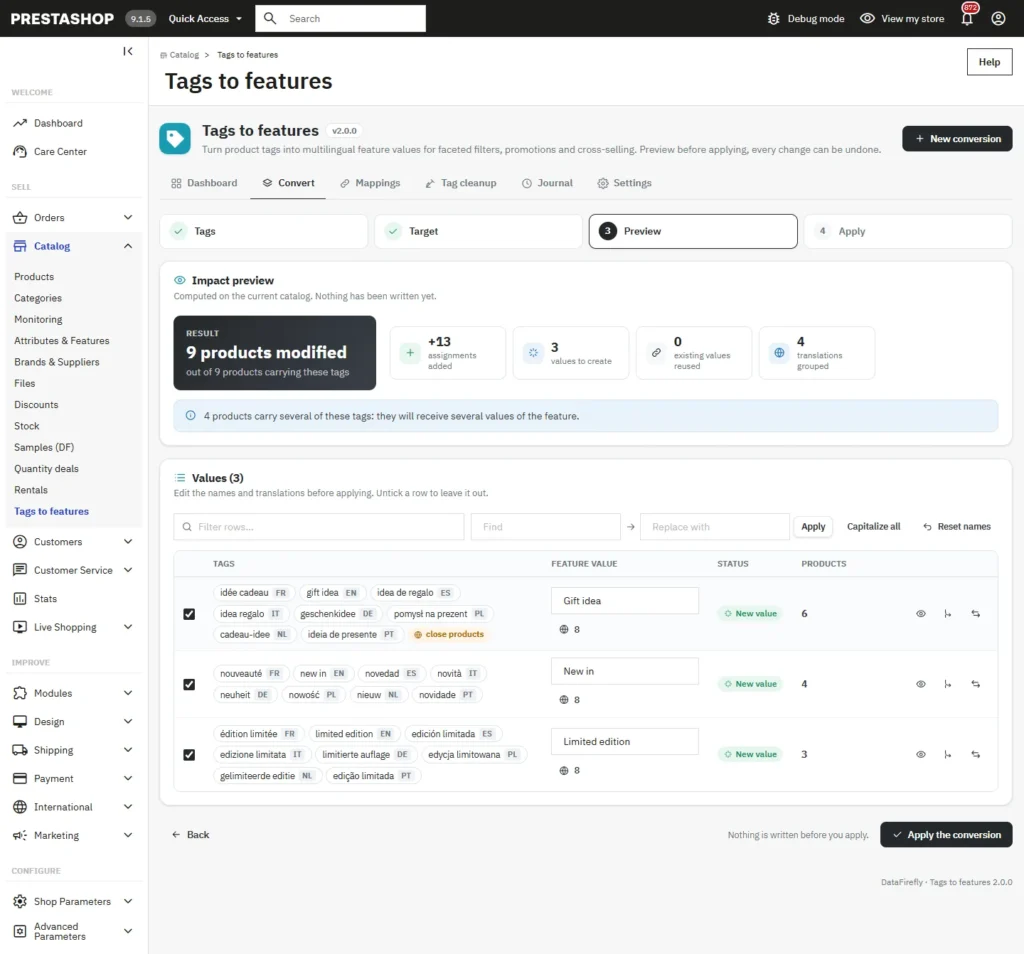
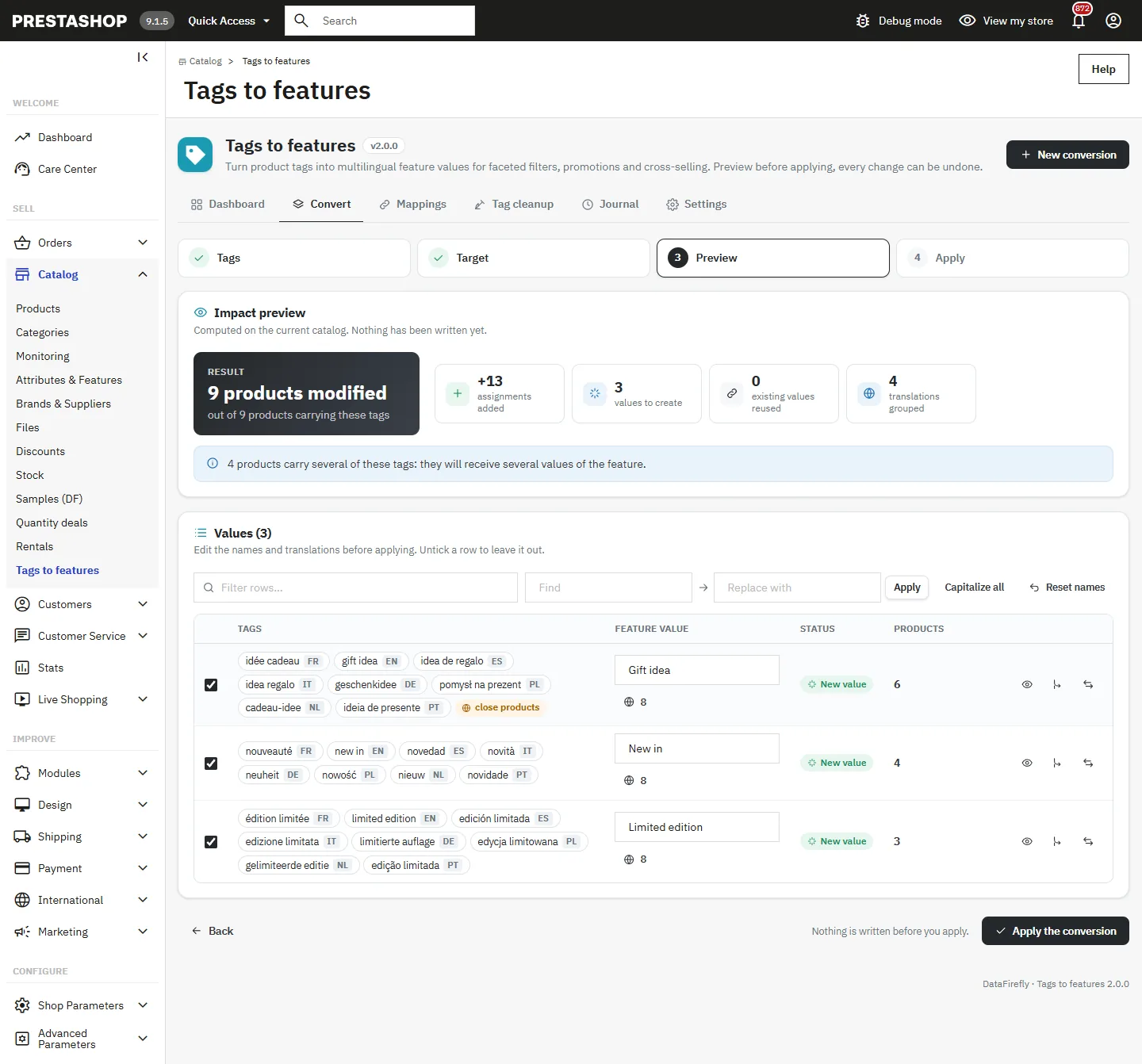
Dry-run impact preview: products modified, assignments added, values created and translations grouped
v2.0.0 · updated 2026-11-02
What it does

The short version.

01

One value, translated into every language

"fait main", "handmade" and "hecho a mano" are carried by the same products: the module groups them into a single value, named Fait main in French, Handmade in English and Hecho a mano in Spanish. A close match mode (80 % of shared products) handles imperfect tagging, and every row can be merged, split or edited language by language.

02

See the result before it happens

The preview counts the products that will change, the values added, created, reused and, in replace mode, removed with their names. A drawer lists each product with its current values and the one it will receive. Nothing is written until you click Apply.

03

Built for large catalogs

The conversion runs in short batches with a progress bar, so no request times out, whatever the selection. The tag list is paginated on the server, with search, language and status filters and a Select all results button. Measured on 50,000 products: no request above 4.5 seconds.

04

Every change can be undone

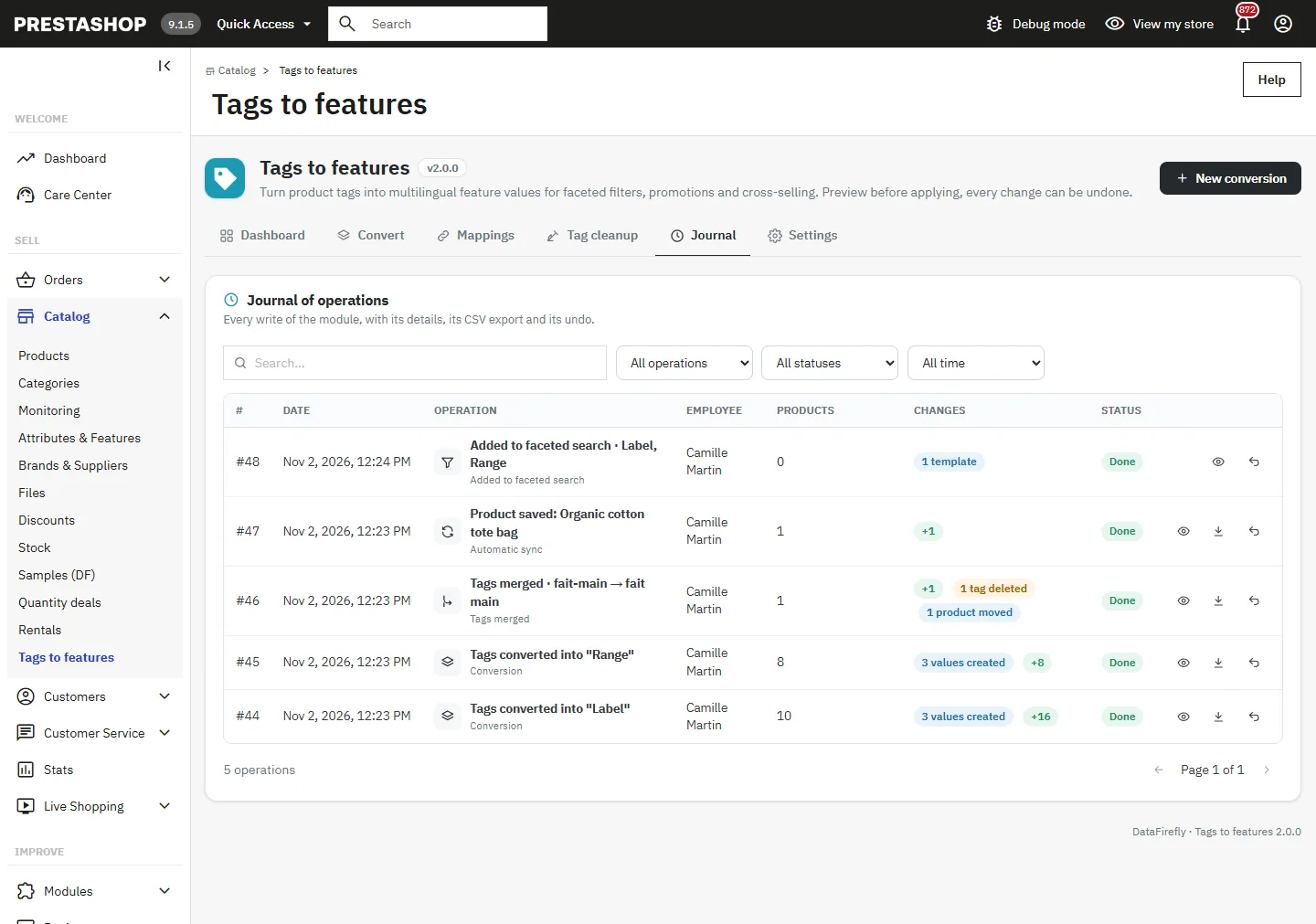
Each operation records the assignments added and removed, the values and features created, the tags deleted, renamed or merged, and the faceted filter templates. Undo restores the exact previous state, tag IDs included, and refuses when a later operation changed the same products.

The long version

Everything you'd want to know before you install.

A detailed look at how Convert Product Tags into Features for PrestaShop 8 & 9: Multilingual Values, Preview and Undo works, why we built it the way we did, and the thinking behind the features above.

§ 01

Tags are not enough to sell

Product tags are quick to fill in, often imported by thousands from a supplier file. But PrestaShop cannot use them in faceted filters, catalog price rules or most cross-selling modules: those rely on features. Recreating the same information as features, product by product and language by language, is days of work. Tags to features does it from the tags you already have.

§ 02

One value per idea, in every language

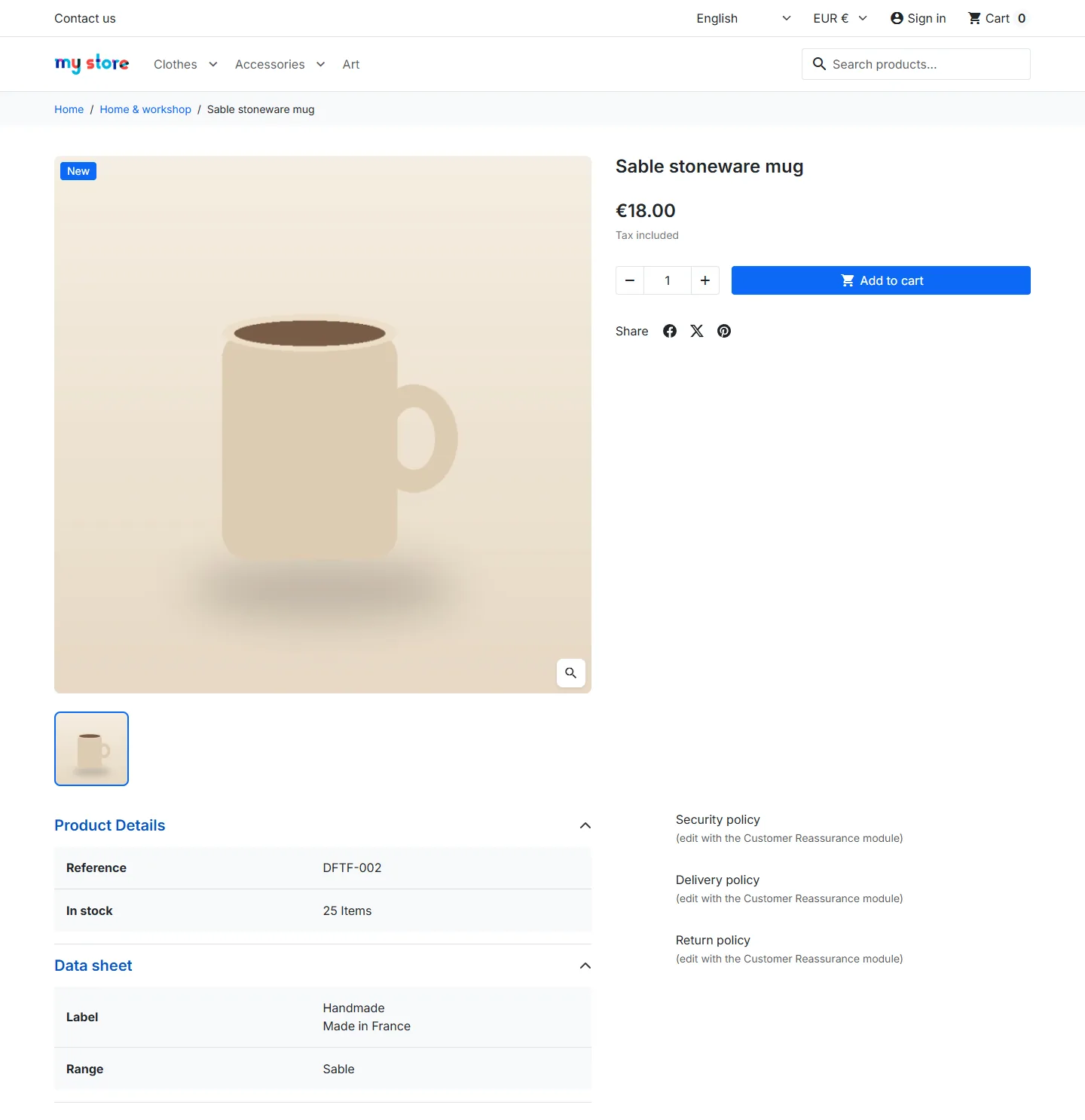
In a multilingual shop, the same idea is a different tag in each language. The module recognises them because they are carried by the same products, and builds one feature value translated into every language. A product therefore shows Handmade in English and Fait main in French, instead of eight values in a row. Missing translations are highlighted so you can complete them before applying.

§ 03

A preview you can trust

Before writing, the module computes on the current catalog how many products will change, how many values will be created, reused or removed, and which products carry several of the selected tags. In replace mode, it lists the values that will disappear. The products drawer shows the before and after for each product.

§ 04

Safe on any catalog size

The conversion is split into batches of a few seconds, so it never hits the time limits of the hosting. New values are put in place before any old value is removed, and everything is recorded in the journal first. If the page is closed during a conversion, the changes already made can be undone in one click.

§ 05

Keeps working after the conversion

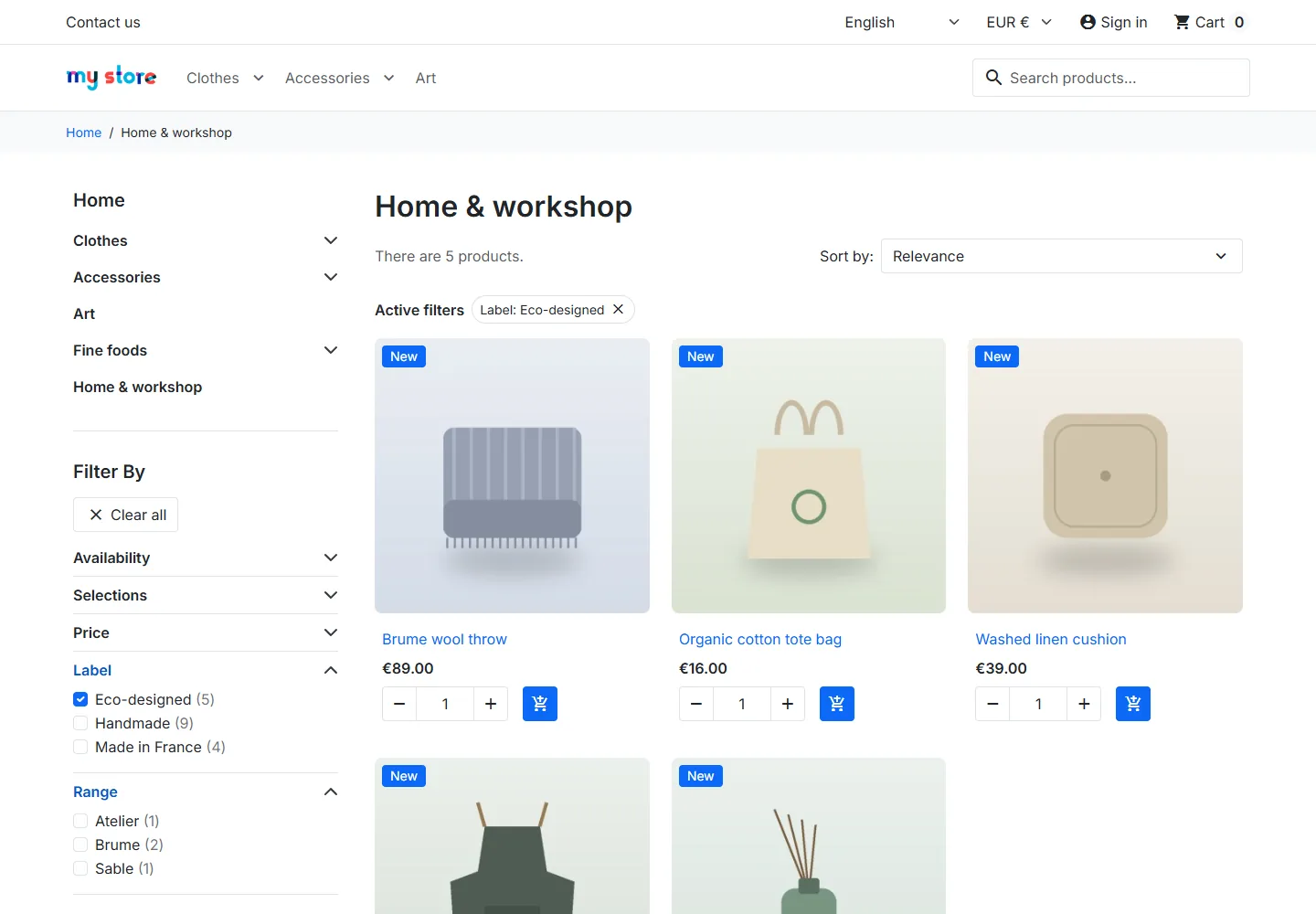
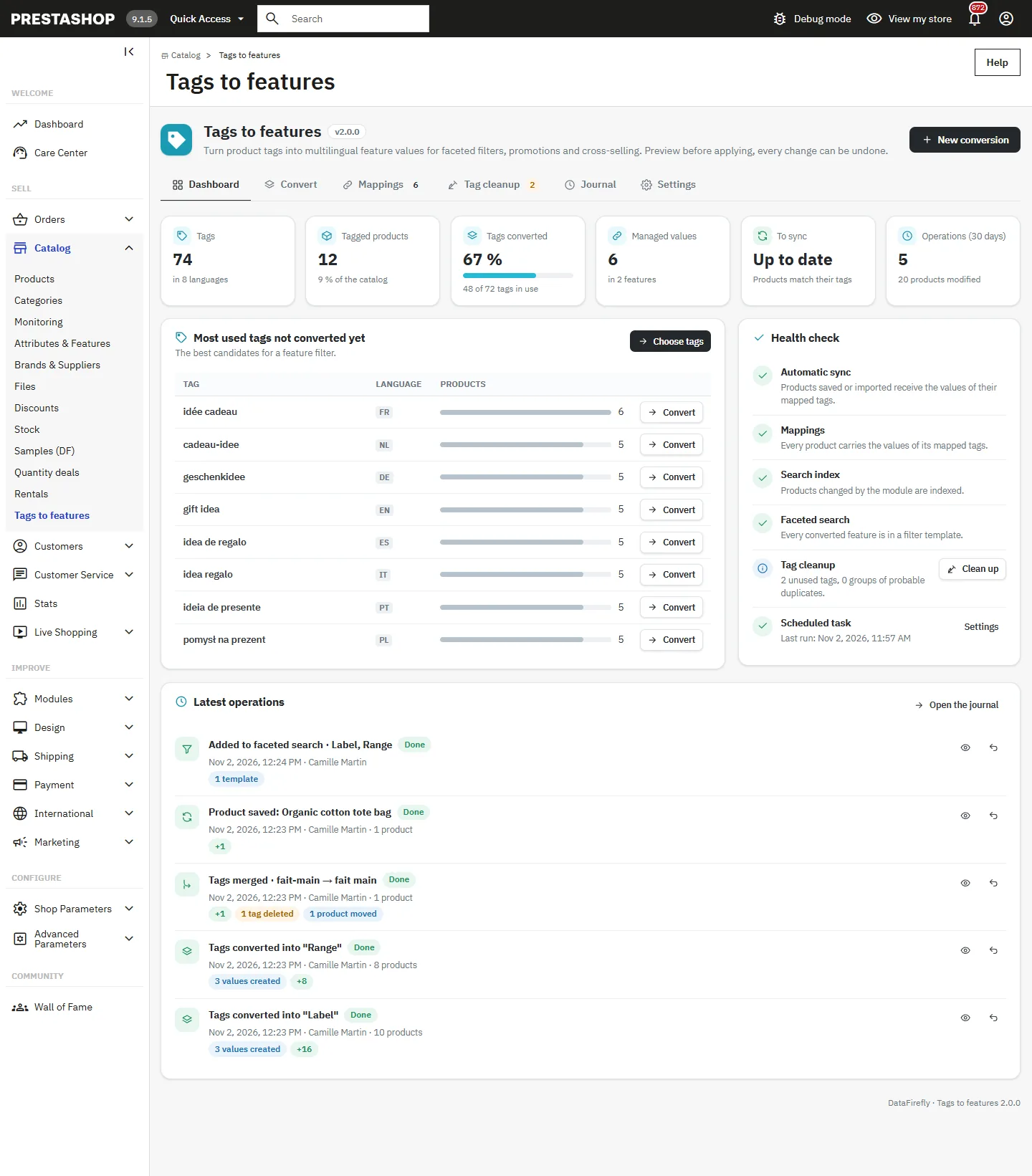
Mappings are kept: a product saved, edited or imported with a mapped tag receives its value automatically, and a cron URL can resync the whole catalog. The tag cleanup removes unused tags and merges duplicates. One click adds a new feature to the faceted search templates, and the search index of the changed products is updated in batches.
€79.00
One-time · 12 months updates
Read the docs
  • Unlimited dev & staging installs
  • Source code included
  • 30-day refund
  • 24h support · EN / FR
5.0/5 20 reviews