
Everything you'd want to know before you install.
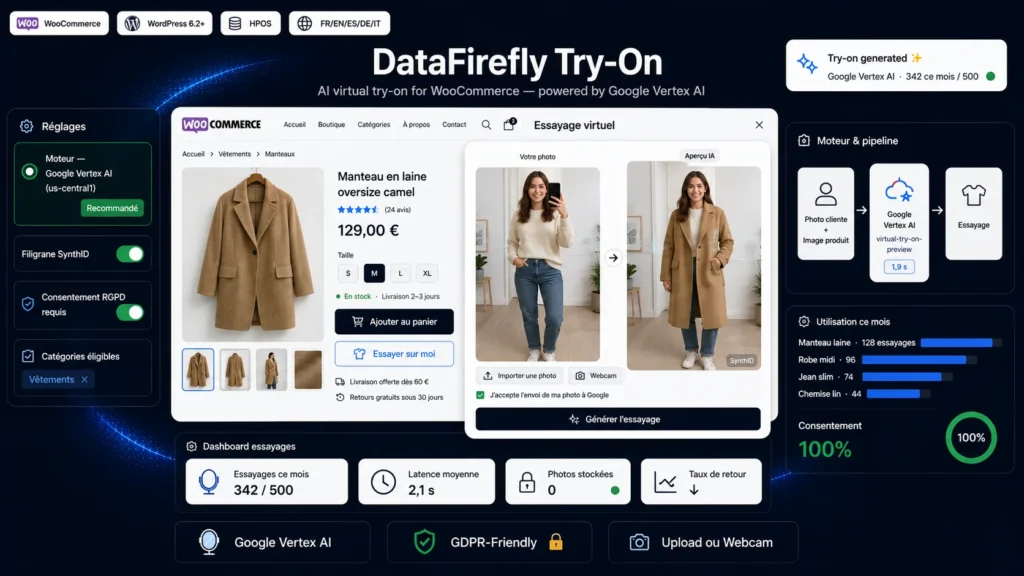
A detailed look at how AI Virtual Try-On for WooCommerce works, why we built it the way we did, and the thinking behind the features above.
§ 01
Turn hesitation into checkout
On mobile and desktop, the shopper sees the garment on themselves before adding to cart. Less doubt, fewer returns.
§ 02
Google's real try-on API
The plugin calls Google's Vertex AI Virtual Try-On model (virtual-try-on-preview), which understands fabric drape and body shape. Not to be confused with the consumer try-on in Google Search, which cannot be embedded on a third-party site.
§ 03
Built for GDPR
The shopper's photo is never saved on your server: it is sent to Google only to generate the preview, then forgotten. A consent checkbox, whose text you write, is required before any processing.
§ 04
You stay in control of the budget
Every try-on is a billed generation on Google's side. The plugin adds a monthly cap, a per-IP throttle and only uses the server-side product image to prevent misuse.
§ 05
Set up in five minutes
Activate the plugin, paste the service-account JSON key, enter your project ID and region, pick the eligible categories. Done.

There are no reviews yet.