
The internal search log contains something no keyword tool will ever give you: the way your customers phrase their need, in their own words, on your catalog. Some of these phrasings come back hundreds of times a month and match no page on your site.
Turning them into indexable pages is one of the rare SEO opportunities that requires no keyword research. It does require a lot of discipline, otherwise you will produce thousands of harmful pages.
The three types of queries that deserve a page
The cross-catalog query. “Gift under 50 euros”, “Father’s Day gift idea”, “products made in France”. It cuts across several categories and matches none of them. It is the most profitable type, because no existing page can cover it.
The uncategorised attribute query. “White desk 120 cm”, “safety shoes size 47”, “anthracite grey exterior paint”. The filter may exist, but the filtered page is neither indexable nor optimised.
The usage query. “Gear for bivouac hiking”, “equipment for a hair salon”, “tools for a bathroom renovation”. The customer thinks in projects, your catalog thinks in product families. The page bridges that gap.
The selection criteria
This is where the approach succeeds or fails. Four cumulative conditions before creating a page.
- Significant internal volume. Set a threshold, for example thirty searches over three months. Below that, the query is anecdotal.
- Enough results. A page showing three products has no value. Count on eight to ten products minimum, and check that this number stays stable over time.
- No equivalent existing page. If a category already covers the query, improve it rather than creating a competing page. Two pages on the same intent cannibalise each other.
- Commercial intent. Searches for order tracking, contact details or return conditions do not belong in this scheme.
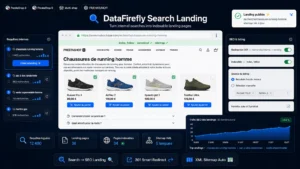 Search Landing Pages — SEO landing pages from internal searchTurn your internal searches into indexable SEO landing pages€89.00
The danger of mass generation
This is the mistake that turns a good idea into a penalty. Automatically generating a page for every query quickly produces several thousand pages, most of which show zero or two products, with no content of their own and a mechanically built title.
Google treats this kind of output as low-quality content created at scale, and the effect is not limited to the pages concerned: it can degrade the evaluation of the whole site.
The rule is simple. Generation can be automated, publication must be decided. A queue of proposals that you validate one by one, with a minimum product threshold, stays manageable: on an average catalog you will end up with twenty to fifty legitimate pages, not two thousand.
What the page must contain
A product grid is not enough. Four elements are added to it.
A clean title and URL, built from the query but written, not concatenated. “White desk 120 cm: our selection” rather than “Search results: white desk 120 cm”.
A written introduction, 100 to 200 words, unique to the page. It explains what the selection groups together and on which criteria. It is the only content that distinguishes the page from a results page.
Links to the categories the products come from. They build the internal linking and prevent the page from being a dead end.
Buying guidance, a few lines or three frequent questions. On a usage query, that is what the visitor is really looking for.
Indexation settings
Three technical rules.
The page carries a canonical tag pointing to itself, not to the closest category. Otherwise you are asking Google to ignore it, which defeats the purpose.
It appears in the sitemap, ideally in a separate file, so you can track its indexation apart from the rest of the catalog.
And it automatically switches to noindex if the number of products falls below the threshold. This is the essential safety mechanism: a page created with fifteen products may only count two of them six months later, after stockouts and catalog removals.
Maintenance
A selection page ages faster than a category, because it relies on a filter that does not follow catalog changes.
Plan a quarterly check on three points: the number of products displayed, the traffic received, and the relevance of the selection. A page with no traffic after six months must be deleted with a redirect, not left in place just in case.
Measuring
Two indicators are enough, measured page by page. The organic search traffic received, compared with the internal search volume that motivated the creation. And the page’s conversion rate, compared with that of your categories: a well-built selection page often converts better, because the intent there is more precise.
The Search Landing Pages module handles this scheme on PrestaShop 8 and 9: detection of recurring internal queries, proposals with volume and result thresholds, creation of editorialised pages with their own introduction and metadata, and automatic switching to noindex below the product threshold.