

The pixel installed in the browser now sees only part of your conversions. Ad blockers, refused consent, browser restrictions on third-party cookies: the loss is structural and it is getting worse. The Conversions API exists to compensate for it, provided it is set up correctly.
The two channels
The browser pixel runs on the visitor’s device. It captures the full context: advertising identifiers, cookies, browsing behaviour. It is blocked as soon as a blocker, an extension or a refusal of consent gets in the way.
The Conversions API sends the event from your server to the platform, without going through the browser. It is not blocked, but it only has what you send it, and it is blind to the browsing journey.
The two are not alternatives. The recommended setup runs them together on the same events, with a deduplication mechanism.
Deduplication
This is the central technical point, and the one implementations get wrong most often.
If a purchase is sent by the pixel and by the API with no matching mechanism, the platform counts two conversions. Your reports show double the volume, your cost per acquisition looks halved, and your advertising decisions rest on false figures.
Matching relies on two values, which have to be strictly identical in both sends: the event name, and a unique identifier generated for that occurrence.
Three practical rules. The identifier has to be generated server side and then passed to the pixel, not the other way round. It has to be stable if the page is reloaded, which rules out a random draw on every display: the order reference is the best candidate for a purchase. And it has to be unique per occurrence, not per product or per session.
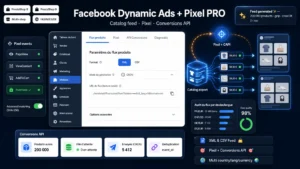 Facebook Dynamic Ads + Pixel PRO — Product Feed, Pixel & Conversions API (PrestaShop 8 & 9)Sell your products on Facebook & Instagram, and measure every conversion€89.00
What the API expects
Unlike the pixel, which infers a great deal, the API only knows what you send it. Three families of information.
Customer matching data. Email, phone, first name, last name, city, postcode, country. They serve to attach the conversion to a platform user. They have to be normalised then hashed before sending, never transmitted in the clear.
Event data. Name, timestamp, value, currency, order contents with the product identifiers.
Context data. The visitor’s IP address and user agent, plus the advertising click identifiers if they are present in the landing URL. Those last two improve matching markedly and are often forgotten.
Match quality
The platform computes a score measuring its ability to attach your events to users. That score directly conditions the performance of your campaigns, and it matters far more than the volume of events sent.
Three levers to improve it. Send more matching parameters: every additional field raises the probability of a match. Normalise correctly before hashing: lower case, spaces removed, international format for phone numbers. And pass the click identifiers, which are the most reliable signals.
A weak score does not show in your conversion reports, it shows in the performance of your campaigns. That is what makes it hard to diagnose.
Consent
A point to take seriously, because server-side sending exempts you from nothing.
The fact that the event leaves your server rather than the browser does not change its legal nature. If the visitor refused advertising trackers, you must not pass their data to an advertising platform, whatever the technical channel.
The Conversions API compensates for the loss caused by blockers and by browsers’ technical limitations, not for the loss caused by refused consent. Presenting it otherwise is a misreading that circulates widely.
In practice, your server implementation has to know the visitor’s consent state and condition the send on it.
The events to cover
Five are enough to steer e-commerce campaigns: content view, add to cart, checkout initiation, purchase, and sign-up if you have a use for it.
Purchase is the only one that absolutely has to go through both channels with deduplication. The others can start with the pixel alone, server coverage coming later.
A consistency point to watch: the product identifiers sent in the events have to match exactly those in your product feed. A divergence breaks dynamic campaigns, which rely on that match.
Checking
Three controls, in this order.
The platform’s test tool, which shows the events received in real time with their source. Place a full order and check that the purchase appears once, with the note indicating that deduplication took place.
The match quality score, to be read after a few days of activity and compared with the platform’s benchmarks.
The reconciliation with your back office, over a week. A gap of 10 to 20% below is normal. A positive gap, with the platform counting more purchases than you recorded, signals a deduplication failure.
The Facebook Dynamic Ads and Pixel PRO module for PrestaShop sets up this dual coverage on PrestaShop 8 and 9: browser pixel and Conversions API with deduplication by event identifier, hashing of the matching data, consent awareness and product feed generation for dynamic campaigns.