

PrestaShop Catalogue Management

Specific Price Cleaner for PrestaShop 1.7.8, 8 & 9

Clean specific prices, without ever deleting a price that is still in use.

  • 30-day refund
  • 12 months updates
  • 24h support

Promotions, quotes and imports leave the PrestaShop specific price table full of expired rows, duplicates and rows tied to deleted products, customers or groups. Deleting them by hand is risky: some belong to a cart in progress, are regenerated by a catalog price rule or are used by another module. This module analyses the table, sorts every row by type of problem, protects what must stay and deletes nothing without a simulation, a review, a backup and an explicit confirmation. Every cleanup can be restored in one click.

At a glance
  • Health dashboard of the specific prices, by type of problem
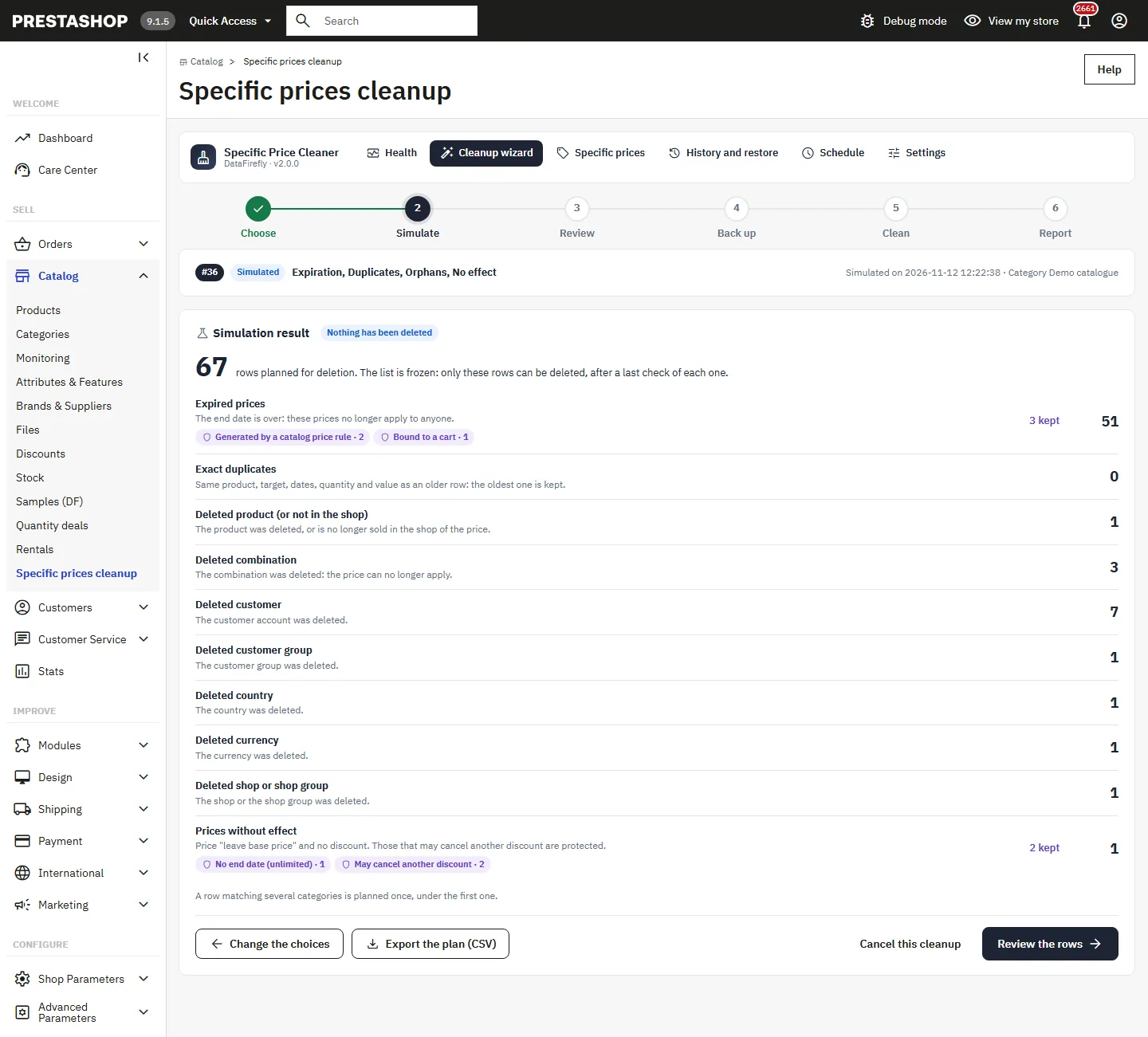
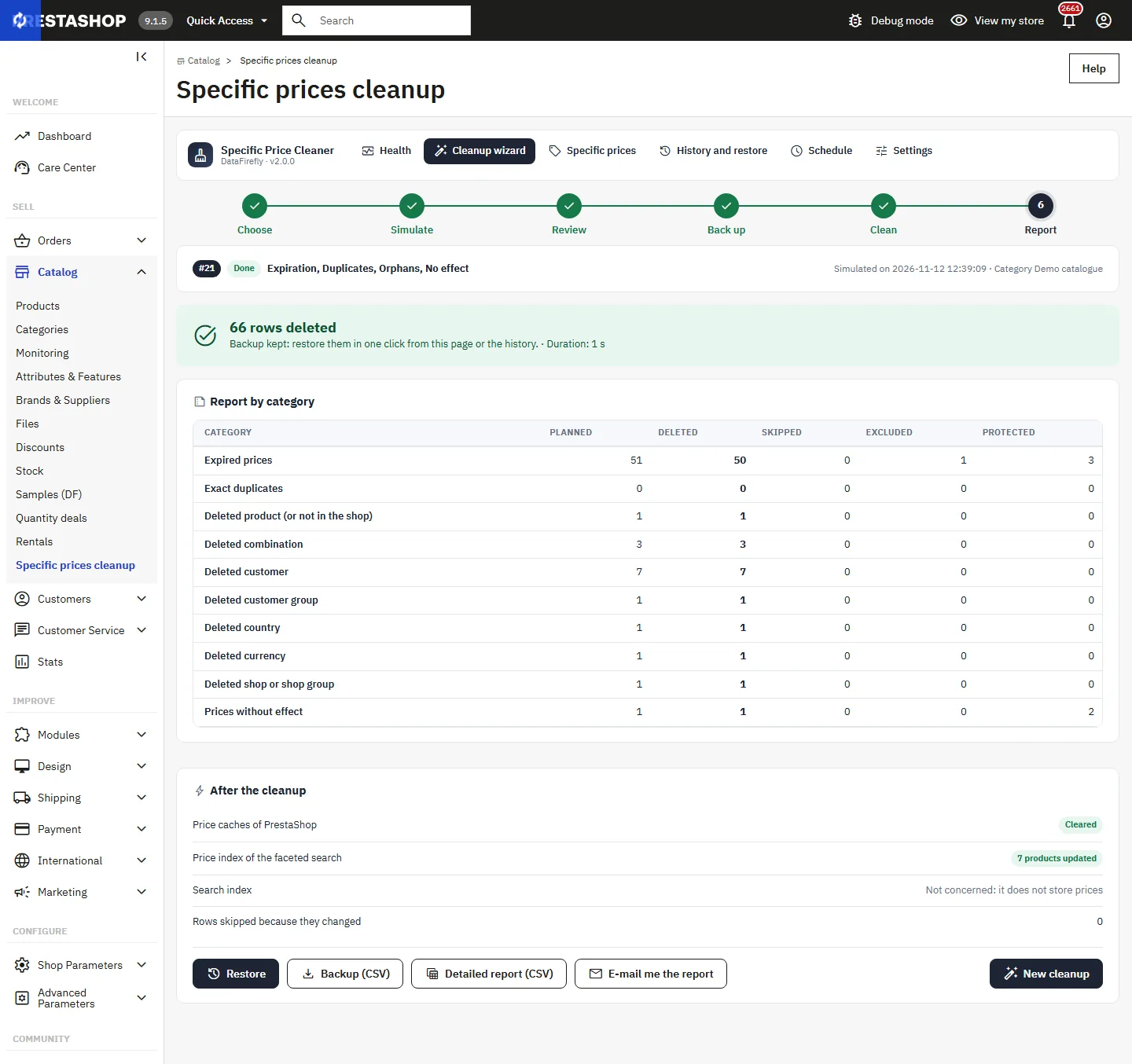
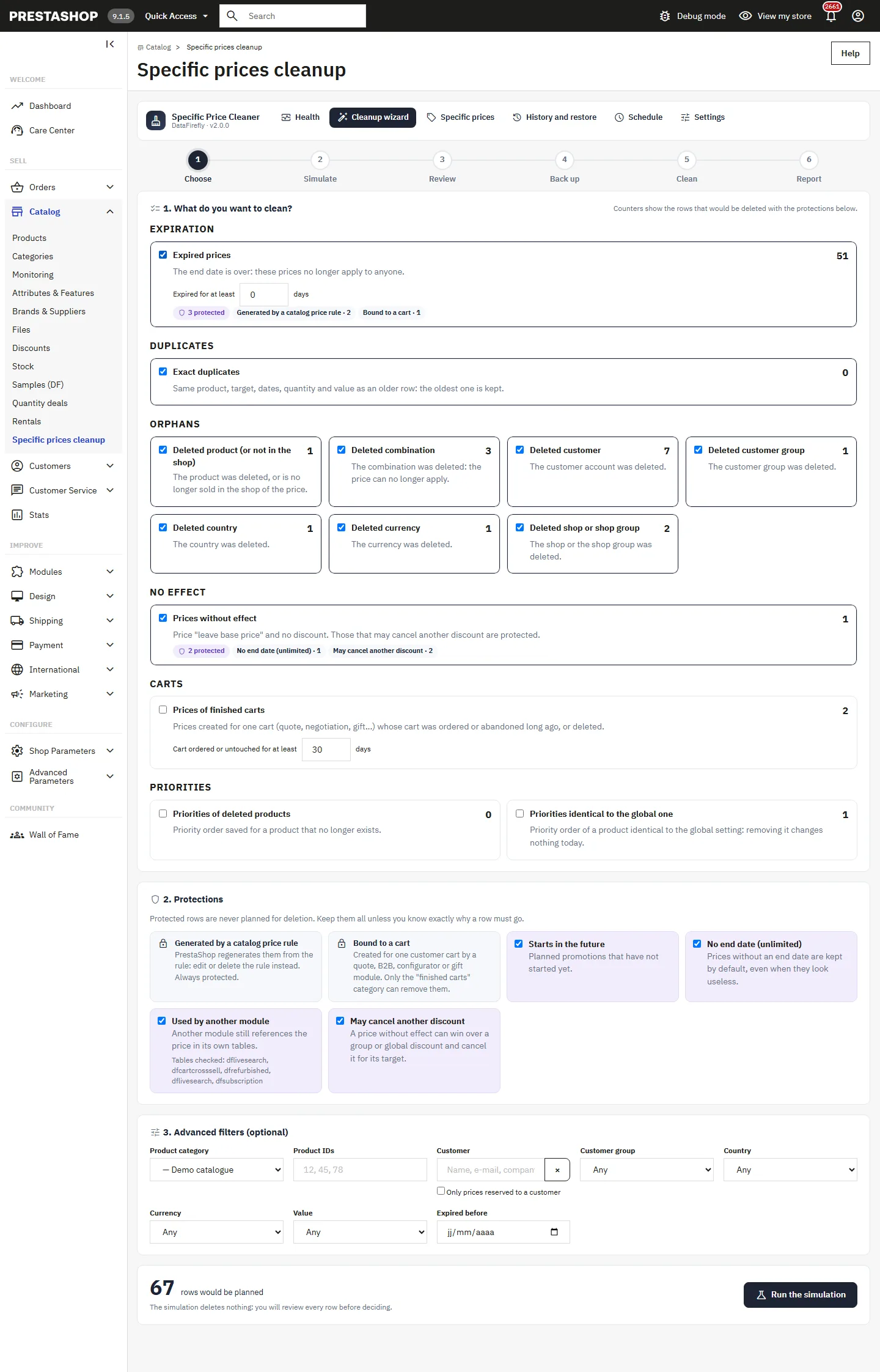
  • 6-step wizard: choose, simulate, review, back up, clean, report
  • Cart prices, catalog rules, upcoming, unlimited and third-party module prices protected
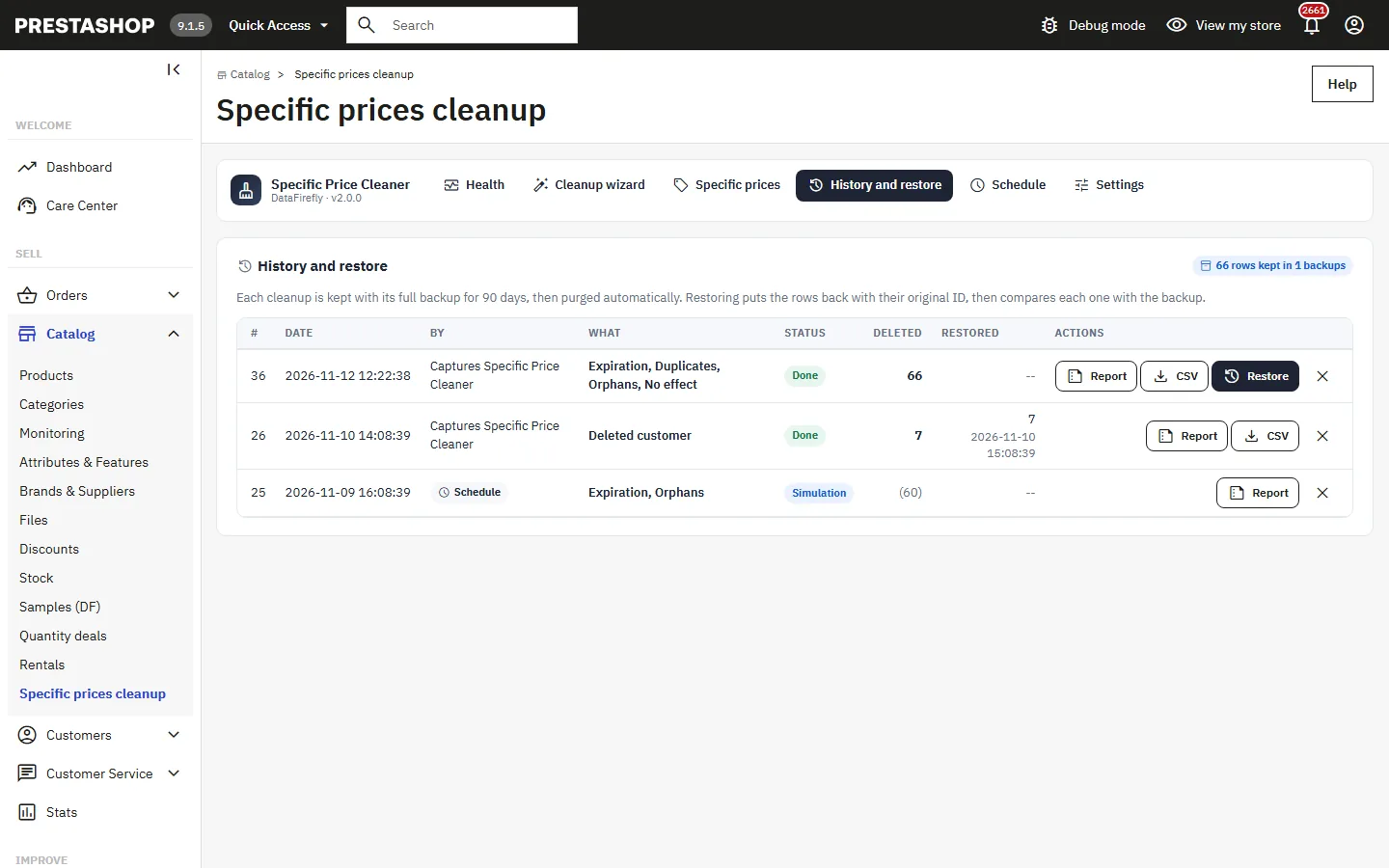
  • Full backup and one-click restore with the original ID
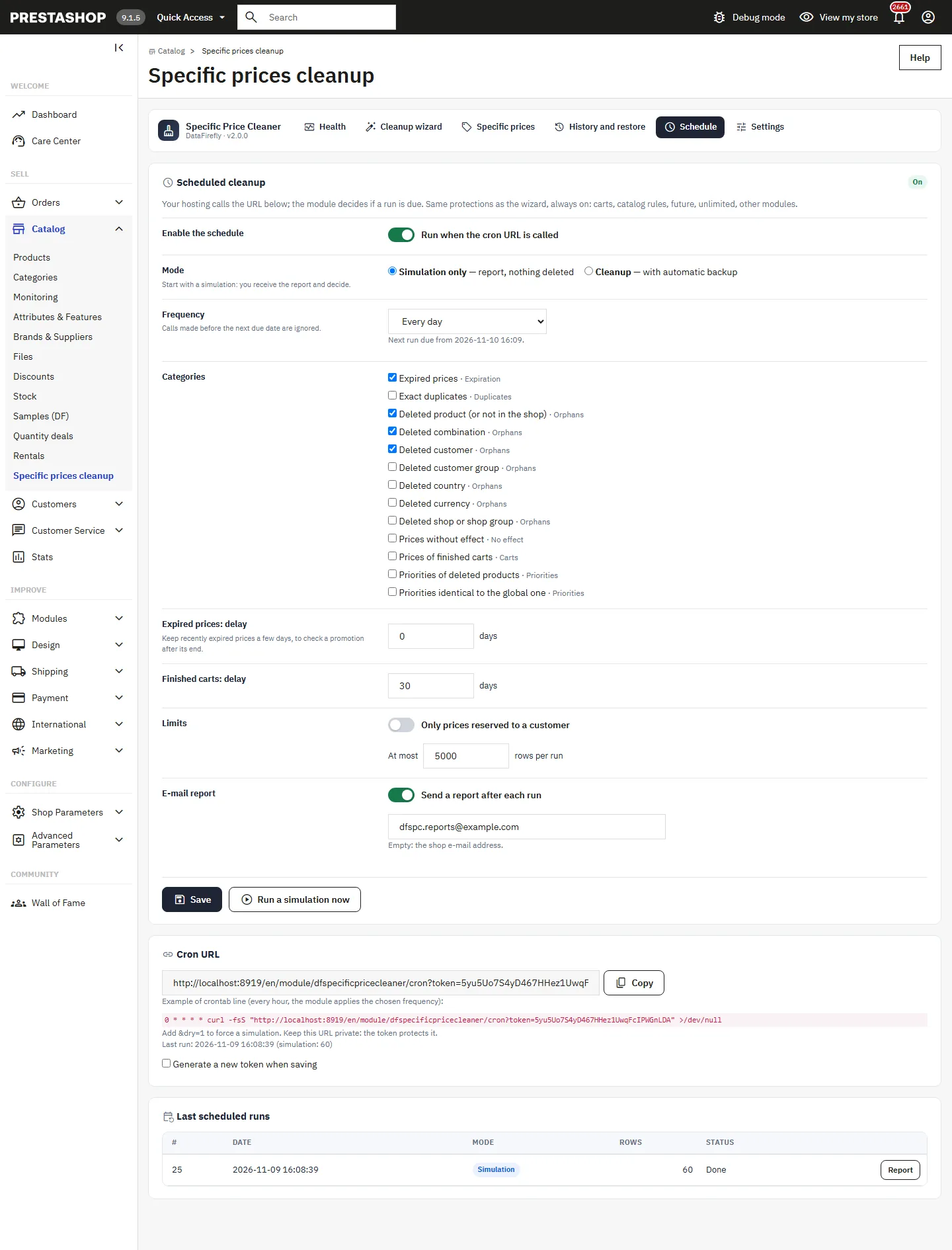
  • Cron schedule in simulation or cleanup mode, with an e-mail report
PrestaShop 1.7.8, 8 & 9 Simulation before deletion One-click restore Cron schedule
  • PrestaShop Certified Agency 2026
  • PrestaShop Expert Certification — Core Skills
  • PrestaShop Expert, level 3

Built by a PrestaShop Certified Agency

www.datafirefly.com/en/
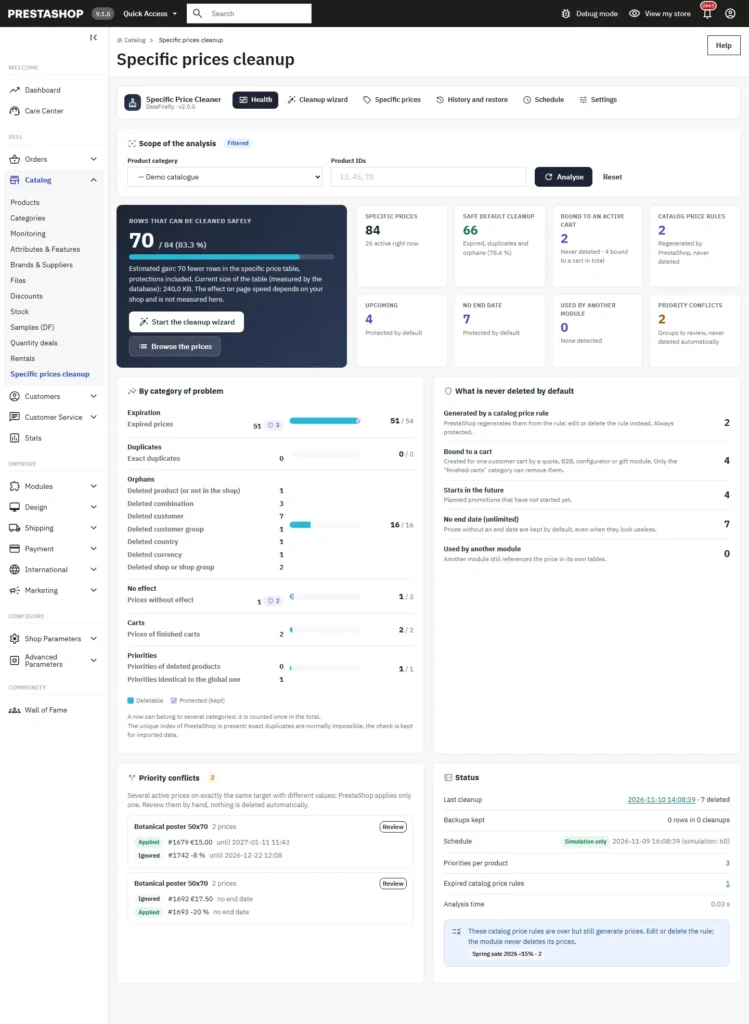
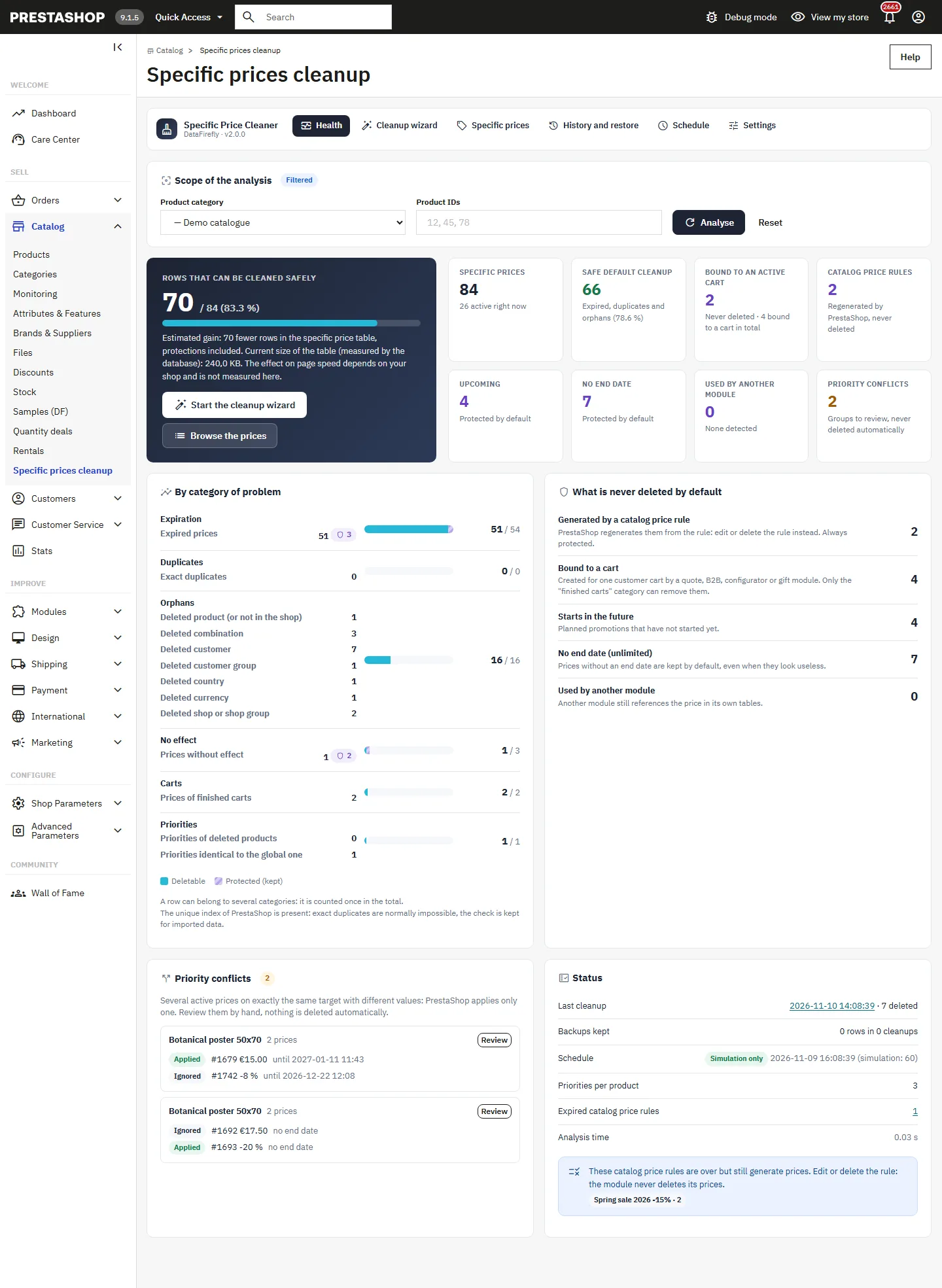
Specific prices health dashboard: cleanable rows, problem categories and protections
v2.0.0 · updated 2026-11-15
Specific Price Cleaner for PrestaShop 1.7.8, 8 & 9 €99.00
What it does

The short version.

01

Nothing is deleted without a simulation

The wizard always starts with a simulation that deletes nothing. The resulting plan is frozen: only these rows can be deleted, you can exclude them one by one, and each row is checked again just before its deletion. A row changed since the simulation is skipped.

02

Prices in use are protected

Prices bound to a cart, generated by a catalog price rule, starting in the future, without an end date or still referenced in the tables of another module are never planned by default. Prices without effect that could cancel another discount are protected too.

03

Backup and one-click restore

Before the deletion, every row is copied column by column into the history of the module, and the backup can be downloaded as CSV. Restoring puts the rows back with their original ID, then compares each one with the backup.

04

Safe chunks, even on large volumes

The deletion runs in chunks, each in its own transaction, with a lock against simultaneous runs. If the tab is closed or the server stops, nothing is half done: the cleanup resumes where it stopped, or can be abandoned without loss.

The long version

Everything you'd want to know before you install.

A detailed look at how Specific Price Cleaner for PrestaShop 1.7.8, 8 & 9 works, why we built it the way we did, and the thinking behind the features above.

§ 01

Why the specific price table keeps growing

Every promotion, customer price, quote or import adds rows to the specific price table, and PrestaShop does not remove them when they expire or when the targeted product, customer or group disappears. Over time, the price list of a product becomes hard to read and nobody knows which rows still matter. The dashboard of the module shows the exact state of the table, sorted by type of problem, with the number of cleanable rows and the number of protected rows.

§ 02

What the module never deletes by default

A price bound to a cart can belong to a quote or a negotiation in progress: it stays protected, and only the Finished carts category, with a delay in days, can remove it. A price generated by a catalog price rule is regenerated by PrestaShop: the module points to the rule instead of touching its prices. Upcoming prices, prices without an end date and prices another module still references are protected too. Priority conflicts, several active prices on the same target, are listed for manual review.

§ 03

A six-step wizard

Choose the categories and filters, run the simulation, review the planned rows and exclude the ones to keep, create the backup, confirm, then read the report. The plan is frozen at the simulation: no row added in the meantime can be deleted, and a row changed since then is skipped. After the cleanup, the price caches are cleared and the faceted search price index is updated for the products concerned.

§ 04

Schedule without losing control

The schedule calls a cron URL protected by a token. It starts in simulation mode: you receive the report by e-mail and decide. In cleanup mode, the same protections apply, a backup is made automatically and a cap limits the number of rows per run; the rest goes to the next run. A lock prevents two runs at the same time.
€99.00
One-time · 12 months updates
Read the docs
  • Unlimited dev & staging installs
  • Source code included
  • 30-day refund
  • 24h support · EN / FR