

A major version upgrade is rarely decided by the PrestaShop core, which updates cleanly in most cases. It is decided by your modules. On a shop running forty of them, a single module that touches the checkout and no longer works is enough to block the whole migration.
The module audit therefore comes before everything else, including the quote.
What actually changes
PrestaShop 9 runs on newer versions of PHP and Symfony, which produces three families of breakage.
PHP-level breakage. Stricter typing, deprecated dynamic properties, removed functions. A module written five years ago and never revisited throws fatal errors, not warnings.
Framework-level breakage. Modules that extend Symfony controllers or declare services have to follow the new version. This hits recent, well-built modules, paradoxically more exposed than purely legacy ones.
PrestaShop-specific breakage. Methods removed from the historical classes, hooks dropped or renamed, changes in the default theme templates.
The inventory, first deliverable
Before touching anything, produce a table with one row per module and six columns.
- Technical name and installed version.
- Vendor, and whether it still exists. A vendor that has disappeared means a module with no future.
- Date of the latest available release. Past eighteen months without a publication, treat the module as abandoned until proven otherwise.
- Stated compatibility with the target version, separating what the product page claims from what has actually been tested.
- Criticality: does the module touch payment, checkout, catalogue, or only a secondary display?
- Presence of overrides, visible in the overrides folder. This is the best single indicator of fragility.
The table takes half a day to fill in and it drives the rest of the project.
The four categories
Every module falls into one of them, and the treatment differs.
Compatible and maintained. You update and you test. Simplest case, and rarely the majority.
Compatibility claimed but unverified. A line on a product page is not an acceptance test. These modules go to the top of the test list, because an incompatibility found late costs a postponement.
Abandoned. Two ways out: find a replacement, or have the code taken over. Taking it over only makes sense when the feature is specific to your business.
Replaceable by native features. Consistently underestimated. Every major version absorbs functionality that used to require a module. A migration is the right moment to uninstall what no longer earns its place.
On real audits, this last pass removes five to ten modules from the list, and lightens the project accordingly.
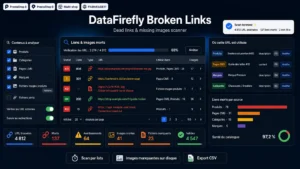 Broken Link Checker PrestaShop 8 & 9 — Dead Links & Missing ImagesFind dead links and broken images before your customers do€59.00
The most common technical traps
For developers and agencies, four breakages come back constantly on modules that need reworking.
The translation method available directly on controllers is gone: you now go through the module instance. Overrides of methods whose signature changed produce compatibility errors, notably on the rendering methods used for asynchronous responses. Asynchronous calls to the legacy admin controllers changed shape and require the parameters to be passed differently. And modules that wrote straight into core tables run into schema changes.
None of these fixes is difficult on its own. The cost comes from the count.
The staging environment
Non negotiable, and regularly skipped anyway.
It has to run on a recent copy of the production database, not on a demo dataset. Most incompatibilities surface on real data: products with a hundred combinations, customers with incomplete addresses, orders sitting in forgotten statuses.
Two precautions: anonymise customer data before copying, and disable every outgoing email from that environment. A migration test that sends two thousand status-change emails to real customers is a true and frequent story.
The test plan
Test journeys, not pages. Six journeys cover the essentials.
A full order as a guest, with a real payment in test mode. An order with an existing account and a saved address. An add to cart from a category page with filters active. An internal search followed by a purchase. A return or an after-sales request. And on the admin side, creating a product with combinations and validating an order.
Each journey has to be run on desktop and on mobile. Budget one day for the set, to be repeated after every significant fix.
The switchover and what follows
Schedule the migration outside commercial peaks, with a rollback window that is defined and tested. A backup that has never been restored does not count.
In the days that follow, three checks matter. The server error logs, which reveal the incompatibilities staging never met. Broken links and missing images, because a version change can affect image paths and rewritten URLs. And the order flow, compared against your usual level: a sudden drop signals a blocker in the checkout that nobody reported.
On that last point, the Broken Link Checker for PrestaShop helps during acceptance testing as much as after the switchover: it finds broken internal links and missing images that the migration may have produced, on PrestaShop 8 as well as PrestaShop 9.