

Faceted filters create a structural conflict. On the visitor side, they are indispensable for navigating a large catalogue. On the search engine side, they produce a combinatorial explosion that can reach millions of addresses for a few thousand products.
Add AJAX loading, which improves the experience but can erase every trace of those pages, and you get the worst-handled technical subject in e-commerce SEO.
The underlying problem
Take a category with six facets: brand, colour, size, price, material, rating. With an average of eight values each, the number of possible combinations exceeds a quarter of a million. Across twenty categories, you reach several million addresses.
Three consequences, in order of severity.
Crawl budget gets diluted. Search engines devote a limited amount of time to your site. If it is spent on filter combinations, your new products are discovered more slowly.
Content gets duplicated. Filtering on “red” and filtering on “red” plus “in stock” often returns the same product list, with an identical title and identical content.
Value gets scattered. Every link to a filter combination passes on part of the category page’s importance. Multiplied by fifty filter links on each page, that is a considerable leak.
What AJAX produces when left untreated
Asynchronous loading of results avoids a page reload, which is comfortable. Badly implemented, it produces two opposite problems.
No address at all. If filtering does not change the URL, the selection can neither be shared, nor restored by the back button, nor indexed. A visitor who narrows their search and then opens a product page cannot get back to their selection.
Or unreadable addresses. If filtering writes a technical parameter built by concatenating identifiers into the URL, you get unstable, incomprehensible addresses whose order varies with the order in which filters were selected, which multiplies the variants of the same page.
A correct implementation changes the URL with a clean, stable address, without reloading the page.
The decision rule: which facets to open
This is the heart of the subject. Not all filter combinations should be indexable, and the vast majority must not be.
Three cumulative criteria for opening a facet to indexing.
1. It matches a real search intent. Check it: “safety shoes size 47” gets typed, “safety shoes rated 4 stars” does not. Rating, availability and sorting never belong in the index.
2. It produces a sufficient and stable number of results. Count ten products minimum. A filter page with two results is a low-quality page.
3. It can carry its own content. A specific title, meta description and ideally an introductory paragraph. Without that, you create content duplicated from the parent category.
Two exclusion rules apply on top, and they matter more than the criteria above.
Never open combinations of two or more facets. “Brand X” can be indexable, “Brand X plus red plus size 42” never should be. This is the rule that contains the combinatorial explosion.
Never open sorting or pagination facets crossed with filters. They create no new intent.
In practice, on a catalogue of three thousand products, that means between thirty and a hundred open facet pages. Not ten thousand.
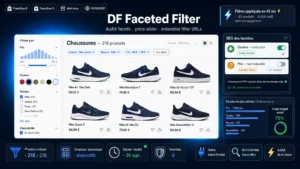 AJAX Faceted Filters for PrestaShopThe faceted navigation that filters fast and indexes right€99.00
Building the URLs
Four requirements for the open pages.
Clean rewriting. A readable address built from the category name and the filter value, rather than a string of numeric parameters.
Normalised order. If several filters are active, their order in the URL must be deterministic, usually alphabetical. Without that, two identical selections produce two different addresses.
Stability. A facet’s address must not change when you reorganise your catalogue, or you break the pages that rank.
A single format. No coexistence between a parameter version and a rewritten version. If both exist technically, one must redirect to the other.
Canonical, noindex, robots: do not mix them up
Three different mechanisms, regularly confused, with opposite effects.
The canonical tag indicates the preferred version of a page. On an open facet, it points to itself. On a closed facet, it points to the parent category. Careful: it is a hint, not a directive, and engines can ignore it when the content differs markedly.
The noindex directive asks that a page not be indexed. It requires the page to be crawled in order to be read. It is the right tool for combinations you want out of the index while still letting links pass value.
Blocking in the robots file prevents crawling. The page is never read, so a noindex directive placed there would never be seen. That is the classic mistake: blocking and adding a noindex at the same time makes the second one useless.
The combination that works: robots blocking for purely technical parameters such as sorting, noindex for filter combinations, and nothing in particular for open facets beyond their self-referencing canonical.
Containing crawl at the source
The mechanisms above act after the engine has discovered the addresses. A complementary approach is not to give them to it in the first place.
Obfuscating filter links means not expressing them as links in the HTML: the navigation behaviour is produced by a script on an element that is not clickable in the protocol sense. The visitor sees no difference, the robot has no link to follow.
Two precautions. The technique must only apply to links you do not want crawled, never to those carrying your main navigation. And pages hidden this way must remain reachable by another route if you want them indexed, which is the case for open facets.
On a large catalogue, this is the measure with the fastest effect on crawl budget.
Pagination
It combines with facets and deserves its own rules.
Each page of a paginated series carries a canonical to itself, not to the first page. Declaring every page canonical to the first amounts to asking for the exclusion of the products that only appear on later pages.
Pagination parameters must appear after filter parameters, in a stable order, and page 1 must not exist twice, with and without a parameter.
The content of open pages
A facet opened to indexing must look like a real page, not a filtered category.
Three elements minimum. A proper title, built from the category and the value, but written rather than mechanically concatenated. A short, unique introduction, one to two hundred words, explaining what the selection groups together. And an upward link to the parent category, which structures the relationship.
Without these three, the open page competes with its parent category and the two cannibalise each other.
Browser behaviour
Three implementation points that belong to user experience but have an indirect effect on ranking.
The back button must return to the previous selection, not to the home page or to the category’s initial state. That requires managing navigation history.
Coming back from a product page must restore the selection and the scroll position. It is the most reported friction on faceted catalogues.
The result counter should update before the filter is applied, where possible, to save the visitor from discovering an empty list.
Measuring
Four indicators, recorded before and three months after.
The number of pages crawled per day, in Search Console’s crawl stats. It should fall on filter pages and stay flat or rise on the catalogue.
The indexing report, watching the crawled but not indexed category, which should shrink.
The traffic to open facet pages, page by page, to check that your selection was relevant.
The discovery delay for new products, between going live and their first appearance in reports. It is the clearest indicator of crawl budget recovered.
The AJAX Faceted Filters module for PrestaShop handles this chain on PrestaShop 8 and 9: filtering without reload with rewritten URLs and normalised ordering, selective opening of facets to indexing, consistent canonicals and directives, and restoration of the selection when coming back from a product page. On large catalogues, the SEO Link Obfuscation module completes the setup by containing crawl at the source.