
Intra-Community VAT VIES Validation & B2B Reverse Charge: documentation
Install and configure VIES verification, the reverse charge tied to the delivery country, and the tamper-evident evidence journal.
This module checks intra-community VAT numbers against the European Commission’s VIES database, applies the reverse charge (0% VAT invoice) to B2B sales delivered to another member state, and keeps a timestamped evidence journal: the record the tax authorities ask for during an audit.
The most important setting is your own VAT number. Without it, VIES does not issue an official consultation number, the strongest evidence during an audit.
Requirements
- PrestaShop 8.0 to 9.x, single store or multistore.
- PHP 7.4 to 8.3 (PrestaShop 9 requires PHP 8.1 or later). The SOAP extension is recommended; without it the module uses the VIES REST API.
- Outbound HTTPS access to
ec.europa.eufrom your server. - The VAT number field must be part of the address format of the EU countries you ship to. The configuration page lists the countries where it is missing.
Installation
- In the back office, open Modules > Module Manager > Upload a module.
- Select the ZIP file and run the installation.
- Click Configure.
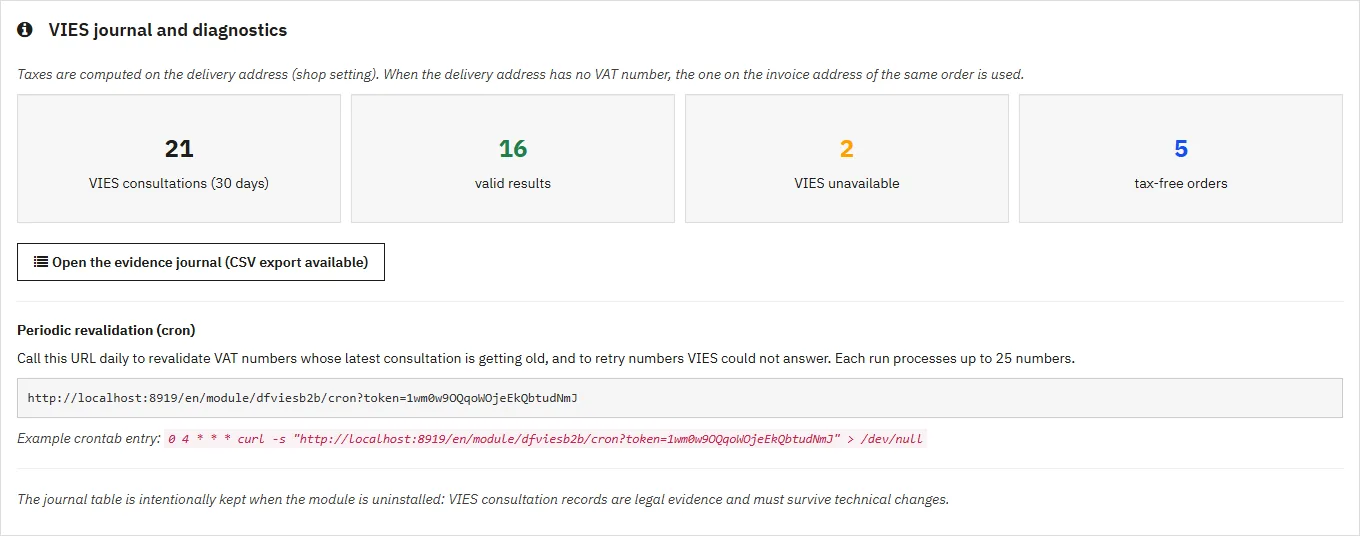
Installation creates the consultation journal and a VIES B2B journal tab under the Orders menu.
Upgrading from 1.1.0
Upload the 1.1.1 ZIP over the old one. This release fixes a defect that prevented the reverse charge from applying on PrestaShop 8 and 9: the upgrade script attaches the module to the right tax hook (actionTaxManager). Your settings and the journal are kept. If you run 1.1.0, upgrade without delay: on those PrestaShop versions, intra-community B2B orders were still invoiced with VAT.
Upgrading from 1.0.0
Upload the new ZIP over the old one. The upgrade script adds the new journal columns, registers the new hooks and replaces the default invoice mentions unless you had customized them. The existing journal is kept.
How the module decides to exempt
An order drops to 0% VAT only when all these conditions are met:
- the exemption is enabled in the configuration;
- the customer has a VAT number from another member state than yours;
- the goods are delivered to another member state than yours;
- VIES confirmed the number less than the chosen validity window ago.
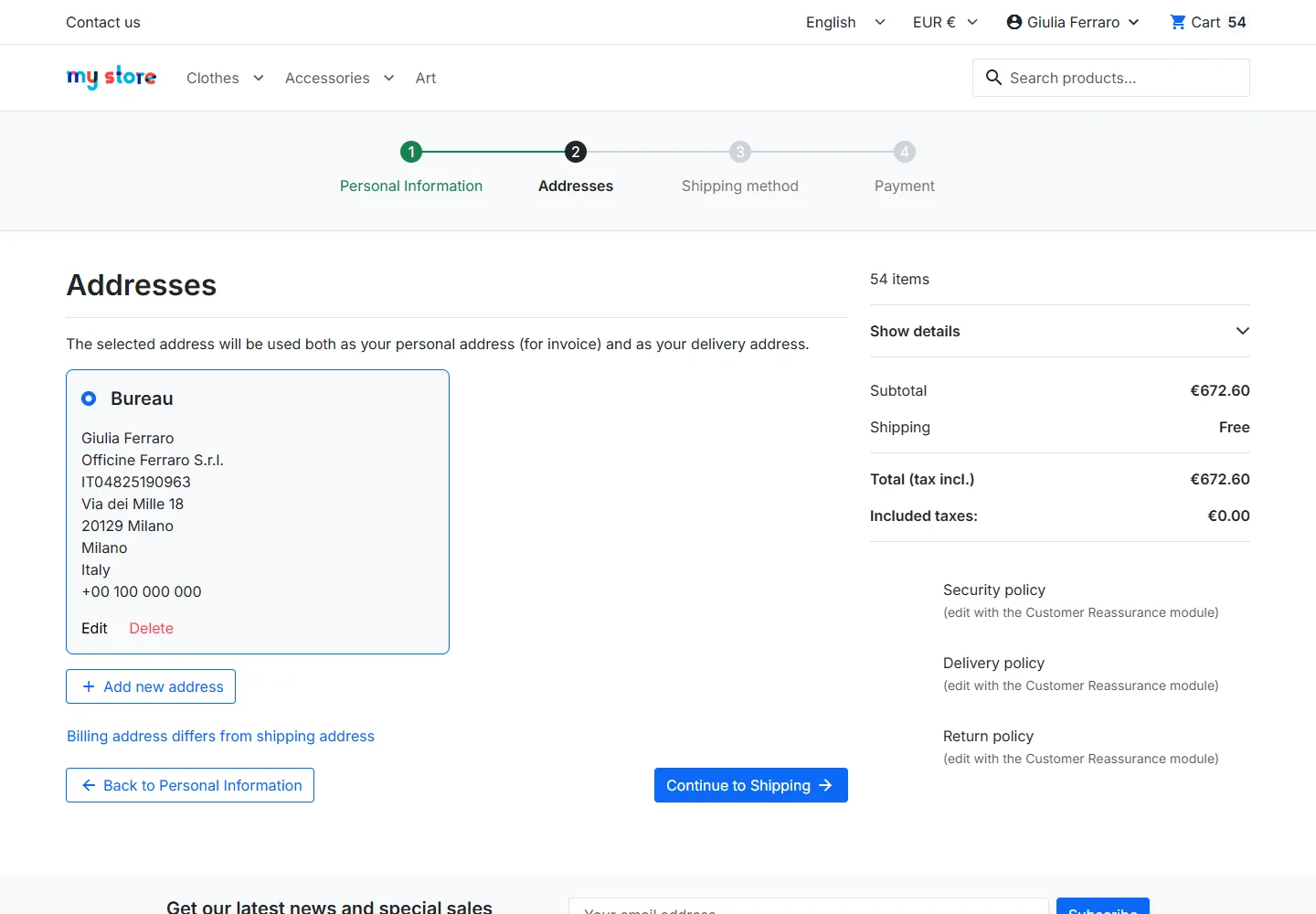
Example: your shop is in France, a customer has a German VAT number but has the goods delivered to Lyon. The sale remains subject to French VAT.
The VAT number used is the one on the address the shop computes taxes on (PrestaShop setting, delivery address by default). If that address has no number, the one on the invoice address of the same order is used. The delivery country is always checked, even when the shop computes taxes on the invoice address.
For Northern Ireland, stored as United Kingdom in PrestaShop, an XI number is accepted for an address whose postcode starts with BT.
Configuration
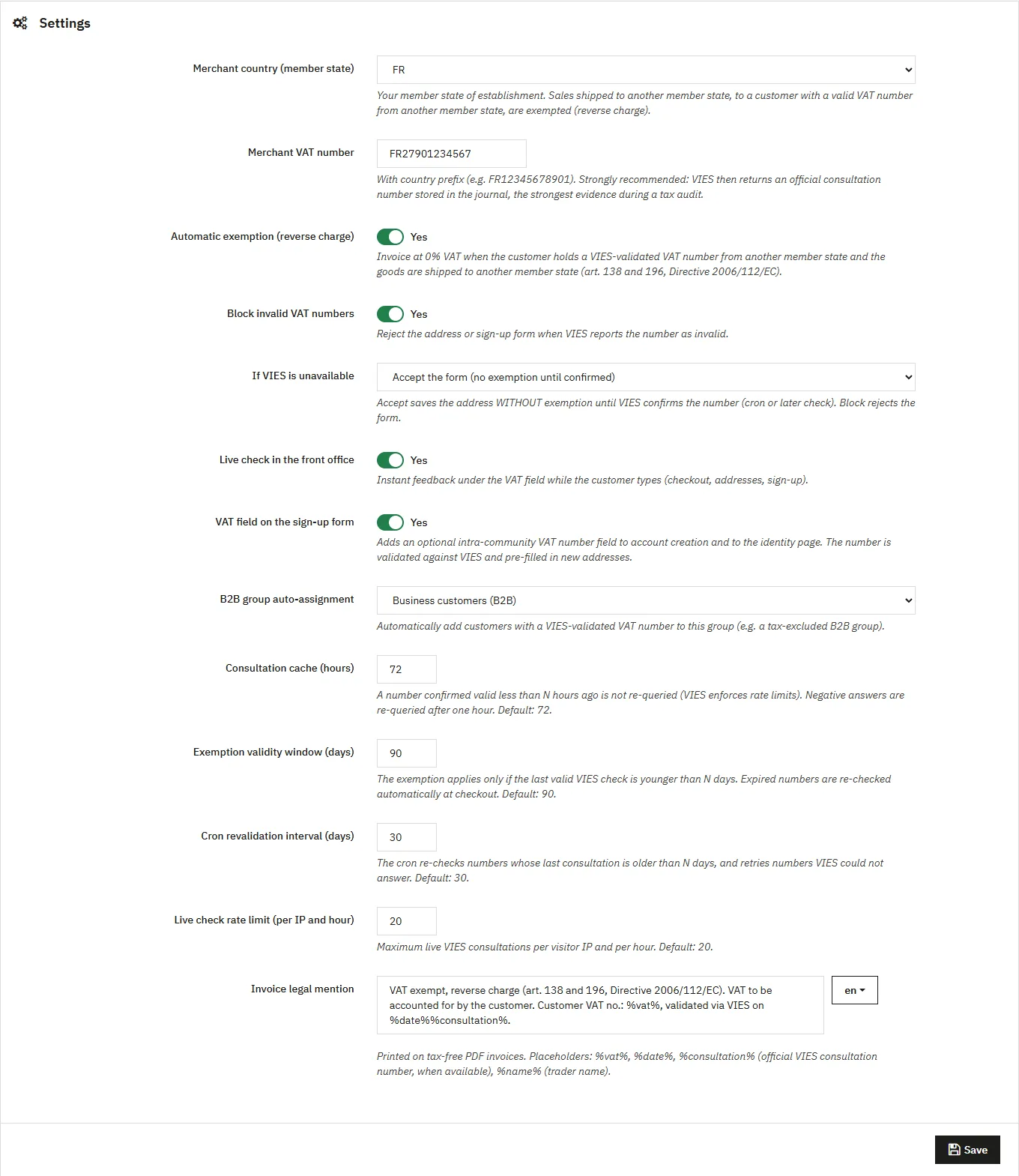
Merchant VAT number
Enter your company’s VAT number with its country prefix. Each check then queries VIES with a requester identifier and receives a timestamped official consultation number. If VIES rejects your number, your customers are still checked without an official number and a red banner tells you.
Merchant country
Your member state. A VAT number from that country, or a delivery to that country, never qualifies for the exemption.
Automatic exemption
When off, checking and the journal keep working but the tax is never changed. Useful for an observation period.
Block invalid VAT numbers
When on, the address or registration form is rejected if VIES reports the number as invalid, or if the format is wrong.
If VIES is unavailable
- Accept (default): the address is saved without exemption until VIES confirms it.
- Block: the form is rejected.
In both cases, a customer whose proof is still within the validity window keeps the exemption during the outage.
Live check and registration field
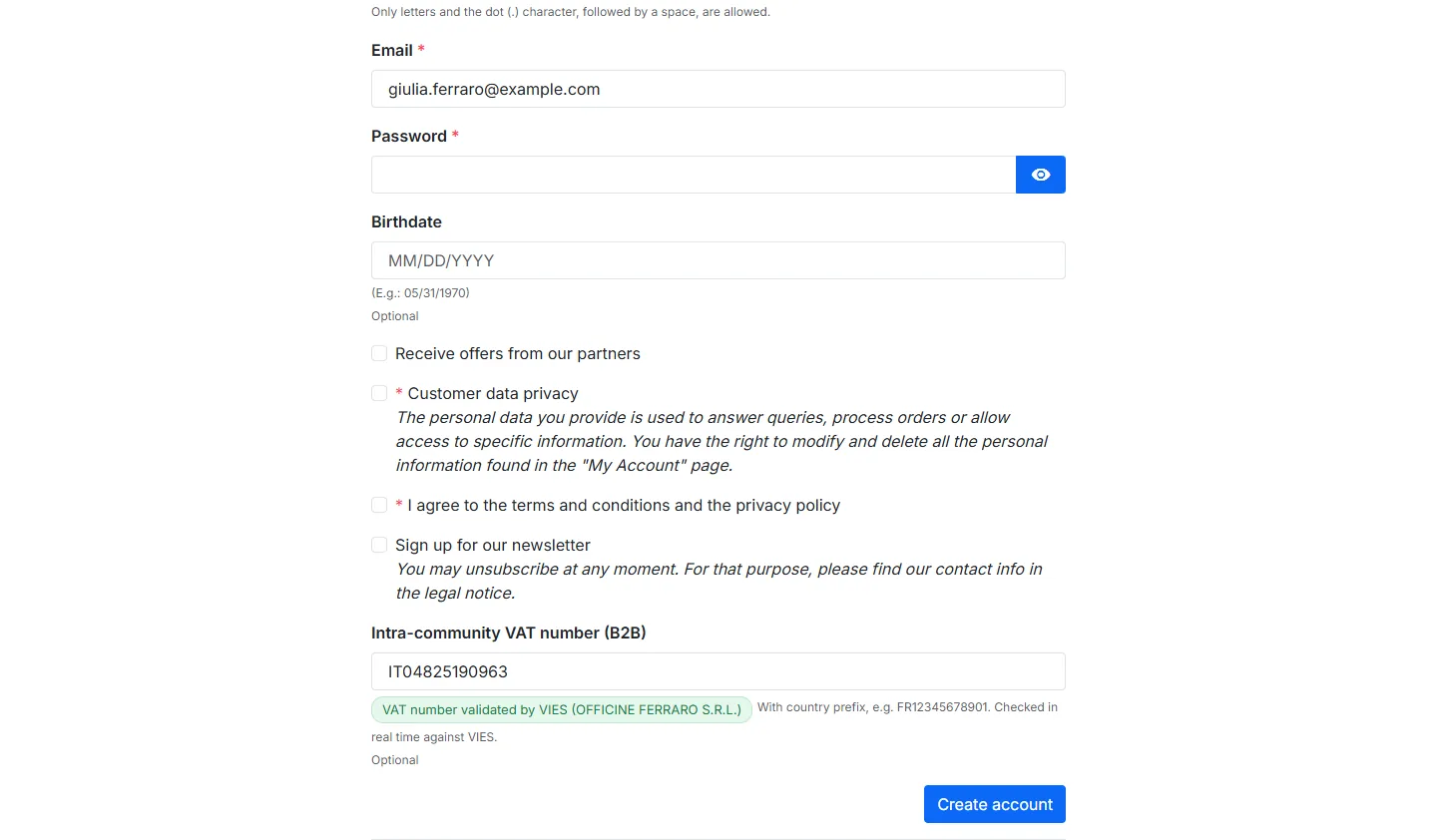
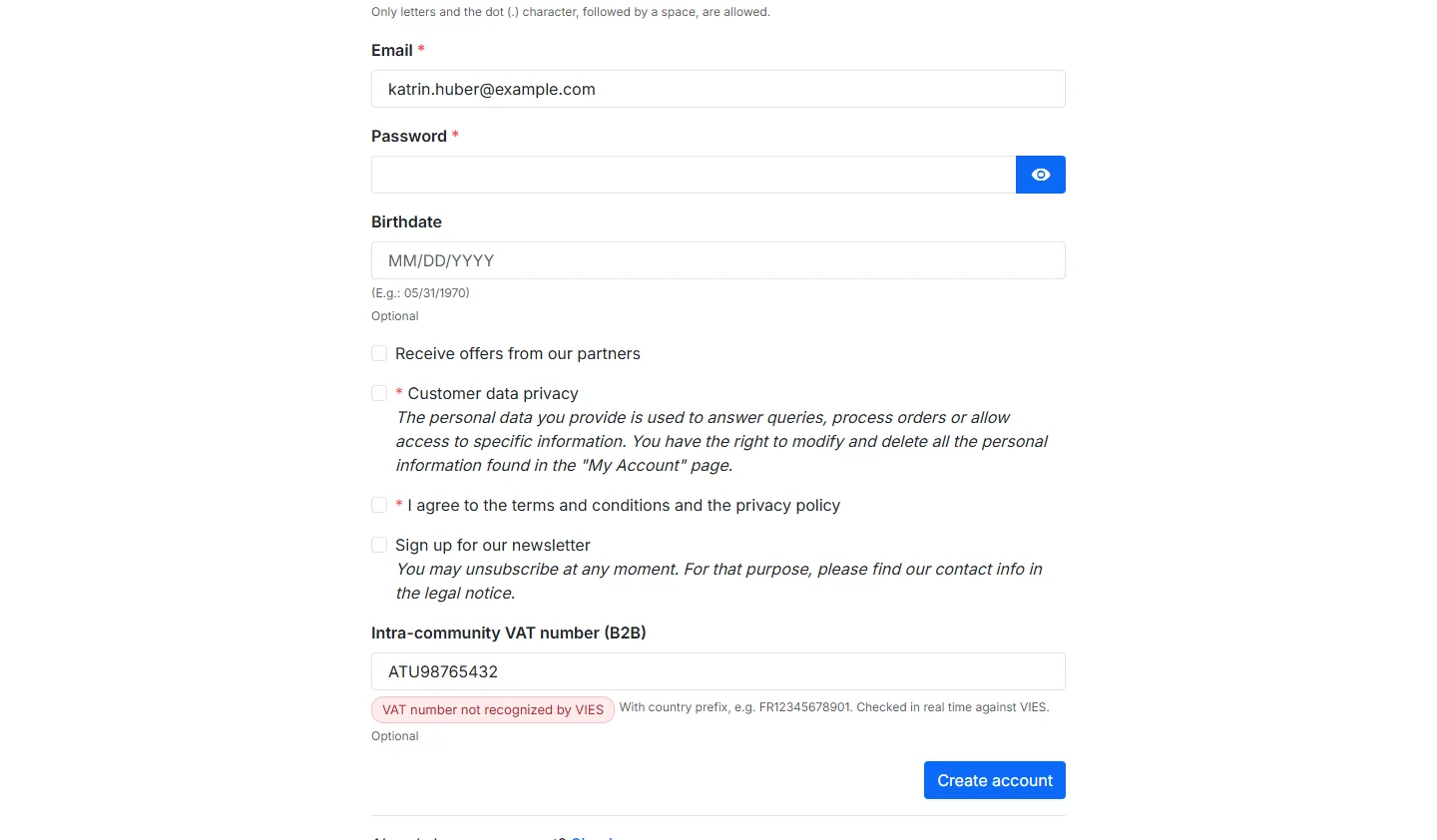
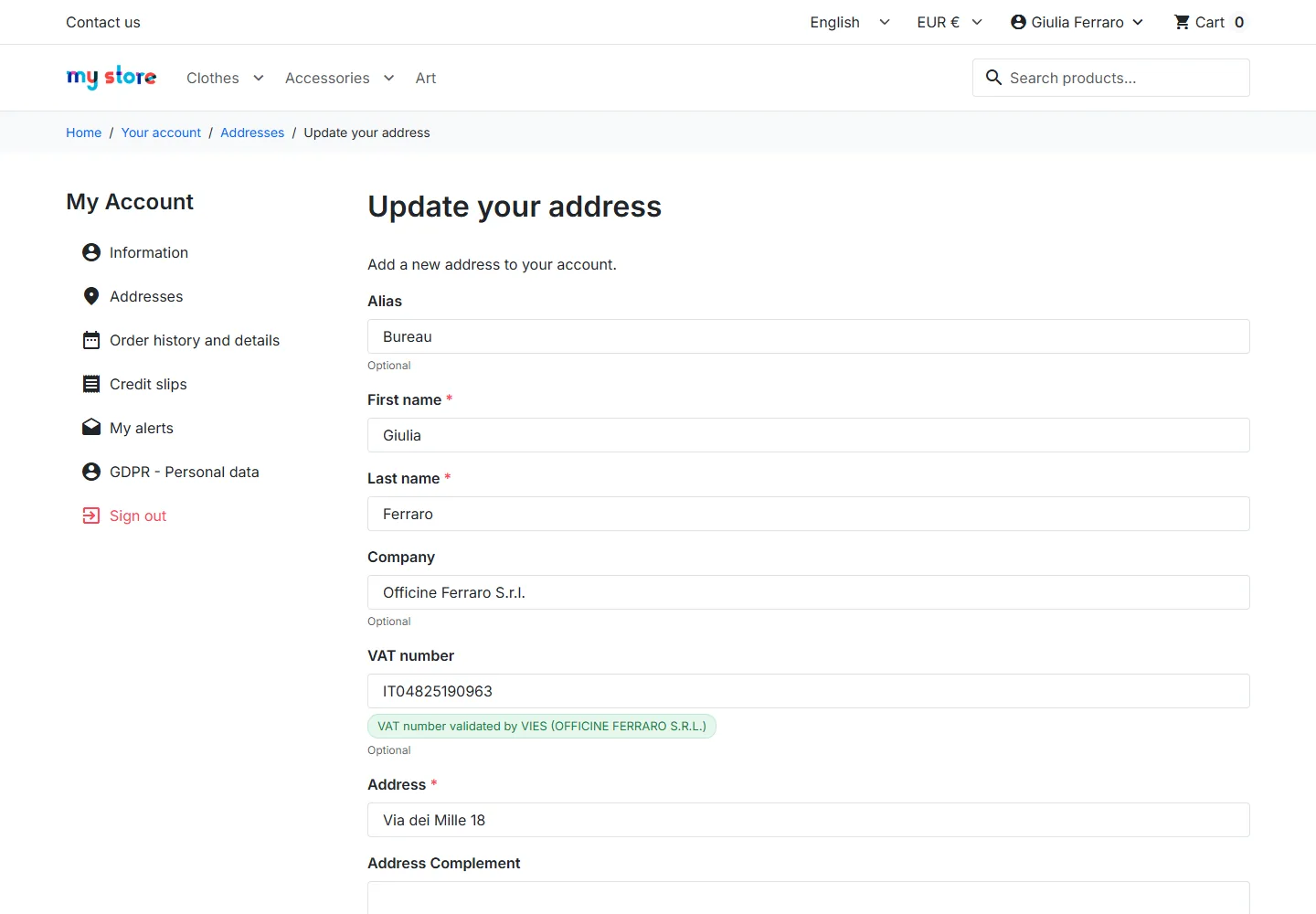
The live check shows a badge under the VAT field as the customer types. The registration field adds an optional VAT number to account creation and to the personal information page. The number is kept on the profile and pre-filled in the customer’s new addresses.
B2B customer group
Optional: customers whose number is validated by VIES are added to this group automatically.
Cache, validity and revalidation
- Consultation cache (72 h by default): a number recently confirmed valid is not queried again. A negative answer is queried again after one hour, because a freshly issued number can take a few days to appear in VIES. The cache never exceeds the validity window.
- Validity window (90 days by default): beyond it, the exemption stops until a new check. The module re-checks automatically when the checkout opens.
- Revalidation interval (30 days by default): age from which the cron re-checks a number.
- Live check rate limit (20 per hour and IP): protects VIES and your shop against abuse.
Invoice legal mention
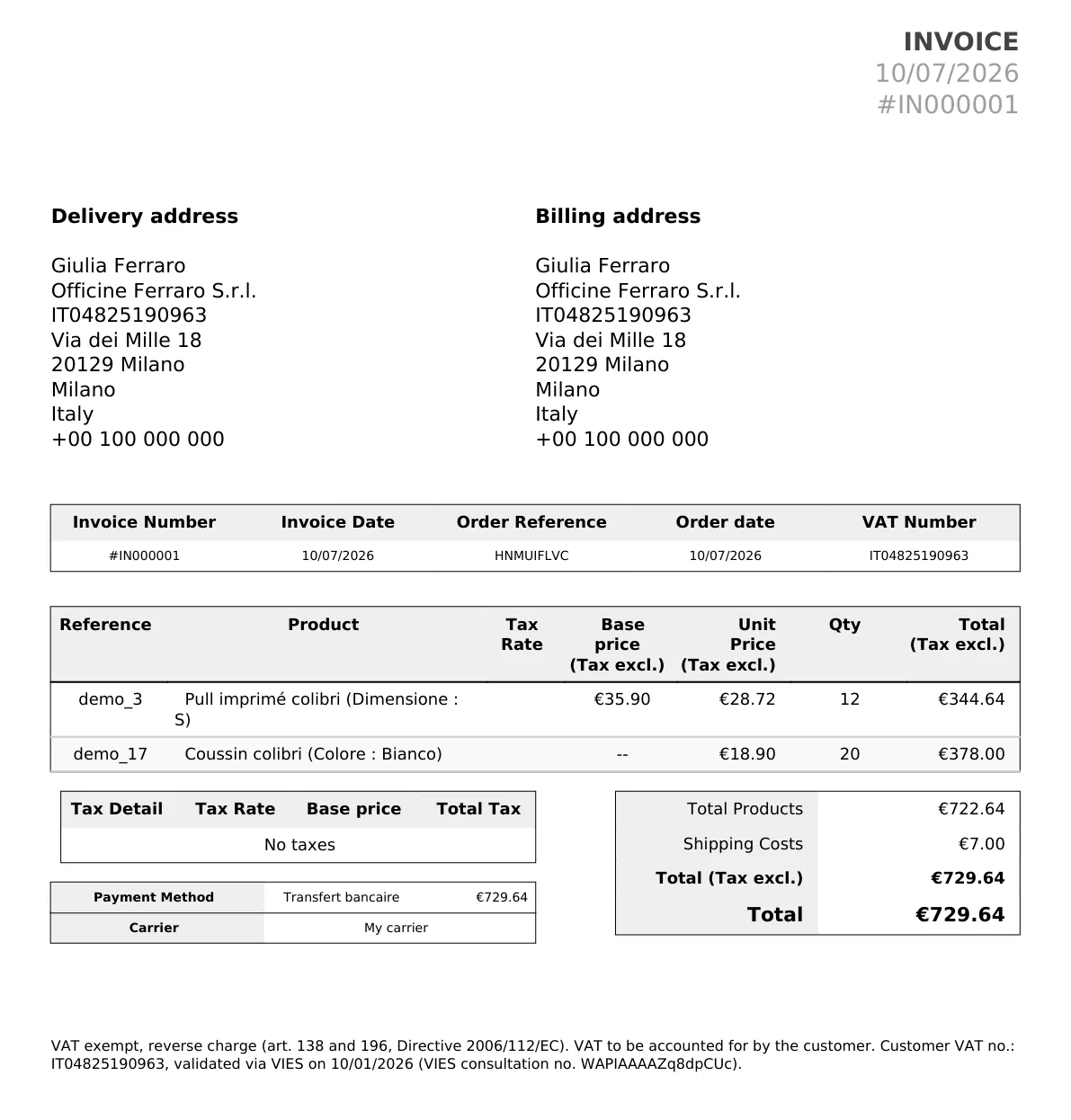
Customizable text per language, with the variables %vat% (customer number), %date% (VIES consultation date, in the customer’s language format), %consultation% (official consultation number) and %name% (business name). An empty field takes the first text entered.
The evidence journal
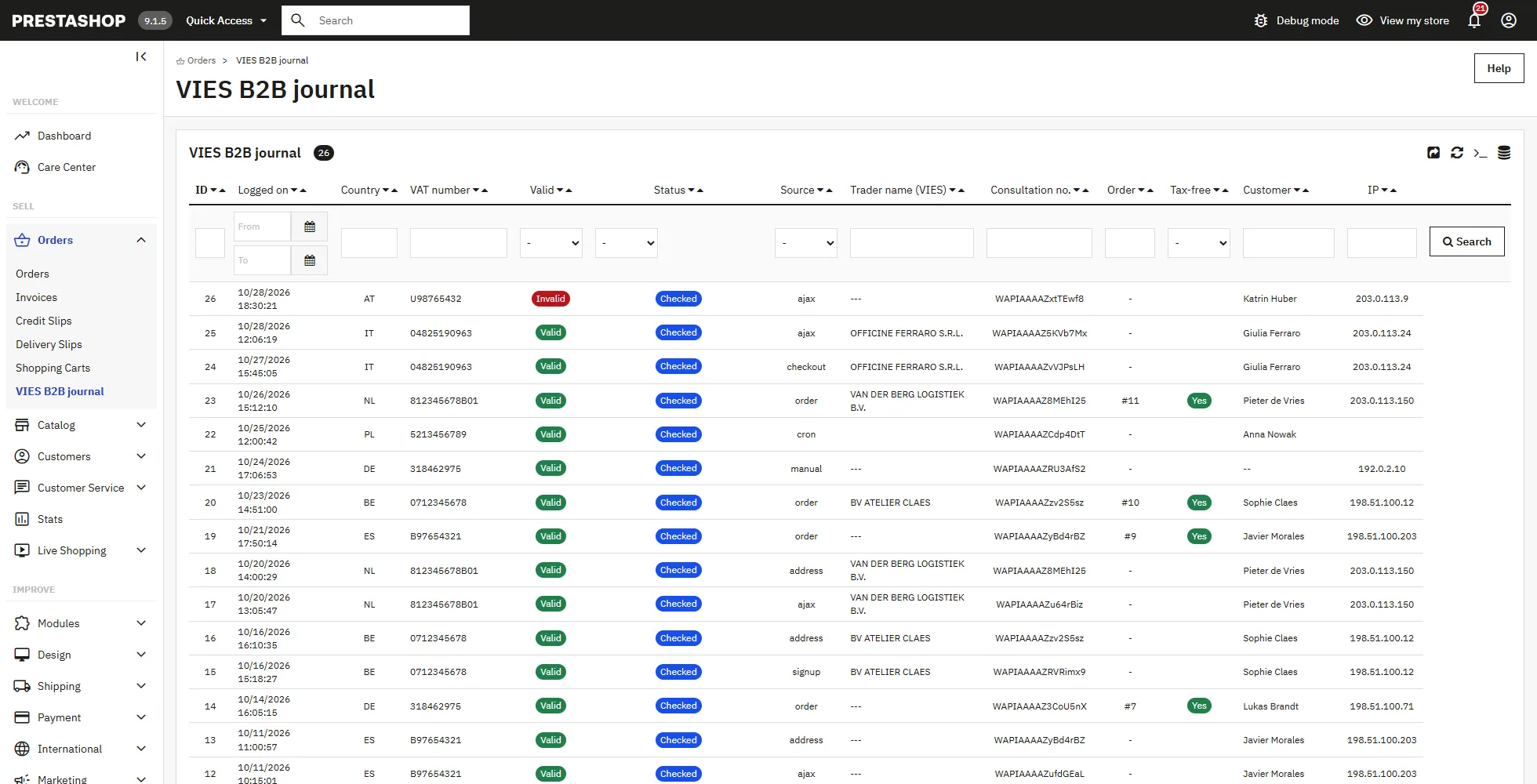
Every consultation is listed under Orders > VIES B2B journal: date, country, number, result, status, source (address, checkout, registration, live check, order proof, manual, cron), business name, consultation number, order, Tax-free column, customer and IP.
The journal is read-only. Deletion and editing are refused server-side, and the table is kept on uninstall.
Order proof
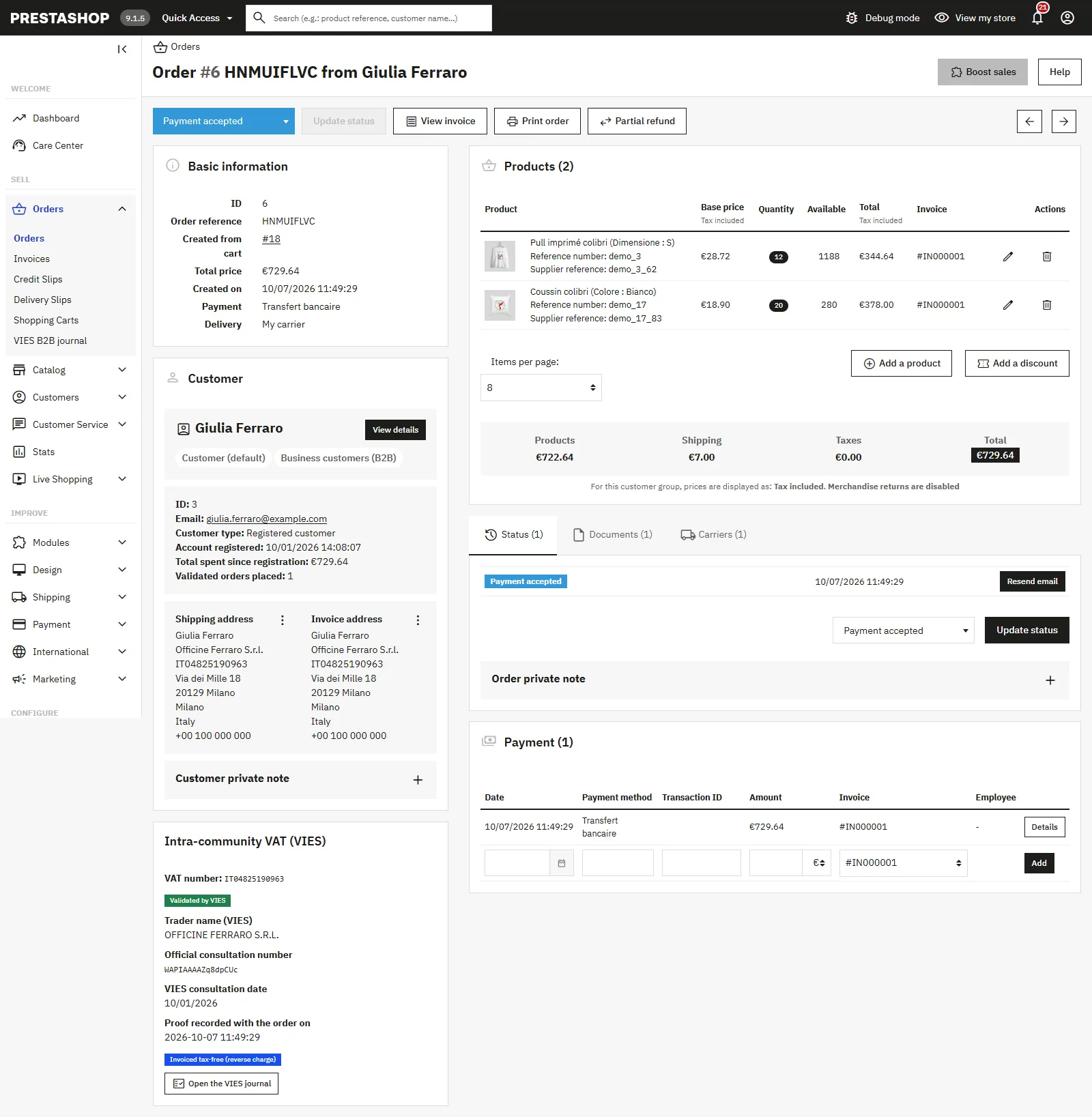
When each intra-community order is validated, an Order proof row is added. It points at the VIES consultation behind the exemption and states whether the order was invoiced tax-free. This row never counts as a new consultation. The VIES panel on the order page shows the consultation date, the business name and the official number.
CSV export
The export button produces a CSV with every column, including the VIES request date, the business address, the error code and the source consultation ID.
Automatic revalidation (cron)
The configuration page shows a token-protected cron URL. Call it once a day. Each run handles up to 25 numbers: those whose last VIES answer is old, and those VIES could not answer. If VIES is down, the run stops cleanly.
0 4 * * * curl -s "https://your-shop/index.php?fc=module&module=dfviesb2b&controller=cron&token=YOUR_TOKEN" > /dev/null
VIES outages
Each call is limited to 8 seconds. If SOAP does not answer, the module tries the REST API. After an outage it stops querying VIES for five minutes so the checkout is not slowed down. Order validation only calls VIES for a number that was never checked.
GDPR
With the psgdpr module, a customer can export their consultations. An erasure request removes the number stored on their profile and their IP addresses from the journal. The tax evidence itself is kept, as article 17(3)(b) GDPR allows for legal obligations.
Troubleshooting
No consultation number appears
Check that your merchant VAT number is filled in and that no red banner reports a VIES rejection.
The customer cannot enter a VAT number
The field is missing from their country’s address format. Add vat_number under International > Locations > Countries.
The exemption is not applied
Check the four conditions above, especially the delivery country, and look at the latest journal row for that number.
The badge stays on VIES unavailable
VIES has outages. Also check that your server can reach ec.europa.eu over HTTPS. The cron will catch up on unchecked numbers.
This module automates verification, exemption and evidence gathering. It does not replace your accountant: you remain responsible for your tax obligations.