
Everything you'd want to know before you install.
A detailed look at how PrestaShop Admin Security 8 & 9: Brute Force Protection, IP Blocking and Captcha works, why we built it the way we did, and the thinking behind the features above.
Why a renamed admin folder is no longer enough
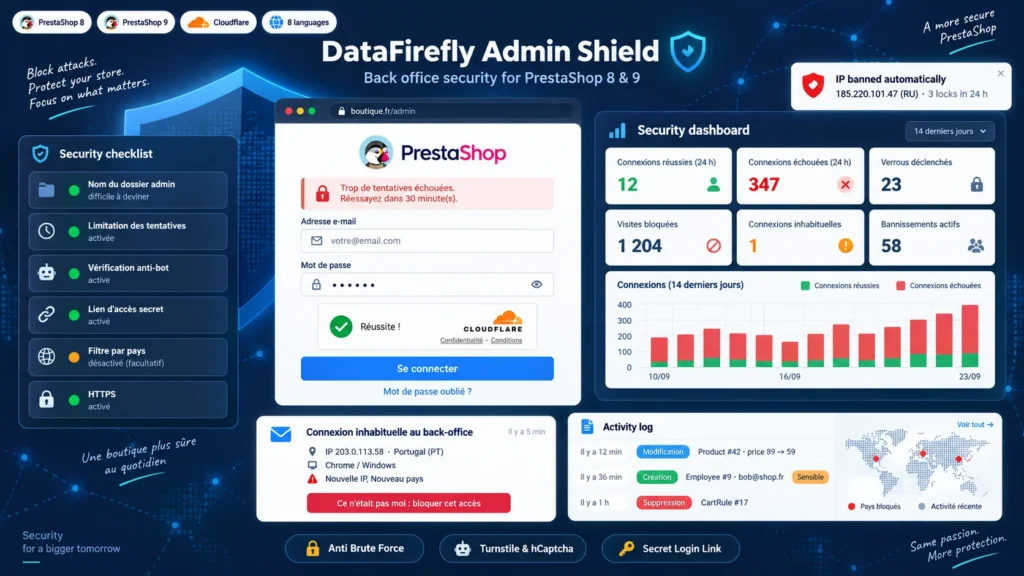
PrestaShop renames the admin folder at installation, but the name leaks: links in e-mails, browser extensions, modules that display it. Once the address is known, nothing stops a bot from trying passwords forever. This module adds what the core lacks: a cap on attempts, bans, geographic filtering and, if you want it, a secret link without which the login page does not exist.
Protection built for both PrestaShop 8 and PrestaShop 9
PrestaShop 9 replaced the old login controller with Symfony Security. The module plugs into both: a Symfony subscriber filters every back office request before routing and intercepts the PrestaShop 9 login form before the firewall; on PrestaShop 8 it also relies on the native hooks of the login controller. No core file is modified and no override is installed.
A captcha that cannot lock you out
One badly copied captcha key is enough to block every administrator. Here, the check is only enforced after a successful test from the back office with the exact keys saved. If the Cloudflare or hCaptcha service cannot be reached, you decide whether logins go through. The same logic applies elsewhere: the module refuses to save a country filter, a blacklist or a whitelist-only mode that would block your own connection, and a single file uploaded by FTP switches every protection off in an emergency.
Know who is logged in and what they do
The Active sessions tab lists every open session with the IP, country and device used at login; you close a session or log an employee out everywhere. For every object modified in the back office, the activity log keeps the list of changed fields with their old and new values, passwords and tokens masked. PrestaShop skips a module's hooks for profiles not allowed to view it, so the module grants that right to every profile to make sure each employee is logged.
A report that arrives without asking
Every week or every month, the administrators receive a report: successful and failed logins, locks, bans, blocked visits, unusual logins, sensitive changes and the IP addresses most active on the login page, with the security points still to fix. A signed cron URL guarantees delivery; without cron, the report leaves on the next back office visit.
There are no reviews yet.