
Everything you'd want to know before you install.
A detailed look at how Automatic Default Tax Rule on Product Creation — PrestaShop 8 & 9 works, why we built it the way we did, and the thinking behind the features above.
§ 01
Why this module
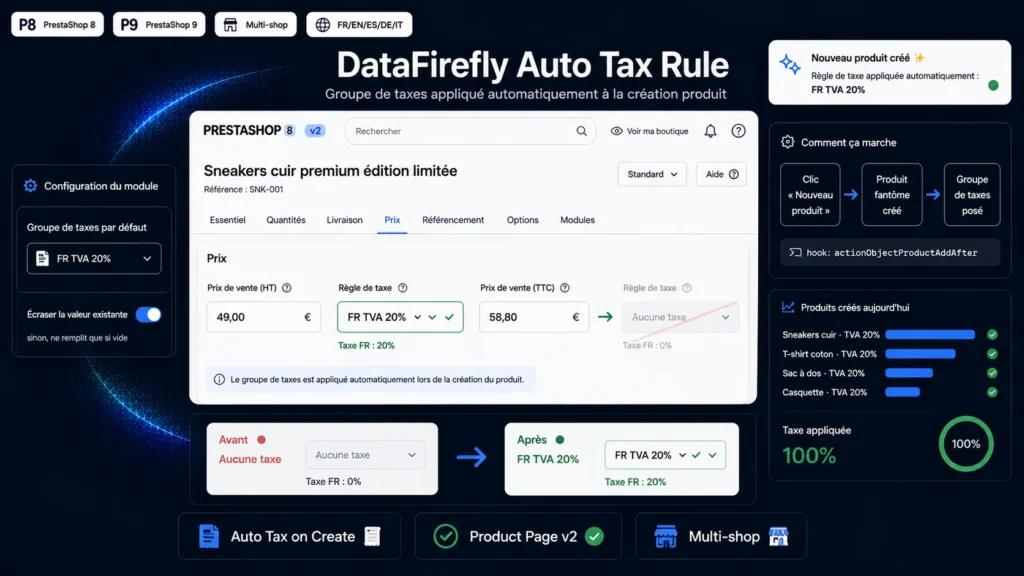
Since PrestaShop 1.7, a new product is created with no tax rule: the field stays on “No tax” until you change it manually. On an active catalog the oversight happens fast — and a product sold without VAT throws off your displayed prices and your accounting. This module restores a simple behaviour: every product created is given the tax rules group you defined.
§ 02
Built for the new product page
The PrestaShop 8 v2 product page creates a “ghost product” the moment you click “New product”, before you type anything. The module hooks into the generic event fired at that exact moment (actionObjectProductAddAfter), not the actionProductAdd hook which — despite its name — only fires on duplication. The tax rule is therefore set immediately and displays correctly in the Pricing tab.
§ 03
You stay in charge of your exceptions
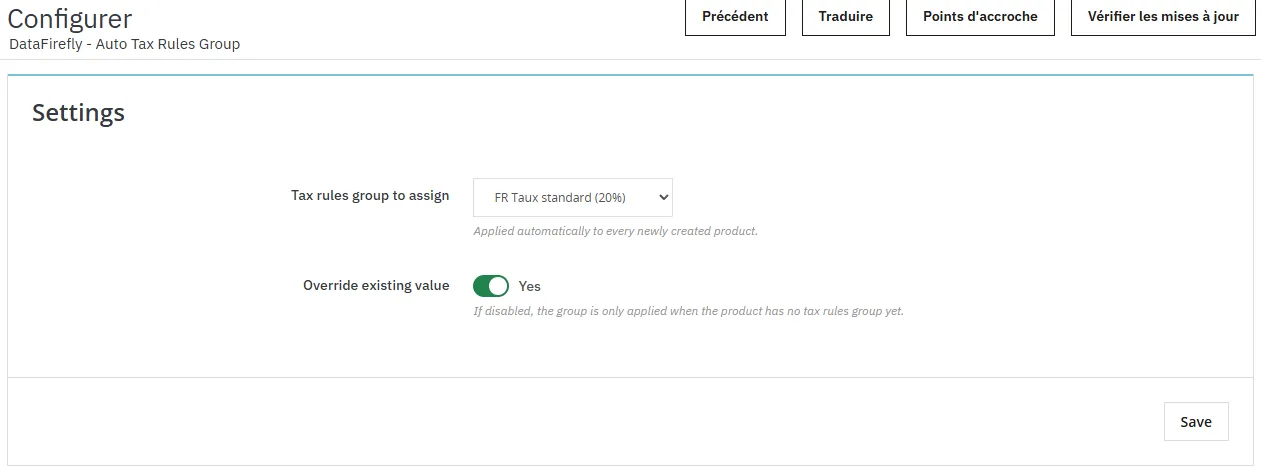
An “Override existing value” switch lets you choose the behaviour. Enabled, it always enforces your default group at creation. Disabled, it only fills products that don't have a tax rule yet — handy when you duplicate already correctly configured products, or when some products must stay on “No tax”.
§ 04
Lightweight, no side effects
The module writes a single field, id_tax_rules_group, straight into the product and product_shop tables, taking the multistore context into account. No other data is touched, no heavy update hook fires on the draft, and the PrestaShop core is not overridden. The source code ships unencrypted and uninstall is clean.

There are no reviews yet.