
On a product page, storytelling is not a matter of writing style. It is a matter of order: in what sequence to present information so that a visitor who knows neither the brand nor the product decides to buy. Most PrestaShop product pages fail because they open with the technical specifications, which is to say with the answer to a question the visitor has not yet asked.
The usual reflex is to install a page builder. Here is why that is the wrong tool, and what works instead.
The page builder problem
A page builder solves a layout problem for one product page. It creates four others as soon as you think in terms of a catalogue.
- It does not replicate. Composing three hundred pages by hand is a project, not a task. And the three hundredth will not resemble the first.
- It weighs the page down. Builders load their own CSS and JavaScript on every product page, including pages that use no block at all. The cost shows up directly in Core Web Vitals.
- It locks the content in. The layout is stored inside the description HTML. A change of theme or of builder breaks the lot, and a migration turns into a manual rework project.
- It produces unstructured content. You cannot query “every product page whose proof block is empty”, because the notion of a block exists nowhere in your data.
The six-block structure
A product page that converts almost always follows the same progression. The content changes, the order does not.
- The promise. One sentence saying what the product lets you do, not what it is. It sits just under the title, before the price if your theme allows it.
- The problem. Two or three lines describing the customer’s situation before the purchase. This block creates recognition: the visitor has to think “that is exactly my case”.
- The proof. A figure, a real usage photo, a specific customer review, a test result. One single element, but a solid one.
- The detail. Technical specifications, composition, dimensions. Here, and not higher up.
- The objection. What blocks the purchase: sizing, compatibility, lead time, maintenance. Handling it on the page avoids an abandonment and a support ticket.
- The action. A reminder of the promise at the level of the buy button, with the reassurance element that matters for this product.
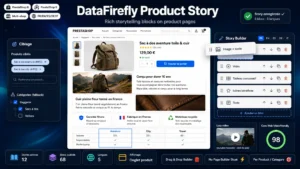 Product Story — Product Page Storytelling BlocksProduct pages that tell a story — without a heavy page builder€79.00
Benefit before specification, concretely
The rule is well known and badly applied. Three rewriting examples.
- “5000 mAh battery” becomes “Two full phone charges before it needs charging itself”.
- “Water-repellent finish” becomes “Light rain slides off, you stay dry through a twenty-minute shower”.
- “Supplied with 3 bits” becomes “The three bits cover the most common flat-pack furniture screws”.
Note that the specification does not disappear. It stays, in block 4, for the visitor who is comparing. It simply stops being the first contact.
Proof, and what is not proof
“Premium quality” is not proof. “Tested over 200 wash cycles with no colour loss” is. The test is simple: proof is verifiable or refutable. If your competitor can write exactly the same sentence about their own product, it is not proof, it is filler.
The four sources that work, in decreasing order of effectiveness: the measured figure, the usage photo taken by a customer, the customer review quoted with its context, the third-party certification or test.
Industrialising without flattening
The point that makes the approach viable across a whole catalogue: blocks 2, 5 and 6 are largely shared within a single range. The problem a drill solves is the same for all your drills. So are the objections.
You can therefore write those blocks once per category and only customise the promise, the proof and the detail. Writing time per page drops from thirty minutes to five, and range consistency improves along the way.
The SEO effect, second
A page structured in blocks mechanically produces unique content, longer, and organised by headings. Those three elements serve search visibility, but that is a consequence, not the goal. A page written for the engine rather than the reader is recognisable immediately and converts poorly, whatever its ranking.
One technical point nonetheless: if your blocks are folded into tabs or accordions, check that the content is actually present in the initial HTML and not loaded on click. In the second case, it is not indexed.
Putting it into practice
The Product Story module for PrestaShop brings this block structure without a page builder: dedicated fields per block in the product record, reusable templates per category, rendering handled by the theme, and content stored in a structured way rather than buried in the description HTML.