
The PDF catalogue has disappeared from B2C, and it remains indispensable everywhere else. A salesperson in a meeting, a professional buyer who has to get a selection approved internally, an exhibitor at a trade show with no reliable network: in those three situations, a standalone document does what no web page does.
The subject splits into two distinct problems, often confused with each other: producing the PDF, and making it usable from the store.
Three uses, three different documents
The full commercial catalogue. Every reference in a range, with visuals and specifications. Bulky, updated once or twice a year. It is the reference document, the one you send to a new distributor.
The personalised selection. Twenty to fifty references chosen for a given customer, with their pricing terms. Produced on demand, with a life span of a few weeks. This is the one that moves a deal forward.
The product datasheet. One or two pages on a single reference, downloadable from the product page. The most consulted of the three, and the most often missing.
Trying to handle all three with the same tool generally leads to handling all three badly.
Producing the document
Three approaches, with very different costs.
- Manual layout. Catalogue export, formatting in a desktop publishing application. Impeccable result, high cost, and immediate obsolescence as soon as a price changes.
- Automatic generation from the catalogue. A template, up-to-date data, a document produced on demand. Less handsome, always accurate.
- The mixed approach. Cover and section pages crafted in a publishing application, product pages generated. This is what holds up best over time.
The price problem
A PDF freezes prices at the moment it is generated. Three ways to handle the problem, to be chosen according to the use.
- No prices in the document, with a pointer to the store or to a separately attached price list. This is the safest solution for an annual catalogue.
- Prices with a validity date printed in the footer. Indispensable if you display prices: without that statement, the document commits you.
- Generation on demand, the PDF being produced at download time with the day’s prices and the terms of the logged-in customer.
The third option is the only one that genuinely solves the problem, and it is also the only one that assumes the document is produced by the store rather than uploaded to the server.
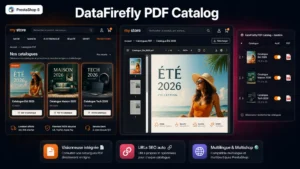 PDF Catalog for PrestaShop – Pro Viewer with Two-Page, Thumbnails & FullscreenYour PDF catalogs embedded anywhere on the shop, with a pro viewer€49.00
Publishing the document on the store
This is the neglected part. A PDF sitting behind a plain download link gets very few views: the visitor does not know what they are about to download, hesitates in front of a file of several dozen megabytes, and gives up.
An embedded viewer changes that behaviour. The document is leafed through inside the page, in double-page spreads like a real catalogue, with thumbnails to navigate and a full-screen mode. Downloading remains possible, but it becomes a choice rather than a prerequisite.
Three places deserve to host this viewer: a page dedicated to the catalogue, the page of each product universe with the catalogue of the range concerned, and the customer account for documents reserved to professionals.
The SEO point
A PDF is indexable by search engines, and it sometimes ranks better than you would expect on technical reference queries. Three precautions.
Fill in the document metadata, title and author, which serve as the title in search results. Give the file an explicit name rather than a string of digits. And check that the text really is text: a PDF made of scanned images is readable neither by engines nor by screen readers.
The reverse caution: a PDF catalogue reproducing the entirety of your product content can rank in place of your product pages. If that risk exists, the viewer page has to be indexable and the PDF file itself excluded from indexing.
Measuring
Two figures are enough: the number of views in the viewer, and the number of downloads. The gap between them tells you whether the document serves quick consultation or archiving, and therefore whether to invest in layout or in exhaustiveness.
On a B2B use, a third indicator deserves tracking: the share of downloads followed by a quote request within seven days.
Publishing cleanly
The PDF Catalogue module for PrestaShop handles the publishing side on PrestaShop 8 and 9: double-page viewer with thumbnails and full-screen mode, integration into a dedicated page or a category, optional download and an indexable page around the document.