

In search results, Google increasingly shows the navigation path instead of the full address. That path does not come from your URL, it comes from your breadcrumb markup. Without it, the visitor sees a technical address where they could see your category tree.
What the markup actually brings
Three effects, only one of which is visible.
The path shown in results, replacing the URL. On a long or hard-to-read address, the gain in clarity is obvious.
Understanding of the structure. The markup tells search engines explicitly how your pages fit together, which URL structure alone does not always establish, particularly when addresses are flat.
Internal linking. The breadcrumb is an upward link to parent categories, present on every product page. On a catalogue of three thousand references, that is a considerable volume of links, obtained with no effort.
The expected structure
The markup describes an ordered list of items, each carrying three pieces of information: its position in the path, the address of the matching page, and its label.
Four formal rules.
Position starts at 1 and increments without gaps. Numbering that starts at zero or skips a value invalidates the whole thing.
The last item is the current page. It must appear in the list, with its label, and it must not be a link in the display: you do not link to the page you are on.
The label must match the displayed text. Markup declaring “Cordless drills” while the visible trail shows “Drills” creates an inconsistency between content and its description.
The recommended format is JSON-LD, inserted in the page head. It is easier to maintain than attribute-based markup, which requires changing the HTML structure of the trail.
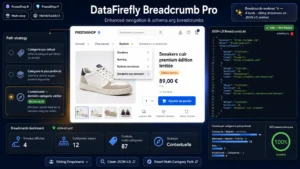 Breadcrumbs ProDropdown menus, JSON-LD BreadcrumbList and smart multi-category paths€89.00
The multi-category product case
This is the real difficulty in a shop, and it has no single answer.
A product attached to three categories has three possible paths. Which trail should be declared?
The simple, recommended answer: the product’s default category. It is already defined in PrestaShop, it determines the canonical URL, and the trail must stay consistent with it. A trail showing a different path from the canonical address sends two contradictory signals.
The contextual answer: the trail follows the path the visitor actually took. Excellent for user experience, problematic for markup, since the same page then declares different structures depending on navigation.
The compromise that works: a displayed trail that is contextual, helping the visitor get back to where they came from, and a marked-up trail always built on the default category. The two do not serve the same purpose.
The specification also allows several trails on the same page, which makes it possible to declare the different access paths. That is an option, not an obligation, and it complicates maintenance with no clearly demonstrated benefit.
Common mistakes
A trail that does not match the URL. An address built on one category and a trail built on another. This happens as soon as the default category is changed without the rest following.
Missing home. The first item of the path should be the home page. Its absence does not invalidate the markup, but it deprives the path of its starting point.
Duplicate markup. The theme declares one trail, an SEO module declares a second. Two competing declarations on the same page produce unpredictable behaviour, and this is a frequent cause of the display disappearing after a module is installed.
A trail on pages with no hierarchy. An isolated CMS page, a contact page or a search result has no path. Forcing an artificial trail on them adds nothing.
The trail on mobile
On small screens, a four-level path rarely fits on one line. Three possible treatments.
Collapsing intermediate levels, keeping the first and the last with an ellipsis in between. This is the most common behaviour, and it does not affect the markup, which stays complete.
Horizontal scrolling, which keeps everything but requires a gesture.
Showing only the direct parent, as a back link. The most readable, and the least useful for deep navigation.
In every case, the markup must stay complete whatever the presentation. What is visually hidden for reasons of space can still be declared.
Checking
Two checks are enough.
Google’s rich results test on a product page, a category page and a CMS page. It flags position errors, missing labels and invalid addresses.
The dedicated report in Search Console, which surfaces anomalies at site scale. A spike in errors after a catalogue change usually points to products whose default category has been lost.
The Breadcrumb Pro module for PrestaShop handles this on PrestaShop 8 and 9: JSON-LD markup built on the default category, contextual displayed trail, detection of duplicate declarations with the theme and adapted behaviour on mobile.