

On a catalogue of several thousand references, the Search Console not-found report easily shows a few thousand rows. Working through them in the order they appear is the surest way to spend weeks on addresses nobody cares about.
Not all 404s are equal
A 404 error is not a problem in itself. It is the correct answer to a request for a page that does not exist, and a site with no 404 at all would be suspicious.
What is a problem is a 404 on an address that had value. Three ways of having it.
It was receiving organic traffic. The page ranked, it brought visitors, and that traffic is lost.
It receives external links. Another site points to it. The value passed is lost, and the visitors who follow the link land on nothing.
It receives internal links. Your own site points to a dead page, which is both an experience problem and wasted crawling.
A 404 that falls into none of these three cases deserves no action.
Where 404s come from, and what they are worth
Four origins, with very different priorities.
Products removed from the catalogue. The largest source on a big catalogue, and the most uneven: a seasonal product pulled after three sales is worth nothing, a flagship reference discontinued after three years of ranking is worth a lot.
Changed URLs. A change of product or category name changes the address. These 404s are the easiest to fix since the new page exists.
Wrong external links. A site citing you with a typo or a truncation. You cannot fix the source, but you can redirect.
Noise. Crawlers, attempts to reach non-existent admin paths, old parameters. This category often represents most of the volume and deserves no action.
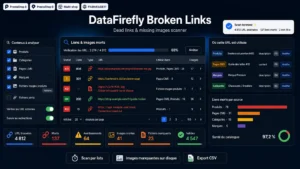 Broken Link Checker PrestaShop 8 & 9 — Dead Links & Missing ImagesFind dead links and broken images before your customers do€59.00
The decision matrix
Four possible treatments, and the choice comes down to two questions.
First question: does an equivalent page exist? Second question: did the old page have value?
Equivalent yes, value yes: redirect. Permanent redirect to the closest page. This is the most frequent case on changed URLs and replaced products.
No equivalent, strong value: restore. If the page was receiving significant traffic and no equivalent exists, the best action is often to recreate content. A discontinued product that was getting a hundred visits a month can become a page explaining the discontinuation and offering alternatives.
No equivalent, low value: switch to 410. That code indicates a deliberate, permanent removal. It speeds up removal from the index compared with a 404, and it stops engines coming back to test the page for months.
No value: do nothing. A clean 404 is a correct answer. Adding thousands of redirects for addresses nobody requests bloats your configuration with no benefit.
Prioritising on the right figures
Sorting by number of occurrences is misleading: an address requested a thousand times by a badly configured crawler comes out on top and is worth nothing.
Three sorting criteria, in this order.
Organic traffic lost, measured over the twelve months before the page disappeared. This is the decisive criterion, and it can be pulled from Search Console by comparing periods.
The number of referring domains pointing at the address. A single link from a recognised site beats a hundred internal links.
The number of incoming internal links, which is the easiest to fix: rather than redirecting, correct the link at source.
On a real audit, these three criteria usually cut a list of three thousand 404s down to around a hundred addresses deserving individual action.
Internally generated 404s
A category often ignored and yet the easiest to fix.
A broken link in a product description, a deleted image still referenced, a link to a renamed CMS page. These errors come from your own content and are not fixed by redirecting: they are fixed by editing the link.
Redirecting a broken internal link is a plaster: the link stays wrong, it goes through a redirect on every call, and it will spread if the content is duplicated.
A monthly check of internal links in the catalogue and editorial content settles this upstream.
The 404 page itself
Since some 404s will always remain, the page that displays them deserves attention.
Four elements make it useful rather than frustrating. A clear message, without technical jargon. The search field, which is the visitor’s most likely action. Product suggestions, ideally built from the words in the requested address. And a link to the main categories.
Technical point: the 404 page must return the 404 code, not 200. An error page answering 200 creates an indexable page for every non-existent address, which is far worse than the original problem.
The checking rhythm
A full audit once a year, a light check every month.
The monthly check covers newly appeared 404s, filtered on those receiving traffic or links. It takes half an hour and it prevents the build-up that makes the annual audit discouraging.
Two moments call for an immediate check, without waiting: after a redesign, and after any bulk catalogue import.
The Broken Link Checker for PrestaShop handles this work on PrestaShop 8 and 9: detection of broken internal links and missing images in the catalogue and content, a log of the 404s encountered with their origin, and a distinction between errors coming from your own content and those coming from outside.