


Everything you'd want to know before you install.
A detailed look at how Promo Codes & Discounts in the Orders List — PrestaShop 8 & 9 works, why we built it the way we did, and the thinking behind the features above.
§ 01
The problem: promos are invisible in the list
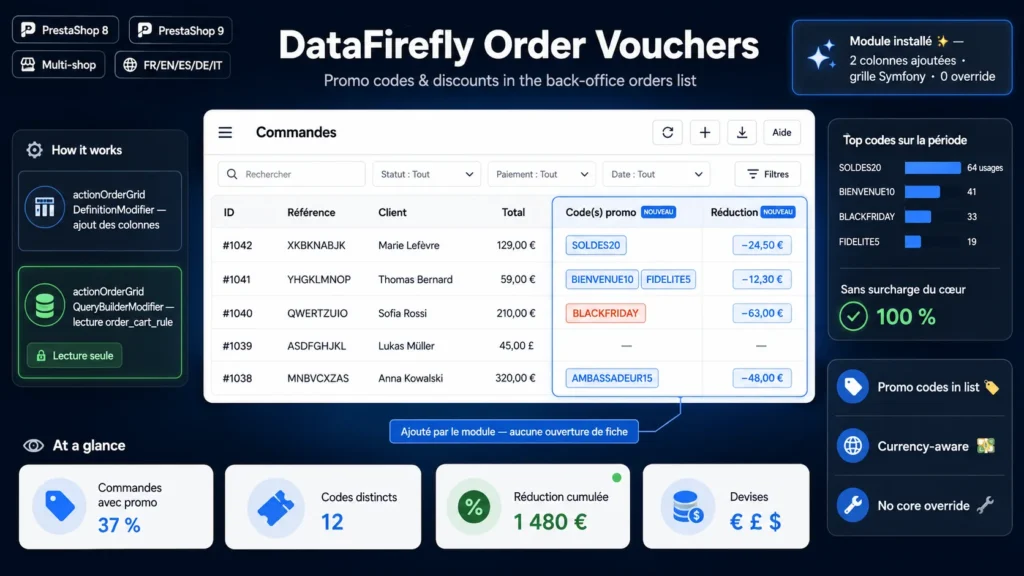
PrestaShop's orders list shows the amount paid, but never which promo code was used or how much it cost. To find out, you have to open each order one by one. As soon as you run a promo code campaign, tracking usage becomes a tedious job.
§ 02
The solution: two columns, all the info
This module adds two columns straight to the orders list: the promo codes used and the total discount amount. You can spot at a glance which orders received a promotion, and for how much, without opening a single order.
§ 03
Built on the official Symfony grid
From PrestaShop 1.7.7, the orders list uses the Symfony grid. The module hooks into it through the official actionOrderGridDefinitionModifier (adding the columns) and actionOrderGridQueryBuilderModifier (fetching the data) hooks. No controller is overridden, no core file is modified.
§ 04
Reliable data, no side effects
Codes and amounts are read via correlated sub-queries on the order_cart_rule and cart_rule tables. This approach avoids any row duplication and any conflict with the grid's internal grouping. The amount is shown in each order's currency, and code-less automatic promotions are excluded from the codes column.
§ 05
Lightweight, safe and reversible
The module creates no table and writes nothing to the database: it only reads and displays. Since core sorting relies on a whitelist of fields, clicking the new column headers causes no error. Perfectly clean install and uninstall.






There are no reviews yet.