
On a catalogue of several thousand references that has been running for a few years, dead links are not an accident: they are the normal consequence of operating the store. Products withdrawn, categories reorganised, images replaced, theme changed. Each of these operations leaves references pointing to resources that no longer exist.
The problem is not cosmetic. A visitor landing on an error page leaves, and a crawler that meets too many dead links gradually reduces how often it explores the site.
The sources of 404s specific to PrestaShop
Six causes cover almost every case, and all of them are predictable.
- The disabled product. Unticking “Enabled” removes the product from the front office without redirecting anything. External links, social shares and Google results keep pointing at it.
- The deleted product. Same effect, with no way back. This is the most expensive case when the page had built up a ranking.
- The friendly URL change. Editing the friendly URL field of a product or a category instantly breaks every existing URL, with no automatic redirect.
- The category moved or merged. The path changes, and with it the full URL if your URL structure includes the category tree.
- Hard-coded links in descriptions. A product description or a CMS page referencing another product through a hand-written URL rarely survives two years of operation.
- Images missing from disk. The database references an image whose file has disappeared, or whose size variant has never been regenerated.
The particular case of images
A missing image does not always return a visible error. Depending on the configuration, PrestaShop displays a placeholder image, which hides the problem from the visitor while leaving it intact in the data.
Two situations to tell apart. The source file has vanished from the images folder: every size variant is lost. Or the source file exists but the thumbnails were never regenerated after a theme change: the product shows correctly on its page but not in the listing, or the reverse.
Regenerating thumbnails from Design > Image settings handles the second case. It takes a long time on a large catalogue, and it fails silently when the memory limit is reached, which explains partial regenerations.
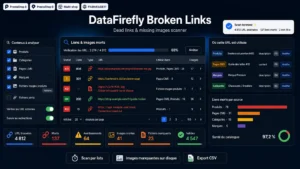 Broken Link Checker PrestaShop 8 & 9 — Dead Links & Missing ImagesFind dead links and broken images before your customers do€59.00
Scanning: what an external tool cannot see
An external crawler explores what is reachable from the home page by following links. It therefore finds broken links in the navigation and in descriptions.
It does not see three things. Disabled products that used to receive traffic, since they are no longer linked anywhere. Images referenced in the database but absent from disk, if the display is masked by a placeholder. And orphan URLs still receiving visits from outside, information that sits in your server logs or in Search Console, not in a crawl.
An internal scan, querying the database rather than the front office, therefore complements the external crawl rather than replacing it.
Prioritising: by value, not by volume
A poorly maintained catalogue can show several thousand errors. Working through the list in order is a waste of time. Three sorting criteria, in order of importance.
- Real incoming traffic on the broken URL, measured over the last thirty days. A 404 nobody visits costs nothing.
- External links pointing to it. A page referenced by a third-party site represents acquired value you lose on every unredirected visit.
- The page’s past ranking in search results, visible in Search Console.
In practice, twenty or so URLs often concentrate the bulk of the lost value.
Three possible decisions
For every broken URL worth handling, only one of three options applies.
Redirect with a 301 to the closest page: the replacement product, the equivalent combination, or failing that the parent category. Avoid the blanket redirect to the home page, which is treated as a soft error and gives the visitor nothing.
Restore the page when the product is simply out of stock but will return. An out-of-stock page with a back-in-stock alert is infinitely better than a 404.
Return a 410 when the resource has definitively gone and has no equivalent. That code explicitly signals a deliberate removal and speeds up de-indexing.
Making it a recurring check
A one-off cleanup does not hold. One month of normal operation is enough to recreate dozens of dead links. The check has to be periodic, monthly on an active catalogue, and its result compared with the previous one to spot which operations generate the most.
The Broken Link Checker for PrestaShop runs this scan from the back office on PrestaShop 8 and 9: broken internal links, images missing in the database and on disk, a prioritised report and tracking between two analyses.