

Delivering to a dense city centre, to a mountain village or to an offshore island does not cost the same. PrestaShop nonetheless reasons in zones and countries, with a level of granularity that stops well short of the postcode.
The result: either you spread the cost across everyone, which makes your rates uncompetitive on the majority of deliveries, or you absorb the difference on the hard-to-reach areas.
What the native system does
PrestaShop organises shipping in three levels: the zone groups countries, the country optionally contains states or regions, and the carrier applies a grid per zone, by weight or by price.
The state concept exists for countries that have one, and it allows a first split. In most European countries it maps to large administrative regions, which is too coarse for most real needs.
The postcode plays no part at all in the native shipping cost calculation. It is only used for the address.
The cases that require fine granularity
Five situations come up constantly.
Islands and overseas territories. Carrier rates there are noticeably higher, and so are the lead times. Treating an island the same as the mainland means funding every delivery.
Mountain areas. Many carriers apply a surcharge on published lists of postcodes, which they update regularly.
Large city centres. For bulky goods delivered to the door, a delivery in a dense city centre costs more than in the suburbs: access, parking, stairs.
Areas not served. Some postcodes are not covered by your carrier, or only to a pickup point. Better to know before the order.
Local delivery. Conversely, you may want to waive or heavily reduce the cost on postcodes near your warehouse or your shop.
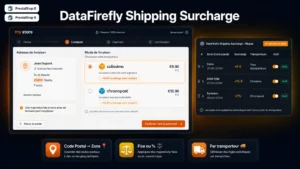 Shipping Surcharge by Postal Code for PrestaShopCharge the real delivery cost of islands and remote areas, clearly announced before customers pay.€69.00
Building the grid
Three forms of rule cover most needs, and they combine.
By range. Every postcode starting with a given prefix, which is how island and remote-area groupings are usually expressed. This is the most compact form and the easiest to maintain.
By explicit list. The postcode lists your carriers publish for hard-to-reach areas. They change, so plan an import rather than manual entry.
By exclusion. A base rate for the whole territory, with exceptions. That reads better than describing every zone, and it avoids coverage gaps.
Three parameters complete the rule: the surcharge amount, fixed or proportional; the trigger threshold, since a surcharge may only apply above a certain weight or volume; and how it interacts with free shipping, which has to be settled explicitly.
Free shipping and hard-to-reach areas
A question to settle before any configuration, because it changes the economics of the whole thing.
If your free shipping threshold applies everywhere, an island customer ordering 80 euros costs you the full surcharge. If free shipping only covers the base rate and leaves the surcharge to the customer, you protect your margin but you create confusion: the customer sees “free delivery” and then an amount to pay.
The wording that works: announce the threshold with its condition, “free delivery from 60 euros, mainland only”, rather than letting the surcharge appear in the cart.
Where and when to show the surcharge
The principle is simple: as early as possible, but not before you know the destination.
On product pages, a general mention is enough, along the lines of “additional charges apply in some areas”. Do not display an amount, you do not know the postcode yet.
In the cart, an estimator with postcode entry lets the customer know their real cost before committing to the checkout. This is the best position.
At checkout, as soon as the address is entered, the surcharge has to appear as a separate line, with its own label. A shipping total that changes without explanation produces abandonment.
Areas you cannot deliver to
A case to handle explicitly, or you end up with orders you cannot fulfil.
Good practice is to block the shipping method concerned as soon as the postcode is entered, with a message offering an alternative: pickup point, click and collect, or a quote on request.
What not to do: accept the order and then contact the customer. You lose time, they lose confidence, and you have to refund.
Checking your grid against reality
A simple control, worth doing once a year: take your last fifty deliveries, compare for each one the amount invoiced to the customer with the amount actually paid to the carrier, and look at the distribution of the gaps.
You will almost always find two things. A small number of destinations where you systematically lose money, which justify a rule. And a set of destinations where you slightly overcharge, which compensates but degrades your competitiveness on the bulk of the volume.
The Shipping Surcharge by Postcode module brings that granularity to PrestaShop 8 and 9: rules by range or by postcode list, fixed or proportional surcharge with a trigger threshold, interaction with free shipping and a detailed display in the cart.