
Our best PrestaShop modules for selling by weight, by length and by pack size
Seven modules for selling what isn't counted by the piece.
The customer orders 8 boxes for 12 m², forgets the cutting allowance and reorders three days later. PrestaShop counts pieces, your products are measured. These are the modules that bridge the two.
Sound familiar?
No price per kilo
The unit price is required in the EU for many products sold by weight, volume or length. Without it, the page is non-compliant and hard to compare.
The customer who miscalculates
They order 8 boxes for 12 m², forget the cutting allowance and reorder three days later, sometimes from a different production batch.
Single-unit orders on a product sold by the case
Wine ships by 6, screws by 100. PrestaShop lets customers order 5 bottles, and picking has to fix the gap.
Actual weight that doesn't match
The customer orders 500 g of cheese, the piece weighs 540. Without actual-weight handling, you either give the difference away or bill it by hand.
Our selection, ranked
Every module below is built, maintained and supported by our team. The ranking reflects what we would install first on a client store.
-
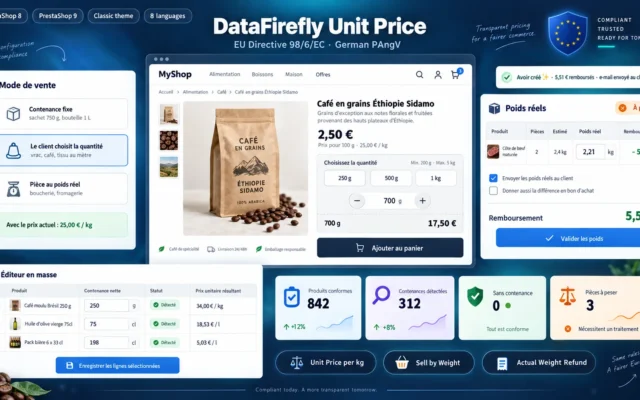
Unit Price per Kg & Sell by Weight PrestaShop 8 & 9
The regulatory foundationPrice per kilo, litre or metre shown next to the selling price, weight chosen by the customer and actual-weight items adjusted at picking. The unit price is required in the EU for many products.
Show the price per kilo, litre or metre next to every price, calculated from the price actually displayed, discounts included. Sell by the weight…
€129.00 View the module -
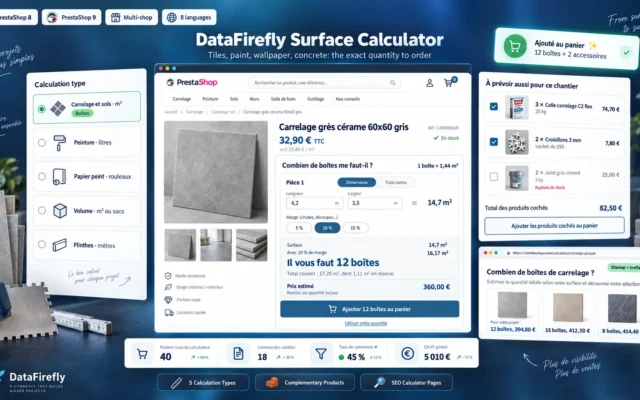
Tile, Paint & Wallpaper Quantity Calculator for PrestaShop 8 & 9
The right number of boxesThe customer enters their square metres, the module calculates the boxes or tins needed with the cutting allowance. Tiles, flooring, paint, wallpaper.
Quantity calculator for PrestaShop 8 and 9: customers enter their square metres or volume and get the exact number of boxes, cans, rolls or…
€129.00 View the module -
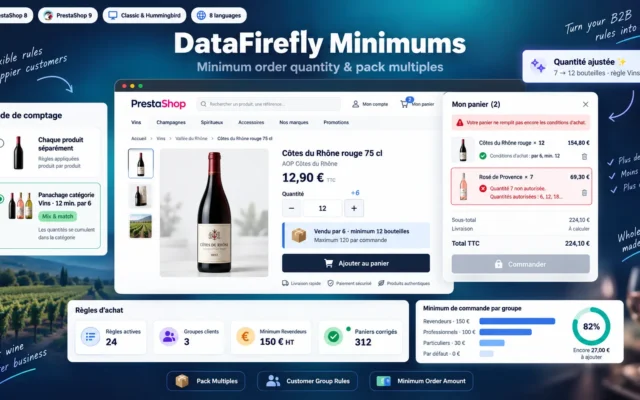
Minimum Order Quantity and Pack Multiples for PrestaShop 8 & 9
Pack sizes respectedMinimum quantity per product, category or customer group, enforced multiples (by 6, by 12) and minimum order value per group.
Set a minimum quantity, a required multiple (sold by 6, by 12) and a maximum quantity per product, combination, category or customer group, and…
€79.00 View the module -
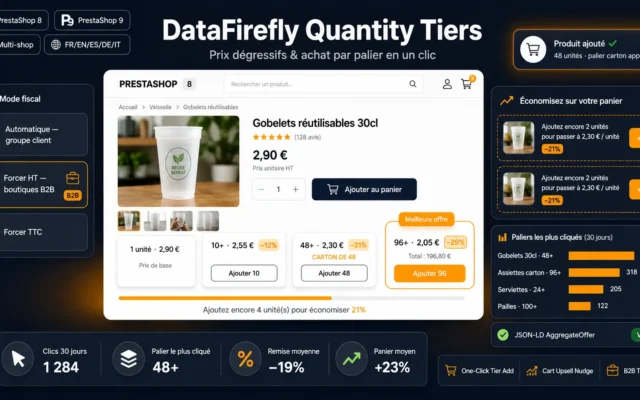
Tiered Quantity Discounts (Bulk Pricing) for PrestaShop
Price that drops with quantityTiered prices shown as a table on the product page. The customer sees from how many units they pay less.
Turn PrestaShop's native quantity discounts into a designer selling block: tier cards with a best deal badge, direct add to cart per quantity, automatic…
€69.00 View the module -
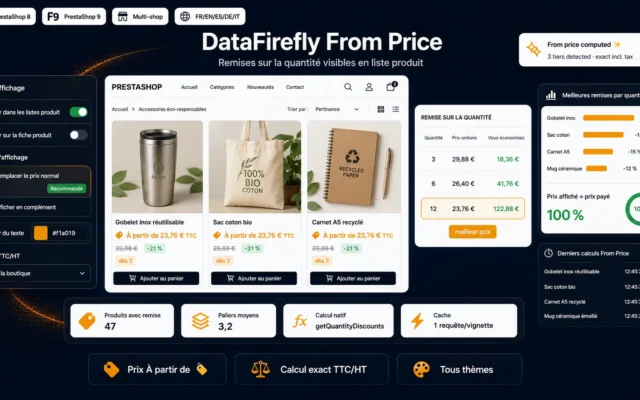
“From” Price Module — Quantity Discounts on Product Listings (PrestaShop 8 & 9)
Tiered pricing from the listingThe from price of the best tier shown in the product listing. The customer reaches the product page already thinking in quantities.
Show "From {price}" and the cheapest per-quantity price on your product listings whenever a quantity discount exists. Your bulk-pricing lever, made visible before the…
€49.00 View the module -
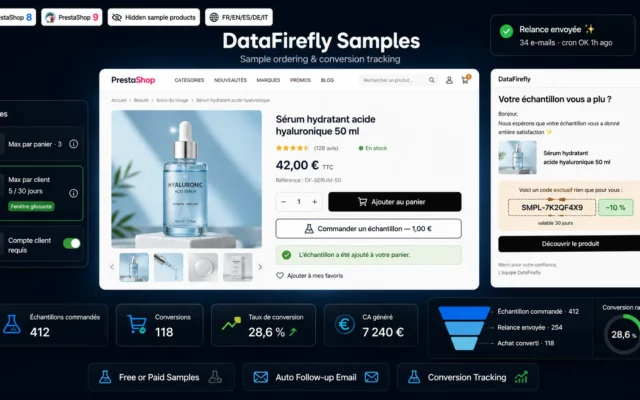
Product Sample Ordering — Follow-up & Conversion Tracking (PrestaShop 8 & 9)
A sample before the orderSample ordering with follow-up and conversion tracking. For materials, fabrics and floorings people want to see before ordering 40 m².
Add an "Order a sample" button (free or paid) to your product pages, cap requests per customer, track sample-to-purchase conversion and follow up automatically…
€129.00 View the module -
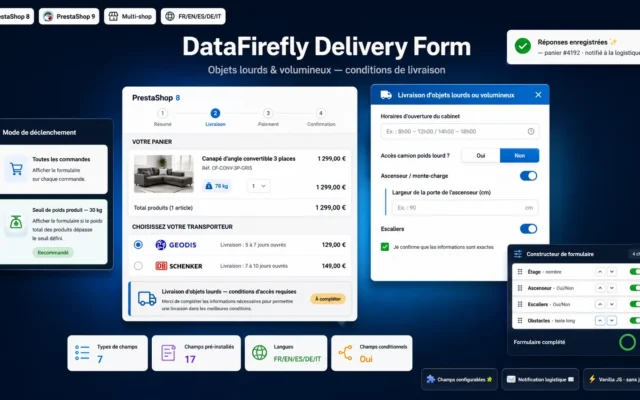
Heavy & Bulky Items Delivery Form — Furniture, Appliances, TV (PrestaShop 8 & 9)
Delivering heavy goodsDelivery form for heavy and bulky items: floor, lift, access. The carrier knows what to expect before setting off.
Collect delivery access details (floor, elevator, stairs, obstacles) right at checkout for your heavy or bulky products: furniture, washing machines, TVs, medical furniture. Fields…
€89.00 View the module
Side-by-side comparison
| Module | Best for | Price | Rating | Link |
|---|---|---|---|---|
| Unit Price per Kg & Sell by Weight PrestaShop 8 & 9 | The regulatory foundation | €129.00 | — | |
| Tile, Paint & Wallpaper Quantity Calculator for PrestaShop 8 & 9 | The right number of boxes | €129.00 | — | |
| Minimum Order Quantity and Pack Multiples for PrestaShop 8 & 9 | Pack sizes respected | €79.00 | — | |
| Tiered Quantity Discounts (Bulk Pricing) for PrestaShop | Price that drops with quantity | €69.00 | — | |
| “From” Price Module — Quantity Discounts on Product Listings (PrestaShop 8 & 9) | Tiered pricing from the listing | €49.00 | — | |
| Product Sample Ordering — Follow-up & Conversion Tracking (PrestaShop 8 & 9) | A sample before the order | €129.00 | — | |
| Heavy & Bulky Items Delivery Form — Furniture, Appliances, TV (PrestaShop 8 & 9) | Delivering heavy goods | €89.00 | — |
Not every product is sold by the piece
PrestaShop thinks in units: one product, one quantity, one price. Cheese sells by weight, tiles by the square metre, wine by the case, screws by the hundred. Every gap between the real selling unit and PrestaShop’s unit costs you in ordering mistakes, picking corrections or non-compliant product pages.
What this selection covers
Showing the unit price, turning an area into boxes, enforcing pack sizes, rewarding quantity and delivering heavy goods. For selling sets of different products, see our bundles, packs and gift boxes selection.
How to choose
Start with the legal requirement
If you sell food, drinks, cleaning products, cosmetics or materials by the metre, check unit price display first. It is a consumer information requirement in the EU for many products, and it is also the figure your customers use to compare.
Then help the customer order the right quantity
On floorings and paint, the most common mistake is the quantity. An area or volume calculator with a cutting allowance cuts reorders and returns of opened boxes.
Enforce pack sizes upstream
A product sold in cases of 6 should not be orderable in fives. Minimums and multiples are enforced in the cart, not at picking.
Finally, reward volume
Tiered prices and a from price in listings encourage larger orders. A sample removes doubt before a big order: on flooring or fabric, it costs less than a return.
What you gain
Compliant product pages
Unit price calculated and shown automatically next to the selling price.
The right quantity first time
The calculator turns an area into boxes or tins, cutting allowance included.
Orders that can be picked
Minimums and multiples enforced in the cart, no more orders to fix at picking.
Volume encouraged
Price tiers visible in listings and on the product page: the customer sees from what quantity they pay less.
From install to results
-
List products subject to unit pricing
Food, drinks, cleaning products, cosmetics, products sold by the metre: they must show a price per kilo, litre or metre.
-
Add the calculator to floorings
Tiles, flooring, paint, wallpaper: area converted into boxes, allowance included.
-
Set minimums and multiples
Per product, category or customer group, so the cart respects pack sizes.
-
Show the tiers
On the product page and in listings, so the customer sees the benefit of ordering more.
Frequently asked questions
Is the unit price mandatory?
In the EU, Directive 98/6/EC requires the price per unit of measure (kilo, litre, metre, square metre) to be shown for many products offered to consumers, alongside the selling price. Exceptions and exact units vary by country: check the rule that applies to your catalogue.
Can I sell by variable weight, as a butcher does?
Yes. dfunitprice handles weight chosen by the customer and actual-weight items, whose weight is adjusted at picking.
Does the calculator allow for offcuts?
Yes, it adds a cutting allowance to the calculation. For diagonal laying or pattern-matched wallpaper, plan a larger allowance than for straight laying.
What is the difference between a minimum order and an enforced multiple?
A minimum sets a floor quantity (at least 10 pieces), a multiple sets a step (by 6, by 12). dfminimums handles both, per product, category or customer group, as well as a minimum order value per group.
Why offer samples?
With materials, fabrics and floorings, customers hesitate over colour and texture. A sample removes that doubt before a large order, and the module tracks how many samples turn into orders.
Not sure which one fits your store?
Tell us your context — we answer with a straight recommendation, not a sales pitch.