
Our best PrestaShop modules for dropshipping
Five modules that automate the three flows of dropshipping: supplier catalogues in, orders out, tracking back to the customer.
In dropshipping you own neither the warehouse nor the shipping, only the flows in between. Automating catalogues, orders and tracking lets you scale without staff. Maintaining them by hand means spending your days in spreadsheets and cancellations.
Sound familiar?
The catalogue as a permanent building site
Catalogues imported by hand, prices adjusted by hand: every supplier change costs days, every price change eats margin.
Sales without stock
The supplier sells out, your store keeps selling: every cancellation costs a customer and a review.
Forwarding by hand
Forwarding orders to the supplier by email scales up to 10 orders a day, after that it becomes a full-time job.
Blind tracking
The customer asks where their parcel is, and you ask the supplier: without tracking flowing back, you answer every question twice.
Our selection, ranked
Every module below is built, maintained and supported by our team. The ranking reflects what we would install first on a client store.
-
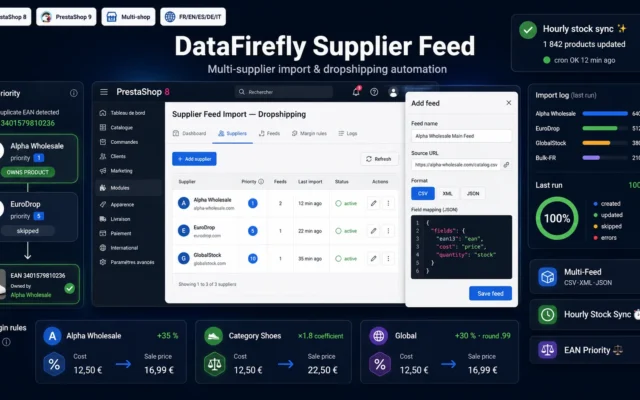
Supplier and dropshipping import: CSV, XML and JSON feeds with mapping, price rules, stock buffers and scheduled synchronisation.
Import and sync several supplier catalogs (CSV, XML, JSON), apply your margins per supplier and category, keep stock up to date every hour, and…
€99.00 View the module -
Export PrestaShop Orders to 3PL / Fulfilment Provider — CSV, EDI, API + Tracking Import
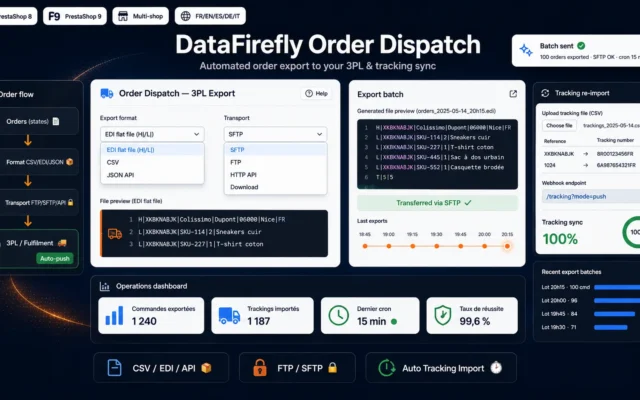
The outbound flowOrder export to 3PL or supplier: CSV, EDI or API under your routing rules, plus tracking import back.
Automatically send your PrestaShop orders to your 3PL or fulfilment provider in CSV, EDI or API format, on a schedule, then re-import the tracking…
€99.00 View the module -
Import Export CSV & XML for PrestaShop 8 & 9 — Visual Mapping, Scheduled FTP/SFTP Imports
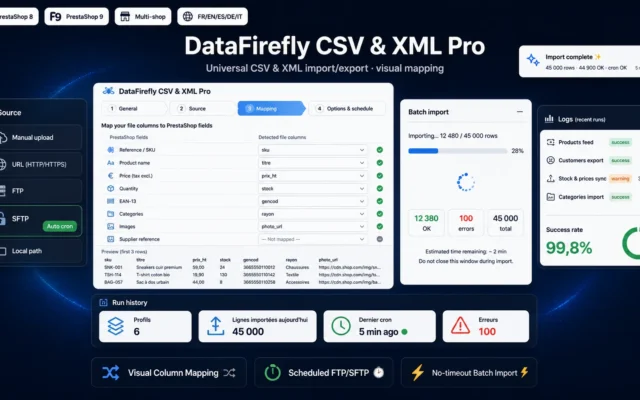
The Swiss army knifeCSV and XML import-export with visual mapping and FTP/SFTP scheduling: the tool for every flow beside the main ones.
Import and export your entire PrestaShop catalog in CSV or XML, with visual column mapping, reusable profiles and scheduled imports from FTP, SFTP or…
€129.00 View the module -
Automatic DHL & Multi-Carrier Tracking — Real-time API polling and auto statuses (PrestaShop 8 & 9)
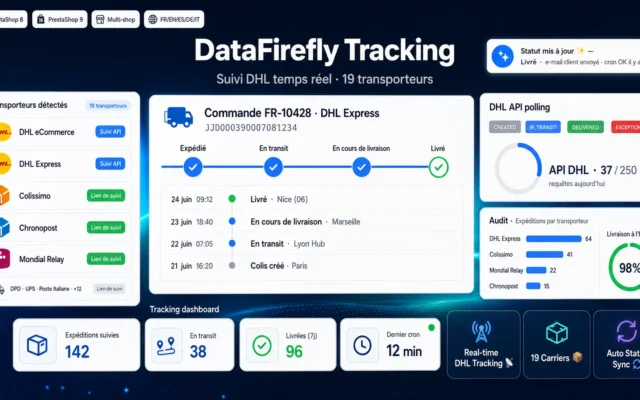
The watchmanAutomatic multi-carrier tracking with real-time polling: statuses update, problems become visible before the customer asks.
Real-time DHL eCommerce & Express tracking via the DHL API, automatic order-status sync, and a branded tracking page for 19 carriers (Colissimo, Chronopost, Mondial…
€59.00 View the module -
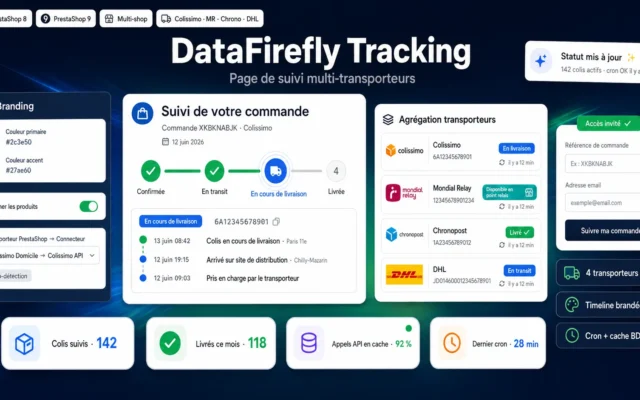
Multi-Carrier Order Tracking Page — Branded Timeline (PrestaShop 8 & 9)
The business cardBranded tracking page with timeline: the customer follows their parcel on your site, not on the supplier's carrier.
Give your customers a branded order tracking page: Colissimo, Mondial Relay, Chronopost and DHL statuses aggregated on a clear timeline — without ever leaving…
€49.00 View the module
Side-by-side comparison
| Module | Best for | Price | Rating | Link |
|---|---|---|---|---|
| Supplier Feed Import & Dropshipping for PrestaShop 8 & 9 — CSV, XML, JSON | The inbound flow | €99.00 | — | |
| Export PrestaShop Orders to 3PL / Fulfilment Provider — CSV, EDI, API + Tracking Import | The outbound flow | €99.00 | — | |
| Import Export CSV & XML for PrestaShop 8 & 9 — Visual Mapping, Scheduled FTP/SFTP Imports | The Swiss army knife | €129.00 | — | |
| Automatic DHL & Multi-Carrier Tracking — Real-time API polling and auto statuses (PrestaShop 8 & 9) | The watchman | €59.00 | — | |
| Multi-Carrier Order Tracking Page — Branded Timeline (PrestaShop 8 & 9) | The business card | €49.00 | — |
Dropshipping lives or dies by its flows
No warehouse of your own means: your stock is the supplier’s, your delivery time is their shipping. The model only works when the data flows do: supplier catalogues in, orders out, tracking back to the customer.
Automate the three flows
Supplier import synchronises catalogues, prices and stock from CSV, XML and JSON feeds. Order export sends every order automatically to the right supplier or 3PL. And tracking flows back: the customer follows their parcel on your site, not the supplier’s.
The margin lives in the discipline
Price rules per feed, stock buffers against sell-outs, statuses that update themselves: dropshipping only scales with rules that run without you.
How to choose
The feed decides the business
Rate suppliers by the quality of their feed: update frequency, stock accuracy, image quality. A cheap supplier with a daily-stale stock costs more than it saves: every cancellation is a lost customer.
Buffers and frequency before margin
Set stock buffers and short sync intervals before expanding the assortment. The most expensive mistakes in dropshipping are products sold without stock, not one percentage point of margin.
Automate the return path first
Order export saves you work, tracking import saves you support. Customers do not ask where the order went, they ask where the parcel is: the branded tracking page answers the most frequent question before it is asked.
One supplier is a test, three are a business
Start with one supplier and stable flows, then diversify: price comparison, resilience and assortment breadth only appear with several sources. Per-product routing keeps the diversity manageable.
What you gain
Supplier catalogues on autopilot
Supplier CSV, XML and JSON feeds imported on schedule: catalogue, prices and stock update without manual work.
A margin that protects itself
Price rules per feed: margin, rounding and exceptions defined, every supplier price change goes through your logic.
Orders that ship themselves
Every order goes automatically as CSV, EDI or API to the right supplier or 3PL, under your routing rules.
Tracking under your brand
Tracking numbers flow back, statuses update, the customer follows their parcel on your branded page.
See problems before the customer
Multi-carrier polling in real time: delivery problems become visible before the customer calls.
From install to results
-
Pick suppliers by their feed
Feed quality before price: frequency, stock accuracy and images decide the business.
-
Automate the import
Mapping, price rules and stock buffers per feed: the catalogue updates without you.
-
Automate the order export
CSV, EDI or API under routing rules: every order reaches the right partner alone.
-
Close the tracking loop
Tracking import and branded page: the most frequent customer question answers itself.
-
Scale with several suppliers
Diversify only with stable flows: several sources with per-product routing.
“At 20 orders a day we were still doing feeds and forwarding by hand. With automatic import and order export we now do 150 a day, with the same team: me.”
Frequently asked questions
Can I connect several suppliers at once?
Yes, that is the normal case. Each supplier gets its feed with its own mapping, price rules and frequency. Orders are routed automatically to the right supplier based on product assignment.
How do I avoid selling without supplier stock?
The import knows stock buffers: you only sell, for example, what the supplier carries with more than 5 units. Add scheduled synchronisations at short intervals: the residual risk drops to the level of the feed itself.
How does the margin stay stable through price changes?
Price rules per feed apply your margin as a coefficient or markup, with psychological rounding and exceptions per category or product. When the supplier changes prices, your selling price automatically follows your logic.
How do orders reach the supplier?
The order export produces the format your partner expects: CSV on FTP/SFTP, EDI or API call, triggered by status or schedule. The tracking import closes the loop: numbers and statuses come back automatically.
Is this compatible with PrestaShop 9?
Yes. The whole selection covers PrestaShop 8.0 to 9.x, using native hooks and no core overrides.
Not sure which one fits your store?
Tell us your context — we answer with a straight recommendation, not a sales pitch.