
Our best PrestaShop modules for selling bundles, packs and gift boxes
Eight modules for selling sets without getting the invoice wrong.
A gift box mixing a book and a decorative object doesn't have one VAT rate, it has two. PrestaShop's native pack only knows one. These are the modules that sell bundles, packs and gift boxes while keeping the invoice accurate.
Sound familiar?
The native pack and its single VAT rate
A box mixing a reduced-rate product and a standard-rate product comes out on the invoice with a single rate. The invoice is wrong, even if the total is right.
A fixed variant
The native pack sets size or colour in the back office. A customer who wants the T-shirt in M can't buy the pack.
Stock that drifts
Depending on the setting, PrestaShop decrements the pack, its components or both. Pick the wrong one and the pack stays on sale while a component is missing.
A discount nobody sees
The saving appears neither in the cart nor on the invoice. The customer pays less without knowing it, and the sales argument is lost.
Our selection, ranked
Every module below is built, maintained and supported by our team. The ranking reflects what we would install first on a client store.
-
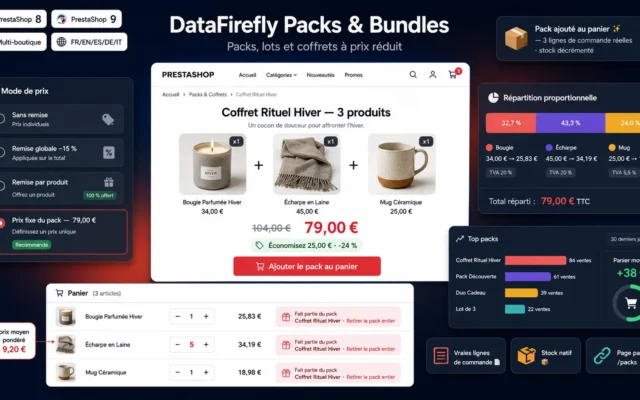
Each pack becomes a real catalogue product (listing, search, photos) but splits into component lines in the cart. Every item keeps its VAT rate and stock, from cart to invoice.
Create discounted product packs on PrestaShop 8 and 9: bundles, kits and boxes with combinations, optional products and 4 pricing modes. Every component stays…
€89.00 View the module -
DataFirefly Smart Offers — Smart bundled offers for PrestaShop
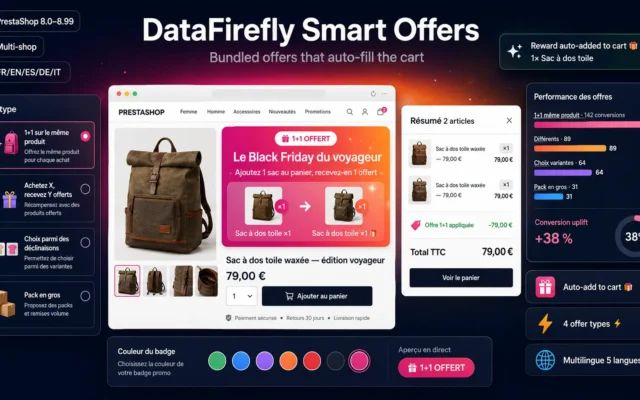
The most flexibleFour bundle mechanics: buy one get one on the same product, buy X get Y, choice among variants, bulk pack. Free items are added to the cart automatically.
Create 1+1 deals, bulk packs, multi-product bundles, and variant-choice offers on PrestaShop 8 and 9: auto-added reward products, customizable product page banner, and on-the-fly…
€89.00 View the module -
PrestaShop Pack VAT Module 8/9: One Tax Rate and Price per Product
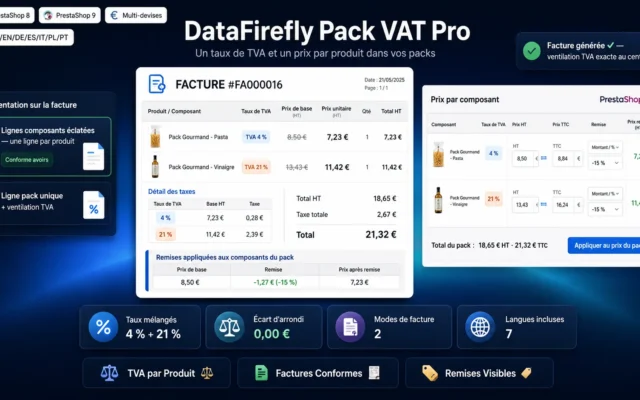
If you keep native packsNet price, discount and VAT rate per component in PrestaShop's native packs. The invoice breaks down each rate instead of applying the pack's rate to everything.
Native PrestaShop packs have a single price and a single VAT rate for the whole bundle. This module gives every component its own tax…
€89.00 View the module -
Let Customers Choose Pack Combinations in PrestaShop 8
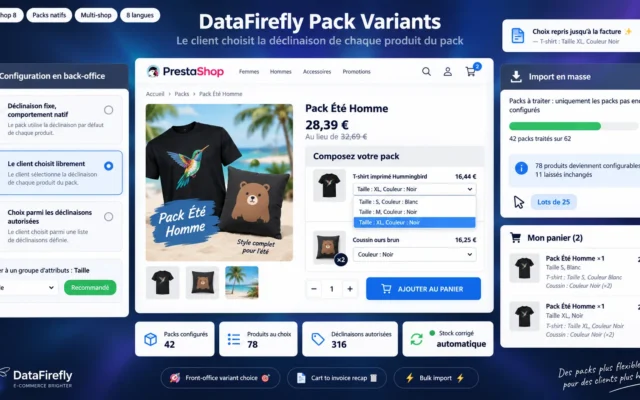
Size chosen inside the packThe customer chooses the colour or size of each product in the native pack, where PrestaShop forces you to fix it in the back office. PrestaShop 8 compatible.
Let your customers pick the size and colour of every product inside a PrestaShop pack, instead of freezing a single combination in the back…
€89.00 View the module -
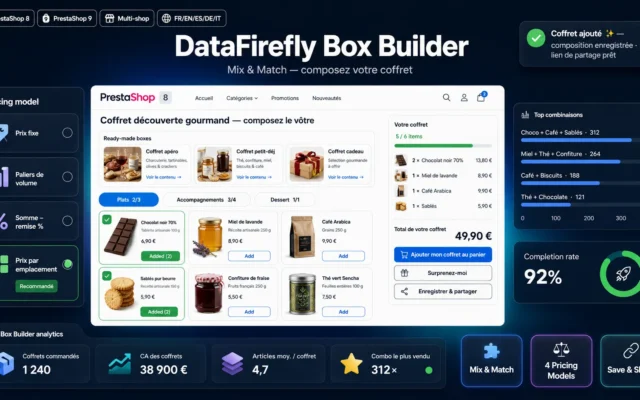
Custom Box Builder Module for PrestaShop 8 & 9 — Mix & Match Bundles
The box built by the customerMix and match box builder: the customer fills the box from a selection and the price follows the contents. For gift boxes, discovery boxes and assortments.
Let your customers compose their own box from the selection you curate: interactive grid, live computed price, 4 pricing models, categorical slots, pre-composed boxes,…
€129.00 View the module -
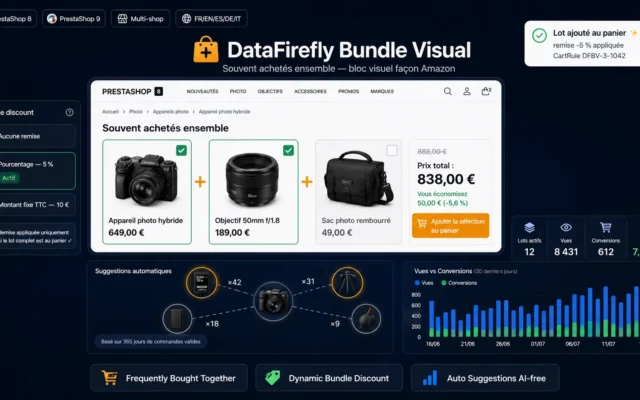
Frequently Bought Together Module PrestaShop 8/9
A pack without saying soThe frequently bought together block on the product page, with one-click group add to cart. The customer builds a set without going through a pack page.
Amazon-style Frequently Bought Together block on the product page: checkable products, dynamic total price and an automatically applied bundle discount. Suggestions drawn from your…
€69.00 View the module -
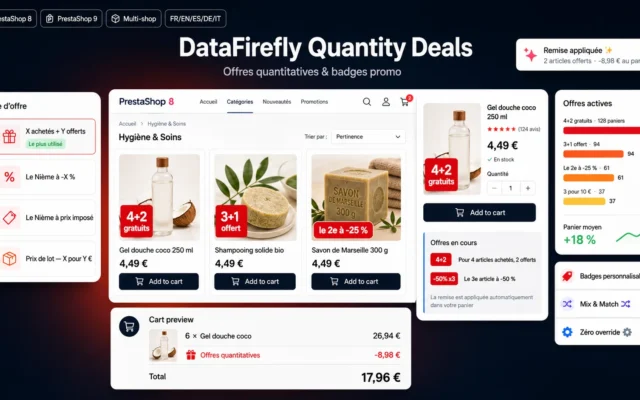
PrestaShop 8 & 9 Quantity Discount Module — Buy X Get Y Free & Promo Badges
Visible quantity dealsBuy X, get Y free, with promo badges on thumbnails. The customer sees the offer before even opening the product page.
Build quantity promotions on PrestaShop 8 and 9: buy 4 get 2 free, 3+1, 2nd item at -25%, 3rd at -50%, pack pricing. The…
€79.00 View the module -
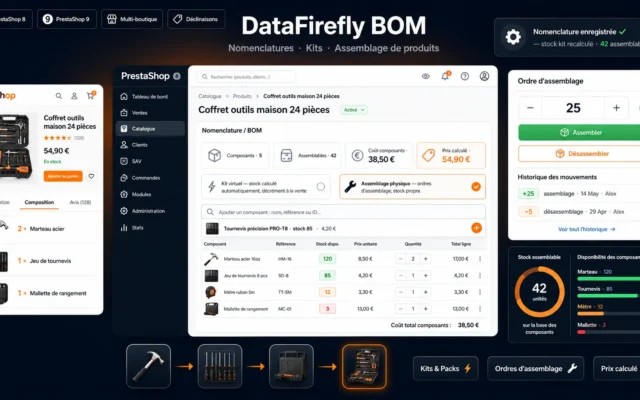
DataFirefly BOM — Bill of Materials & Product Assembly
For what you assembleBills of materials: selling a finished product deducts its components from stock. For kits assembled in-house, not for a marketing discount.
Sell kits and manufacture assembled products in PrestaShop 8 & 9: bills of materials (BOM), automatically computed stock, component stock deduction on sale, assembly…
€109.00 View the module
Side-by-side comparison
| Module | Best for | Price | Rating | Link |
|---|---|---|---|---|
| Product Packs & Bundles Module for PrestaShop 8 & 9: Discounted Bundles & Kits | Best overall | €89.00 | — | |
| DataFirefly Smart Offers — Smart bundled offers for PrestaShop | The most flexible | €89.00 | — | |
| PrestaShop Pack VAT Module 8/9: One Tax Rate and Price per Product | If you keep native packs | €89.00 | — | |
| Let Customers Choose Pack Combinations in PrestaShop 8 | Size chosen inside the pack | €89.00 | — | |
| Custom Box Builder Module for PrestaShop 8 & 9 — Mix & Match Bundles | The box built by the customer | €129.00 | — | |
| Frequently Bought Together Module PrestaShop 8/9 | A pack without saying so | €69.00 | — | |
| PrestaShop 8 & 9 Quantity Discount Module — Buy X Get Y Free & Promo Badges | Visible quantity deals | €79.00 | — | |
| DataFirefly BOM — Bill of Materials & Product Assembly | For what you assemble | €109.00 | — |
A pack is a price promise, not a product like any other
The customer buys a set, but your accounting, your stock and your invoice work item by item. The whole subject of packs sits in that gap: what is easy to sell must stay accurate to invoice.
What the native pack does not do
PrestaShop can create packs, with three limits that come up often: a single VAT rate for the whole pack, a fixed variant for each component, and a discount that is never shown clearly. The modules in this selection deal with those limits, separately or together.
For other ways to raise basket value (cross-selling, free shipping threshold, service options), see our average order value selection.
How to choose
First question: what must the invoice say?
If your packs mix products with different VAT rates (food and non-food, books and objects, cosmetics and accessories), PrestaShop's native pack applies one rate to the whole set. There are two ways out: a module that splits the pack into component lines (dfpackpro), or a module that breaks down VAT inside the native pack (Pack VAT Pro). If all your components share the same rate, the question doesn't arise.
Showcase pack or native pack?
The showcase pack is a full catalogue product that is replaced by its components in the cart: each line keeps its price, rate and stock. The native pack stays a single line, easier for the customer to read but more rigid. If you are starting from scratch, begin with the showcase pack. If you already have hundreds of native packs, dfpackpro can import them; otherwise keep native packs and add the VAT breakdown.
A pack is not the only kind of set
A buy one get one or buy three get one free offer also sells several items together, without creating a product. It is the right form when the discount applies to quantity of one reference. A box built by the customer suits gift boxes and discovery boxes, where choosing is part of the pleasure.
And if you really assemble
A kit assembled in your workshop is a bill of materials matter, not a marketing one: the stock of the components must drop when the finished product is sold.
What you gain
Correct VAT per item
Each component keeps its rate and appears as a real order line. The invoice is accurate with no accounting rework.
A pack found like a product
With the showcase architecture, the pack has its own page, photos and place in search and categories.
The customer picks the variants
Size, colour, shade: each component is chosen at purchase, not in the back office.
The saving on display
Price outside the pack and discount amount shown in the cart, at checkout and on the invoice.
From install to results
-
List the VAT rates in each pack
If a pack mixes several rates, the choice of module follows directly.
-
Choose the form of the set
Fixed pack, quantity offer, build-your-own box: each form matches a different module.
-
Let customers choose variants
A clothing pack with no size choice only sells to customers who wear the imposed size.
-
Show the saving
Price outside the pack and discount spelled out all the way to the invoice. An invisible discount is not an argument.
-
Check stock on a real order
Place a test order and check the stock of each component before putting the pack on sale.
Frequently asked questions
Why do PrestaShop's native packs cause a VAT problem?
The native pack is a product in its own right, with its own tax rule. All its components are therefore invoiced at the pack's rate, even if one is at a reduced rate and the other at the standard rate. On a mixed box the invoice is wrong. You either split the pack into component lines or break down VAT per component.
What is the difference between dfpackpro and Pack VAT Pro?
dfpackpro creates a showcase pack that splits into real component lines in the cart. Pack VAT Pro keeps PrestaShop's native pack and adds price, discount and VAT rate per component. The first suits a new catalogue, the second a shop that already has many native packs.
Can the customer choose size or colour in a pack?
Not with the native pack alone: the variant is fixed in the back office. dfpackvariants adds that choice on the front end for native packs (PrestaShop 8), with one cart line per chosen combination.
Pack or buy one get one: which should I choose?
A pack combines different products at an overall price. A buy one get one or buy X get Y offer works on quantity and applies in the cart without creating a new product. To move volume on one reference, the offer is enough; to sell a coherent set, the pack is clearer.
How is stock handled?
With dfpackpro, each component is a real order line and decrements its own stock. With native packs, PrestaShop lets you decrement the pack, its components or both: check that setting first. For assembled kits, the bill of materials deducts components when the finished product is sold.
Not sure which one fits your store?
Tell us your context — we answer with a straight recommendation, not a sales pitch.