
Everything you'd want to know before you install.
A detailed look at how SEO Cannibalization Detector — PrestaShop 8 & 9 works, why we built it the way we did, and the thinking behind the features above.
§ 01
Why detect SEO cannibalization?
On PrestaShop, cannibalization is everywhere without you noticing: a product page and its category targeting the same term, two products with overly similar titles, a blog article performing better than the product page it cites, a forgotten CMS dominating position 8 on the main query. Google then splits the clicks, makes positions fluctuate, and in the end everyone loses out.
§ 02
Why Google Search Console rather than an on-page analysis?
Because GSC gives Google's reality, not a guess. On-page audit tools compare titles and texts; SEO Cannibalization Detector compares actual SERP performance. If Google considers two pages answer the same query, GSC knows it, and the module detects it. No other source provides this level of accuracy.
§ 03
How the scoring algorithm works
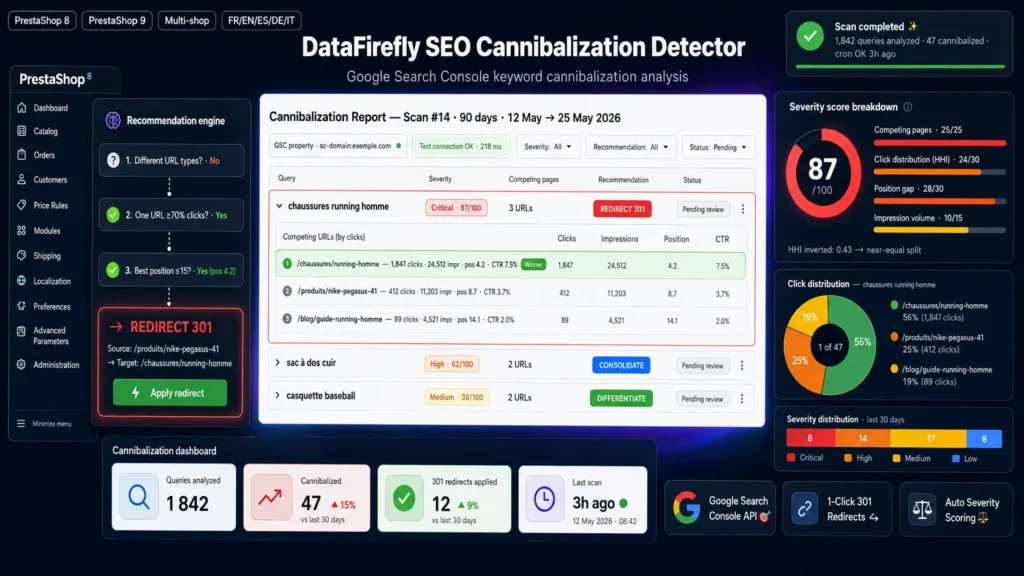
The score combines four weighted signals out of 100 points. First, the number of competing pages (25 points), because cannibalization with 5 pages is worse than with 2. Then click distribution calculated via an inverted HHI index (30 points): a 50/50 split is more problematic than 95/5. Then the position gap between URLs (30 points), bonus if everyone is in top 10. Finally impression volume on a logarithmic scale (15 points), to weight by traffic potential.
§ 04
The four possible recommendations
Differentiate when pages are of different types (a product, a category, an article: rebalance tags rather than merge). Redirect 301 when one URL captures over 70% of clicks at position ≤ 15 (the module identifies the winner automatically). Consolidate when performance is split (content merge, then 301). Monitor when score is below 26 (simple monitoring, no urgency).
§ 05
How 301 redirects are served
When you validate a redirect from the report, it is stored in the database and served from the PrestaShop actionDispatcherBefore hook. The hook runs before routing, ensuring a clean 301 with no parasitic processing. Optimal performance: a single SELECT per PHP-FPM worker thanks to a static in-memory cache, hit counter per rule to measure effectiveness.
§ 06
Manual or scheduled scans?
Both. You can launch a scan on demand from the admin, or schedule an automatic scan via the token-protected front controller. A crontab example is provided in the readme: a weekly Sunday-evening scan is enough for most stores.






There are no reviews yet.