
A product description pasted from a word processor looks clean in the editor and becomes a problem in the code. The visible text sometimes represents less than 10% of the description’s actual weight, the rest being formatting markup you have no use for.
What the word processor actually injects
A copy-paste from a document brings in four families of junk code.
Inline styles. Every paragraph, every fragment of a sentence gets a font, size, colour and line-height declaration. A ten-word sentence can carry three hundred characters of style attributes.
Proprietary tags. Elements and attributes specific to the original software, which browsers ignore but which stay stored in the database and served on every display.
Conditional comments. Blocks of code meant for old browsers, sometimes bulkier than the text itself.
Empty and nested tags. Paragraphs containing nothing but a non-breaking space, formatting elements stacked five levels deep around a single word.
The concrete consequences
Three effects, in order of severity.
Page weight. On a catalogue where each description weighs 30 kilobytes instead of 3, the product page loads more slowly, and that affects your performance metrics.
Broken mobile rendering. This is the most visible problem for your customers. A font fixed at 11 points and a width in pixels produce unreadable text or horizontal overflow on a small screen. The theme cannot correct what an inline style imposes.
Visual inconsistency. Five people pasting from five different documents produce five different typographies across your catalogue. The site looks cobbled together, and no theme change fixes it.
A fourth, quieter effect: the content becomes hard to reuse. Exporting these descriptions to a product feed or a marketplace passes on the junk markup, which is often rejected or displayed as is.
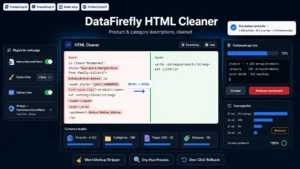 Clean HTML in Product & Category Descriptions: Strip Word Markup, Inline Styles and Empty Tags (PrestaShop 8 & 9)Strip Word markup, inline styles and empty tags from your descriptions, without touching the text.€79.00
What to remove, and what to keep
This is the question that decides whether a bulk clean-up is feasible.
Remove without hesitation: inline style attributes, proprietary tags and attributes, comments, purely visual formatting tags, empty paragraphs, class attributes that do not exist in your theme.
Keep at all costs: the semantic structure. Headings, paragraphs, lists, tables, links, bold and italic where they carry meaning.
Examine case by case: tables, whose formatting may be necessary for readability, and images embedded in the description, whose fixed dimensions can break mobile rendering.
The deciding rule: remove what describes appearance, keep what describes the nature of the content. A heading must stay a heading, not become a bold 16-point paragraph.
Cleaning in bulk without breaking anything
Three precautions, in this order.
Back up first. A badly calibrated clean-up on three thousand descriptions cannot be recovered by hand. The database backup must be made and verified.
Test on a sample. Take twenty representative products, including the most complex: those with tables, embedded images and long lists. Compare before and after visually, not only in the code.
Work in batches. One category at a time rather than the whole catalogue. You limit the scale of a mistake and you can adjust the rules between two passes.
A method point: also handle short descriptions, category descriptions and CMS pages. They suffer from the same problem and are often forgotten.
Stopping the problem coming back
A one-off clean-up is pointless if the same content returns with the next import.
Three preventive measures.
Pasting without formatting. Train your teams on the plain-text paste shortcut. It is the most effective and least expensive measure.
Filtering on input. The back-office editor can be configured to clean pasted content automatically. That configuration exists and is rarely enabled.
Cleaning on import. If your descriptions come from a supplier or a file, the processing must happen at import time, not afterwards.
The case of supplier descriptions
A frequent situation on reselling catalogues: descriptions arrive from a supplier file, with their own markup.
Two problems come on top of the technical clean-up. The content is identical across all resellers, which does nothing to distinguish you in the eyes of search engines. And it sometimes contains references to the supplier, external links or warranty statements that do not match your terms.
HTML cleaning fixes the form. The substance calls for a rewrite, at least on your main references.
Checking the result
Three checks after a clean-up.
The average weight of descriptions, before and after. A reduction of 60 to 80% is common on a catalogue that has never been cleaned.
The mobile rendering of a sample of pages, particularly those that contained tables.
The load time of a typical product page, which should improve noticeably on the heaviest descriptions.
The HTML Description Cleaner module for PrestaShop handles this work on PrestaShop 8 and 9: removal of word-processor code, inline styles and empty tags, batch processing with a preview before applying, and preservation of the semantic structure.